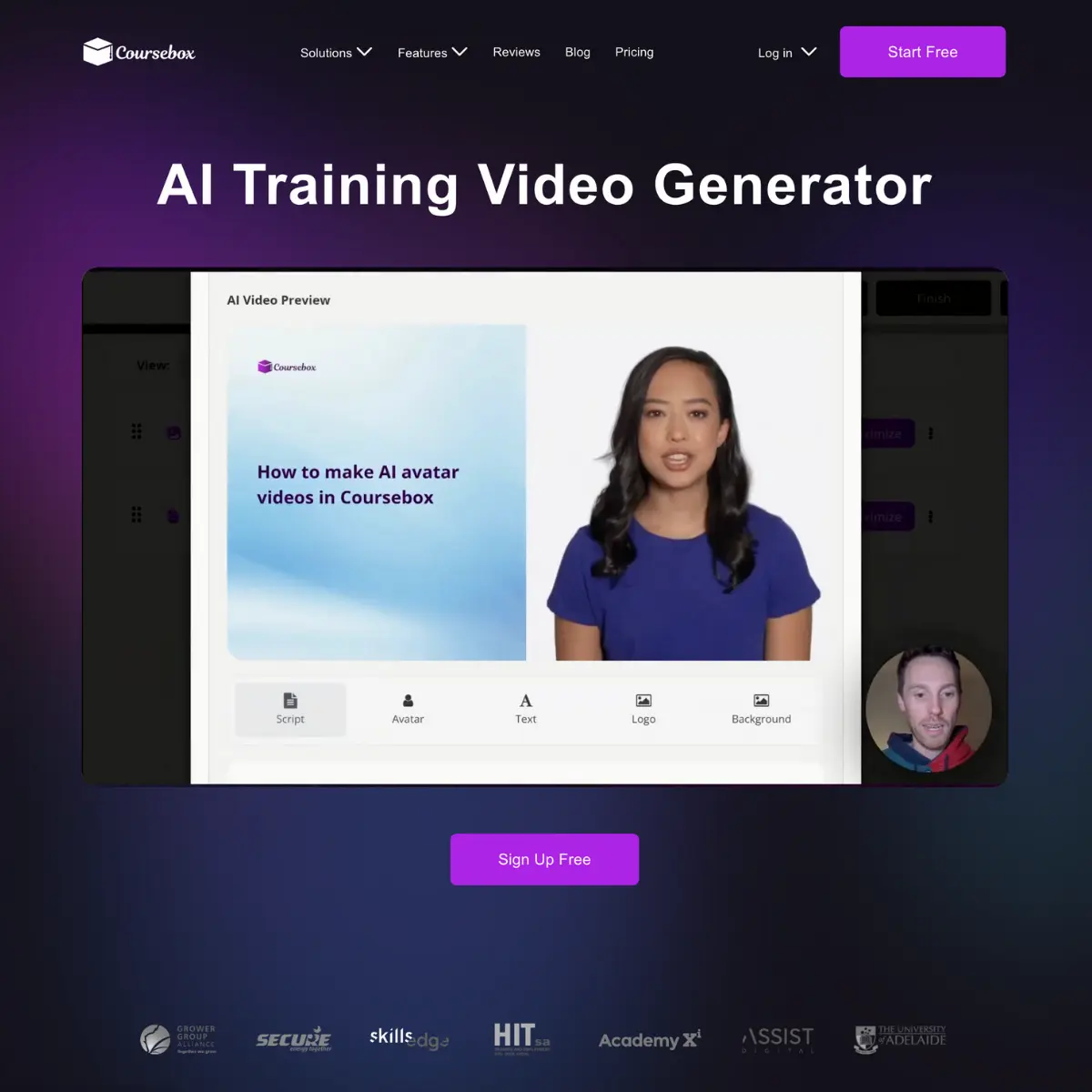
Content Creator-Ai Tools
Content Creator A.I. Tools are intelligent, AI-powered platforms designed to help creators produce high-quality digital content faster and more efficiently. These tools use artificial intelligence, machine learning, and natural language processing to support content creation across multiple formats, including text, images, videos, audio, and social media posts. From beginners to professional influencers, Content Creator A.I. Tools are transforming how content is planned, created, optimized, and published. Content Creator A.I. Tools help automate repetitive tasks such as idea generation, scripting, editing, caption writing, and content optimization. By reducing manual effort, these tools allow creators to focus more on creativity and audience engagement. Whether itΓÇÖs creating blog posts, YouTube scripts, Instagram captions, thumbnails, or podcasts, AI tools streamline the entire content workflow. One of the key advantages of Content Creator A.I. Tools is speed and consistency. Creators can generate content ideas, outlines, and drafts within minutes. AI writing assistants help maintain tone, style, and clarity across platforms. Visual AI tools assist with image generation, background removal, thumbnail design, and video enhancement, making professional-quality content accessible to everyone. Content Creator A.I. Tools also improve content performance. AI-powered analytics and optimization features help creators understand audience behavior, trending topics, and keyword opportunities. SEO-focused AI tools suggest high-ranking keywords, improve readability, and optimize content for search engines. Social media AI tools recommend hashtags, posting times, and caption styles to maximize reach and engagement. Another important benefit is multi-platform support. Content creators often publish across YouTube, Instagram, TikTok, Facebook, blogs, newsletters, and podcasts. AI tools help repurpose content by converting long videos into short clips, turning blogs into social posts, or transforming text into voiceovers. This saves time and ensures consistent brand presence across platforms. Content Creator A.I. Tools are also valuable for collaboration and scalability. Teams can use AI to maintain content quality while producing large volumes of content. Freelancers and solo creators can compete with larger teams by leveraging automation and smart workflows. Who Can Use Content Creator A.I. Tools Content Creator A.I. Tools are designed for a wide range of users across different industries and experience levels. Social media influencers use AI tools to create engaging captions, reels, stories, and posts while staying consistent with trends. YouTubers and video creators rely on AI for scriptwriting, video editing, thumbnail creation, and subtitle generation. Bloggers and writers use AI tools for article writing, SEO optimization, research, and content planning. Digital marketers and advertisers benefit from AI-powered content generation for ads, landing pages, email campaigns, and promotional creatives. Small business owners and entrepreneurs use AI tools to create marketing content without hiring large teams. Podcasters and audio creators use AI for script assistance, audio cleanup, voice generation, and show notes. Educators, coaches, and online course creators also use Content Creator A.I. Tools to develop educational content, presentations, and learning materials. Freelancers and agencies leverage AI to deliver high-quality content faster and manage multiple clients efficiently. Content Creator A.I. Tools are redefining the content creation landscape by making it faster, smarter, and more accessible. They empower creators to produce high-quality content, grow their audience, and stay competitive in the digital space. As AI technology continues to advance, Content Creator A.I. Tools will become an essential part of every creatorΓÇÖs workflow, regardless of platform or niche.

Topic Collections
Ai Writing Generation
AI Writing Generation is the use of artificial intelligence tools to create high-quality written content for blogs, articles, emails, ads, and social media posts. With advanced AI models, these tools can generate ideas, write drafts, improve grammar, rephrase text, and optimize content for SEO in seconds. Popular searches include AI writing generator, AI content creation, best AI writing tools, free AI text generator, AI blog writer, and AI copywriting software. AI-powered writing helps content creators, marketers, students, and businesses save time while producing engaging, unique, and search-optimized content. Features often include tone adjustment, plagiarism-free text, long-form article writing, email drafting, and ad copy generation. Whether you need marketing copy, academic writing, or creative storytelling, AI writing generation delivers fast, efficient, and professional results.
Ai Image enhancer
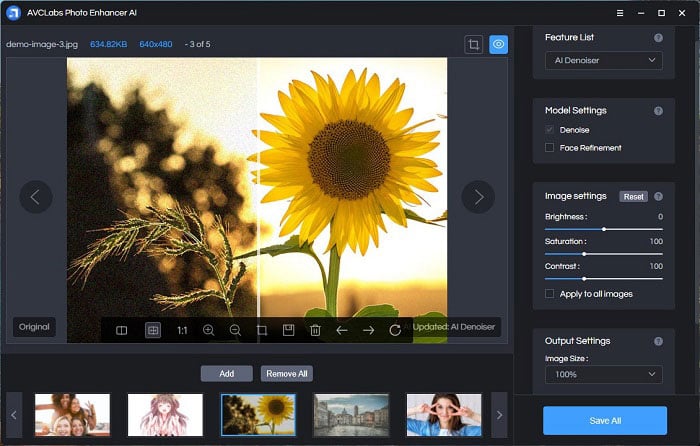
Unlock the power of artificial intelligence to transform your images. Our cutting-edge AI photo enhancer uses advanced algorithms to automatically detect and correct imperfections, bringing your photos to life with stunning clarity and detail. Say goodbye to dull, grainy, or poorly lit pictures and hello to professional-quality results with just a few clicks. Whether you're a seasoned photographer or just love capturing everyday moments, our AI tool makes photo enhancement accessible and incredibly effective. Experience the magic of AI-powered upscaling and noise reduction. Our intelligent system can intelligently sharpen details, remove unwanted noise and grain, and even restore clarity to older or lower-resolution images. This means your portraits will have sharper eyes, your landscapes will boast incredible textures, and your cherished memories will be preserved with a level of detail you never thought possible. Get ready to see your photos in a whole new light, optimized for breathtaking visual impact. Our AI photo enhancer is designed for ultimate ease of use. No complex software or technical expertise required. Simply upload your photo, and let our AI do the heavy lifting. You'll be amazed at how quickly and seamlessly it improves brightness, contrast, color balance, and overall sharpness. ItΓÇÖs the perfect solution for social media, printing, or simply enjoying your photos at their absolute best. Enhance your creativity without the learning curve. Boost your online presence with perfectly enhanced images. In today's visual world, high-quality photos are crucial for making a lasting impression. Our AI tool ensures your images stand out on social media platforms, websites, and portfolios. Attract more attention, engage your audience, and showcase your work with professional polish. From product photos to personal snapshots, elevate every image to its full potential and captivate viewers. Discover a smarter way to perfect your pictures. Stop wasting time on manual editing and embrace the future of photo enhancement. Our AI photo enhancer offers a fast, efficient, and incredibly powerful solution for all your image editing needs. Improve your photos effortlessly, save time, and achieve professional-grade results that will impress everyone. Try it today and witness the transformative power of AI for yourself.
Reels Automation
Reels automation is the groundbreaking solution for creators and businesses looking to streamline their social media presence. This advanced process leverages AI tools and powerful automation platforms to automatically generate, schedule, and publish engaging content across Instagram Reels, TikTok, and YouTube Shorts. Say goodbye to tedious manual posting and hello to effortless content delivery. By connecting popular applications like Canva for design, Zapier for workflow integration, and scheduling tools such as Buffer and Later, you can unlock a new level of efficiency. Optimize your content strategy with the power of automation. Popular searches like "Instagram Reels automation," "auto post Reels," and "Reels scheduling tool" highlight the demand for these innovative solutions. TikTok automation and AI Reels generators are transforming how content is created and distributed, allowing you to focus on what matters most: connecting with your audience. Whether you're looking to "auto upload videos" or "repurpose content across platforms," these tools provide the seamless functionality you need. Boost your engagement and expand your reach with intelligent automation. Our Reels automation tools go beyond simple scheduling, offering features like AI-powered caption generation and sophisticated analytics tracking. Understand your audience better by "optimizing posting times" and ensuring your content lands when it's most impactful. This is the ultimate advantage for anyone serious about growing their online presence and achieving significant audience growth. Designed for a diverse range of users, from individual content creators and influencers to marketing teams and eCommerce brands, Reels automation is the key to maintaining a consistent and impactful social media strategy. Eliminate the hours spent on repetitive manual tasks and reinvest that time into creating high-quality, valuable content that resonates with your target audience. Embrace the future of social media marketing with Reels automation. Achieve a stronger online presence, increased reach, and superior audience growth without the burden of constant manual effort. Discover how AI-driven solutions can revolutionize your content workflow and set you apart from the competition.
Ai Video generator
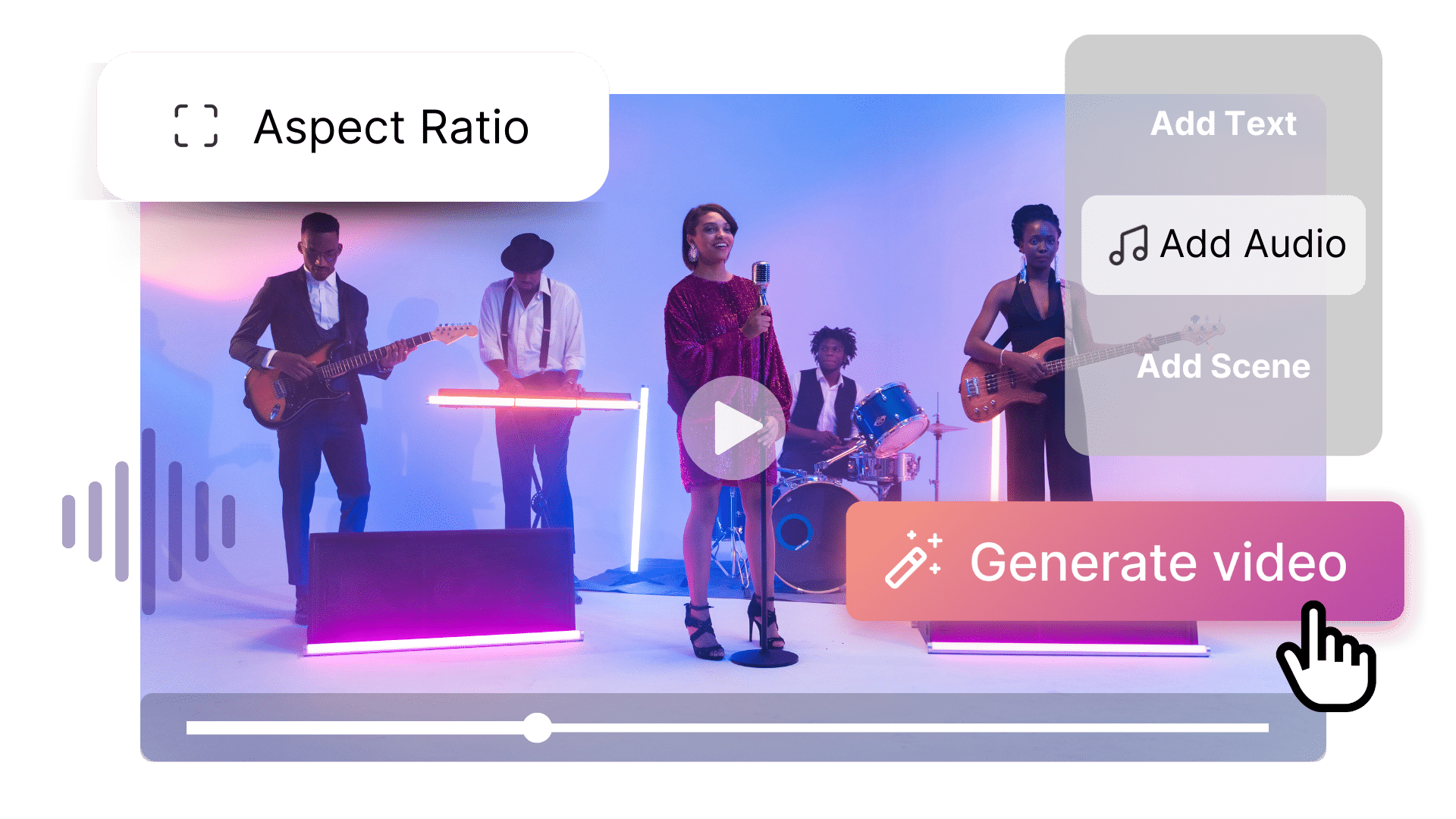
Effortlessly transform your ideas into professional videos with our advanced AI Video Generator. This powerful tool leverages artificial intelligence to create stunning, share-ready videos from simple text prompts, images, or concepts. Say goodbye to complex editing software, expensive equipment, and time-consuming production processes. Whether you're a content creator, marketer, educator, or business owner, our AI video generator empowers you to produce engaging videos in minutes, perfect for social media, marketing campaigns, presentations, and more. **Key Benefits:** * **Instant Video Creation:** Generate high-quality videos in minutes with just a prompt. * **User-Friendly:** No editing skills or prior experience needed. * **Versatile Applications:** Ideal for marketing, social media, education, business, and personal use. * **Cost-Effective:** Saves time and money compared to traditional video production. * **Scalable Content:** Produce more videos faster to meet demand. **Features:** * Text-to-video and image-to-video generation * AI-generated scripts, scenes, and transitions * Realistic AI voiceovers and customizable subtitles * Wide range of styles, themes, and templates * HD & 4K export options * Multi-language support * Cloud-based accessibility for desktop and mobile **Who Can Benefit:** * Digital marketers & advertisers * Content creators & influencers * Startups & small businesses * Educators & trainers * Agencies & freelancers * Social media managers Unlock your video creation potential and boost engagement with our intuitive AI Video Generator. Get started today! AI video generator, text to video AI, AI video maker online, generate videos with AI, AI video creation tool, AI content generator, video generator for social media, AI marketing videos, free AI video generator
Ai Content Creation
AI Content Creation refers to the use of artificial intelligence and machine learning tools to generate written, visual, or multimedia content quickly and efficiently. These tools help marketers, writers, educators, and businesses produce engaging content without spending hours writing or designing. From blog posts to social media posts, scripts, marketing copy, and videos, AI content creation tools simplify content production, improve quality, and optimize for SEO and audience engagement. Key Features of AI Content Creation Tools Automated blog and article generation AI-powered copywriting for social media, ads, and marketing campaigns Scriptwriting for videos, podcasts, and presentations SEO optimization and keyword suggestions AI-assisted image, video, and graphic creation Content summarization and translation Multi-format output for blogs, social media, emails, and websites Why People Use AI Content Creation Creating quality content manually can be time-consuming and expensive. AI content creation tools allow users to produce professional content quickly, maintain consistency, and scale their marketing or educational efforts. Popular Use Cases Blog posts, articles, and website content Social media posts and captions Marketing copy for emails, ads, and landing pages Video scripts, podcasts, and storytelling AI-generated images and graphics for content Content summarization and repurposing Benefits of AI Content Creation Save time and effort on content production Improve content quality and consistency Generate SEO-optimized and audience-focused content Scale content output for marketing and education Ideal for marketers, content creators, educators, and businesses AI Content Creation is transforming the way people produce content by combining creativity, automation, and intelligence. Whether for marketing, education, or personal projects, AI content creation tools help you generate high-quality, engaging content effortlessly. AI Content Creation, AI Content Generator, AI Writing Tools, AI Marketing Content, AI Blog Writer, AI Social Media Content, AI Video Script Generator
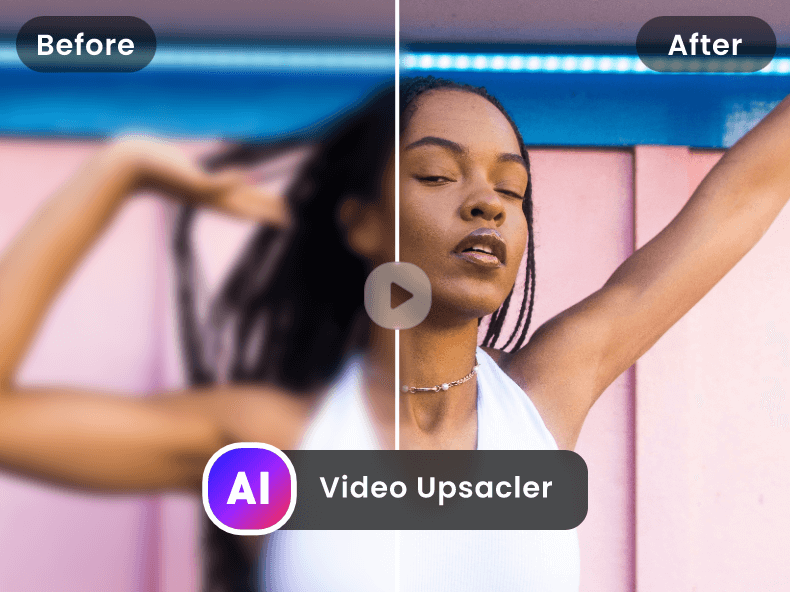
Ai Video enhancer
AI Video Enhancer Improve Video Quality Instantly with Artificial Intelligence An AI Video Enhancer is an advanced AI-powered tool designed to upgrade video quality automatically using artificial intelligence and deep learning algorithms. It intelligently enhances resolution, sharpness, color accuracy, and frame clarity???transforming low-quality, blurry, or compressed videos into high-definition, professional-grade visuals with minimal effort. Whether you are a content creator, filmmaker, marketer, educator, or business, an AI video enhancer helps you deliver visually stunning videos optimized for modern platforms and high-resolution displays. Why Use an AI Video Enhancer? Poor video quality reduces viewer retention and engagement. AI video enhancers solve this problem by automatically analyzing each frame and applying intelligent upscaling, noise reduction, and detail restoration. This eliminates the need for complex manual editing or expensive software. Ideal for: Enhancing low-resolution or old videos Upscaling videos to HD, Full HD, or 4K Removing noise, blur, and compression artifacts Restoring colors and improving lighting Improving videos for social media, ads, and streaming Key Features of AI Video Enhancer AI-powered video upscaling and restoration Automatic noise reduction and deblurring Frame-by-frame quality enhancement Color correction and brightness optimization Supports multiple video formats Batch processing support Fast cloud-based processing No technical or editing skills required Free and premium plans available Benefits of Using AI Video Enhancement AI video enhancement significantly improves visual clarity, professionalism, and viewer engagement. Creators can revive old footage, brands can enhance marketing content, and businesses can deliver higher-quality videos without reshooting or re-editing. Key benefits include: Higher video resolution and sharpness Improved audience retention Reduced production and editing costs Faster content turnaround Professional-quality output with minimal effort Who Should Use an AI Video Enhancer? YouTubers and content creators Video editors and filmmakers Digital marketers and advertisers Businesses and brands Educators and online trainers Social media managers Enhance Videos Anytime, Anywhere Most AI video enhancers are cloud-based, allowing users to enhance videos directly from their browser???no downloads or installations required. Upload your video, select enhancement settings, and let AI do the rest in minutes. AI video enhancer, video quality enhancer AI, AI video upscaling, enhance video quality online, AI video restoration, 4K video enhancer, video upscaler AI, improve video resolution AI
Ai CC generator
An AI CC Generator is an AI-powered tool that creates engaging captions for social media in seconds. It uses AI and NLP to generate captions tailored to your content, audience, and style. Perfect for content creators, marketers, influencers, and businesses, it helps you write captions that boost engagement, reach, and conversions without wasting time or effort. Why Use an AI CC Generator? Writing captions daily can be time-consuming and stressful. AI CC Generators automate this, giving you scroll-stopping captions optimized for: Engagement Readability Platform performance Great for: Instagram TikTok YouTube Shorts LinkedIn & Twitter Facebook & Threads Key Features Generate captions instantly with one click Platform-specific styles Short, long, viral & hook-based captions Emoji, hashtags & CTA suggestions Multiple tones: professional, funny, casual, emotional SEO-friendly & multilingual support Free and premium plans Benefits Using an AI CC Generator helps you: Post consistently without burnout Increase likes, comments & shares Boost profile visits & followers Improve click-through rates (CTR) Maintain a strong brand voice Who Should Use It? Influencers & content creators Social media managers Brands & startups Coaches & educators Anyone growing on social media How It Works Most AI CC Generators are cloud-based. Just enter your idea, topic, or video, and get multiple caption options instantly ΓÇô no installation needed.
Ai Shorts
AI Shorts makes it easy to create short-form video content for platforms like YouTube Shorts, Instagram Reels, and TikTok. Using AI, it automatically generates scripts, subtitles, captions, and even engaging visuals to turn your ideas into professional-looking videos within minutes. Perfect for creators, marketers, and influencers, AI Shorts saves time, boosts creativity, and helps you consistently produce trending content that grabs attention and grows your audience

Ai Animation
Animations are a powerful visual medium used to tell stories, explain complex ideas, and create engaging digital content across platforms like YouTube, Instagram, websites, apps, presentations, and advertisements. This category focuses on a wide range of animation styles and tools, including 2D animations, 3D animations, motion graphics, AI-generated animations, explainer videos, character animations, and short-form animated content. With the rise of AI animation tools and automation, creating professional-quality animations is now accessible to beginners, content creators, marketers, educators, and businesses. Animations are widely used for educational videos, product demos, marketing campaigns, social media reels, brand storytelling, and UI/UX design, making them one of the most searched creative content formats online. This category covers animations created using AI-powered software, traditional animation tools, and motion design platforms. Users can explore smooth transitions, dynamic effects, animated text, visual storytelling techniques, and cinematic animations that enhance engagement and viewer retention. Animations are especially effective for explainer content, as they simplify difficult concepts into easy-to-understand visuals, improving learning outcomes and audience interaction. From animated infographics and whiteboard animations to short animated videos for social media, this category helps users discover tools and resources to create impactful visuals. Whether you are searching for AI animations, motion graphics, animated videos for social media, explainer animations, or beginner animation tools, this category provides SEO-optimized, creative-focused content designed to help you create professional animations efficiently. High-intent SEO keywords included: animations, AI animations, motion graphics, 2D animation, 3D animation, animated videos, explainer animations, social media animations, animation tools If you want, I can also: Write short category card descriptions Create tool-based animation descriptions Optimize specifically for YouTube Shorts / Reels animations Add commercial-use & creator-focused keywords Just tell me 🚀 Real estate content Here is a LONG, detailed, SEO-friendly description for Real Estate Content, written for high-intent searches, Google ranking, and business/creator audiences. This is ideal for category pages, blogs, AI content platforms, and AdSense-friendly websites. 🏡 Real Estate Content – Long SEO Friendly Description Real estate content plays a critical role in helping buyers, sellers, investors, and real estate professionals make informed decisions in today’s competitive property market. This category focuses on high-quality real estate content creation, including property listings, real estate videos, social media posts, market analysis, virtual tours, promotional materials, and AI-generated real estate content designed to attract and convert audiences. With the growing demand for digital real estate marketing, content such as property walkthrough videos, animated floor plans, real estate reels, neighborhood guides, investment insights, and explainer videos has become essential. This content helps real estate agents, brokers, developers, and property marketers showcase properties effectively and build trust with potential clients. This category includes AI-powered real estate content, enabling users to generate property descriptions, listing captions, ad creatives, social media content, brochures, presentations, and video scripts quickly and professionally. From residential and commercial properties to luxury real estate and rental listings, the content is optimized to increase visibility, engagement, and lead generation. Real estate content is also valuable for home buyers and investors looking for market trends, price comparisons, location guides, ROI insights, and buying or selling tips. High-quality, SEO-optimized real estate content improves search rankings, boosts brand authority, and helps businesses stand out in local and global property searches. Whether you are searching for real estate marketing content, AI real estate content creation tools, property listing content, or real estate video and social media content, this category provides structured, search-friendly resources to help you grow your real estate business efficiently. real estate content, real estate marketing content, property listing content, AI real estate content, real estate videos, real estate social media content, property marketing, real estate digital marketing
Trending Now

Invideo ai
Invideo AI is an innovative AI video generator that empowers users to create high-quality, professional videos quickly and easily, transforming text prompts into compelling visual content. It addresses the challenge of video creation ΓÇô traditionally a time-consuming and resource-intensive process ΓÇô by leveraging artificial intelligence to automate key stages of production. This tool is designed for marketers, content creators, educators, and businesses seeking to enhance their video marketing strategies and content output without requiring extensive video editing expertise. It’s a powerful solution for anyone looking to streamline video creation and maximize their reach through engaging visual storytelling, utilizing AI video generation , text-to-video technology , and automated video editing . Key Features of Invideo AI Transforms text prompts into fully-formed videos. Offers a library of pre-made templates for various video types. Provides access to a vast stock library of media assets, including footage, images, and music. Supports multiple video aspect ratios for different platforms. Includes AI-powered voiceover generation in multiple languages and accents. Allows for custom branding with logos, colors, and fonts. Offers automated video resizing for social media platforms. Provides a user-friendly drag-and-drop interface for editing. Enables the creation of videos from articles or blog posts via URL input. Features AI script generation to assist with content creation. Supports collaboration features for team projects. Offers real-time preview of video edits. Provides options for adding text animations and transitions. Allows for direct publishing to social media platforms. Includes advanced editing features like keyframing and color correction. Why People Use Invideo AI Individuals and organizations are increasingly turning to Invideo AI to overcome the hurdles associated with traditional video production. Creating videos from scratch often requires significant time, technical skills, and financial investment in equipment and personnel. Invideo AI democratizes video creation by making it accessible to anyone, regardless of their experience level. The platform significantly reduces the time and effort required to produce professional-looking videos, allowing users to focus on their core message and creative vision. Unlike manual video editing, which can be a complex and iterative process, Invideo AI automates many of the tedious tasks, such as finding stock footage, adding music, and creating transitions. This results in faster turnaround times, increased productivity, and a more efficient workflow. The platform’s ability to generate videos from text prompts is particularly valuable for content creators who need to produce a high volume of video content quickly and consistently. It allows for rapid prototyping and experimentation with different video concepts, ultimately leading to more engaging and effective video marketing campaigns. Popular Use Cases Social Media Marketing: Creating short, attention-grabbing videos for platforms like TikTok, Instagram, Facebook, and YouTube. Content Marketing: Producing engaging video content for blog posts, articles, and website landing pages. Educational Videos: Developing instructional videos, tutorials, and online courses. Product Demos: Showcasing product features and benefits through visually appealing video demonstrations. Explainer Videos: Simplifying complex concepts and processes with clear and concise animated explainers. Promotional Videos: Creating compelling advertisements and promotional content for businesses. Internal Communications: Developing engaging videos for employee training, announcements, and updates. Real Estate Marketing: Producing virtual tours and property showcases. Event Highlights: Creating recap videos of conferences, webinars, and other events. Personal Branding: Building a professional online presence with high-quality video content. News and Journalism: Quickly creating visual summaries of news stories and current events. Podcast Promotion: Generating video clips to promote podcast episodes on social media. E-commerce Product Videos: Showcasing products in action to drive sales. Benefits of Invideo AI Increased Efficiency: Significantly reduces the time and effort required to create videos. Cost Savings: Eliminates the need for expensive video production equipment and personnel. Enhanced Creativity: Empowers users to experiment with different video concepts and styles. Improved Engagement: Creates visually appealing videos that capture audience attention. Scalable Content Creation: Enables the production of a high volume of video content quickly and easily. Accessibility: Makes video creation accessible to users of all skill levels. Brand Consistency: Ensures consistent branding across all video content. Wider Reach: Facilitates the creation of videos optimized for different platforms and audiences. Faster Turnaround Times: Accelerates the video production process from concept to completion. Simplified Workflow: Streamlines the video creation process with an intuitive interface. Data-Driven Insights: Provides analytics to track video performance and optimize content. Greater Flexibility: Allows for easy editing and customization of video content. Professional Results: Delivers high-quality videos that meet professional standards. Expanded Content Strategy: Enables businesses to incorporate video into their overall content marketing strategy. Competitive Advantage: Helps businesses stand out from the competition with engaging video content.

Invideo AI is an innovative AI video generator that empowers users to create high-quality, professional videos quickly and easily, transforming text prompts into compelling visual content. It addresses the challenge of video creation ΓÇô traditionally a time-consuming and resource-intensive process ΓÇô by leveraging artificial intelligence to automate key stages of production. This tool is designed for marketers, content creators, educators, and businesses seeking to enhance their video marketing strategies and content output without requiring extensive video editing expertise. It’s a powerful solution for anyone looking to streamline video creation and maximize their reach through engaging visual storytelling, utilizing AI video generation , text-to-video technology , and automated video editing . Key Features of Invideo AI Transforms text prompts into fully-formed videos. Offers a library of pre-made templates for various video types. Provides access to a vast stock library of media assets, including footage, images, and music. Supports multiple video aspect ratios for different platforms. Includes AI-powered voiceover generation in multiple languages and accents. Allows for custom branding with logos, colors, and fonts. Offers automated video resizing for social media platforms. Provides a user-friendly drag-and-drop interface for editing. Enables the creation of videos from articles or blog posts via URL input. Features AI script generation to assist with content creation. Supports collaboration features for team projects. Offers real-time preview of video edits. Provides options for adding text animations and transitions. Allows for direct publishing to social media platforms. Includes advanced editing features like keyframing and color correction. Why People Use Invideo AI Individuals and organizations are increasingly turning to Invideo AI to overcome the hurdles associated with traditional video production. Creating videos from scratch often requires significant time, technical skills, and financial investment in equipment and personnel. Invideo AI democratizes video creation by making it accessible to anyone, regardless of their experience level. The platform significantly reduces the time and effort required to produce professional-looking videos, allowing users to focus on their core message and creative vision. Unlike manual video editing, which can be a complex and iterative process, Invideo AI automates many of the tedious tasks, such as finding stock footage, adding music, and creating transitions. This results in faster turnaround times, increased productivity, and a more efficient workflow. The platform’s ability to generate videos from text prompts is particularly valuable for content creators who need to produce a high volume of video content quickly and consistently. It allows for rapid prototyping and experimentation with different video concepts, ultimately leading to more engaging and effective video marketing campaigns. Popular Use Cases Social Media Marketing: Creating short, attention-grabbing videos for platforms like TikTok, Instagram, Facebook, and YouTube. Content Marketing: Producing engaging video content for blog posts, articles, and website landing pages. Educational Videos: Developing instructional videos, tutorials, and online courses. Product Demos: Showcasing product features and benefits through visually appealing video demonstrations. Explainer Videos: Simplifying complex concepts and processes with clear and concise animated explainers. Promotional Videos: Creating compelling advertisements and promotional content for businesses. Internal Communications: Developing engaging videos for employee training, announcements, and updates. Real Estate Marketing: Producing virtual tours and property showcases. Event Highlights: Creating recap videos of conferences, webinars, and other events. Personal Branding: Building a professional online presence with high-quality video content. News and Journalism: Quickly creating visual summaries of news stories and current events. Podcast Promotion: Generating video clips to promote podcast episodes on social media. E-commerce Product Videos: Showcasing products in action to drive sales. Benefits of Invideo AI Increased Efficiency: Significantly reduces the time and effort required to create videos. Cost Savings: Eliminates the need for expensive video production equipment and personnel. Enhanced Creativity: Empowers users to experiment with different video concepts and styles. Improved Engagement: Creates visually appealing videos that capture audience attention. Scalable Content Creation: Enables the production of a high volume of video content quickly and easily. Accessibility: Makes video creation accessible to users of all skill levels. Brand Consistency: Ensures consistent branding across all video content. Wider Reach: Facilitates the creation of videos optimized for different platforms and audiences. Faster Turnaround Times: Accelerates the video production process from concept to completion. Simplified Workflow: Streamlines the video creation process with an intuitive interface. Data-Driven Insights: Provides analytics to track video performance and optimize content. Greater Flexibility: Allows for easy editing and customization of video content. Professional Results: Delivers high-quality videos that meet professional standards. Expanded Content Strategy: Enables businesses to incorporate video into their overall content marketing strategy. Competitive Advantage: Helps businesses stand out from the competition with engaging video content.

Haiper Ai
Haiper Ai is an innovative AI video generation platform that transforms text prompts and ideas into fully-produced videos, streamlining content creation for diverse applications. It addresses the challenges of traditional video production ΓÇô high costs, time constraints, and the need for specialized skills ΓÇô by leveraging artificial intelligence to automate the entire process. This tool is designed for marketers, content creators, social media managers, educators, and businesses seeking to produce engaging video content efficiently. It utilizes advanced artificial intelligence , machine learning , and natural language processing to deliver high-quality video outputs. Key Features of Haiper Ai Transforms text prompts into complete videos. Offers a library of AI-generated avatars for video spokespeople. Provides a range of video styles and aspect ratios. Includes a scriptwriting assistant to refine video narratives. Allows for voiceovers with AI-generated voices. Offers automatic video resizing for different platforms. Provides a royalty-free music library for background audio. Enables the creation of videos in multiple languages. Features a user-friendly interface for easy navigation. Supports the generation of videos from images. Offers a storyboard preview before final rendering. Allows for custom branding with logos and watermarks. Provides options for controlling video pacing and transitions. Includes a text-to-speech functionality for voiceovers. Offers a variety of video templates for quick starts. Why People Use Haiper Ai Individuals and organizations are increasingly turning to Haiper Ai to overcome the limitations of conventional video production methods. Traditionally, creating videos required significant investment in equipment, software, and skilled personnel ΓÇô including videographers, editors, and voice actors. This process could be time-consuming, expensive, and often inaccessible to those without specialized expertise. Haiper Ai democratizes video creation by offering a cost-effective, time-efficient, and user-friendly alternative. The platform’s AI-driven automation significantly reduces the time required to produce a video, from script development to final rendering. Users can generate professional-looking videos in minutes, simply by providing a text prompt. This speed and efficiency are particularly valuable for businesses that need to create a high volume of video content for marketing, social media, or internal communications. Furthermore, Haiper Ai’s ability to generate videos in multiple languages expands its reach and accessibility, making it a powerful tool for global audiences. The platform’s focus on simplicity ensures that even users with no prior video editing experience can create compelling visual content. Popular Use Cases Social Media Marketing: Creating engaging short-form videos for platforms like TikTok, Instagram Reels, and YouTube Shorts. Content Marketing: Producing explainer videos, product demos, and educational content for websites and blogs. E-learning and Training: Developing instructional videos and training materials for online courses and employee development programs. Internal Communications: Creating company announcements, employee onboarding videos, and internal training modules. Real Estate Marketing: Generating virtual tours and property highlight videos. E-commerce Product Promotion: Showcasing products with dynamic video ads and demonstrations. News and Journalism: Quickly creating visual summaries of news stories and events. Personal Branding: Developing introductory videos and personal highlight reels for professional networking. Educational Content Creation: Teachers and educators can create engaging learning materials. Storytelling and Animation: Bringing narratives to life with AI-generated visuals and voiceovers. Advertising Campaigns: Producing cost-effective video ads for various platforms. Presentations and Pitches: Enhancing presentations with dynamic video elements. Benefits of Haiper Ai Reduced Video Production Costs: Eliminates the need for expensive equipment, software, and personnel. Increased Content Velocity: Enables rapid video creation, allowing users to produce more content in less time. Enhanced Engagement: Creates visually appealing and engaging videos that capture audience attention. Simplified Workflow: Streamlines the video creation process, making it accessible to users of all skill levels. Scalable Video Production: Allows businesses to easily scale their video content creation efforts to meet growing demands. Improved Brand Consistency: Enables the creation of branded videos with consistent visual elements and messaging. Expanded Reach: Facilitates the creation of videos in multiple languages, expanding audience reach. Greater Creative Control: Offers a range of customization options, allowing users to tailor videos to their specific needs. Time Savings: Automates many of the time-consuming tasks associated with traditional video production. Accessibility: Empowers individuals and organizations without video production expertise to create professional-quality videos. Innovation: Leverages cutting-edge AI technology to deliver unique and compelling video experiences. Versatility: Supports a wide range of video formats and styles, catering to diverse content needs.

Haiper Ai is an innovative AI video generation platform that transforms text prompts and ideas into fully-produced videos, streamlining content creation for diverse applications. It addresses the challenges of traditional video production ΓÇô high costs, time constraints, and the need for specialized skills ΓÇô by leveraging artificial intelligence to automate the entire process. This tool is designed for marketers, content creators, social media managers, educators, and businesses seeking to produce engaging video content efficiently. It utilizes advanced artificial intelligence , machine learning , and natural language processing to deliver high-quality video outputs. Key Features of Haiper Ai Transforms text prompts into complete videos. Offers a library of AI-generated avatars for video spokespeople. Provides a range of video styles and aspect ratios. Includes a scriptwriting assistant to refine video narratives. Allows for voiceovers with AI-generated voices. Offers automatic video resizing for different platforms. Provides a royalty-free music library for background audio. Enables the creation of videos in multiple languages. Features a user-friendly interface for easy navigation. Supports the generation of videos from images. Offers a storyboard preview before final rendering. Allows for custom branding with logos and watermarks. Provides options for controlling video pacing and transitions. Includes a text-to-speech functionality for voiceovers. Offers a variety of video templates for quick starts. Why People Use Haiper Ai Individuals and organizations are increasingly turning to Haiper Ai to overcome the limitations of conventional video production methods. Traditionally, creating videos required significant investment in equipment, software, and skilled personnel ΓÇô including videographers, editors, and voice actors. This process could be time-consuming, expensive, and often inaccessible to those without specialized expertise. Haiper Ai democratizes video creation by offering a cost-effective, time-efficient, and user-friendly alternative. The platform’s AI-driven automation significantly reduces the time required to produce a video, from script development to final rendering. Users can generate professional-looking videos in minutes, simply by providing a text prompt. This speed and efficiency are particularly valuable for businesses that need to create a high volume of video content for marketing, social media, or internal communications. Furthermore, Haiper Ai’s ability to generate videos in multiple languages expands its reach and accessibility, making it a powerful tool for global audiences. The platform’s focus on simplicity ensures that even users with no prior video editing experience can create compelling visual content. Popular Use Cases Social Media Marketing: Creating engaging short-form videos for platforms like TikTok, Instagram Reels, and YouTube Shorts. Content Marketing: Producing explainer videos, product demos, and educational content for websites and blogs. E-learning and Training: Developing instructional videos and training materials for online courses and employee development programs. Internal Communications: Creating company announcements, employee onboarding videos, and internal training modules. Real Estate Marketing: Generating virtual tours and property highlight videos. E-commerce Product Promotion: Showcasing products with dynamic video ads and demonstrations. News and Journalism: Quickly creating visual summaries of news stories and events. Personal Branding: Developing introductory videos and personal highlight reels for professional networking. Educational Content Creation: Teachers and educators can create engaging learning materials. Storytelling and Animation: Bringing narratives to life with AI-generated visuals and voiceovers. Advertising Campaigns: Producing cost-effective video ads for various platforms. Presentations and Pitches: Enhancing presentations with dynamic video elements. Benefits of Haiper Ai Reduced Video Production Costs: Eliminates the need for expensive equipment, software, and personnel. Increased Content Velocity: Enables rapid video creation, allowing users to produce more content in less time. Enhanced Engagement: Creates visually appealing and engaging videos that capture audience attention. Simplified Workflow: Streamlines the video creation process, making it accessible to users of all skill levels. Scalable Video Production: Allows businesses to easily scale their video content creation efforts to meet growing demands. Improved Brand Consistency: Enables the creation of branded videos with consistent visual elements and messaging. Expanded Reach: Facilitates the creation of videos in multiple languages, expanding audience reach. Greater Creative Control: Offers a range of customization options, allowing users to tailor videos to their specific needs. Time Savings: Automates many of the time-consuming tasks associated with traditional video production. Accessibility: Empowers individuals and organizations without video production expertise to create professional-quality videos. Innovation: Leverages cutting-edge AI technology to deliver unique and compelling video experiences. Versatility: Supports a wide range of video formats and styles, catering to diverse content needs.
Fineshare Sora Watermark Remover
Fineshare Sora Watermark Remover is an AI-powered video editing tool specifically engineered to remove watermarks from videos generated by OpenAI’s Sora, enabling users to utilize AI-created content without unwanted branding or overlays. This tool addresses the common challenge of watermarks appearing on AI-generated videos, which can detract from the visual quality and professional presentation of the content. It leverages advanced artificial intelligence and image reconstruction algorithms to intelligently identify and eliminate watermarks while preserving the underlying video quality. Fineshare Sora Watermark Remover is designed for content creators, social media marketers, video editors, and anyone seeking to refine and repurpose Sora-generated videos for various applications. It provides a streamlined solution for achieving clean, professional-looking videos without requiring extensive technical expertise. Key Features of Fineshare Sora Watermark Remover Removes watermarks from Sora-generated videos with high accuracy. Utilizes AI-powered inpainting to reconstruct the video frame seamlessly. Supports high-resolution video processing. Offers a user-friendly, click-to-process interface. Maintains video quality without introducing blurriness or artifacts. Provides a privacy-focused processing environment. Operates entirely online, requiring no software installation. Capable of removing text overlays and unwanted elements. Employs the Vora AI engine for enhanced performance. Offers batch processing capabilities for multiple videos. Why People Use Fineshare Sora Watermark Remover Users adopt Fineshare Sora Watermark Remover to overcome the limitations imposed by watermarks on AI-generated videos. Traditionally, removing watermarks involved complex video editing software and manual techniques, often resulting in a loss of video quality or visible artifacts. This process was time-consuming and required a degree of technical skill. Fineshare simplifies this process dramatically, offering an automated, AI-driven solution that delivers professional results in seconds. The tool’s core value lies in its ability to provide a quick, easy, and effective way to clean up AI-generated content for various purposes, from social media posts to marketing materials. It empowers users to fully utilize the creative potential of AI video generation without being constrained by branding restrictions, ultimately saving time and resources while enhancing the visual appeal of their content. The platform’s focus on preserving video quality distinguishes it from conventional methods, ensuring that the final output remains crisp and professional. Popular Use Cases Social Media Content Creation: Removing watermarks from Sora videos for use on platforms like TikTok, Instagram, and YouTube. Marketing and Advertising: Utilizing AI-generated video clips in marketing campaigns without visible watermarks. Educational Content: Incorporating Sora videos into educational materials and presentations. Personal Projects: Enhancing personal videos created with Sora for sharing with friends and family. Video Editing Workflow: Integrating Fineshare into a professional video editing workflow to quickly clean up AI-generated footage. AI Art Showcase: Presenting AI-generated art in its purest form, free from distracting watermarks. Content Repurposing: Adapting Sora videos for different platforms and formats without branding limitations. Rapid Prototyping: Quickly creating and sharing video prototypes generated by Sora. Influencer Marketing: Allowing influencers to use AI-generated videos in sponsored content. Storytelling and Animation: Refining Sora-generated video segments for inclusion in larger storytelling projects. Benefits of Fineshare Sora Watermark Remover Time Savings: Significantly reduces the time required to remove watermarks compared to manual methods. Enhanced Video Quality: Preserves the original video resolution and clarity during watermark removal. Professional Results: Delivers clean, polished videos suitable for professional use. Ease of Use: Offers a simple, intuitive interface that requires no technical expertise. Increased Creative Freedom: Empowers users to fully utilize AI-generated content without branding restrictions. Improved Content Presentation: Enhances the visual appeal and impact of videos. Cost-Effectiveness: Provides a free solution for removing watermarks from Sora videos. Privacy Protection: Ensures user data and videos are processed securely. Accessibility: Operates online, eliminating the need for software downloads or installations. Scalability: Enables efficient processing of multiple videos with batch processing capabilities.
Kera ai
Kera ai is a free AI-powered video generator that transforms text prompts and ideas into fully-formed, engaging video content. It addresses the challenge of video creation for individuals and businesses lacking the time, resources, or technical expertise for traditional video editing. Utilizing artificial intelligence and machine learning algorithms , Kera ai automates the entire video production process, from script generation to visual selection and sequencing. This tool is designed for YouTubers, social media marketers, influencers, small business owners , and anyone seeking to create professional-quality videos quickly and affordably. It’s a valuable resource for those looking to leverage AI video creation for content marketing, social media engagement, and brand storytelling. Key Features of Kera ai Generates videos from text prompts. Offers a completely free usage model. Automates script writing based on user input. Selects relevant visuals to accompany the script. Arranges visuals and text into a cohesive video sequence. Requires no prior video editing experience. Provides a quick turnaround for video creation. Suitable for various video formats, including social media shorts. Simplifies the video production workflow. Enables rapid content creation for marketing purposes. Why People Use Kera ai Individuals and businesses increasingly rely on video content to capture attention and convey messages effectively. However, traditional video production can be time-consuming, expensive, and require specialized skills. Kera ai offers a streamlined alternative, empowering users to create compelling videos without the complexities of manual editing. By automating the core elements of video creation, it significantly reduces the time and effort required to produce high-quality content. Unlike conventional methods that involve storyboarding, filming, editing, and adding visual effects, Kera ai handles these processes automatically, allowing users to focus on their core message and creative vision. This accessibility makes professional video creation attainable for a wider audience, fostering greater content output and engagement. The platform’s efficiency allows for rapid iteration and experimentation with different video concepts, ultimately enhancing marketing campaigns and brand presence. Popular Use Cases Social Media Marketing: Creating short, engaging videos for platforms like TikTok, Instagram Reels, and YouTube Shorts to increase brand awareness and follower engagement. Content Marketing: Producing explainer videos, product demonstrations, and thought leadership content for websites and blogs to attract and educate potential customers. YouTube Channel Growth: Generating consistent video content for YouTube channels to build an audience and monetize content. Small Business Promotion: Developing promotional videos for products and services to reach a wider customer base. Educational Content: Creating instructional videos and tutorials for online courses and educational platforms. Influencer Marketing: Producing visually appealing videos for influencer campaigns to promote brands and products. Internal Communications: Developing engaging videos for employee training and company announcements. Personal Projects: Creating videos for personal use, such as birthday greetings, travel vlogs, or family memories. Rapid Prototyping: Quickly visualizing video concepts for presentations or pitches. Advertising Campaigns: Generating video ads for online platforms to drive traffic and conversions. Benefits of Kera ai Increased Efficiency: Significantly reduces the time and effort required to create videos compared to traditional methods. Cost Savings: Eliminates the need for expensive video editing software, equipment, and professional video editors. Accessibility: Empowers users with no prior video editing experience to create professional-quality videos. Enhanced Creativity: Facilitates rapid experimentation with different video concepts and ideas. Improved Content Output: Enables the creation of a higher volume of video content for marketing and engagement purposes. Greater Brand Consistency: Helps maintain a consistent brand image across all video content. Wider Reach: Allows businesses and individuals to reach a broader audience through engaging video content. Simplified Workflow: Streamlines the video production process, from script generation to final output. Faster Time-to-Market: Accelerates the launch of video campaigns and marketing initiatives. Democratization of Video Creation: Makes professional video creation accessible to everyone, regardless of budget or technical skills.

Kera ai is a free AI-powered video generator that transforms text prompts and ideas into fully-formed, engaging video content. It addresses the challenge of video creation for individuals and businesses lacking the time, resources, or technical expertise for traditional video editing. Utilizing artificial intelligence and machine learning algorithms , Kera ai automates the entire video production process, from script generation to visual selection and sequencing. This tool is designed for YouTubers, social media marketers, influencers, small business owners , and anyone seeking to create professional-quality videos quickly and affordably. It’s a valuable resource for those looking to leverage AI video creation for content marketing, social media engagement, and brand storytelling. Key Features of Kera ai Generates videos from text prompts. Offers a completely free usage model. Automates script writing based on user input. Selects relevant visuals to accompany the script. Arranges visuals and text into a cohesive video sequence. Requires no prior video editing experience. Provides a quick turnaround for video creation. Suitable for various video formats, including social media shorts. Simplifies the video production workflow. Enables rapid content creation for marketing purposes. Why People Use Kera ai Individuals and businesses increasingly rely on video content to capture attention and convey messages effectively. However, traditional video production can be time-consuming, expensive, and require specialized skills. Kera ai offers a streamlined alternative, empowering users to create compelling videos without the complexities of manual editing. By automating the core elements of video creation, it significantly reduces the time and effort required to produce high-quality content. Unlike conventional methods that involve storyboarding, filming, editing, and adding visual effects, Kera ai handles these processes automatically, allowing users to focus on their core message and creative vision. This accessibility makes professional video creation attainable for a wider audience, fostering greater content output and engagement. The platform’s efficiency allows for rapid iteration and experimentation with different video concepts, ultimately enhancing marketing campaigns and brand presence. Popular Use Cases Social Media Marketing: Creating short, engaging videos for platforms like TikTok, Instagram Reels, and YouTube Shorts to increase brand awareness and follower engagement. Content Marketing: Producing explainer videos, product demonstrations, and thought leadership content for websites and blogs to attract and educate potential customers. YouTube Channel Growth: Generating consistent video content for YouTube channels to build an audience and monetize content. Small Business Promotion: Developing promotional videos for products and services to reach a wider customer base. Educational Content: Creating instructional videos and tutorials for online courses and educational platforms. Influencer Marketing: Producing visually appealing videos for influencer campaigns to promote brands and products. Internal Communications: Developing engaging videos for employee training and company announcements. Personal Projects: Creating videos for personal use, such as birthday greetings, travel vlogs, or family memories. Rapid Prototyping: Quickly visualizing video concepts for presentations or pitches. Advertising Campaigns: Generating video ads for online platforms to drive traffic and conversions. Benefits of Kera ai Increased Efficiency: Significantly reduces the time and effort required to create videos compared to traditional methods. Cost Savings: Eliminates the need for expensive video editing software, equipment, and professional video editors. Accessibility: Empowers users with no prior video editing experience to create professional-quality videos. Enhanced Creativity: Facilitates rapid experimentation with different video concepts and ideas. Improved Content Output: Enables the creation of a higher volume of video content for marketing and engagement purposes. Greater Brand Consistency: Helps maintain a consistent brand image across all video content. Wider Reach: Allows businesses and individuals to reach a broader audience through engaging video content. Simplified Workflow: Streamlines the video production process, from script generation to final output. Faster Time-to-Market: Accelerates the launch of video campaigns and marketing initiatives. Democratization of Video Creation: Makes professional video creation accessible to everyone, regardless of budget or technical skills.
Article forge
Article Forge is an AI-powered content generation tool designed to automate the creation of long-form, SEO-optimized articles. It addresses the challenges of content creation by leveraging artificial intelligence to research, plan, and write complete articles, reducing the time and cost associated with traditional content marketing. This tool is particularly valuable for bloggers, marketers, and businesses seeking to scale their content output without compromising quality. It falls into the category of AI writing assistants and automatic content generators . Key Features of Article Forge Automated article generation with a single click. Creation of unique, plagiarism-free content. SEO optimization features for improved search engine rankings. Long-form content creation, typically exceeding 1,500 words. Automatic keyword integration. Content research and planning capabilities powered by AI. Ability to generate articles on a wide range of topics. Automatic inclusion of relevant images and videos. API access for integration with other tools and platforms. Content scheduling and posting features. Why People Use Article Forge Many individuals and organizations struggle with the demands of consistent content creation. Traditional methods, such as manual writing or outsourcing, can be time-consuming, expensive, and often require significant editorial oversight. Article Forge offers a solution by automating the entire article writing process. Users input a keyword or topic, and the AI handles the research, outlining, writing, and formatting, delivering a complete article in a fraction of the time it would take to create manually. This allows content creators to focus on strategy, promotion, and other critical tasks, rather than being bogged down in the mechanics of writing. The tool’s ability to generate unique content also addresses concerns about plagiarism and content duplication, which can negatively impact SEO performance. Popular Use Cases Bloggers: Generating regular blog posts to maintain audience engagement and drive traffic. SEO Professionals: Creating SEO-optimized content to improve website rankings and organic visibility. Marketing Agencies: Scaling content production for multiple clients efficiently. Affiliate Marketers: Producing product reviews and informational articles to promote affiliate offers. Small Businesses: Building a content library to establish thought leadership and attract customers. News Aggregators: Automatically generating articles on trending topics. Content Marketers: Supplementing existing content teams and accelerating content calendars. E-commerce Businesses: Creating product descriptions and category pages. Social Media Managers: Generating content ideas and drafts for social media posts. Website Owners: Populating websites with fresh, engaging content to improve user experience. Benefits of Article Forge Increased Content Output: Significantly accelerates the rate of content creation, enabling users to publish more frequently. Reduced Content Costs: Eliminates or reduces the need for expensive writers or content agencies. Improved SEO Performance: Generates SEO-optimized content designed to rank higher in search results. Time Savings: Frees up valuable time for content creators to focus on other strategic initiatives. Unique and Plagiarism-Free Content: Ensures content originality, avoiding penalties from search engines. Scalability: Easily scales content production to meet growing demands. Consistent Content Quality: Maintains a consistent level of quality across all generated articles. Automated Research: Eliminates the need for manual research, saving time and effort. Enhanced Content Strategy: Supports a more robust and consistent content marketing strategy. Streamlined Workflow: Simplifies the content creation process, from ideation to publication.

Article Forge is an AI-powered content generation tool designed to automate the creation of long-form, SEO-optimized articles. It addresses the challenges of content creation by leveraging artificial intelligence to research, plan, and write complete articles, reducing the time and cost associated with traditional content marketing. This tool is particularly valuable for bloggers, marketers, and businesses seeking to scale their content output without compromising quality. It falls into the category of AI writing assistants and automatic content generators . Key Features of Article Forge Automated article generation with a single click. Creation of unique, plagiarism-free content. SEO optimization features for improved search engine rankings. Long-form content creation, typically exceeding 1,500 words. Automatic keyword integration. Content research and planning capabilities powered by AI. Ability to generate articles on a wide range of topics. Automatic inclusion of relevant images and videos. API access for integration with other tools and platforms. Content scheduling and posting features. Why People Use Article Forge Many individuals and organizations struggle with the demands of consistent content creation. Traditional methods, such as manual writing or outsourcing, can be time-consuming, expensive, and often require significant editorial oversight. Article Forge offers a solution by automating the entire article writing process. Users input a keyword or topic, and the AI handles the research, outlining, writing, and formatting, delivering a complete article in a fraction of the time it would take to create manually. This allows content creators to focus on strategy, promotion, and other critical tasks, rather than being bogged down in the mechanics of writing. The tool’s ability to generate unique content also addresses concerns about plagiarism and content duplication, which can negatively impact SEO performance. Popular Use Cases Bloggers: Generating regular blog posts to maintain audience engagement and drive traffic. SEO Professionals: Creating SEO-optimized content to improve website rankings and organic visibility. Marketing Agencies: Scaling content production for multiple clients efficiently. Affiliate Marketers: Producing product reviews and informational articles to promote affiliate offers. Small Businesses: Building a content library to establish thought leadership and attract customers. News Aggregators: Automatically generating articles on trending topics. Content Marketers: Supplementing existing content teams and accelerating content calendars. E-commerce Businesses: Creating product descriptions and category pages. Social Media Managers: Generating content ideas and drafts for social media posts. Website Owners: Populating websites with fresh, engaging content to improve user experience. Benefits of Article Forge Increased Content Output: Significantly accelerates the rate of content creation, enabling users to publish more frequently. Reduced Content Costs: Eliminates or reduces the need for expensive writers or content agencies. Improved SEO Performance: Generates SEO-optimized content designed to rank higher in search results. Time Savings: Frees up valuable time for content creators to focus on other strategic initiatives. Unique and Plagiarism-Free Content: Ensures content originality, avoiding penalties from search engines. Scalability: Easily scales content production to meet growing demands. Consistent Content Quality: Maintains a consistent level of quality across all generated articles. Automated Research: Eliminates the need for manual research, saving time and effort. Enhanced Content Strategy: Supports a more robust and consistent content marketing strategy. Streamlined Workflow: Simplifies the content creation process, from ideation to publication.

ClipChamp
ClipChamp is an AI-powered video editing platform that simplifies the creation of professional-quality videos with automated caption generation, making video content more accessible and engaging. It addresses the challenge of time-consuming and often inaccurate manual captioning, offering a streamlined solution for content creators. Leveraging artificial intelligence, ClipChamp automatically transcribes and generates subtitles for videos, catering to a broad audience including social media marketers, educators, businesses, and individual content creators seeking to enhance their video content. This tool is particularly valuable for those focused on video accessibility , content marketing , and audience engagement through improved video comprehension. Key Features of ClipChamp Automated subtitle generation from video content. Support for multiple languages for transcription and captions. Customizable caption styles, including font, size, and color. Direct integration with video editing timeline for precise placement. Ability to edit and refine automatically generated transcripts. Automatic punctuation and capitalization for improved readability. Option to download subtitles in various formats (SRT, VTT). Cloud-based platform accessible from any web browser. User-friendly interface designed for both beginners and professionals. Video editing capabilities beyond just captioning, including trimming, transitions, and effects. Text-to-speech functionality for creating voiceovers. Screen and camera recording features. Stock video and audio library. Why People Use ClipChamp Individuals and organizations utilize ClipChamp primarily to overcome the hurdles associated with creating accessible and engaging video content. Traditionally, adding subtitles to videos was a manual process, requiring significant time and effort, and often resulting in errors. This was particularly challenging for those producing large volumes of video content or working with multiple languages. ClipChamp streamlines this process by automating the transcription and captioning workflow. The AI-powered engine significantly reduces the time spent on caption creation, allowing users to focus on other aspects of video production. Furthermore, the automated nature of the tool minimizes the risk of human error, ensuring greater accuracy in transcriptions. This is crucial for accessibility compliance and maintaining a professional image. Beyond efficiency and accuracy, ClipChamp empowers users to broaden their reach by making their videos understandable to a wider audience, including those who are deaf or hard of hearing, or those who prefer to watch videos with subtitles in noisy environments. The platform’s ease of use also democratizes video editing, making it accessible to individuals without extensive technical skills. Popular Use Cases Social Media Marketing: Generating captions for short-form videos on platforms like TikTok, Instagram, and Facebook to increase engagement and reach. Educational Content Creation: Adding subtitles to online courses, lectures, and tutorials to improve accessibility for students. Corporate Training Videos: Ensuring internal training materials are accessible to all employees, including those with hearing impairments. Marketing and Advertising: Creating captioned video ads to capture the attention of viewers who may be watching with the sound off. YouTube Content Creators: Improving the discoverability and accessibility of YouTube videos through accurate and well-timed captions. Podcast Promotion: Generating video snippets with captions for promoting podcasts on social media. News and Journalism: Adding subtitles to news reports and interviews for wider distribution and understanding. E-learning Platforms: Enhancing the learning experience by providing subtitles for educational videos. Accessibility Compliance: Meeting accessibility standards (like ADA) by providing captions for all video content. International Content Distribution: Translating and captioning videos into multiple languages to reach a global audience. Creating video presentations: Adding captions to presentations for clarity and engagement. Personal Video Projects: Adding captions to family videos or personal vlogs for preservation and sharing. Benefits of ClipChamp Increased Video Accessibility: Makes video content accessible to a wider audience, including those with hearing impairments. Improved Audience Engagement: Captions can increase viewer attention and comprehension, leading to higher engagement rates. Enhanced SEO: Subtitles provide additional text for search engines to index, improving video discoverability. Significant Time Savings: Automates the captioning process, freeing up valuable time for other tasks. Reduced Costs: Eliminates the need for expensive transcription services. Greater Accuracy: AI-powered transcription minimizes errors compared to manual captioning. Professional Video Quality: Customizable caption styles enhance the overall look and feel of videos. Simplified Workflow: Integrates seamlessly with the video editing timeline for easy caption placement and adjustments. Expanded Reach: Enables content creators to reach a global audience by offering subtitles in multiple languages. Improved Content Comprehension: Helps viewers understand video content more easily, especially in noisy environments. Compliance with Accessibility Standards: Assists organizations in meeting accessibility regulations and guidelines. Versatile Application: Suitable for a wide range of video content, from short-form social media clips to long-form educational videos.

ClipChamp is an AI-powered video editing platform that simplifies the creation of professional-quality videos with automated caption generation, making video content more accessible and engaging. It addresses the challenge of time-consuming and often inaccurate manual captioning, offering a streamlined solution for content creators. Leveraging artificial intelligence, ClipChamp automatically transcribes and generates subtitles for videos, catering to a broad audience including social media marketers, educators, businesses, and individual content creators seeking to enhance their video content. This tool is particularly valuable for those focused on video accessibility , content marketing , and audience engagement through improved video comprehension. Key Features of ClipChamp Automated subtitle generation from video content. Support for multiple languages for transcription and captions. Customizable caption styles, including font, size, and color. Direct integration with video editing timeline for precise placement. Ability to edit and refine automatically generated transcripts. Automatic punctuation and capitalization for improved readability. Option to download subtitles in various formats (SRT, VTT). Cloud-based platform accessible from any web browser. User-friendly interface designed for both beginners and professionals. Video editing capabilities beyond just captioning, including trimming, transitions, and effects. Text-to-speech functionality for creating voiceovers. Screen and camera recording features. Stock video and audio library. Why People Use ClipChamp Individuals and organizations utilize ClipChamp primarily to overcome the hurdles associated with creating accessible and engaging video content. Traditionally, adding subtitles to videos was a manual process, requiring significant time and effort, and often resulting in errors. This was particularly challenging for those producing large volumes of video content or working with multiple languages. ClipChamp streamlines this process by automating the transcription and captioning workflow. The AI-powered engine significantly reduces the time spent on caption creation, allowing users to focus on other aspects of video production. Furthermore, the automated nature of the tool minimizes the risk of human error, ensuring greater accuracy in transcriptions. This is crucial for accessibility compliance and maintaining a professional image. Beyond efficiency and accuracy, ClipChamp empowers users to broaden their reach by making their videos understandable to a wider audience, including those who are deaf or hard of hearing, or those who prefer to watch videos with subtitles in noisy environments. The platform’s ease of use also democratizes video editing, making it accessible to individuals without extensive technical skills. Popular Use Cases Social Media Marketing: Generating captions for short-form videos on platforms like TikTok, Instagram, and Facebook to increase engagement and reach. Educational Content Creation: Adding subtitles to online courses, lectures, and tutorials to improve accessibility for students. Corporate Training Videos: Ensuring internal training materials are accessible to all employees, including those with hearing impairments. Marketing and Advertising: Creating captioned video ads to capture the attention of viewers who may be watching with the sound off. YouTube Content Creators: Improving the discoverability and accessibility of YouTube videos through accurate and well-timed captions. Podcast Promotion: Generating video snippets with captions for promoting podcasts on social media. News and Journalism: Adding subtitles to news reports and interviews for wider distribution and understanding. E-learning Platforms: Enhancing the learning experience by providing subtitles for educational videos. Accessibility Compliance: Meeting accessibility standards (like ADA) by providing captions for all video content. International Content Distribution: Translating and captioning videos into multiple languages to reach a global audience. Creating video presentations: Adding captions to presentations for clarity and engagement. Personal Video Projects: Adding captions to family videos or personal vlogs for preservation and sharing. Benefits of ClipChamp Increased Video Accessibility: Makes video content accessible to a wider audience, including those with hearing impairments. Improved Audience Engagement: Captions can increase viewer attention and comprehension, leading to higher engagement rates. Enhanced SEO: Subtitles provide additional text for search engines to index, improving video discoverability. Significant Time Savings: Automates the captioning process, freeing up valuable time for other tasks. Reduced Costs: Eliminates the need for expensive transcription services. Greater Accuracy: AI-powered transcription minimizes errors compared to manual captioning. Professional Video Quality: Customizable caption styles enhance the overall look and feel of videos. Simplified Workflow: Integrates seamlessly with the video editing timeline for easy caption placement and adjustments. Expanded Reach: Enables content creators to reach a global audience by offering subtitles in multiple languages. Improved Content Comprehension: Helps viewers understand video content more easily, especially in noisy environments. Compliance with Accessibility Standards: Assists organizations in meeting accessibility regulations and guidelines. Versatile Application: Suitable for a wide range of video content, from short-form social media clips to long-form educational videos.
New & Noteworthy
Uniconverter AI Video Enhancer
Uniconverter AI Video Enhancer is an AI-powered video enhancement tool designed to improve the quality of video content, transforming low-resolution footage into high-definition visuals with clarity and detail. This tool addresses the common problem of poor video quality stemming from older recordings, low-quality sources, or compression artifacts. It leverages advanced artificial intelligence algorithms, specifically deep learning models, to upscale resolution, reduce noise, and restore details in videos. Uniconverter AI Video Enhancer is intended for a broad audience, including video editors, content creators, filmmakers, archivists, and anyone seeking to revitalize and improve their video footage. It provides a solution for enhancing videos for various purposes, from professional projects to personal memories. The tool focuses on delivering professional-grade results without requiring extensive technical expertise, making AI video enhancement accessible to a wider range of users. Key Features of Uniconverter AI Video Enhancer Upscales video resolution up to 8K. Enhances video quality with AI-powered algorithms. Reduces noise and artifacts in video footage. Restores details and sharpness in blurry videos. Supports multiple video formats for input and output. Offers batch processing for efficient enhancement of multiple files. Provides customizable enhancement settings for tailored results. Includes a user-friendly interface for easy operation. Offers AI Portrait enhancement to refine faces in videos. Stabilizes shaky footage for smoother viewing. Why People Use Uniconverter AI Video Enhancer Users adopt Uniconverter AI Video Enhancer to overcome the limitations of traditional video editing methods when dealing with low-quality footage. Manually improving video quality through conventional techniques can be time-consuming, require significant technical skill, and often yield suboptimal results. This tool automates the enhancement process, significantly reducing the time and effort required to achieve professional-looking videos. Unlike traditional upscaling methods that simply stretch pixels, resulting in a blurry or pixelated image, Uniconverter AI Video Enhancer utilizes deep learning to intelligently add detail and texture, creating a more natural and visually appealing outcome. This is particularly valuable for restoring old home videos, improving the quality of archived footage, or preparing low-resolution content for modern displays. The tool empowers users to breathe new life into their videos, making them suitable for a variety of applications, from social media sharing to professional presentations. It offers a scalable solution for video enhancement, allowing users to process individual clips or large batches of footage with ease. Popular Use Cases Restoring Old Family Videos: Enhancing the quality of cherished memories captured on older formats like VHS or camcorders. Improving Surveillance Footage: Clarifying details in security camera recordings for better identification and analysis. Enhancing Drone Footage: Increasing the resolution and clarity of aerial videos for professional or recreational use. Revitalizing Archived Film: Restoring and preserving historical film footage for future generations. Preparing Videos for Social Media: Optimizing video quality for platforms like YouTube, TikTok, and Instagram. Improving Online Course Videos: Enhancing the visual appeal of educational content for a more engaging learning experience. Enhancing Gaming Videos: Improving the quality of gameplay recordings for streaming or sharing. Professional Video Editing: Refining footage for film, television, or commercial projects. Real Estate Videos: Enhancing property tour videos to showcase details and attract potential buyers. Documentary Filmmaking: Improving the quality of historical or archival footage used in documentaries. Benefits of Uniconverter AI Video Enhancer Enhanced Video Quality: Transforms low-resolution videos into high-definition visuals with improved clarity and detail. Time Savings: Automates the video enhancement process, reducing the time and effort required compared to manual methods. Improved Visual Appeal: Creates more engaging and professional-looking videos for a variety of applications. Preservation of Memories: Restores and revitalizes old or damaged video footage, preserving cherished memories. Increased Detail and Sharpness: Reveals hidden details and enhances sharpness in blurry or pixelated videos. Reduced Noise and Artifacts: Eliminates unwanted noise and artifacts, resulting in cleaner and more polished videos. Versatile Compatibility: Supports a wide range of video formats, ensuring compatibility with various sources and devices. User-Friendly Interface: Provides an intuitive and easy-to-use interface, making video enhancement accessible to users of all skill levels. Scalable Processing: Enables efficient batch processing of multiple files, saving time and streamlining workflows. Professional Results: Delivers professional-grade video enhancement results without requiring extensive technical expertise.

Uniconverter AI Video Enhancer is an AI-powered video enhancement tool designed to improve the quality of video content, transforming low-resolution footage into high-definition visuals with clarity and detail. This tool addresses the common problem of poor video quality stemming from older recordings, low-quality sources, or compression artifacts. It leverages advanced artificial intelligence algorithms, specifically deep learning models, to upscale resolution, reduce noise, and restore details in videos. Uniconverter AI Video Enhancer is intended for a broad audience, including video editors, content creators, filmmakers, archivists, and anyone seeking to revitalize and improve their video footage. It provides a solution for enhancing videos for various purposes, from professional projects to personal memories. The tool focuses on delivering professional-grade results without requiring extensive technical expertise, making AI video enhancement accessible to a wider range of users. Key Features of Uniconverter AI Video Enhancer Upscales video resolution up to 8K. Enhances video quality with AI-powered algorithms. Reduces noise and artifacts in video footage. Restores details and sharpness in blurry videos. Supports multiple video formats for input and output. Offers batch processing for efficient enhancement of multiple files. Provides customizable enhancement settings for tailored results. Includes a user-friendly interface for easy operation. Offers AI Portrait enhancement to refine faces in videos. Stabilizes shaky footage for smoother viewing. Why People Use Uniconverter AI Video Enhancer Users adopt Uniconverter AI Video Enhancer to overcome the limitations of traditional video editing methods when dealing with low-quality footage. Manually improving video quality through conventional techniques can be time-consuming, require significant technical skill, and often yield suboptimal results. This tool automates the enhancement process, significantly reducing the time and effort required to achieve professional-looking videos. Unlike traditional upscaling methods that simply stretch pixels, resulting in a blurry or pixelated image, Uniconverter AI Video Enhancer utilizes deep learning to intelligently add detail and texture, creating a more natural and visually appealing outcome. This is particularly valuable for restoring old home videos, improving the quality of archived footage, or preparing low-resolution content for modern displays. The tool empowers users to breathe new life into their videos, making them suitable for a variety of applications, from social media sharing to professional presentations. It offers a scalable solution for video enhancement, allowing users to process individual clips or large batches of footage with ease. Popular Use Cases Restoring Old Family Videos: Enhancing the quality of cherished memories captured on older formats like VHS or camcorders. Improving Surveillance Footage: Clarifying details in security camera recordings for better identification and analysis. Enhancing Drone Footage: Increasing the resolution and clarity of aerial videos for professional or recreational use. Revitalizing Archived Film: Restoring and preserving historical film footage for future generations. Preparing Videos for Social Media: Optimizing video quality for platforms like YouTube, TikTok, and Instagram. Improving Online Course Videos: Enhancing the visual appeal of educational content for a more engaging learning experience. Enhancing Gaming Videos: Improving the quality of gameplay recordings for streaming or sharing. Professional Video Editing: Refining footage for film, television, or commercial projects. Real Estate Videos: Enhancing property tour videos to showcase details and attract potential buyers. Documentary Filmmaking: Improving the quality of historical or archival footage used in documentaries. Benefits of Uniconverter AI Video Enhancer Enhanced Video Quality: Transforms low-resolution videos into high-definition visuals with improved clarity and detail. Time Savings: Automates the video enhancement process, reducing the time and effort required compared to manual methods. Improved Visual Appeal: Creates more engaging and professional-looking videos for a variety of applications. Preservation of Memories: Restores and revitalizes old or damaged video footage, preserving cherished memories. Increased Detail and Sharpness: Reveals hidden details and enhances sharpness in blurry or pixelated videos. Reduced Noise and Artifacts: Eliminates unwanted noise and artifacts, resulting in cleaner and more polished videos. Versatile Compatibility: Supports a wide range of video formats, ensuring compatibility with various sources and devices. User-Friendly Interface: Provides an intuitive and easy-to-use interface, making video enhancement accessible to users of all skill levels. Scalable Processing: Enables efficient batch processing of multiple files, saving time and streamlining workflows. Professional Results: Delivers professional-grade video enhancement results without requiring extensive technical expertise.
UniFab Studio
UniFab Studio is a comprehensive, one-stop AI video enhancement suite designed for professionals who demand the highest quality visual output. The software provides a wide range of tools for upscaling videos to 4K or even 8K, improving color depth through HDR technology, and enhancing frame rates for smoother motion. By utilizing state-of-the-art deep learning models, UniFab Studio ensures that every frame is analyzed and optimized for sharpness and clarity, making it ideal for high-end film production and digital archiving.\n\nThe platform offers specialized modules for different types of content, including anime, home videos, and cinematic films, allowing for tailored enhancement that respects the original source material. UniFab Studio is built for performance, leveraging GPU acceleration to handle complex processing tasks quickly and efficiently. For users who need a professional-level solution for video restoration and enhancement, UniFab Studio provides the most advanced features available on the market today.

UniFab Studio is a comprehensive, one-stop AI video enhancement suite designed for professionals who demand the highest quality visual output. The software provides a wide range of tools for upscaling videos to 4K or even 8K, improving color depth through HDR technology, and enhancing frame rates for smoother motion. By utilizing state-of-the-art deep learning models, UniFab Studio ensures that every frame is analyzed and optimized for sharpness and clarity, making it ideal for high-end film production and digital archiving.\n\nThe platform offers specialized modules for different types of content, including anime, home videos, and cinematic films, allowing for tailored enhancement that respects the original source material. UniFab Studio is built for performance, leveraging GPU acceleration to handle complex processing tasks quickly and efficiently. For users who need a professional-level solution for video restoration and enhancement, UniFab Studio provides the most advanced features available on the market today.
Vmake Video Enhancer
Vmake Video Enhancer is an innovative AI-powered video enhancement tool designed to improve the quality of videos automatically, transforming blurry, low-resolution footage into clear, high-definition content. It addresses the common problem of poor video quality stemming from older recordings, low-light conditions, or compression artifacts. The tool utilizes advanced artificial intelligence algorithms , specifically deep learning models, to upscale resolution, reduce noise, and restore details in videos. Vmake Video Enhancer is intended for a broad audience, including content creators, social media managers, businesses, educators, and individuals seeking to revitalize their personal video libraries. It is a valuable resource for anyone needing to improve video quality , perform video upscaling , or engage in AI video restoration . Key Features of Vmake Video Enhancer Upscales video resolution up to 4K. Removes noise and artifacts from video footage. Enhances details and sharpness in videos. Supports multiple video formats. Offers batch processing for efficient workflow. Provides customizable enhancement settings. Includes a user-friendly interface for easy operation. Utilizes AI to automatically optimize video quality. Restores old or damaged video recordings. Improves video clarity for better viewing experience. Why People Use Vmake Video Enhancer Individuals and professionals alike utilize Vmake Video Enhancer to overcome the limitations of source video quality. Traditional video editing methods often require significant manual effort and expertise to achieve even modest improvements in clarity and resolution. These methods can be time-consuming and may not always yield satisfactory results, especially with severely degraded footage. Vmake Video Enhancer streamlines this process by automating the enhancement process through AI. This results in substantial time savings and allows users to achieve professional-looking results without requiring extensive video editing skills. The tool’s ability to intelligently analyze and improve video quality makes it a superior alternative to conventional techniques, offering a more efficient and effective solution for video enhancement and video restoration . It empowers users to breathe new life into old memories or prepare low-quality footage for professional presentations and online distribution. Popular Use Cases Content Creators: Enhancing the quality of videos for platforms like YouTube, TikTok, and Instagram. Social Media Managers: Improving the visual appeal of video content for social media campaigns. Businesses: Restoring and upscaling archival footage for marketing and training materials. Educators: Enhancing the clarity of lecture recordings and educational videos. Family Historians: Revitalizing old home videos and preserving cherished memories. Real Estate Professionals: Improving the quality of property tour videos. Journalists & Filmmakers: Restoring and enhancing historical or damaged footage. Law Enforcement: Clarifying surveillance footage for investigative purposes. Medical Professionals: Enhancing medical imaging videos for analysis and training. Individuals: Improving the quality of personal videos for sharing and archiving. Benefits of Vmake Video Enhancer Improved Video Quality: Transforms blurry, low-resolution videos into clear, high-definition content. Time Savings: Automates the video enhancement process, eliminating the need for manual editing. Enhanced Visual Appeal: Creates more engaging and professional-looking videos. Preservation of Memories: Restores and revitalizes old or damaged video recordings. Increased Accessibility: Makes videos easier to view and understand. Cost-Effectiveness: Provides a professional-grade video enhancement solution at an affordable price. Simplified Workflow: Offers a user-friendly interface that requires no prior video editing experience. Scalability: Enables efficient processing of large volumes of video footage. Versatility: Supports a wide range of video formats and enhancement settings. Professional Results: Delivers high-quality video enhancements comparable to those achieved by professional video editors.

Vmake Video Enhancer is an innovative AI-powered video enhancement tool designed to improve the quality of videos automatically, transforming blurry, low-resolution footage into clear, high-definition content. It addresses the common problem of poor video quality stemming from older recordings, low-light conditions, or compression artifacts. The tool utilizes advanced artificial intelligence algorithms , specifically deep learning models, to upscale resolution, reduce noise, and restore details in videos. Vmake Video Enhancer is intended for a broad audience, including content creators, social media managers, businesses, educators, and individuals seeking to revitalize their personal video libraries. It is a valuable resource for anyone needing to improve video quality , perform video upscaling , or engage in AI video restoration . Key Features of Vmake Video Enhancer Upscales video resolution up to 4K. Removes noise and artifacts from video footage. Enhances details and sharpness in videos. Supports multiple video formats. Offers batch processing for efficient workflow. Provides customizable enhancement settings. Includes a user-friendly interface for easy operation. Utilizes AI to automatically optimize video quality. Restores old or damaged video recordings. Improves video clarity for better viewing experience. Why People Use Vmake Video Enhancer Individuals and professionals alike utilize Vmake Video Enhancer to overcome the limitations of source video quality. Traditional video editing methods often require significant manual effort and expertise to achieve even modest improvements in clarity and resolution. These methods can be time-consuming and may not always yield satisfactory results, especially with severely degraded footage. Vmake Video Enhancer streamlines this process by automating the enhancement process through AI. This results in substantial time savings and allows users to achieve professional-looking results without requiring extensive video editing skills. The tool’s ability to intelligently analyze and improve video quality makes it a superior alternative to conventional techniques, offering a more efficient and effective solution for video enhancement and video restoration . It empowers users to breathe new life into old memories or prepare low-quality footage for professional presentations and online distribution. Popular Use Cases Content Creators: Enhancing the quality of videos for platforms like YouTube, TikTok, and Instagram. Social Media Managers: Improving the visual appeal of video content for social media campaigns. Businesses: Restoring and upscaling archival footage for marketing and training materials. Educators: Enhancing the clarity of lecture recordings and educational videos. Family Historians: Revitalizing old home videos and preserving cherished memories. Real Estate Professionals: Improving the quality of property tour videos. Journalists & Filmmakers: Restoring and enhancing historical or damaged footage. Law Enforcement: Clarifying surveillance footage for investigative purposes. Medical Professionals: Enhancing medical imaging videos for analysis and training. Individuals: Improving the quality of personal videos for sharing and archiving. Benefits of Vmake Video Enhancer Improved Video Quality: Transforms blurry, low-resolution videos into clear, high-definition content. Time Savings: Automates the video enhancement process, eliminating the need for manual editing. Enhanced Visual Appeal: Creates more engaging and professional-looking videos. Preservation of Memories: Restores and revitalizes old or damaged video recordings. Increased Accessibility: Makes videos easier to view and understand. Cost-Effectiveness: Provides a professional-grade video enhancement solution at an affordable price. Simplified Workflow: Offers a user-friendly interface that requires no prior video editing experience. Scalability: Enables efficient processing of large volumes of video footage. Versatility: Supports a wide range of video formats and enhancement settings. Professional Results: Delivers high-quality video enhancements comparable to those achieved by professional video editors.
Refini
Refini is an innovative AI-powered video enhancement platform designed to help users significantly improve the quality of their video content through automated upscaling, denoising, and restoration. It addresses the common problem of low-resolution, grainy, or damaged videos, offering a streamlined solution for achieving professional-looking results. Refini leverages advanced artificial intelligence and deep learning algorithms to analyze and enhance video footage, making it ideal for content creators, filmmakers, archivists, and anyone seeking to revitalize older or lower-quality videos. This tool is particularly valuable for those looking for video upscaling , video denoising , and video restoration solutions without requiring extensive technical expertise or expensive software. Key Features of Refini Enhances video resolution up to 4K. Removes unwanted noise and grain from video footage. Restores details in blurry or out-of-focus videos. Supports various video formats for input and output. Offers batch processing for efficient workflow. Provides customizable enhancement settings. Includes a user-friendly interface for easy operation. Utilizes AI models optimized for different video types. Offers real-time preview of enhancement results. Allows for selective enhancement of specific video segments. Why People Use Refini Individuals and professionals alike utilize Refini to overcome the limitations of source video quality. Traditional video enhancement methods often require significant manual effort, specialized skills, and powerful hardware. Refini simplifies this process by automating the enhancement workflow using AI. This results in substantial time savings and allows users to achieve high-quality results without needing a deep understanding of video editing techniques. The platform’s AI algorithms are trained to intelligently analyze video content and apply the optimal enhancement settings, leading to more accurate and visually appealing outcomes compared to conventional methods. Refini empowers users to breathe new life into old footage, improve the viewing experience for their audience, and preserve valuable video memories. It’s a solution for anyone who needs to improve video quality quickly and efficiently, regardless of their technical background. Popular Use Cases Film Restoration: Archivists and filmmakers use Refini to restore classic films and historical footage, improving their visual clarity for preservation and re-release. Home Video Enhancement: Individuals can enhance old family videos, converting them from low-resolution formats to high-definition for better viewing and sharing. Content Creation: YouTubers, streamers, and social media creators utilize Refini to improve the quality of their videos, making them more engaging for their audience. Security Footage Enhancement: Law enforcement and security professionals can enhance blurry or grainy security footage to identify crucial details. Real Estate Videography: Real estate agents can improve the quality of property videos, showcasing listings in a more appealing and professional manner. Documentary Filmmaking: Documentary filmmakers use Refini to enhance archival footage and improve the overall visual quality of their projects. Gaming Video Enhancement: Gamers can enhance their recorded gameplay footage, improving the visual experience for viewers. Medical Imaging Enhancement: Professionals in the medical field can utilize Refini to enhance the clarity of medical videos for diagnostic purposes. Surveillance Video Analysis: Enhance surveillance videos for clearer identification of objects and individuals. Educational Video Production: Educators can improve the quality of their instructional videos, making them more accessible and engaging for students. Benefits of Refini Improved Video Quality: Refini delivers noticeably sharper, clearer, and more visually appealing videos. Time Efficiency: Automated enhancement processes significantly reduce the time and effort required compared to manual methods. Accessibility: The user-friendly interface makes video enhancement accessible to users of all skill levels. Cost-Effectiveness: Refini offers a more affordable solution compared to professional video editing services or expensive software. Preservation of Memories: Revitalize and preserve cherished home videos and historical footage for future generations. Enhanced Engagement: Higher-quality videos capture and retain audience attention more effectively. Professional Results: Achieve professional-looking video quality without requiring specialized expertise. Scalability: Batch processing capabilities enable efficient enhancement of large video libraries. Versatility: Supports a wide range of video formats and enhancement needs. Detail Restoration: Effectively restores lost details in blurry or damaged videos, revealing hidden information.

Refini is an innovative AI-powered video enhancement platform designed to help users significantly improve the quality of their video content through automated upscaling, denoising, and restoration. It addresses the common problem of low-resolution, grainy, or damaged videos, offering a streamlined solution for achieving professional-looking results. Refini leverages advanced artificial intelligence and deep learning algorithms to analyze and enhance video footage, making it ideal for content creators, filmmakers, archivists, and anyone seeking to revitalize older or lower-quality videos. This tool is particularly valuable for those looking for video upscaling , video denoising , and video restoration solutions without requiring extensive technical expertise or expensive software. Key Features of Refini Enhances video resolution up to 4K. Removes unwanted noise and grain from video footage. Restores details in blurry or out-of-focus videos. Supports various video formats for input and output. Offers batch processing for efficient workflow. Provides customizable enhancement settings. Includes a user-friendly interface for easy operation. Utilizes AI models optimized for different video types. Offers real-time preview of enhancement results. Allows for selective enhancement of specific video segments. Why People Use Refini Individuals and professionals alike utilize Refini to overcome the limitations of source video quality. Traditional video enhancement methods often require significant manual effort, specialized skills, and powerful hardware. Refini simplifies this process by automating the enhancement workflow using AI. This results in substantial time savings and allows users to achieve high-quality results without needing a deep understanding of video editing techniques. The platform’s AI algorithms are trained to intelligently analyze video content and apply the optimal enhancement settings, leading to more accurate and visually appealing outcomes compared to conventional methods. Refini empowers users to breathe new life into old footage, improve the viewing experience for their audience, and preserve valuable video memories. It’s a solution for anyone who needs to improve video quality quickly and efficiently, regardless of their technical background. Popular Use Cases Film Restoration: Archivists and filmmakers use Refini to restore classic films and historical footage, improving their visual clarity for preservation and re-release. Home Video Enhancement: Individuals can enhance old family videos, converting them from low-resolution formats to high-definition for better viewing and sharing. Content Creation: YouTubers, streamers, and social media creators utilize Refini to improve the quality of their videos, making them more engaging for their audience. Security Footage Enhancement: Law enforcement and security professionals can enhance blurry or grainy security footage to identify crucial details. Real Estate Videography: Real estate agents can improve the quality of property videos, showcasing listings in a more appealing and professional manner. Documentary Filmmaking: Documentary filmmakers use Refini to enhance archival footage and improve the overall visual quality of their projects. Gaming Video Enhancement: Gamers can enhance their recorded gameplay footage, improving the visual experience for viewers. Medical Imaging Enhancement: Professionals in the medical field can utilize Refini to enhance the clarity of medical videos for diagnostic purposes. Surveillance Video Analysis: Enhance surveillance videos for clearer identification of objects and individuals. Educational Video Production: Educators can improve the quality of their instructional videos, making them more accessible and engaging for students. Benefits of Refini Improved Video Quality: Refini delivers noticeably sharper, clearer, and more visually appealing videos. Time Efficiency: Automated enhancement processes significantly reduce the time and effort required compared to manual methods. Accessibility: The user-friendly interface makes video enhancement accessible to users of all skill levels. Cost-Effectiveness: Refini offers a more affordable solution compared to professional video editing services or expensive software. Preservation of Memories: Revitalize and preserve cherished home videos and historical footage for future generations. Enhanced Engagement: Higher-quality videos capture and retain audience attention more effectively. Professional Results: Achieve professional-looking video quality without requiring specialized expertise. Scalability: Batch processing capabilities enable efficient enhancement of large video libraries. Versatility: Supports a wide range of video formats and enhancement needs. Detail Restoration: Effectively restores lost details in blurry or damaged videos, revealing hidden information.

BeautyPlus AI Image Enhancer
BeautyPlus AI Image Enhancer is an AI-powered image enhancement tool designed to help users improve the quality and clarity of their photos with ease. It addresses the common problem of blurry, low-resolution, or poorly lit images, offering a quick and effective solution for enhancing visual content. The tool utilizes advanced artificial intelligence algorithms, specifically generative AI and deep learning , to analyze and refine images, restoring details and improving overall aesthetic appeal. It is intended for a broad audience, including social media users, photographers, marketers, and anyone seeking to improve the quality of their digital images. Users looking for AI photo enhancement , image upscaling , and photo restoration will find this tool particularly valuable. Key Features of BeautyPlus AI Image Enhancer Enhances image resolution up to 4x. Automatically removes blur from photos. Restores old or damaged photos. Improves image clarity and sharpness. Offers one-click enhancement for quick results. Supports batch processing for multiple images. Provides noise reduction to eliminate graininess. Colorizes black and white photos. Removes unwanted compression artifacts. Enhances details in faces and objects. Offers various enhancement levels for customized results. Works online without requiring software downloads. Supports multiple image formats (JPEG, PNG, etc.). Why People Use BeautyPlus AI Image Enhancer Individuals and professionals alike utilize BeautyPlus AI Image Enhancer to overcome the limitations of low-quality images. Traditionally, improving image quality required specialized software, technical skills, and significant time investment. This tool simplifies the process, making high-quality image enhancement accessible to everyone, regardless of their technical expertise. The AI algorithms automatically analyze and correct imperfections, delivering noticeable improvements in a fraction of the time compared to manual editing techniques. Users choose this tool for its convenience, speed, and ability to produce professional-looking results without the complexities of traditional photo editing software . It’s a solution for those who need to quickly improve images for social media, presentations, marketing materials, or personal use, offering a significant advantage over manual methods that can be time-consuming and require a steep learning curve. The tool’s ability to upscale images without significant quality loss is a key driver for users needing larger, clearer visuals. Popular Use Cases Social Media Marketing: Enhancing product photos for increased engagement and conversions. E-commerce: Improving the visual appeal of product listings to attract customers. Real Estate: Enhancing property photos to showcase listings in the best possible light. Genealogy & Family History: Restoring old family photos to preserve memories. Photography: Refining and upscaling images for professional portfolios or prints. Content Creation: Improving the quality of images for blog posts, articles, and websites. Digital Archiving: Enhancing and preserving historical photos and documents. Printing: Increasing the resolution of images for larger format prints. Law Enforcement: Clarifying blurry images for investigative purposes. Medical Imaging: Improving the clarity of medical scans for diagnostic purposes (with appropriate professional oversight). Personal Use: Enhancing vacation photos, portraits, and everyday snapshots. Online Dating Profiles: Improving profile pictures for a more appealing presentation. Benefits of BeautyPlus AI Image Enhancer Time Savings: Significantly reduces the time required to enhance images compared to manual editing. Improved Image Quality: Delivers noticeably sharper, clearer, and more detailed images. Accessibility: Makes professional-quality image enhancement accessible to users of all skill levels. Ease of Use: Offers a simple, intuitive interface that requires no technical expertise. Cost-Effectiveness: Provides a convenient and affordable alternative to expensive software and professional services. Enhanced Visual Appeal: Improves the overall aesthetic quality of images, making them more engaging and impactful. Increased Productivity: Enables users to quickly process large volumes of images efficiently. Preservation of Memories: Restores and enhances old or damaged photos, preserving valuable memories. Versatility: Supports a wide range of image types and enhancement needs. Convenience: Operates online, eliminating the need for software downloads or installations. Scalability: Easily handles both individual images and batch processing for larger projects. Detail Restoration: Effectively recovers lost details in blurry or low-resolution images.

BeautyPlus AI Image Enhancer is an AI-powered image enhancement tool designed to help users improve the quality and clarity of their photos with ease. It addresses the common problem of blurry, low-resolution, or poorly lit images, offering a quick and effective solution for enhancing visual content. The tool utilizes advanced artificial intelligence algorithms, specifically generative AI and deep learning , to analyze and refine images, restoring details and improving overall aesthetic appeal. It is intended for a broad audience, including social media users, photographers, marketers, and anyone seeking to improve the quality of their digital images. Users looking for AI photo enhancement , image upscaling , and photo restoration will find this tool particularly valuable. Key Features of BeautyPlus AI Image Enhancer Enhances image resolution up to 4x. Automatically removes blur from photos. Restores old or damaged photos. Improves image clarity and sharpness. Offers one-click enhancement for quick results. Supports batch processing for multiple images. Provides noise reduction to eliminate graininess. Colorizes black and white photos. Removes unwanted compression artifacts. Enhances details in faces and objects. Offers various enhancement levels for customized results. Works online without requiring software downloads. Supports multiple image formats (JPEG, PNG, etc.). Why People Use BeautyPlus AI Image Enhancer Individuals and professionals alike utilize BeautyPlus AI Image Enhancer to overcome the limitations of low-quality images. Traditionally, improving image quality required specialized software, technical skills, and significant time investment. This tool simplifies the process, making high-quality image enhancement accessible to everyone, regardless of their technical expertise. The AI algorithms automatically analyze and correct imperfections, delivering noticeable improvements in a fraction of the time compared to manual editing techniques. Users choose this tool for its convenience, speed, and ability to produce professional-looking results without the complexities of traditional photo editing software . It’s a solution for those who need to quickly improve images for social media, presentations, marketing materials, or personal use, offering a significant advantage over manual methods that can be time-consuming and require a steep learning curve. The tool’s ability to upscale images without significant quality loss is a key driver for users needing larger, clearer visuals. Popular Use Cases Social Media Marketing: Enhancing product photos for increased engagement and conversions. E-commerce: Improving the visual appeal of product listings to attract customers. Real Estate: Enhancing property photos to showcase listings in the best possible light. Genealogy & Family History: Restoring old family photos to preserve memories. Photography: Refining and upscaling images for professional portfolios or prints. Content Creation: Improving the quality of images for blog posts, articles, and websites. Digital Archiving: Enhancing and preserving historical photos and documents. Printing: Increasing the resolution of images for larger format prints. Law Enforcement: Clarifying blurry images for investigative purposes. Medical Imaging: Improving the clarity of medical scans for diagnostic purposes (with appropriate professional oversight). Personal Use: Enhancing vacation photos, portraits, and everyday snapshots. Online Dating Profiles: Improving profile pictures for a more appealing presentation. Benefits of BeautyPlus AI Image Enhancer Time Savings: Significantly reduces the time required to enhance images compared to manual editing. Improved Image Quality: Delivers noticeably sharper, clearer, and more detailed images. Accessibility: Makes professional-quality image enhancement accessible to users of all skill levels. Ease of Use: Offers a simple, intuitive interface that requires no technical expertise. Cost-Effectiveness: Provides a convenient and affordable alternative to expensive software and professional services. Enhanced Visual Appeal: Improves the overall aesthetic quality of images, making them more engaging and impactful. Increased Productivity: Enables users to quickly process large volumes of images efficiently. Preservation of Memories: Restores and enhances old or damaged photos, preserving valuable memories. Versatility: Supports a wide range of image types and enhancement needs. Convenience: Operates online, eliminating the need for software downloads or installations. Scalability: Easily handles both individual images and batch processing for larger projects. Detail Restoration: Effectively recovers lost details in blurry or low-resolution images.
UpscaleMy.Video
UpscaleMy.Video is an innovative AI-powered video enhancement platform designed to improve the resolution and quality of video content using advanced artificial intelligence algorithms. It addresses the common problem of low-resolution or degraded video footage, offering a solution for individuals and businesses seeking to revitalize their visual media. The platform leverages deep learning models to upscale videos, reduce noise, and enhance details, making it ideal for content creators, archivists, and anyone needing to improve video quality. It is particularly useful for those working with older footage or videos originally recorded at lower resolutions. This tool is designed for a broad audience, including video editors, filmmakers, marketers, educators, and individuals who want to improve the quality of personal videos. UpscaleMy.Video simplifies the process of video enhancement, eliminating the need for complex software or specialized technical skills. By automating the enhancement process, it allows users to quickly and easily achieve professional-looking results. The platform focuses on providing accessible video upscaling , video enhancement , and AI video quality improvement solutions. Key Features of UpscaleMy.Video Upscales video resolution up to 8K. Reduces noise and artifacts in video footage. Enhances details and sharpness for clearer visuals. Supports various video formats for input and output. Offers batch processing for efficient handling of multiple files. Provides a user-friendly interface for easy operation. Utilizes AI algorithms for automated enhancement. Allows for real-time preview of enhancement results. Offers customizable settings for tailored video improvement. Provides options for frame rate interpolation. Why People Use UpscaleMy.Video Users choose UpscaleMy.Video to overcome the limitations of low-quality video footage. Traditional video enhancement methods often require significant time, technical expertise, and can still produce unsatisfactory results. UpscaleMy.Video streamlines this process by automating the enhancement using artificial intelligence. This results in substantial time savings and improved accuracy compared to manual editing techniques. The platform’s AI algorithms analyze video content and intelligently apply enhancements, preserving detail and minimizing artifacts. The platform is particularly valuable when dealing with older video archives, footage from older cameras, or videos that were originally compressed for smaller file sizes. It allows users to breathe new life into existing content, making it suitable for modern displays and platforms. Unlike traditional methods that can be destructive to video quality, UpscaleMy.Video aims to enhance footage while maintaining its original integrity. This makes it a preferred solution for professionals and enthusiasts alike who prioritize both quality and efficiency in their video upscaling workflows. Popular Use Cases Film Restoration: Restoring and enhancing classic films and archival footage for preservation and re-release. Home Video Enhancement: Improving the quality of old family videos and memories. Content Creation: Enhancing video quality for YouTube, Vimeo, and other online platforms. Marketing & Advertising: Improving the visual appeal of marketing videos and advertisements. Education & Training: Enhancing the clarity of educational videos and training materials. Security Footage Enhancement: Improving the visibility of details in security camera recordings. Gaming: Upscaling gameplay footage for higher resolution streaming and recording. Broadcast & Journalism: Enhancing video quality for news reports and broadcast content. Real Estate: Improving the quality of property videos for marketing purposes. Documentary Filmmaking: Enhancing historical footage for documentary projects. Benefits of UpscaleMy.Video Improved Video Quality: Significantly enhances the resolution, clarity, and overall visual appeal of videos. Time Savings: Automates the video enhancement process, reducing the time and effort required compared to manual methods. Enhanced Detail: Restores and enhances details in video footage, making it more engaging and informative. Noise Reduction: Effectively reduces noise and artifacts, resulting in cleaner and more professional-looking videos. Accessibility: Provides a user-friendly interface that makes video enhancement accessible to users of all skill levels. Versatility: Supports a wide range of video formats and resolutions, making it suitable for various applications. Cost-Effectiveness: Offers a competitive solution for video enhancement, eliminating the need for expensive software or hardware. Preservation of Memories: Allows users to preserve and enjoy cherished memories by enhancing the quality of old videos. Professional Results: Delivers professional-quality video enhancements that meet the demands of modern displays and platforms. Scalability: Enables efficient processing of large volumes of video footage through batch processing capabilities.

UpscaleMy.Video is an innovative AI-powered video enhancement platform designed to improve the resolution and quality of video content using advanced artificial intelligence algorithms. It addresses the common problem of low-resolution or degraded video footage, offering a solution for individuals and businesses seeking to revitalize their visual media. The platform leverages deep learning models to upscale videos, reduce noise, and enhance details, making it ideal for content creators, archivists, and anyone needing to improve video quality. It is particularly useful for those working with older footage or videos originally recorded at lower resolutions. This tool is designed for a broad audience, including video editors, filmmakers, marketers, educators, and individuals who want to improve the quality of personal videos. UpscaleMy.Video simplifies the process of video enhancement, eliminating the need for complex software or specialized technical skills. By automating the enhancement process, it allows users to quickly and easily achieve professional-looking results. The platform focuses on providing accessible video upscaling , video enhancement , and AI video quality improvement solutions. Key Features of UpscaleMy.Video Upscales video resolution up to 8K. Reduces noise and artifacts in video footage. Enhances details and sharpness for clearer visuals. Supports various video formats for input and output. Offers batch processing for efficient handling of multiple files. Provides a user-friendly interface for easy operation. Utilizes AI algorithms for automated enhancement. Allows for real-time preview of enhancement results. Offers customizable settings for tailored video improvement. Provides options for frame rate interpolation. Why People Use UpscaleMy.Video Users choose UpscaleMy.Video to overcome the limitations of low-quality video footage. Traditional video enhancement methods often require significant time, technical expertise, and can still produce unsatisfactory results. UpscaleMy.Video streamlines this process by automating the enhancement using artificial intelligence. This results in substantial time savings and improved accuracy compared to manual editing techniques. The platform’s AI algorithms analyze video content and intelligently apply enhancements, preserving detail and minimizing artifacts. The platform is particularly valuable when dealing with older video archives, footage from older cameras, or videos that were originally compressed for smaller file sizes. It allows users to breathe new life into existing content, making it suitable for modern displays and platforms. Unlike traditional methods that can be destructive to video quality, UpscaleMy.Video aims to enhance footage while maintaining its original integrity. This makes it a preferred solution for professionals and enthusiasts alike who prioritize both quality and efficiency in their video upscaling workflows. Popular Use Cases Film Restoration: Restoring and enhancing classic films and archival footage for preservation and re-release. Home Video Enhancement: Improving the quality of old family videos and memories. Content Creation: Enhancing video quality for YouTube, Vimeo, and other online platforms. Marketing & Advertising: Improving the visual appeal of marketing videos and advertisements. Education & Training: Enhancing the clarity of educational videos and training materials. Security Footage Enhancement: Improving the visibility of details in security camera recordings. Gaming: Upscaling gameplay footage for higher resolution streaming and recording. Broadcast & Journalism: Enhancing video quality for news reports and broadcast content. Real Estate: Improving the quality of property videos for marketing purposes. Documentary Filmmaking: Enhancing historical footage for documentary projects. Benefits of UpscaleMy.Video Improved Video Quality: Significantly enhances the resolution, clarity, and overall visual appeal of videos. Time Savings: Automates the video enhancement process, reducing the time and effort required compared to manual methods. Enhanced Detail: Restores and enhances details in video footage, making it more engaging and informative. Noise Reduction: Effectively reduces noise and artifacts, resulting in cleaner and more professional-looking videos. Accessibility: Provides a user-friendly interface that makes video enhancement accessible to users of all skill levels. Versatility: Supports a wide range of video formats and resolutions, making it suitable for various applications. Cost-Effectiveness: Offers a competitive solution for video enhancement, eliminating the need for expensive software or hardware. Preservation of Memories: Allows users to preserve and enjoy cherished memories by enhancing the quality of old videos. Professional Results: Delivers professional-quality video enhancements that meet the demands of modern displays and platforms. Scalability: Enables efficient processing of large volumes of video footage through batch processing capabilities.
All Collected Tools

Haiper Ai
Haiper Ai is an innovative AI video generation platform that transforms text prompts and ideas into fully-produced videos, streamlining content creation for diverse applications. It addresses the challenges of traditional video production ΓÇô high costs, time constraints, and the need for specialized skills ΓÇô by leveraging artificial intelligence to automate the entire process. This tool is designed for marketers, content creators, social media managers, educators, and businesses seeking to produce engaging video content efficiently. It utilizes advanced artificial intelligence , machine learning , and natural language processing to deliver high-quality video outputs. Key Features of Haiper Ai Transforms text prompts into complete videos. Offers a library of AI-generated avatars for video spokespeople. Provides a range of video styles and aspect ratios. Includes a scriptwriting assistant to refine video narratives. Allows for voiceovers with AI-generated voices. Offers automatic video resizing for different platforms. Provides a royalty-free music library for background audio. Enables the creation of videos in multiple languages. Features a user-friendly interface for easy navigation. Supports the generation of videos from images. Offers a storyboard preview before final rendering. Allows for custom branding with logos and watermarks. Provides options for controlling video pacing and transitions. Includes a text-to-speech functionality for voiceovers. Offers a variety of video templates for quick starts. Why People Use Haiper Ai Individuals and organizations are increasingly turning to Haiper Ai to overcome the limitations of conventional video production methods. Traditionally, creating videos required significant investment in equipment, software, and skilled personnel ΓÇô including videographers, editors, and voice actors. This process could be time-consuming, expensive, and often inaccessible to those without specialized expertise. Haiper Ai democratizes video creation by offering a cost-effective, time-efficient, and user-friendly alternative. The platform’s AI-driven automation significantly reduces the time required to produce a video, from script development to final rendering. Users can generate professional-looking videos in minutes, simply by providing a text prompt. This speed and efficiency are particularly valuable for businesses that need to create a high volume of video content for marketing, social media, or internal communications. Furthermore, Haiper Ai’s ability to generate videos in multiple languages expands its reach and accessibility, making it a powerful tool for global audiences. The platform’s focus on simplicity ensures that even users with no prior video editing experience can create compelling visual content. Popular Use Cases Social Media Marketing: Creating engaging short-form videos for platforms like TikTok, Instagram Reels, and YouTube Shorts. Content Marketing: Producing explainer videos, product demos, and educational content for websites and blogs. E-learning and Training: Developing instructional videos and training materials for online courses and employee development programs. Internal Communications: Creating company announcements, employee onboarding videos, and internal training modules. Real Estate Marketing: Generating virtual tours and property highlight videos. E-commerce Product Promotion: Showcasing products with dynamic video ads and demonstrations. News and Journalism: Quickly creating visual summaries of news stories and events. Personal Branding: Developing introductory videos and personal highlight reels for professional networking. Educational Content Creation: Teachers and educators can create engaging learning materials. Storytelling and Animation: Bringing narratives to life with AI-generated visuals and voiceovers. Advertising Campaigns: Producing cost-effective video ads for various platforms. Presentations and Pitches: Enhancing presentations with dynamic video elements. Benefits of Haiper Ai Reduced Video Production Costs: Eliminates the need for expensive equipment, software, and personnel. Increased Content Velocity: Enables rapid video creation, allowing users to produce more content in less time. Enhanced Engagement: Creates visually appealing and engaging videos that capture audience attention. Simplified Workflow: Streamlines the video creation process, making it accessible to users of all skill levels. Scalable Video Production: Allows businesses to easily scale their video content creation efforts to meet growing demands. Improved Brand Consistency: Enables the creation of branded videos with consistent visual elements and messaging. Expanded Reach: Facilitates the creation of videos in multiple languages, expanding audience reach. Greater Creative Control: Offers a range of customization options, allowing users to tailor videos to their specific needs. Time Savings: Automates many of the time-consuming tasks associated with traditional video production. Accessibility: Empowers individuals and organizations without video production expertise to create professional-quality videos. Innovation: Leverages cutting-edge AI technology to deliver unique and compelling video experiences. Versatility: Supports a wide range of video formats and styles, catering to diverse content needs.

Haiper Ai is an innovative AI video generation platform that transforms text prompts and ideas into fully-produced videos, streamlining content creation for diverse applications. It addresses the challenges of traditional video production ΓÇô high costs, time constraints, and the need for specialized skills ΓÇô by leveraging artificial intelligence to automate the entire process. This tool is designed for marketers, content creators, social media managers, educators, and businesses seeking to produce engaging video content efficiently. It utilizes advanced artificial intelligence , machine learning , and natural language processing to deliver high-quality video outputs. Key Features of Haiper Ai Transforms text prompts into complete videos. Offers a library of AI-generated avatars for video spokespeople. Provides a range of video styles and aspect ratios. Includes a scriptwriting assistant to refine video narratives. Allows for voiceovers with AI-generated voices. Offers automatic video resizing for different platforms. Provides a royalty-free music library for background audio. Enables the creation of videos in multiple languages. Features a user-friendly interface for easy navigation. Supports the generation of videos from images. Offers a storyboard preview before final rendering. Allows for custom branding with logos and watermarks. Provides options for controlling video pacing and transitions. Includes a text-to-speech functionality for voiceovers. Offers a variety of video templates for quick starts. Why People Use Haiper Ai Individuals and organizations are increasingly turning to Haiper Ai to overcome the limitations of conventional video production methods. Traditionally, creating videos required significant investment in equipment, software, and skilled personnel ΓÇô including videographers, editors, and voice actors. This process could be time-consuming, expensive, and often inaccessible to those without specialized expertise. Haiper Ai democratizes video creation by offering a cost-effective, time-efficient, and user-friendly alternative. The platform’s AI-driven automation significantly reduces the time required to produce a video, from script development to final rendering. Users can generate professional-looking videos in minutes, simply by providing a text prompt. This speed and efficiency are particularly valuable for businesses that need to create a high volume of video content for marketing, social media, or internal communications. Furthermore, Haiper Ai’s ability to generate videos in multiple languages expands its reach and accessibility, making it a powerful tool for global audiences. The platform’s focus on simplicity ensures that even users with no prior video editing experience can create compelling visual content. Popular Use Cases Social Media Marketing: Creating engaging short-form videos for platforms like TikTok, Instagram Reels, and YouTube Shorts. Content Marketing: Producing explainer videos, product demos, and educational content for websites and blogs. E-learning and Training: Developing instructional videos and training materials for online courses and employee development programs. Internal Communications: Creating company announcements, employee onboarding videos, and internal training modules. Real Estate Marketing: Generating virtual tours and property highlight videos. E-commerce Product Promotion: Showcasing products with dynamic video ads and demonstrations. News and Journalism: Quickly creating visual summaries of news stories and events. Personal Branding: Developing introductory videos and personal highlight reels for professional networking. Educational Content Creation: Teachers and educators can create engaging learning materials. Storytelling and Animation: Bringing narratives to life with AI-generated visuals and voiceovers. Advertising Campaigns: Producing cost-effective video ads for various platforms. Presentations and Pitches: Enhancing presentations with dynamic video elements. Benefits of Haiper Ai Reduced Video Production Costs: Eliminates the need for expensive equipment, software, and personnel. Increased Content Velocity: Enables rapid video creation, allowing users to produce more content in less time. Enhanced Engagement: Creates visually appealing and engaging videos that capture audience attention. Simplified Workflow: Streamlines the video creation process, making it accessible to users of all skill levels. Scalable Video Production: Allows businesses to easily scale their video content creation efforts to meet growing demands. Improved Brand Consistency: Enables the creation of branded videos with consistent visual elements and messaging. Expanded Reach: Facilitates the creation of videos in multiple languages, expanding audience reach. Greater Creative Control: Offers a range of customization options, allowing users to tailor videos to their specific needs. Time Savings: Automates many of the time-consuming tasks associated with traditional video production. Accessibility: Empowers individuals and organizations without video production expertise to create professional-quality videos. Innovation: Leverages cutting-edge AI technology to deliver unique and compelling video experiences. Versatility: Supports a wide range of video formats and styles, catering to diverse content needs.
4K Image enhancer
4K Image Enhancer is an AI-powered image enhancement tool that allows users to upscale, sharpen, and restore images quickly and easily. It addresses the common problem of low-resolution or blurry images, offering a solution for improving visual quality without requiring advanced technical skills. The tool utilizes artificial intelligence and deep learning algorithms to analyze and enhance image details, making it ideal for individuals, photographers, designers, and businesses seeking to improve their visual content. It is a valuable resource for anyone needing to enhance image resolution , improve image clarity , or restore old or damaged photos. Key Features of 4K Image Enhancer Enhances image resolution up to 4K. Sharpens blurry images automatically. Removes noise and artifacts from images. Restores details in old or low-quality photos. Supports various image formats including JPEG, PNG, and more. Offers a user-friendly interface for easy operation. Provides AI-powered upscaling without significant quality loss. Improves image brightness and contrast. Allows for batch processing of multiple images. Offers a simple, web-based platform requiring no software installation. Why People Use 4K Image Enhancer Individuals and professionals alike utilize 4K Image Enhancer to overcome the limitations of low-quality images. Traditionally, improving image quality required specialized software, technical expertise, and significant time investment. Manual editing processes can be tedious and often yield suboptimal results, especially when dealing with severely degraded images. 4K Image Enhancer streamlines this process by automating the enhancement process through AI algorithms . This results in significant time savings and allows users to achieve professional-looking results without needing extensive photo editing skills. The tool is particularly useful for those who need to quickly improve images for online use, presentations, or printing, offering a convenient and effective alternative to complex and time-consuming manual methods. The ability to enhance images without losing crucial details is a key benefit, making it a preferred choice for preserving the integrity of valuable visual content. Popular Use Cases Social Media Management: Enhancing profile pictures and content for platforms like Instagram, Facebook, and Twitter. E-commerce: Improving product images to increase sales and customer engagement. Photography: Restoring old or damaged photographs and upscaling low-resolution images for printing or digital display. Graphic Design: Preparing images for use in design projects, ensuring high quality and clarity. Real Estate: Enhancing property photos to create more appealing listings. Marketing and Advertising: Improving the visual impact of marketing materials and advertisements. Genealogy and Family History: Restoring and enhancing old family photos to preserve memories. Online Retailers: Improving the quality of product images to attract more customers. Bloggers and Content Creators: Enhancing images for blog posts and articles to improve reader engagement. Law Enforcement: Clarifying images for investigative purposes. Benefits of 4K Image Enhancer Improved Visual Quality: Enhances images to a higher resolution and clarity, making them more visually appealing. Time Savings: Automates the image enhancement process, reducing the time and effort required compared to manual editing. Ease of Use: Offers a user-friendly interface that requires no technical expertise. Accessibility: Provides a web-based solution accessible from any device with an internet connection. Cost-Effectiveness: Offers a free solution for basic image enhancement needs. Enhanced Detail: Restores lost details in images, bringing them back to life. Increased Engagement: Improves the visual impact of images, leading to increased engagement and attention. Professional Results: Delivers professional-quality image enhancements without the need for expensive software or training. Versatility: Supports a wide range of image formats and use cases. Preservation of Memories: Allows users to restore and preserve cherished memories captured in old or damaged photos.

4K Image Enhancer is an AI-powered image enhancement tool that allows users to upscale, sharpen, and restore images quickly and easily. It addresses the common problem of low-resolution or blurry images, offering a solution for improving visual quality without requiring advanced technical skills. The tool utilizes artificial intelligence and deep learning algorithms to analyze and enhance image details, making it ideal for individuals, photographers, designers, and businesses seeking to improve their visual content. It is a valuable resource for anyone needing to enhance image resolution , improve image clarity , or restore old or damaged photos. Key Features of 4K Image Enhancer Enhances image resolution up to 4K. Sharpens blurry images automatically. Removes noise and artifacts from images. Restores details in old or low-quality photos. Supports various image formats including JPEG, PNG, and more. Offers a user-friendly interface for easy operation. Provides AI-powered upscaling without significant quality loss. Improves image brightness and contrast. Allows for batch processing of multiple images. Offers a simple, web-based platform requiring no software installation. Why People Use 4K Image Enhancer Individuals and professionals alike utilize 4K Image Enhancer to overcome the limitations of low-quality images. Traditionally, improving image quality required specialized software, technical expertise, and significant time investment. Manual editing processes can be tedious and often yield suboptimal results, especially when dealing with severely degraded images. 4K Image Enhancer streamlines this process by automating the enhancement process through AI algorithms . This results in significant time savings and allows users to achieve professional-looking results without needing extensive photo editing skills. The tool is particularly useful for those who need to quickly improve images for online use, presentations, or printing, offering a convenient and effective alternative to complex and time-consuming manual methods. The ability to enhance images without losing crucial details is a key benefit, making it a preferred choice for preserving the integrity of valuable visual content. Popular Use Cases Social Media Management: Enhancing profile pictures and content for platforms like Instagram, Facebook, and Twitter. E-commerce: Improving product images to increase sales and customer engagement. Photography: Restoring old or damaged photographs and upscaling low-resolution images for printing or digital display. Graphic Design: Preparing images for use in design projects, ensuring high quality and clarity. Real Estate: Enhancing property photos to create more appealing listings. Marketing and Advertising: Improving the visual impact of marketing materials and advertisements. Genealogy and Family History: Restoring and enhancing old family photos to preserve memories. Online Retailers: Improving the quality of product images to attract more customers. Bloggers and Content Creators: Enhancing images for blog posts and articles to improve reader engagement. Law Enforcement: Clarifying images for investigative purposes. Benefits of 4K Image Enhancer Improved Visual Quality: Enhances images to a higher resolution and clarity, making them more visually appealing. Time Savings: Automates the image enhancement process, reducing the time and effort required compared to manual editing. Ease of Use: Offers a user-friendly interface that requires no technical expertise. Accessibility: Provides a web-based solution accessible from any device with an internet connection. Cost-Effectiveness: Offers a free solution for basic image enhancement needs. Enhanced Detail: Restores lost details in images, bringing them back to life. Increased Engagement: Improves the visual impact of images, leading to increased engagement and attention. Professional Results: Delivers professional-quality image enhancements without the need for expensive software or training. Versatility: Supports a wide range of image formats and use cases. Preservation of Memories: Allows users to restore and preserve cherished memories captured in old or damaged photos.
Video enhancer Ai
Video Enhancer AI is a cutting-edge AI-powered video enhancement tool designed to improve the quality of video content by utilizing advanced artificial intelligence algorithms. It addresses the common problem of low-resolution, blurry, or noisy videos, offering a solution to restore and upscale footage for a clearer, more professional viewing experience. This tool is particularly valuable for individuals and businesses seeking to revitalize older video archives, improve the quality of user-generated content, or enhance videos for various digital platforms. It leverages deep learning and generative AI to achieve superior results compared to traditional video editing techniques. This AI tool caters to a broad audience, including video editors, content creators, social media managers, archivists, and anyone looking to improve the visual quality of their videos. It provides an accessible way to achieve professional-grade video enhancement without requiring extensive technical expertise or expensive software. The core functionality revolves around intelligently analyzing video frames and applying enhancements to increase resolution, reduce noise, sharpen details, and improve overall clarity. It’s a powerful solution for breathing new life into existing video assets and ensuring content looks its best. Key Features of Video Enhancer AI Enhances video resolution up to 4K. Reduces noise and artifacts in video footage. Sharpens blurry videos for increased clarity. Improves video quality automatically with AI algorithms. Supports various video formats for input and output. Offers a user-friendly interface for easy operation. Restores old or damaged video recordings. Increases detail and texture in video content. Provides batch processing capabilities for multiple videos. Utilizes AI to predict and reconstruct missing details. Why People Use Video Enhancer AI Individuals and organizations utilize Video Enhancer AI to overcome the limitations of low-quality video footage. Traditional video editing software often struggles to effectively address issues like low resolution or significant noise without introducing further artifacts or requiring extensive manual adjustments. Video Enhancer AI offers a streamlined and automated solution, leveraging the power of artificial intelligence to deliver significant improvements in video quality with minimal effort. The tool’s AI algorithms analyze video frames at a granular level, identifying and correcting imperfections that would be difficult or time-consuming to address manually. This results in substantial time savings for video professionals and allows anyone to achieve professional-looking results without specialized skills. Furthermore, the ability to upscale videos to higher resolutions ensures compatibility with modern displays and platforms, enhancing the viewing experience for audiences. It’s a practical solution for preserving valuable video memories and maximizing the impact of video content. Popular Use Cases Restoring Old Family Videos: Enhancing and preserving cherished memories captured on older video formats. Improving Security Camera Footage: Increasing the clarity of surveillance videos for better identification and analysis. Enhancing User-Generated Content: Improving the quality of videos submitted by users for online platforms. Revitalizing Historical Archives: Restoring and upscaling historical video footage for preservation and educational purposes. Preparing Videos for Social Media: Optimizing video quality for platforms like YouTube, TikTok, and Instagram. Improving Online Course Videos: Enhancing the visual appeal and clarity of educational video content. Enhancing Drone Footage: Sharpening and clarifying aerial video recordings. Restoring Damaged or Degraded Videos: Recovering footage from damaged tapes or files. Improving Video Conference Recordings: Enhancing the quality of recordings from online meetings and webinars. Preparing Videos for Professional Presentations: Ensuring video content looks polished and professional. Benefits of Video Enhancer AI Enhanced Visual Quality: Videos appear sharper, clearer, and more detailed. Time Savings: Automated AI processing significantly reduces editing time. Improved Viewing Experience: Higher resolution and reduced noise create a more enjoyable viewing experience. Preservation of Memories: Restores and preserves valuable video footage for future generations. Increased Content Value: Enhanced videos are more engaging and professional, increasing their overall value. Accessibility: User-friendly interface makes video enhancement accessible to users of all skill levels. Cost-Effectiveness: Provides a powerful video enhancement solution without the need for expensive software or hardware. Versatility: Supports a wide range of video formats and use cases. Scalability: Batch processing capabilities allow for efficient enhancement of multiple videos. Professional Results: Delivers high-quality results comparable to professional video editing services.

Video Enhancer AI is a cutting-edge AI-powered video enhancement tool designed to improve the quality of video content by utilizing advanced artificial intelligence algorithms. It addresses the common problem of low-resolution, blurry, or noisy videos, offering a solution to restore and upscale footage for a clearer, more professional viewing experience. This tool is particularly valuable for individuals and businesses seeking to revitalize older video archives, improve the quality of user-generated content, or enhance videos for various digital platforms. It leverages deep learning and generative AI to achieve superior results compared to traditional video editing techniques. This AI tool caters to a broad audience, including video editors, content creators, social media managers, archivists, and anyone looking to improve the visual quality of their videos. It provides an accessible way to achieve professional-grade video enhancement without requiring extensive technical expertise or expensive software. The core functionality revolves around intelligently analyzing video frames and applying enhancements to increase resolution, reduce noise, sharpen details, and improve overall clarity. It’s a powerful solution for breathing new life into existing video assets and ensuring content looks its best. Key Features of Video Enhancer AI Enhances video resolution up to 4K. Reduces noise and artifacts in video footage. Sharpens blurry videos for increased clarity. Improves video quality automatically with AI algorithms. Supports various video formats for input and output. Offers a user-friendly interface for easy operation. Restores old or damaged video recordings. Increases detail and texture in video content. Provides batch processing capabilities for multiple videos. Utilizes AI to predict and reconstruct missing details. Why People Use Video Enhancer AI Individuals and organizations utilize Video Enhancer AI to overcome the limitations of low-quality video footage. Traditional video editing software often struggles to effectively address issues like low resolution or significant noise without introducing further artifacts or requiring extensive manual adjustments. Video Enhancer AI offers a streamlined and automated solution, leveraging the power of artificial intelligence to deliver significant improvements in video quality with minimal effort. The tool’s AI algorithms analyze video frames at a granular level, identifying and correcting imperfections that would be difficult or time-consuming to address manually. This results in substantial time savings for video professionals and allows anyone to achieve professional-looking results without specialized skills. Furthermore, the ability to upscale videos to higher resolutions ensures compatibility with modern displays and platforms, enhancing the viewing experience for audiences. It’s a practical solution for preserving valuable video memories and maximizing the impact of video content. Popular Use Cases Restoring Old Family Videos: Enhancing and preserving cherished memories captured on older video formats. Improving Security Camera Footage: Increasing the clarity of surveillance videos for better identification and analysis. Enhancing User-Generated Content: Improving the quality of videos submitted by users for online platforms. Revitalizing Historical Archives: Restoring and upscaling historical video footage for preservation and educational purposes. Preparing Videos for Social Media: Optimizing video quality for platforms like YouTube, TikTok, and Instagram. Improving Online Course Videos: Enhancing the visual appeal and clarity of educational video content. Enhancing Drone Footage: Sharpening and clarifying aerial video recordings. Restoring Damaged or Degraded Videos: Recovering footage from damaged tapes or files. Improving Video Conference Recordings: Enhancing the quality of recordings from online meetings and webinars. Preparing Videos for Professional Presentations: Ensuring video content looks polished and professional. Benefits of Video Enhancer AI Enhanced Visual Quality: Videos appear sharper, clearer, and more detailed. Time Savings: Automated AI processing significantly reduces editing time. Improved Viewing Experience: Higher resolution and reduced noise create a more enjoyable viewing experience. Preservation of Memories: Restores and preserves valuable video footage for future generations. Increased Content Value: Enhanced videos are more engaging and professional, increasing their overall value. Accessibility: User-friendly interface makes video enhancement accessible to users of all skill levels. Cost-Effectiveness: Provides a powerful video enhancement solution without the need for expensive software or hardware. Versatility: Supports a wide range of video formats and use cases. Scalability: Batch processing capabilities allow for efficient enhancement of multiple videos. Professional Results: Delivers high-quality results comparable to professional video editing services.
Wordtune
Express yourself with confidence Shape your scattered thoughts into exactly what you mean to say with a free AI writer that can paraphrase, rewrite, correct your grammar, and more.Wordtune is a powerful AI writing assistant that helps users rewrite, rephrase, and enhance sentences for clarity, tone, and impact. Designed for students, professionals, marketers, and content creators, Wordtune improves writing by offering alternative word choices, sentence restructuring, and tone adjustments to match formal, casual, or professional styles. Popular searches include Wordtune AI writing tool, Wordtune rewriter, Wordtune free vs premium, Wordtune grammar checker, and best AI writing assistant. With features like real-time suggestions, summarization, translation support, and email drafting, Wordtune makes writing clearer, engaging, and more persuasive. Whether for academic work, business communication, blog writing, or social media content, Wordtune helps users write smarter, faster, and with confidence.

Express yourself with confidence Shape your scattered thoughts into exactly what you mean to say with a free AI writer that can paraphrase, rewrite, correct your grammar, and more.Wordtune is a powerful AI writing assistant that helps users rewrite, rephrase, and enhance sentences for clarity, tone, and impact. Designed for students, professionals, marketers, and content creators, Wordtune improves writing by offering alternative word choices, sentence restructuring, and tone adjustments to match formal, casual, or professional styles. Popular searches include Wordtune AI writing tool, Wordtune rewriter, Wordtune free vs premium, Wordtune grammar checker, and best AI writing assistant. With features like real-time suggestions, summarization, translation support, and email drafting, Wordtune makes writing clearer, engaging, and more persuasive. Whether for academic work, business communication, blog writing, or social media content, Wordtune helps users write smarter, faster, and with confidence.

Revid.Ai
Revid.Ai is an AI-powered video creation platform designed to help users generate short-form video content for social media platforms by automating scriptwriting, voiceovers, and video editing. Revid.Ai addresses the challenge of consistently producing engaging short-form videos, a task often hindered by time constraints, creative blocks, and the need for specialized editing skills. It leverages artificial intelligence to streamline the entire video creation process, from initial concept to final output. The platform is particularly useful for social media marketers, content creators, and businesses looking to enhance their online presence with frequent, high-quality video posts. It focuses on platforms like TikTok, Instagram Reels, and YouTube Shorts, offering tools specifically tailored to their formats and best practices. This platform aims to democratize video creation, making it accessible to individuals and teams without extensive video production experience. By automating key aspects of the process, Revid.Ai enables users to focus on strategy and content messaging, rather than technical execution. The tool’s core functionality revolves around transforming text prompts or audio files into visually appealing and shareable videos, significantly reducing the time and resources required for video marketing. Key Features of Revid.Ai Generates video scripts based on user input. Provides a library of pre-designed video templates. Offers AI-powered voiceover generation in multiple languages and accents. Automatically adds captions to videos. Allows users to upload their own video clips and images. Supports various aspect ratios optimized for different social media platforms. Enables text-to-video conversion. Facilitates audio-to-video conversion. Offers a range of visual styles and branding options. Provides a user-friendly drag-and-drop interface. Why People Use Revid.Ai Users adopt Revid.Ai to overcome the hurdles associated with traditional video creation workflows. Manually scripting, filming, editing, and adding voiceovers can be incredibly time-consuming and require specialized expertise. Revid.Ai offers a faster, more efficient alternative, allowing users to produce a higher volume of video content with fewer resources. The platform’s AI-driven automation significantly reduces the learning curve for video editing, making it accessible to individuals without prior experience. This is particularly valuable for small businesses and solopreneurs who may not have the budget to hire professional video editors. By simplifying the creation process, Revid.Ai empowers users to consistently engage their audience with fresh, visually appealing video content, ultimately driving brand awareness and growth. The speed and ease of use are primary drivers for adoption, allowing for rapid content iteration and testing. Popular Use Cases Social Media Marketing: Creating engaging Reels, TikToks, and Shorts to promote brands, products, or services. Content Marketing: Repurposing blog posts or articles into short-form video summaries. Educational Content: Developing concise video tutorials or explainers. Product Demonstrations: Showcasing product features and benefits in a visually appealing format. Personal Branding: Building a personal brand through consistent video content creation. Internal Communications: Creating short videos for employee training or announcements. Promotional Videos: Generating quick promotional clips for sales and marketing campaigns. Quote Videos: Transforming inspirational quotes into visually engaging video content. Storytelling: Crafting short narratives to connect with audiences on an emotional level. Podcast Promotion: Creating video snippets to promote podcast episodes on social media. Benefits of Revid.Ai Increased Content Output: Enables users to create a higher volume of video content in less time. Reduced Production Costs: Eliminates the need for expensive video editing software and professional services. Enhanced Brand Consistency: Provides customizable templates and branding options to maintain a consistent visual identity. Improved Audience Engagement: Facilitates the creation of visually appealing and shareable videos that capture attention. Simplified Workflow: Streamlines the video creation process, making it accessible to users of all skill levels. Faster Time-to-Market: Allows users to quickly create and publish videos, capitalizing on trending topics and opportunities. Expanded Reach: Enables users to effectively leverage the power of short-form video on popular social media platforms. Greater Creative Control: Offers a range of customization options to tailor videos to specific needs and preferences. Accessibility: Provides AI-powered voiceovers and captions to make videos more inclusive and accessible. Efficiency: Automates repetitive tasks, freeing up users to focus on strategic content planning.

Revid.Ai is an AI-powered video creation platform designed to help users generate short-form video content for social media platforms by automating scriptwriting, voiceovers, and video editing. Revid.Ai addresses the challenge of consistently producing engaging short-form videos, a task often hindered by time constraints, creative blocks, and the need for specialized editing skills. It leverages artificial intelligence to streamline the entire video creation process, from initial concept to final output. The platform is particularly useful for social media marketers, content creators, and businesses looking to enhance their online presence with frequent, high-quality video posts. It focuses on platforms like TikTok, Instagram Reels, and YouTube Shorts, offering tools specifically tailored to their formats and best practices. This platform aims to democratize video creation, making it accessible to individuals and teams without extensive video production experience. By automating key aspects of the process, Revid.Ai enables users to focus on strategy and content messaging, rather than technical execution. The tool’s core functionality revolves around transforming text prompts or audio files into visually appealing and shareable videos, significantly reducing the time and resources required for video marketing. Key Features of Revid.Ai Generates video scripts based on user input. Provides a library of pre-designed video templates. Offers AI-powered voiceover generation in multiple languages and accents. Automatically adds captions to videos. Allows users to upload their own video clips and images. Supports various aspect ratios optimized for different social media platforms. Enables text-to-video conversion. Facilitates audio-to-video conversion. Offers a range of visual styles and branding options. Provides a user-friendly drag-and-drop interface. Why People Use Revid.Ai Users adopt Revid.Ai to overcome the hurdles associated with traditional video creation workflows. Manually scripting, filming, editing, and adding voiceovers can be incredibly time-consuming and require specialized expertise. Revid.Ai offers a faster, more efficient alternative, allowing users to produce a higher volume of video content with fewer resources. The platform’s AI-driven automation significantly reduces the learning curve for video editing, making it accessible to individuals without prior experience. This is particularly valuable for small businesses and solopreneurs who may not have the budget to hire professional video editors. By simplifying the creation process, Revid.Ai empowers users to consistently engage their audience with fresh, visually appealing video content, ultimately driving brand awareness and growth. The speed and ease of use are primary drivers for adoption, allowing for rapid content iteration and testing. Popular Use Cases Social Media Marketing: Creating engaging Reels, TikToks, and Shorts to promote brands, products, or services. Content Marketing: Repurposing blog posts or articles into short-form video summaries. Educational Content: Developing concise video tutorials or explainers. Product Demonstrations: Showcasing product features and benefits in a visually appealing format. Personal Branding: Building a personal brand through consistent video content creation. Internal Communications: Creating short videos for employee training or announcements. Promotional Videos: Generating quick promotional clips for sales and marketing campaigns. Quote Videos: Transforming inspirational quotes into visually engaging video content. Storytelling: Crafting short narratives to connect with audiences on an emotional level. Podcast Promotion: Creating video snippets to promote podcast episodes on social media. Benefits of Revid.Ai Increased Content Output: Enables users to create a higher volume of video content in less time. Reduced Production Costs: Eliminates the need for expensive video editing software and professional services. Enhanced Brand Consistency: Provides customizable templates and branding options to maintain a consistent visual identity. Improved Audience Engagement: Facilitates the creation of visually appealing and shareable videos that capture attention. Simplified Workflow: Streamlines the video creation process, making it accessible to users of all skill levels. Faster Time-to-Market: Allows users to quickly create and publish videos, capitalizing on trending topics and opportunities. Expanded Reach: Enables users to effectively leverage the power of short-form video on popular social media platforms. Greater Creative Control: Offers a range of customization options to tailor videos to specific needs and preferences. Accessibility: Provides AI-powered voiceovers and captions to make videos more inclusive and accessible. Efficiency: Automates repetitive tasks, freeing up users to focus on strategic content planning.
Invideo ai
Invideo AI is an innovative AI-powered video generation platform designed to empower users to create high-quality videos, particularly AI YouTube Shorts , from text prompts with remarkable speed and ease. This tool addresses the significant challenge of video content creation, which traditionally requires substantial time, resources, and expertise in video editing. Invideo AI leverages the power of artificial intelligence to automate much of the video creation process, from scriptwriting and visual selection to editing and music integration. It is intended for a broad audience, including marketers, content creators, social media managers, educators, and businesses looking to enhance their video marketing efforts without extensive video production skills. The platform democratizes video creation, making it accessible to anyone with a story to tell. Invideo AI stands out in the AI video generator landscape by focusing on simplifying the creation of engaging short-form video content, specifically tailored for platforms like YouTube Shorts, TikTok, and Instagram Reels. It’s a solution for those seeking to rapidly produce visually appealing videos to boost their online presence and audience engagement. Key Features of Invideo AI Transforms text prompts into fully-fledged videos. Offers a library of pre-made templates optimized for various platforms. Provides access to millions of royalty-free media assets, including stock footage and images. Includes an AI script writer to assist with content creation. Features AI voiceovers in multiple languages and accents. Allows for custom branding with logos, colors, and fonts. Offers automatic video resizing for different social media platforms. Provides a user-friendly drag-and-drop editor for fine-tuning videos. Supports text-to-speech functionality with customizable voice options. Enables the creation of videos in various aspect ratios. Includes AI-powered background music generation. Offers the ability to clone existing videos for quick repurposing. Why People Use Invideo AI Individuals and organizations utilize Invideo AI to overcome the hurdles associated with traditional video production. Creating videos from scratch often involves significant time investment in scripting, filming, editing, and sourcing media assets. Invideo AI drastically reduces this time commitment by automating many of these processes. Users can simply input a text prompt, and the AI will generate a complete video, complete with visuals, music, and voiceover. Compared to manual video editing, Invideo AI offers a level of efficiency and scalability that is difficult to achieve otherwise. It allows users to produce a high volume of video content quickly and cost-effectively, making it ideal for social media marketing campaigns, educational content, and internal communications. The platform’s intuitive interface also makes it accessible to users without prior video editing experience, empowering them to create professional-looking videos with minimal effort. Popular Use Cases Social Media Marketing: Generating engaging short-form videos for platforms like YouTube Shorts, TikTok, Instagram Reels, and Facebook. Content Marketing: Creating promotional videos for blog posts, articles, and other content assets. Educational Videos: Developing concise and visually appealing educational content for online courses and tutorials. Product Demos: Showcasing product features and benefits through short, informative videos. Explainer Videos: Simplifying complex concepts with animated explainer videos. Internal Communications: Creating engaging videos for employee training, announcements, and updates. Personal Branding: Building a personal brand through consistent video content creation. Real Estate Marketing: Producing virtual tours and property highlight videos. Event Promotion: Creating promotional videos for upcoming events and conferences. Podcast Promotion: Generating short video clips to promote podcast episodes. E-commerce Product Videos: Showcasing products in action to drive sales. Benefits of Invideo AI Increased Content Output: Enables users to create a significantly higher volume of video content in less time. Reduced Production Costs: Eliminates the need for expensive video equipment, software, and professional video editors. Enhanced Engagement: Helps users capture audience attention with visually appealing and engaging videos. Improved Brand Awareness: Facilitates consistent video content creation, leading to increased brand visibility and recognition. Simplified Video Creation: Empowers users with limited video editing experience to create professional-quality videos. Faster Time-to-Market: Accelerates the video creation process, allowing users to quickly respond to market trends and opportunities. Greater Scalability: Enables businesses to scale their video marketing efforts without significant resource constraints. Increased ROI: Drives higher engagement and conversions through compelling video content. Accessibility: Makes video creation accessible to a wider range of users and organizations. Creative Freedom: Offers a wide range of templates, media assets, and customization options to unleash creativity. Consistent Branding: Ensures consistent brand messaging and visual identity across all video content. Data-Driven Insights: Provides analytics to track video performance and optimize content strategy.

Invideo AI is an innovative AI-powered video generation platform designed to empower users to create high-quality videos, particularly AI YouTube Shorts , from text prompts with remarkable speed and ease. This tool addresses the significant challenge of video content creation, which traditionally requires substantial time, resources, and expertise in video editing. Invideo AI leverages the power of artificial intelligence to automate much of the video creation process, from scriptwriting and visual selection to editing and music integration. It is intended for a broad audience, including marketers, content creators, social media managers, educators, and businesses looking to enhance their video marketing efforts without extensive video production skills. The platform democratizes video creation, making it accessible to anyone with a story to tell. Invideo AI stands out in the AI video generator landscape by focusing on simplifying the creation of engaging short-form video content, specifically tailored for platforms like YouTube Shorts, TikTok, and Instagram Reels. It’s a solution for those seeking to rapidly produce visually appealing videos to boost their online presence and audience engagement. Key Features of Invideo AI Transforms text prompts into fully-fledged videos. Offers a library of pre-made templates optimized for various platforms. Provides access to millions of royalty-free media assets, including stock footage and images. Includes an AI script writer to assist with content creation. Features AI voiceovers in multiple languages and accents. Allows for custom branding with logos, colors, and fonts. Offers automatic video resizing for different social media platforms. Provides a user-friendly drag-and-drop editor for fine-tuning videos. Supports text-to-speech functionality with customizable voice options. Enables the creation of videos in various aspect ratios. Includes AI-powered background music generation. Offers the ability to clone existing videos for quick repurposing. Why People Use Invideo AI Individuals and organizations utilize Invideo AI to overcome the hurdles associated with traditional video production. Creating videos from scratch often involves significant time investment in scripting, filming, editing, and sourcing media assets. Invideo AI drastically reduces this time commitment by automating many of these processes. Users can simply input a text prompt, and the AI will generate a complete video, complete with visuals, music, and voiceover. Compared to manual video editing, Invideo AI offers a level of efficiency and scalability that is difficult to achieve otherwise. It allows users to produce a high volume of video content quickly and cost-effectively, making it ideal for social media marketing campaigns, educational content, and internal communications. The platform’s intuitive interface also makes it accessible to users without prior video editing experience, empowering them to create professional-looking videos with minimal effort. Popular Use Cases Social Media Marketing: Generating engaging short-form videos for platforms like YouTube Shorts, TikTok, Instagram Reels, and Facebook. Content Marketing: Creating promotional videos for blog posts, articles, and other content assets. Educational Videos: Developing concise and visually appealing educational content for online courses and tutorials. Product Demos: Showcasing product features and benefits through short, informative videos. Explainer Videos: Simplifying complex concepts with animated explainer videos. Internal Communications: Creating engaging videos for employee training, announcements, and updates. Personal Branding: Building a personal brand through consistent video content creation. Real Estate Marketing: Producing virtual tours and property highlight videos. Event Promotion: Creating promotional videos for upcoming events and conferences. Podcast Promotion: Generating short video clips to promote podcast episodes. E-commerce Product Videos: Showcasing products in action to drive sales. Benefits of Invideo AI Increased Content Output: Enables users to create a significantly higher volume of video content in less time. Reduced Production Costs: Eliminates the need for expensive video equipment, software, and professional video editors. Enhanced Engagement: Helps users capture audience attention with visually appealing and engaging videos. Improved Brand Awareness: Facilitates consistent video content creation, leading to increased brand visibility and recognition. Simplified Video Creation: Empowers users with limited video editing experience to create professional-quality videos. Faster Time-to-Market: Accelerates the video creation process, allowing users to quickly respond to market trends and opportunities. Greater Scalability: Enables businesses to scale their video marketing efforts without significant resource constraints. Increased ROI: Drives higher engagement and conversions through compelling video content. Accessibility: Makes video creation accessible to a wider range of users and organizations. Creative Freedom: Offers a wide range of templates, media assets, and customization options to unleash creativity. Consistent Branding: Ensures consistent brand messaging and visual identity across all video content. Data-Driven Insights: Provides analytics to track video performance and optimize content strategy.

Image enhancer Ai
Image Enhancer Ai is an AI-powered image enhancement tool designed to help users improve the quality of their images quickly and easily by leveraging artificial intelligence and deep learning algorithms . This tool addresses the common problem of low-resolution, blurry, or poorly lit images that often result from mobile phone cameras, older digital cameras, or simply unfavorable shooting conditions. Image Enhancer Ai utilizes advanced AI models to automatically analyze and enhance images, restoring details, sharpening edges, and optimizing colors. It is intended for anyone who wants to improve the visual appeal of their photos, including social media users, photographers, marketers, and individuals looking to restore old or damaged pictures. The tool focuses on providing a simple, accessible solution for AI image upscaling , photo restoration , and overall image quality enhancement . Image Enhancer Ai stands out by offering a user-friendly interface and powerful AI capabilities without requiring any specialized skills or software. It provides a convenient alternative to complex photo editing software, allowing users to achieve professional-looking results with minimal effort. The core technology relies on generative adversarial networks (GANs) and other cutting-edge AI techniques to intelligently enhance images while preserving their natural look and feel. This makes it a valuable asset for anyone seeking to improve their visual content and make a lasting impression. Key Features of Image Enhancer Ai Enhances image resolution and clarity. Sharpens blurry images automatically. Removes noise and artifacts from photos. Brightens and adjusts colors for optimal visual appeal. Restores details in old or damaged images. Supports various image formats. Offers a simple and intuitive user interface. Provides fast processing speeds. Improves image quality without significant file size increases. Operates entirely online, requiring no software installation. Why People Use Image Enhancer Ai Individuals and professionals alike utilize Image Enhancer Ai to overcome the limitations of their original image sources. Traditional methods of image enhancement often require significant time, technical expertise, and manual adjustments using complex software like Adobe Photoshop. These methods can be time-consuming and may not always yield satisfactory results, especially for users without extensive photo editing experience. Image Enhancer Ai offers a streamlined and efficient alternative. By automating the enhancement process with AI, it drastically reduces the time and effort required to achieve high-quality images. The tool’s AI algorithms are trained on vast datasets of images, enabling them to intelligently identify and correct common image imperfections. This results in sharper, clearer, and more visually appealing images with minimal user intervention, making it ideal for users who need to quickly and easily improve their photos without the complexities of manual editing. The accessibility of the tool allows for widespread use, democratizing access to professional-level image enhancement capabilities. Popular Use Cases Social Media Marketing: Enhancing product photos for increased engagement and conversions. E-commerce: Improving the visual appeal of product listings to attract more customers. Real Estate: Enhancing property photos to showcase listings in the best possible light. Photography: Restoring and improving the quality of old or damaged photographs. Genealogy: Enhancing historical photos for family archives and research. Content Creation: Improving the visual quality of images for blog posts, articles, and presentations. Personal Use: Enhancing family photos, vacation snapshots, and other personal images. Printing: Preparing low-resolution images for high-quality printing. Law Enforcement: Clarifying images for investigative purposes. Medical Imaging: Improving the clarity of medical scans for diagnostic purposes (with appropriate validation and professional oversight). Benefits of Image Enhancer Ai Time Savings: Significantly reduces the time required to enhance images compared to manual methods. Improved Image Quality: Delivers sharper, clearer, and more visually appealing images. Ease of Use: Requires no technical skills or photo editing experience. Accessibility: Available online, eliminating the need for software installation. Cost-Effectiveness: Offers a free solution for basic image enhancement needs. Enhanced Visual Appeal: Improves the overall aesthetic quality of images, making them more engaging. Increased Engagement: Higher-quality images can lead to increased engagement on social media and other platforms. Professional Results: Achieves professional-looking results without the need for expensive software or expertise. Preservation of Memories: Restores and enhances old or damaged photos, preserving cherished memories. Scalability: Easily process large volumes of images quickly and efficiently.

Image Enhancer Ai is an AI-powered image enhancement tool designed to help users improve the quality of their images quickly and easily by leveraging artificial intelligence and deep learning algorithms . This tool addresses the common problem of low-resolution, blurry, or poorly lit images that often result from mobile phone cameras, older digital cameras, or simply unfavorable shooting conditions. Image Enhancer Ai utilizes advanced AI models to automatically analyze and enhance images, restoring details, sharpening edges, and optimizing colors. It is intended for anyone who wants to improve the visual appeal of their photos, including social media users, photographers, marketers, and individuals looking to restore old or damaged pictures. The tool focuses on providing a simple, accessible solution for AI image upscaling , photo restoration , and overall image quality enhancement . Image Enhancer Ai stands out by offering a user-friendly interface and powerful AI capabilities without requiring any specialized skills or software. It provides a convenient alternative to complex photo editing software, allowing users to achieve professional-looking results with minimal effort. The core technology relies on generative adversarial networks (GANs) and other cutting-edge AI techniques to intelligently enhance images while preserving their natural look and feel. This makes it a valuable asset for anyone seeking to improve their visual content and make a lasting impression. Key Features of Image Enhancer Ai Enhances image resolution and clarity. Sharpens blurry images automatically. Removes noise and artifacts from photos. Brightens and adjusts colors for optimal visual appeal. Restores details in old or damaged images. Supports various image formats. Offers a simple and intuitive user interface. Provides fast processing speeds. Improves image quality without significant file size increases. Operates entirely online, requiring no software installation. Why People Use Image Enhancer Ai Individuals and professionals alike utilize Image Enhancer Ai to overcome the limitations of their original image sources. Traditional methods of image enhancement often require significant time, technical expertise, and manual adjustments using complex software like Adobe Photoshop. These methods can be time-consuming and may not always yield satisfactory results, especially for users without extensive photo editing experience. Image Enhancer Ai offers a streamlined and efficient alternative. By automating the enhancement process with AI, it drastically reduces the time and effort required to achieve high-quality images. The tool’s AI algorithms are trained on vast datasets of images, enabling them to intelligently identify and correct common image imperfections. This results in sharper, clearer, and more visually appealing images with minimal user intervention, making it ideal for users who need to quickly and easily improve their photos without the complexities of manual editing. The accessibility of the tool allows for widespread use, democratizing access to professional-level image enhancement capabilities. Popular Use Cases Social Media Marketing: Enhancing product photos for increased engagement and conversions. E-commerce: Improving the visual appeal of product listings to attract more customers. Real Estate: Enhancing property photos to showcase listings in the best possible light. Photography: Restoring and improving the quality of old or damaged photographs. Genealogy: Enhancing historical photos for family archives and research. Content Creation: Improving the visual quality of images for blog posts, articles, and presentations. Personal Use: Enhancing family photos, vacation snapshots, and other personal images. Printing: Preparing low-resolution images for high-quality printing. Law Enforcement: Clarifying images for investigative purposes. Medical Imaging: Improving the clarity of medical scans for diagnostic purposes (with appropriate validation and professional oversight). Benefits of Image Enhancer Ai Time Savings: Significantly reduces the time required to enhance images compared to manual methods. Improved Image Quality: Delivers sharper, clearer, and more visually appealing images. Ease of Use: Requires no technical skills or photo editing experience. Accessibility: Available online, eliminating the need for software installation. Cost-Effectiveness: Offers a free solution for basic image enhancement needs. Enhanced Visual Appeal: Improves the overall aesthetic quality of images, making them more engaging. Increased Engagement: Higher-quality images can lead to increased engagement on social media and other platforms. Professional Results: Achieves professional-looking results without the need for expensive software or expertise. Preservation of Memories: Restores and enhances old or damaged photos, preserving cherished memories. Scalability: Easily process large volumes of images quickly and efficiently.
Copy.ai
Unlock your creative potential with our suite of free AI writing generators . Say goodbye to writer's block and hello to high-quality content, effortlessly. Our intuitive tools are designed for speed and ease, meaning you don't need to be a prompt engineering expert to generate exceptional text. Boost your marketing efforts: Free Marketing Email Generator: Craft compelling marketing emails in minutes with Copy.ai's powerful generator. Free AI Instagram Caption Generator: Capture attention and increase engagement with AI-generated captions that get you more likes, followers, and comments. Free Cold Email Generator: Drive higher response rates and conversions with personalized, AI-powered cold outreach from GTM AI. Streamline your content creation: Free Outline Generator: Transform a blank page into a complete blog post structure in under 5 minutes. Free AI Paragraph Rewriter: Polish and improve your existing text with AI-driven rewriting based on your specific instructions. Paragraph Generator: Generate complete, well-structured paragraphs tailored to your needs with our easy-to-use AI tool.

Unlock your creative potential with our suite of free AI writing generators . Say goodbye to writer's block and hello to high-quality content, effortlessly. Our intuitive tools are designed for speed and ease, meaning you don't need to be a prompt engineering expert to generate exceptional text. Boost your marketing efforts: Free Marketing Email Generator: Craft compelling marketing emails in minutes with Copy.ai's powerful generator. Free AI Instagram Caption Generator: Capture attention and increase engagement with AI-generated captions that get you more likes, followers, and comments. Free Cold Email Generator: Drive higher response rates and conversions with personalized, AI-powered cold outreach from GTM AI. Streamline your content creation: Free Outline Generator: Transform a blank page into a complete blog post structure in under 5 minutes. Free AI Paragraph Rewriter: Polish and improve your existing text with AI-driven rewriting based on your specific instructions. Paragraph Generator: Generate complete, well-structured paragraphs tailored to your needs with our easy-to-use AI tool.
Sudowrite ai
Sudowrite is an AI-powered writing assistant designed to help authors, novelists, and content creators overcome writer’s block and enhance their storytelling capabilities through the power of artificial intelligence. Sudowrite addresses the common challenges faced by writers, such as generating ideas, developing plot points, refining prose, and maintaining consistent style. It leverages large language models to provide suggestions, expand on existing text, and even rewrite sections in different tones or perspectives. This tool is particularly valuable for individuals involved in long-form content creation, including novelists, screenwriters, and bloggers seeking to improve their writing process and output. It offers a unique blend of creative support and practical assistance, making it a versatile tool for writers of all levels. Sudowrite distinguishes itself from other AI writing tools by focusing specifically on the nuances of creative writing. Rather than simply generating generic content, it aims to collaborate with the writer, offering suggestions that are contextually relevant and stylistically appropriate. The platform’s AI is trained on a vast dataset of literature, enabling it to understand and replicate various writing styles and narrative structures. This makes Sudowrite a powerful ally for anyone looking to craft compelling and engaging stories. Key Features of Sudowrite Provides suggestions for continuing a story based on existing text. Offers “Rewrite” functionality to rephrase sentences or paragraphs. Generates character descriptions and backstories. Helps brainstorm plot points and story ideas. Allows users to specify desired tones and writing styles. Offers a “Describe” feature to expand on sensory details. Includes a “Canvas” feature for outlining and organizing ideas. Provides a “Story Engine” for generating entire scenes. Offers a “Wordcraft” feature for refining prose and vocabulary. Supports multiple writing projects and document management. Allows users to adjust the level of AI influence on the writing. Provides feedback on pacing and emotional impact. Why People Use Sudowrite Writers often utilize Sudowrite to overcome creative hurdles and accelerate their writing process. Traditional writing methods can be time-consuming and prone to stagnation, especially when facing writer’s block or struggling with specific aspects of storytelling. Sudowrite offers a dynamic alternative by providing instant feedback, generating new ideas, and assisting with the often-tedious task of refining prose. Unlike simply relying on personal inspiration, Sudowrite provides a constant source of creative input. It allows writers to explore different possibilities, experiment with various styles, and ultimately produce higher-quality work in less time. The tool’s ability to understand context and maintain consistency ensures that the AI-generated suggestions seamlessly integrate with the writer’s existing work, fostering a collaborative and efficient writing experience. It’s a valuable asset for both seasoned professionals and aspiring authors. Popular Use Cases Novel Writing: Authors use Sudowrite to develop plotlines, create compelling characters, and overcome writer’s block during the drafting process. Screenwriting: Screenwriters leverage the tool to brainstorm scenes, refine dialogue, and explore different narrative structures. Short Story Creation: Writers utilize Sudowrite to quickly generate ideas and craft engaging short stories. Content Marketing: Bloggers and content creators employ the platform to generate creative content ideas and improve the quality of their writing. Worldbuilding: Fantasy and science fiction authors use Sudowrite to develop detailed and immersive worlds, including cultures, histories, and geographies. Character Development: Writers utilize the tool to create complex and believable characters with rich backstories and motivations. Poetry Writing: Poets explore Sudowrite’s capabilities to generate evocative imagery and experiment with different poetic forms. Game Development: Game writers use the platform to create compelling narratives and dialogue for video games. Academic Writing: Researchers and students can use Sudowrite to refine their writing style and improve clarity. Ghostwriting: Professional ghostwriters utilize the tool to efficiently produce high-quality content for clients. Benefits of Sudowrite Increased Productivity: Writers can significantly accelerate their writing process by leveraging AI-powered suggestions and assistance. Enhanced Creativity: Sudowrite helps overcome writer’s block and sparks new ideas, leading to more innovative and engaging stories. Improved Writing Quality: The tool’s feedback and rewriting capabilities help refine prose, improve clarity, and enhance overall writing quality. Streamlined Workflow: Sudowrite integrates seamlessly into the writing process, providing a collaborative and efficient experience. Exploration of New Styles: Writers can experiment with different tones and writing styles, expanding their creative range. Deeper Character Development: The platform assists in creating complex and believable characters with rich backstories. More Immersive Worldbuilding: Sudowrite facilitates the creation of detailed and immersive worlds for fantasy and science fiction stories. Reduced Editing Time: The tool’s rewriting capabilities minimize the need for extensive editing and revisions. Greater Consistency: Sudowrite helps maintain a consistent style and tone throughout a writing project. Overcoming Creative Obstacles: The platform provides a valuable resource for navigating challenging aspects of storytelling. Expanded Narrative Possibilities: Writers can explore different plot points and narrative structures with the help of AI-generated suggestions. Refined Prose and Vocabulary: Sudowrite’s “Wordcraft” feature helps improve the clarity and impact of writing.

Sudowrite is an AI-powered writing assistant designed to help authors, novelists, and content creators overcome writer’s block and enhance their storytelling capabilities through the power of artificial intelligence. Sudowrite addresses the common challenges faced by writers, such as generating ideas, developing plot points, refining prose, and maintaining consistent style. It leverages large language models to provide suggestions, expand on existing text, and even rewrite sections in different tones or perspectives. This tool is particularly valuable for individuals involved in long-form content creation, including novelists, screenwriters, and bloggers seeking to improve their writing process and output. It offers a unique blend of creative support and practical assistance, making it a versatile tool for writers of all levels. Sudowrite distinguishes itself from other AI writing tools by focusing specifically on the nuances of creative writing. Rather than simply generating generic content, it aims to collaborate with the writer, offering suggestions that are contextually relevant and stylistically appropriate. The platform’s AI is trained on a vast dataset of literature, enabling it to understand and replicate various writing styles and narrative structures. This makes Sudowrite a powerful ally for anyone looking to craft compelling and engaging stories. Key Features of Sudowrite Provides suggestions for continuing a story based on existing text. Offers “Rewrite” functionality to rephrase sentences or paragraphs. Generates character descriptions and backstories. Helps brainstorm plot points and story ideas. Allows users to specify desired tones and writing styles. Offers a “Describe” feature to expand on sensory details. Includes a “Canvas” feature for outlining and organizing ideas. Provides a “Story Engine” for generating entire scenes. Offers a “Wordcraft” feature for refining prose and vocabulary. Supports multiple writing projects and document management. Allows users to adjust the level of AI influence on the writing. Provides feedback on pacing and emotional impact. Why People Use Sudowrite Writers often utilize Sudowrite to overcome creative hurdles and accelerate their writing process. Traditional writing methods can be time-consuming and prone to stagnation, especially when facing writer’s block or struggling with specific aspects of storytelling. Sudowrite offers a dynamic alternative by providing instant feedback, generating new ideas, and assisting with the often-tedious task of refining prose. Unlike simply relying on personal inspiration, Sudowrite provides a constant source of creative input. It allows writers to explore different possibilities, experiment with various styles, and ultimately produce higher-quality work in less time. The tool’s ability to understand context and maintain consistency ensures that the AI-generated suggestions seamlessly integrate with the writer’s existing work, fostering a collaborative and efficient writing experience. It’s a valuable asset for both seasoned professionals and aspiring authors. Popular Use Cases Novel Writing: Authors use Sudowrite to develop plotlines, create compelling characters, and overcome writer’s block during the drafting process. Screenwriting: Screenwriters leverage the tool to brainstorm scenes, refine dialogue, and explore different narrative structures. Short Story Creation: Writers utilize Sudowrite to quickly generate ideas and craft engaging short stories. Content Marketing: Bloggers and content creators employ the platform to generate creative content ideas and improve the quality of their writing. Worldbuilding: Fantasy and science fiction authors use Sudowrite to develop detailed and immersive worlds, including cultures, histories, and geographies. Character Development: Writers utilize the tool to create complex and believable characters with rich backstories and motivations. Poetry Writing: Poets explore Sudowrite’s capabilities to generate evocative imagery and experiment with different poetic forms. Game Development: Game writers use the platform to create compelling narratives and dialogue for video games. Academic Writing: Researchers and students can use Sudowrite to refine their writing style and improve clarity. Ghostwriting: Professional ghostwriters utilize the tool to efficiently produce high-quality content for clients. Benefits of Sudowrite Increased Productivity: Writers can significantly accelerate their writing process by leveraging AI-powered suggestions and assistance. Enhanced Creativity: Sudowrite helps overcome writer’s block and sparks new ideas, leading to more innovative and engaging stories. Improved Writing Quality: The tool’s feedback and rewriting capabilities help refine prose, improve clarity, and enhance overall writing quality. Streamlined Workflow: Sudowrite integrates seamlessly into the writing process, providing a collaborative and efficient experience. Exploration of New Styles: Writers can experiment with different tones and writing styles, expanding their creative range. Deeper Character Development: The platform assists in creating complex and believable characters with rich backstories. More Immersive Worldbuilding: Sudowrite facilitates the creation of detailed and immersive worlds for fantasy and science fiction stories. Reduced Editing Time: The tool’s rewriting capabilities minimize the need for extensive editing and revisions. Greater Consistency: Sudowrite helps maintain a consistent style and tone throughout a writing project. Overcoming Creative Obstacles: The platform provides a valuable resource for navigating challenging aspects of storytelling. Expanded Narrative Possibilities: Writers can explore different plot points and narrative structures with the help of AI-generated suggestions. Refined Prose and Vocabulary: Sudowrite’s “Wordcraft” feature helps improve the clarity and impact of writing.
Vizard.ai
Vizard.ai is an innovative AI video generation platform that transforms text prompts into engaging, professional-quality videos. It addresses the challenge of video content creation by providing a streamlined, AI-driven solution for businesses, marketers, and content creators. Utilizing advanced artificial intelligence and deep learning models , Vizard.ai automates the traditionally complex and time-consuming process of video production. This tool is designed for anyone seeking to quickly and affordably produce videos for marketing, social media, training, or internal communications, without requiring prior video editing experience. It is a powerful resource for AI video generation , text-to-video , and content creation . Key Features of Vizard.ai Converts text prompts into fully produced videos. Offers a library of AI avatars to represent speakers in videos. Provides a range of customizable video templates. Supports multiple languages for voiceovers and text. Allows users to upload custom scripts for video narration. Enables the selection of different video styles and tones. Offers background music options to enhance video engagement. Provides options for adding text overlays and visual elements. Facilitates video editing and customization within the platform. Supports various video resolutions and aspect ratios. Includes a user-friendly interface for easy navigation. Allows for the creation of short-form video content optimized for social media. Offers a collaborative workspace for team projects. Provides options for branding videos with logos and colors. Integrates with other marketing and content creation tools. Why People Use Vizard.ai Vizard.ai is utilized by individuals and organizations looking to overcome the barriers to video content creation. Traditionally, producing high-quality videos required significant investment in equipment, software, and skilled personnel. It also demanded substantial time for scripting, filming, editing, and post-production. Vizard.ai democratizes video creation by offering an accessible, cost-effective alternative. The platform’s AI-powered automation significantly reduces the time and resources needed to produce videos. Users can generate compelling video content in minutes, simply by providing a text prompt. This speed and efficiency are particularly valuable for businesses that need to rapidly create marketing materials, social media updates, or training videos. Furthermore, Vizard.ai’s ability to generate videos in multiple languages expands its reach to a global audience, making it a versatile solution for international organizations. The platform’s ease of use also empowers individuals without video editing expertise to create professional-looking videos, fostering creativity and innovation. Popular Use Cases Marketing and Advertising: Creating engaging video ads, promotional videos, and product demos for social media and websites. Social Media Content Creation: Generating short-form videos for platforms like TikTok, Instagram Reels, and YouTube Shorts to increase brand awareness and engagement. Employee Training and Onboarding: Developing informative and engaging training videos for new hires and existing employees. Educational Content: Producing educational videos for online courses, tutorials, and presentations. Internal Communications: Creating video updates and announcements for company-wide distribution. Explainer Videos: Developing concise and visually appealing videos to explain complex concepts or products. Personal Branding: Individuals can use Vizard.ai to create videos for their personal websites, LinkedIn profiles, or other professional platforms. News and Journalism: Quickly generating video summaries of news articles or events. Real Estate: Creating virtual tours and property showcases. E-commerce: Producing product videos to highlight features and benefits. Customer Support: Developing video tutorials to address common customer questions and issues. Sales Enablement: Equipping sales teams with compelling video content to support their outreach efforts. Benefits of Vizard.ai Increased Content Velocity: Enables rapid video creation, allowing users to publish content more frequently. Reduced Production Costs: Eliminates the need for expensive equipment, software, and personnel. Enhanced Engagement: Creates visually appealing and engaging videos that capture audience attention. Improved Brand Consistency: Allows users to maintain a consistent brand identity across all video content. Wider Reach: Supports multiple languages, expanding the potential audience for videos. Simplified Workflow: Streamlines the video creation process, making it accessible to users of all skill levels. Greater Scalability: Enables businesses to scale their video content production efforts without significant investment. Increased ROI: Drives better results from video marketing campaigns through increased engagement and conversions. Time Savings: Automates many of the time-consuming tasks associated with video production. Accessibility: Empowers individuals without video editing experience to create professional-quality videos. Versatility: Supports a wide range of video use cases across various industries. Innovation: Leverages cutting-edge AI technology to deliver a unique and powerful video creation experience.

Vizard.ai is an innovative AI video generation platform that transforms text prompts into engaging, professional-quality videos. It addresses the challenge of video content creation by providing a streamlined, AI-driven solution for businesses, marketers, and content creators. Utilizing advanced artificial intelligence and deep learning models , Vizard.ai automates the traditionally complex and time-consuming process of video production. This tool is designed for anyone seeking to quickly and affordably produce videos for marketing, social media, training, or internal communications, without requiring prior video editing experience. It is a powerful resource for AI video generation , text-to-video , and content creation . Key Features of Vizard.ai Converts text prompts into fully produced videos. Offers a library of AI avatars to represent speakers in videos. Provides a range of customizable video templates. Supports multiple languages for voiceovers and text. Allows users to upload custom scripts for video narration. Enables the selection of different video styles and tones. Offers background music options to enhance video engagement. Provides options for adding text overlays and visual elements. Facilitates video editing and customization within the platform. Supports various video resolutions and aspect ratios. Includes a user-friendly interface for easy navigation. Allows for the creation of short-form video content optimized for social media. Offers a collaborative workspace for team projects. Provides options for branding videos with logos and colors. Integrates with other marketing and content creation tools. Why People Use Vizard.ai Vizard.ai is utilized by individuals and organizations looking to overcome the barriers to video content creation. Traditionally, producing high-quality videos required significant investment in equipment, software, and skilled personnel. It also demanded substantial time for scripting, filming, editing, and post-production. Vizard.ai democratizes video creation by offering an accessible, cost-effective alternative. The platform’s AI-powered automation significantly reduces the time and resources needed to produce videos. Users can generate compelling video content in minutes, simply by providing a text prompt. This speed and efficiency are particularly valuable for businesses that need to rapidly create marketing materials, social media updates, or training videos. Furthermore, Vizard.ai’s ability to generate videos in multiple languages expands its reach to a global audience, making it a versatile solution for international organizations. The platform’s ease of use also empowers individuals without video editing expertise to create professional-looking videos, fostering creativity and innovation. Popular Use Cases Marketing and Advertising: Creating engaging video ads, promotional videos, and product demos for social media and websites. Social Media Content Creation: Generating short-form videos for platforms like TikTok, Instagram Reels, and YouTube Shorts to increase brand awareness and engagement. Employee Training and Onboarding: Developing informative and engaging training videos for new hires and existing employees. Educational Content: Producing educational videos for online courses, tutorials, and presentations. Internal Communications: Creating video updates and announcements for company-wide distribution. Explainer Videos: Developing concise and visually appealing videos to explain complex concepts or products. Personal Branding: Individuals can use Vizard.ai to create videos for their personal websites, LinkedIn profiles, or other professional platforms. News and Journalism: Quickly generating video summaries of news articles or events. Real Estate: Creating virtual tours and property showcases. E-commerce: Producing product videos to highlight features and benefits. Customer Support: Developing video tutorials to address common customer questions and issues. Sales Enablement: Equipping sales teams with compelling video content to support their outreach efforts. Benefits of Vizard.ai Increased Content Velocity: Enables rapid video creation, allowing users to publish content more frequently. Reduced Production Costs: Eliminates the need for expensive equipment, software, and personnel. Enhanced Engagement: Creates visually appealing and engaging videos that capture audience attention. Improved Brand Consistency: Allows users to maintain a consistent brand identity across all video content. Wider Reach: Supports multiple languages, expanding the potential audience for videos. Simplified Workflow: Streamlines the video creation process, making it accessible to users of all skill levels. Greater Scalability: Enables businesses to scale their video content production efforts without significant investment. Increased ROI: Drives better results from video marketing campaigns through increased engagement and conversions. Time Savings: Automates many of the time-consuming tasks associated with video production. Accessibility: Empowers individuals without video editing experience to create professional-quality videos. Versatility: Supports a wide range of video use cases across various industries. Innovation: Leverages cutting-edge AI technology to deliver a unique and powerful video creation experience.
Designs.ai(For design)
Designs.ai is a comprehensive AI-powered design platform that empowers users to create professional-quality visual content quickly and efficiently. It addresses the challenge of time-consuming and often expensive design processes by leveraging artificial intelligence to automate key aspects of graphic design, video creation, and branding. This tool is designed for businesses, marketers, entrepreneurs, and content creators seeking to streamline their design workflows and produce compelling visuals without requiring extensive design expertise. It’s a valuable resource for anyone exploring AI design tools , logo generators , and automated content creation solutions. Key Features of Designs.ai Generates logos using AI-powered algorithms. Creates videos from text and media assets with AI automation. Offers an AI speech generator for voiceovers and audio content. Provides AI-driven graphic design tools for various marketing materials. Includes customizable templates for social media, presentations, and ads. Enables brand kit creation and management for consistent branding. Facilitates the design of marketing materials like flyers and posters. Supports the creation of infographics and data visualizations. Offers a design automation feature for repetitive design tasks. Provides a user-friendly interface for easy navigation and design editing. Why People Use Designs.ai Designs.ai is utilized by individuals and organizations looking to overcome the limitations of traditional design methods. Historically, creating professional-grade designs required hiring skilled designers or investing significant time in learning complex design software. Designs.ai democratizes the design process, making it accessible to users with varying levels of design experience. The platform’s AI algorithms significantly reduce the time and effort required to produce high-quality visuals, allowing users to focus on other critical aspects of their business or creative projects. It offers a scalable solution for generating a large volume of visual content, which is particularly beneficial for marketing campaigns and social media strategies. The platform’s emphasis on brand consistency ensures a unified and professional look across all marketing channels. Popular Use Cases Small Business Branding: Creating a professional logo and brand identity for a new business. Social Media Marketing: Generating engaging visuals for social media posts and campaigns. Content Creation: Producing eye-catching graphics and videos for blog posts and articles. Marketing Campaigns: Designing promotional materials such as flyers, posters, and advertisements. Startup Pitch Decks: Developing visually appealing presentations for investors and stakeholders. Educational Materials: Creating infographics and visual aids for educational purposes. E-commerce Product Promotion: Designing product mockups and promotional graphics for online stores. Internal Communications: Developing visually engaging presentations and reports for internal teams. Event Promotion: Creating event flyers, social media graphics, and promotional videos. Personal Branding: Designing a logo and visual identity for personal websites and social media profiles. Benefits of Designs.ai Increased Efficiency: Significantly reduces the time required to create professional designs. Cost Savings: Eliminates the need to hire expensive designers or purchase costly design software. Enhanced Brand Consistency: Ensures a unified and professional look across all marketing materials. Improved Visual Appeal: Creates visually engaging content that captures attention and drives results. Accessibility for Non-Designers: Empowers users with limited design experience to create professional-quality visuals. Scalability: Enables the rapid generation of a large volume of visual content. Creative Exploration: Facilitates experimentation with different design concepts and styles. Streamlined Workflow: Simplifies the design process and integrates seamlessly into existing workflows. Automated Design Tasks: Automates repetitive design tasks, freeing up time for more strategic initiatives. Professional Results: Delivers high-quality designs that meet professional standards.

Designs.ai is a comprehensive AI-powered design platform that empowers users to create professional-quality visual content quickly and efficiently. It addresses the challenge of time-consuming and often expensive design processes by leveraging artificial intelligence to automate key aspects of graphic design, video creation, and branding. This tool is designed for businesses, marketers, entrepreneurs, and content creators seeking to streamline their design workflows and produce compelling visuals without requiring extensive design expertise. It’s a valuable resource for anyone exploring AI design tools , logo generators , and automated content creation solutions. Key Features of Designs.ai Generates logos using AI-powered algorithms. Creates videos from text and media assets with AI automation. Offers an AI speech generator for voiceovers and audio content. Provides AI-driven graphic design tools for various marketing materials. Includes customizable templates for social media, presentations, and ads. Enables brand kit creation and management for consistent branding. Facilitates the design of marketing materials like flyers and posters. Supports the creation of infographics and data visualizations. Offers a design automation feature for repetitive design tasks. Provides a user-friendly interface for easy navigation and design editing. Why People Use Designs.ai Designs.ai is utilized by individuals and organizations looking to overcome the limitations of traditional design methods. Historically, creating professional-grade designs required hiring skilled designers or investing significant time in learning complex design software. Designs.ai democratizes the design process, making it accessible to users with varying levels of design experience. The platform’s AI algorithms significantly reduce the time and effort required to produce high-quality visuals, allowing users to focus on other critical aspects of their business or creative projects. It offers a scalable solution for generating a large volume of visual content, which is particularly beneficial for marketing campaigns and social media strategies. The platform’s emphasis on brand consistency ensures a unified and professional look across all marketing channels. Popular Use Cases Small Business Branding: Creating a professional logo and brand identity for a new business. Social Media Marketing: Generating engaging visuals for social media posts and campaigns. Content Creation: Producing eye-catching graphics and videos for blog posts and articles. Marketing Campaigns: Designing promotional materials such as flyers, posters, and advertisements. Startup Pitch Decks: Developing visually appealing presentations for investors and stakeholders. Educational Materials: Creating infographics and visual aids for educational purposes. E-commerce Product Promotion: Designing product mockups and promotional graphics for online stores. Internal Communications: Developing visually engaging presentations and reports for internal teams. Event Promotion: Creating event flyers, social media graphics, and promotional videos. Personal Branding: Designing a logo and visual identity for personal websites and social media profiles. Benefits of Designs.ai Increased Efficiency: Significantly reduces the time required to create professional designs. Cost Savings: Eliminates the need to hire expensive designers or purchase costly design software. Enhanced Brand Consistency: Ensures a unified and professional look across all marketing materials. Improved Visual Appeal: Creates visually engaging content that captures attention and drives results. Accessibility for Non-Designers: Empowers users with limited design experience to create professional-quality visuals. Scalability: Enables the rapid generation of a large volume of visual content. Creative Exploration: Facilitates experimentation with different design concepts and styles. Streamlined Workflow: Simplifies the design process and integrates seamlessly into existing workflows. Automated Design Tasks: Automates repetitive design tasks, freeing up time for more strategic initiatives. Professional Results: Delivers high-quality designs that meet professional standards.
Jasper
Jasper is a comprehensive AI-powered content creation platform designed to empower marketers and businesses to generate high-quality, engaging content at scale. It addresses the challenges of content creation ΓÇô time constraints, writer’s block, and the need for consistent brand messaging ΓÇô by leveraging artificial intelligence to automate and accelerate the writing process. Jasper is intended for digital marketers, content creators, social media managers, and businesses of all sizes seeking to improve content velocity and marketing ROI through AI-assisted writing. Users frequently search for solutions like AI copywriting , content generation , marketing content automation , and AI writing assistants , all of which Jasper aims to deliver. Key Features of Jasper Generates original content for various formats, including blog posts, articles, and website copy. Offers a wide range of templates for different content types, such as social media posts, ad copy, and email subject lines. Provides tone-of-voice customization to align content with specific brand guidelines. Includes SEO optimization tools to improve content visibility in search engine results. Supports long-form content creation with features like a document editor and content summarization. Integrates with Surfer SEO for data-driven content optimization. Offers a brand voice feature to maintain consistent messaging across all content. Provides a chat interface for conversational content creation. Supports multiple languages for global content marketing. Includes plagiarism detection to ensure content originality. Offers a knowledge base for training the AI on specific topics and information. Features a content improver tool to refine and enhance existing content. Why People Use Jasper Many organizations and individuals struggle with the demands of consistent, high-quality content creation. Traditional methods often involve significant time investment, reliance on skilled writers, and potential inconsistencies in brand voice. Jasper offers a solution by automating significant portions of the writing process, allowing users to produce more content in less time. The platform’s AI algorithms analyze input data and generate text that is relevant, engaging, and optimized for specific purposes. This not only saves time and resources but also ensures consistency in messaging and brand identity. Unlike manual writing, Jasper can rapidly iterate on content ideas, explore different angles, and adapt to changing marketing needs. The platform’s ability to learn and adapt to user preferences further enhances its value, making it a powerful tool for scaling content creation efforts. Popular Use Cases Blog Post Creation: Generating complete blog posts from outlines or keywords, saving content marketers significant writing time. Social Media Marketing: Crafting engaging captions, tweets, and posts for various social media platforms. Email Marketing: Writing compelling email subject lines, body copy, and newsletters to improve open and click-through rates. Ad Copywriting: Creating persuasive ad copy for platforms like Google Ads and Facebook Ads, optimizing for conversions. Website Content: Developing website copy, including landing pages, product descriptions, and about us pages. Product Descriptions: Generating detailed and informative product descriptions for e-commerce stores. Video Scriptwriting: Assisting in the creation of scripts for marketing videos and explainer videos. Content Repurposing: Transforming existing content into different formats, such as blog posts into social media updates. Brainstorming Content Ideas: Generating creative content ideas based on specific keywords or topics. SEO Content Optimization: Improving existing content for search engines by incorporating relevant keywords and optimizing readability. Brand Storytelling: Developing compelling brand narratives and messaging. Creating Marketing Reports: Summarizing data and generating reports on marketing performance. Benefits of Jasper Increased Content Velocity: Enables users to produce significantly more content in a shorter amount of time. Improved Content Quality: Leverages AI to generate well-written, engaging, and informative content. Enhanced Brand Consistency: Ensures consistent messaging and tone of voice across all content channels. Reduced Content Creation Costs: Minimizes the need for expensive writers and agencies. Streamlined Workflow: Simplifies the content creation process, from ideation to publication. Data-Driven Optimization: Integrates with SEO tools to optimize content for search engine visibility. Overcome Writer’s Block: Provides a starting point for content creation, helping users overcome creative hurdles. Scalable Content Production: Allows businesses to easily scale their content creation efforts to meet growing demands. Improved Marketing ROI: Drives better results from marketing campaigns through high-quality, optimized content. Expanded Content Reach: Supports multiple languages, enabling businesses to reach a global audience. Enhanced Creativity: Sparks new ideas and perspectives, leading to more innovative content. Time Savings: Frees up valuable time for marketers to focus on other strategic initiatives.
ImagineArt
ImagineArt is an AI-powered image generator that transforms text prompts into unique and visually stunning images. It addresses the challenge of creating high-quality visuals for various applications, eliminating the need for extensive design skills or expensive stock photos. Utilizing advanced artificial intelligence and diffusion models , ImagineArt empowers anyone to generate custom imagery quickly and easily. This tool is designed for social media managers, content creators, marketers, artists, and anyone seeking to visualize their ideas without traditional design barriers. It’s a valuable resource for those looking for AI art generation , text-to-image solutions, and tools to enhance their creative workflow. Key Features of ImagineArt Generates images from text prompts. Offers a variety of artistic styles. Provides a user-friendly interface for prompt creation. Allows for image customization and refinement. Supports high-resolution image output. Enables the creation of unique and original artwork. Offers a free tier for basic image generation. Provides a platform for exploring AI art capabilities. Facilitates rapid prototyping of visual concepts. Supports diverse creative projects. Why People Use ImagineArt Individuals and businesses utilize ImagineArt to overcome the limitations of traditional image creation methods. Sourcing suitable images often involves costly stock photography subscriptions, time-consuming design work, or the need to hire professional artists. ImagineArt offers a streamlined alternative, enabling users to generate custom visuals on demand. By simply entering a text description, users can quickly produce images tailored to their specific needs, bypassing the constraints of existing visual libraries. This approach significantly reduces the time and resources required for visual content creation, making it accessible to a wider audience. The platform’s AI algorithms handle the complexities of image synthesis, allowing users to focus on their creative vision rather than technical execution. This is particularly beneficial for those who lack design expertise or require a large volume of unique images for marketing campaigns, social media content, or personal projects. Popular Use Cases Social Media Marketing: Generating eye-catching visuals for social media posts, stories, and advertisements. Content Creation: Creating illustrations for blog posts, articles, and website content. Digital Art: Producing unique artwork for personal enjoyment or commercial sale. Prototyping & Design: Quickly visualizing concepts and ideas for product design or user interface development. Educational Materials: Creating custom images for presentations, educational resources, and online courses. Book Illustration: Generating illustrations for children's books, novels, or other literary works. Marketing Campaigns: Developing visually compelling assets for advertising and promotional materials. Personal Projects: Bringing imaginative ideas to life through AI-generated artwork. Reels Automation: Creating visuals for short-form video content. Concept Art: Developing initial visual explorations for games, films, and animation. Benefits of ImagineArt Increased Efficiency: Significantly reduces the time required to create visual content. Cost Savings: Eliminates the need for expensive stock photos or professional design services. Enhanced Creativity: Empowers users to explore a wider range of visual ideas. Unique Visuals: Generates original artwork that stands out from generic stock images. Accessibility: Makes image creation accessible to users without design skills. Rapid Prototyping: Facilitates quick visualization of concepts and ideas. Scalability: Enables the creation of a large volume of images on demand. Customization: Allows for fine-tuning of images to meet specific requirements. Simplified Workflow: Streamlines the visual content creation process. Innovation: Provides access to cutting-edge AI technology for artistic expression.
ImagineArt is an AI-powered image generator that transforms text prompts into unique and visually stunning images. It addresses the challenge of creating high-quality visuals for various applications, eliminating the need for extensive design skills or expensive stock photos. Utilizing advanced artificial intelligence and diffusion models , ImagineArt empowers anyone to generate custom imagery quickly and easily. This tool is designed for social media managers, content creators, marketers, artists, and anyone seeking to visualize their ideas without traditional design barriers. It’s a valuable resource for those looking for AI art generation , text-to-image solutions, and tools to enhance their creative workflow. Key Features of ImagineArt Generates images from text prompts. Offers a variety of artistic styles. Provides a user-friendly interface for prompt creation. Allows for image customization and refinement. Supports high-resolution image output. Enables the creation of unique and original artwork. Offers a free tier for basic image generation. Provides a platform for exploring AI art capabilities. Facilitates rapid prototyping of visual concepts. Supports diverse creative projects. Why People Use ImagineArt Individuals and businesses utilize ImagineArt to overcome the limitations of traditional image creation methods. Sourcing suitable images often involves costly stock photography subscriptions, time-consuming design work, or the need to hire professional artists. ImagineArt offers a streamlined alternative, enabling users to generate custom visuals on demand. By simply entering a text description, users can quickly produce images tailored to their specific needs, bypassing the constraints of existing visual libraries. This approach significantly reduces the time and resources required for visual content creation, making it accessible to a wider audience. The platform’s AI algorithms handle the complexities of image synthesis, allowing users to focus on their creative vision rather than technical execution. This is particularly beneficial for those who lack design expertise or require a large volume of unique images for marketing campaigns, social media content, or personal projects. Popular Use Cases Social Media Marketing: Generating eye-catching visuals for social media posts, stories, and advertisements. Content Creation: Creating illustrations for blog posts, articles, and website content. Digital Art: Producing unique artwork for personal enjoyment or commercial sale. Prototyping & Design: Quickly visualizing concepts and ideas for product design or user interface development. Educational Materials: Creating custom images for presentations, educational resources, and online courses. Book Illustration: Generating illustrations for children's books, novels, or other literary works. Marketing Campaigns: Developing visually compelling assets for advertising and promotional materials. Personal Projects: Bringing imaginative ideas to life through AI-generated artwork. Reels Automation: Creating visuals for short-form video content. Concept Art: Developing initial visual explorations for games, films, and animation. Benefits of ImagineArt Increased Efficiency: Significantly reduces the time required to create visual content. Cost Savings: Eliminates the need for expensive stock photos or professional design services. Enhanced Creativity: Empowers users to explore a wider range of visual ideas. Unique Visuals: Generates original artwork that stands out from generic stock images. Accessibility: Makes image creation accessible to users without design skills. Rapid Prototyping: Facilitates quick visualization of concepts and ideas. Scalability: Enables the creation of a large volume of images on demand. Customization: Allows for fine-tuning of images to meet specific requirements. Simplified Workflow: Streamlines the visual content creation process. Innovation: Provides access to cutting-edge AI technology for artistic expression.

PixVerse
PixVerse is an innovative AI video generation platform that empowers users to create professional-quality videos from text prompts, images, and video clips. It addresses the challenge of expensive and time-consuming traditional video production by leveraging artificial intelligence to automate the creation process. PixVerse is designed for content creators, marketers, educators, and businesses seeking to produce engaging video content efficiently. The platform utilizes advanced text-to-video AI , image-to-video AI , and video-to-video AI technologies to streamline video creation workflows. Key Features of PixVerse Generates videos from text prompts with customizable styles. Transforms still images into dynamic videos. Creates new videos by remixing existing video clips. Offers a range of video styles, including 3D animation, cinematic, and cartoon. Provides control over video length and aspect ratio. Allows users to upload their own assets, such as logos and music. Includes a user-friendly interface for easy video editing. Supports multiple video resolutions for various platforms. Offers a library of royalty-free music and sound effects. Enables users to create videos in multiple languages. Provides a collaborative workspace for team projects. Features AI-powered script generation assistance. Offers advanced editing tools for fine-tuning video content. Allows for the creation of looping videos. Supports the generation of videos for social media platforms. Why People Use PixVerse Individuals and organizations are increasingly turning to PixVerse to overcome the limitations of conventional video production. Traditional video creation often requires significant investment in equipment, software, and skilled personnel. It can also be a lengthy process, involving storyboarding, filming, editing, and post-production. PixVerse drastically reduces these barriers by offering an accessible and affordable solution. The platform’s AI-driven approach allows users to generate high-quality videos in a fraction of the time, without needing extensive technical expertise. This is particularly valuable for businesses that need to produce a large volume of video content for marketing or internal communications. Content creators benefit from the ability to quickly prototype ideas and experiment with different visual styles. Educators can create engaging learning materials without the constraints of traditional video production workflows. Ultimately, PixVerse democratizes video creation, making it accessible to anyone with a story to tell. Popular Use Cases Social Media Marketing: Creating short, attention-grabbing videos for platforms like TikTok, Instagram, and Facebook. Content Marketing: Producing explainer videos, product demos, and promotional content for websites and blogs. Educational Videos: Developing engaging learning materials for online courses and presentations. Internal Communications: Creating training videos, company announcements, and employee onboarding materials. E-commerce Product Videos: Showcasing products with dynamic visuals and compelling narratives. Animated Storytelling: Bringing stories to life with AI-generated animation. Personal Projects: Creating personalized videos for birthdays, anniversaries, or other special occasions. Real Estate Marketing: Generating virtual tours and property showcases. Event Promotion: Creating promotional videos for conferences, webinars, and other events. News and Journalism: Visualizing data and creating engaging news segments. Artistic Expression: Exploring creative possibilities with AI-generated visuals. YouTube Content Creation: Producing videos for various niches, including tutorials, reviews, and entertainment. Advertising Campaigns: Developing visually appealing advertisements for online and offline channels. Presentations and Pitch Decks: Enhancing presentations with dynamic video elements. Prototyping and Storyboarding: Quickly visualizing video concepts and ideas. Benefits of PixVerse Reduced Production Costs: Eliminates the need for expensive equipment, software, and personnel. Faster Turnaround Times: Generates videos in minutes, compared to days or weeks with traditional methods. Increased Content Output: Enables users to create a higher volume of video content. Enhanced Creativity: Provides access to a wide range of video styles and effects. Improved Engagement: Creates visually appealing videos that capture audience attention. Simplified Workflow: Streamlines the video creation process with an intuitive interface. Accessibility: Makes video creation accessible to users with limited technical skills. Scalability: Allows businesses to easily scale their video production efforts. Customization: Offers control over video length, aspect ratio, and visual style. Versatility: Supports a wide range of video use cases across various industries. Innovation: Leverages cutting-edge AI technology to deliver exceptional results. Efficiency: Automates repetitive tasks, freeing up time for more strategic initiatives. Professional Quality: Produces videos that meet professional standards. Experimentation: Facilitates rapid prototyping and experimentation with different video concepts. Brand Consistency: Allows users to maintain brand consistency across all video content.

PixVerse is an innovative AI video generation platform that empowers users to create professional-quality videos from text prompts, images, and video clips. It addresses the challenge of expensive and time-consuming traditional video production by leveraging artificial intelligence to automate the creation process. PixVerse is designed for content creators, marketers, educators, and businesses seeking to produce engaging video content efficiently. The platform utilizes advanced text-to-video AI , image-to-video AI , and video-to-video AI technologies to streamline video creation workflows. Key Features of PixVerse Generates videos from text prompts with customizable styles. Transforms still images into dynamic videos. Creates new videos by remixing existing video clips. Offers a range of video styles, including 3D animation, cinematic, and cartoon. Provides control over video length and aspect ratio. Allows users to upload their own assets, such as logos and music. Includes a user-friendly interface for easy video editing. Supports multiple video resolutions for various platforms. Offers a library of royalty-free music and sound effects. Enables users to create videos in multiple languages. Provides a collaborative workspace for team projects. Features AI-powered script generation assistance. Offers advanced editing tools for fine-tuning video content. Allows for the creation of looping videos. Supports the generation of videos for social media platforms. Why People Use PixVerse Individuals and organizations are increasingly turning to PixVerse to overcome the limitations of conventional video production. Traditional video creation often requires significant investment in equipment, software, and skilled personnel. It can also be a lengthy process, involving storyboarding, filming, editing, and post-production. PixVerse drastically reduces these barriers by offering an accessible and affordable solution. The platform’s AI-driven approach allows users to generate high-quality videos in a fraction of the time, without needing extensive technical expertise. This is particularly valuable for businesses that need to produce a large volume of video content for marketing or internal communications. Content creators benefit from the ability to quickly prototype ideas and experiment with different visual styles. Educators can create engaging learning materials without the constraints of traditional video production workflows. Ultimately, PixVerse democratizes video creation, making it accessible to anyone with a story to tell. Popular Use Cases Social Media Marketing: Creating short, attention-grabbing videos for platforms like TikTok, Instagram, and Facebook. Content Marketing: Producing explainer videos, product demos, and promotional content for websites and blogs. Educational Videos: Developing engaging learning materials for online courses and presentations. Internal Communications: Creating training videos, company announcements, and employee onboarding materials. E-commerce Product Videos: Showcasing products with dynamic visuals and compelling narratives. Animated Storytelling: Bringing stories to life with AI-generated animation. Personal Projects: Creating personalized videos for birthdays, anniversaries, or other special occasions. Real Estate Marketing: Generating virtual tours and property showcases. Event Promotion: Creating promotional videos for conferences, webinars, and other events. News and Journalism: Visualizing data and creating engaging news segments. Artistic Expression: Exploring creative possibilities with AI-generated visuals. YouTube Content Creation: Producing videos for various niches, including tutorials, reviews, and entertainment. Advertising Campaigns: Developing visually appealing advertisements for online and offline channels. Presentations and Pitch Decks: Enhancing presentations with dynamic video elements. Prototyping and Storyboarding: Quickly visualizing video concepts and ideas. Benefits of PixVerse Reduced Production Costs: Eliminates the need for expensive equipment, software, and personnel. Faster Turnaround Times: Generates videos in minutes, compared to days or weeks with traditional methods. Increased Content Output: Enables users to create a higher volume of video content. Enhanced Creativity: Provides access to a wide range of video styles and effects. Improved Engagement: Creates visually appealing videos that capture audience attention. Simplified Workflow: Streamlines the video creation process with an intuitive interface. Accessibility: Makes video creation accessible to users with limited technical skills. Scalability: Allows businesses to easily scale their video production efforts. Customization: Offers control over video length, aspect ratio, and visual style. Versatility: Supports a wide range of video use cases across various industries. Innovation: Leverages cutting-edge AI technology to deliver exceptional results. Efficiency: Automates repetitive tasks, freeing up time for more strategic initiatives. Professional Quality: Produces videos that meet professional standards. Experimentation: Facilitates rapid prototyping and experimentation with different video concepts. Brand Consistency: Allows users to maintain brand consistency across all video content.

Canva video enhancer
Canva Video Enhancer is a user-friendly AI-powered video enhancement tool that allows users to improve the visual quality of their videos with minimal effort. This tool addresses the common problem of low-quality video footage, whether due to poor lighting, low resolution, or simply the limitations of recording devices. It leverages artificial intelligence to automatically adjust and refine video parameters, resulting in clearer, more vibrant, and more professional-looking videos. Canva Video Enhancer is designed for a broad audience, including social media managers, content creators, marketers, educators, and anyone who needs to quickly and easily enhance video content without requiring extensive video editing expertise. Users searching for solutions like “video quality enhancer,” “online video editor,” or “AI video upscaling” will find this tool particularly valuable. Key Features of Canva Video Enhancer Enhances video resolution and clarity. Adjusts brightness and contrast for optimal viewing. Modifies saturation levels to improve color vibrancy. Sharpens video footage to reduce blurriness. Applies a range of filters and effects. Allows for video trimming and cropping. Enables resizing videos for different platforms. Supports adding text overlays to videos. Facilitates the inclusion of music and audio tracks. Offers subtitle capabilities for accessibility. Provides a drag-and-drop interface for ease of use. Supports various video file formats. Allows for direct export to social media platforms. Why People Use Canva Video Enhancer Individuals and businesses utilize Canva Video Enhancer to elevate the quality of their video content quickly and efficiently. Traditional video editing often requires specialized software, significant technical skill, and a substantial time investment. Canva Video Enhancer streamlines this process, offering a simplified, accessible alternative. The AI-driven enhancements automate many of the tedious adjustments typically performed manually, saving users valuable time and resources. This tool is particularly beneficial for those who need to produce a high volume of video content for platforms like YouTube, TikTok, Instagram, and Facebook, where visual appeal is crucial for engagement. The ability to enhance videos directly within the Canva platform also integrates seamlessly with other design and content creation workflows. Popular Use Cases Social Media Marketing: Enhancing videos for increased engagement on platforms like Instagram, Facebook, and TikTok. YouTube Content Creation: Improving the visual quality of vlogs, tutorials, and other YouTube videos. Business Presentations: Polishing video clips for professional presentations and webinars. Educational Videos: Creating clearer and more engaging educational content for online courses and training materials. Marketing Campaigns: Enhancing promotional videos to capture audience attention and drive conversions. Personal Video Editing: Improving the quality of home videos, travel footage, and personal projects. Real Estate Marketing: Enhancing property tour videos to showcase listings effectively. E-commerce Product Demos: Improving the visual appeal of product demonstration videos. Event Highlights: Enhancing footage from events, conferences, and workshops. Remote Learning: Improving the quality of videos used in remote learning environments. Benefits of Canva Video Enhancer Improved Video Quality: Enhances the visual appeal of videos, making them more engaging and professional. Time Savings: Automates the video enhancement process, reducing the time and effort required for editing. Increased Engagement: Higher-quality videos are more likely to capture and retain audience attention. Enhanced Brand Image: Polished videos contribute to a more professional and credible brand image. Accessibility: Easy-to-use interface makes video enhancement accessible to users of all skill levels. Cost-Effectiveness: Offers a free solution for basic video enhancement needs. Seamless Integration: Integrates directly with the Canva design platform for streamlined workflows. Platform Versatility: Videos can be optimized for various platforms and devices. Greater Visual Impact: Enhancements like brightness, contrast, and saturation adjustments create a more visually striking result. Simplified Editing: Eliminates the need for complex video editing software and technical expertise. Increased Reach: High-quality videos are more shareable and have the potential to reach a wider audience. Professional Results: Achieves professional-looking video quality without requiring professional editing skills.

Canva Video Enhancer is a user-friendly AI-powered video enhancement tool that allows users to improve the visual quality of their videos with minimal effort. This tool addresses the common problem of low-quality video footage, whether due to poor lighting, low resolution, or simply the limitations of recording devices. It leverages artificial intelligence to automatically adjust and refine video parameters, resulting in clearer, more vibrant, and more professional-looking videos. Canva Video Enhancer is designed for a broad audience, including social media managers, content creators, marketers, educators, and anyone who needs to quickly and easily enhance video content without requiring extensive video editing expertise. Users searching for solutions like “video quality enhancer,” “online video editor,” or “AI video upscaling” will find this tool particularly valuable. Key Features of Canva Video Enhancer Enhances video resolution and clarity. Adjusts brightness and contrast for optimal viewing. Modifies saturation levels to improve color vibrancy. Sharpens video footage to reduce blurriness. Applies a range of filters and effects. Allows for video trimming and cropping. Enables resizing videos for different platforms. Supports adding text overlays to videos. Facilitates the inclusion of music and audio tracks. Offers subtitle capabilities for accessibility. Provides a drag-and-drop interface for ease of use. Supports various video file formats. Allows for direct export to social media platforms. Why People Use Canva Video Enhancer Individuals and businesses utilize Canva Video Enhancer to elevate the quality of their video content quickly and efficiently. Traditional video editing often requires specialized software, significant technical skill, and a substantial time investment. Canva Video Enhancer streamlines this process, offering a simplified, accessible alternative. The AI-driven enhancements automate many of the tedious adjustments typically performed manually, saving users valuable time and resources. This tool is particularly beneficial for those who need to produce a high volume of video content for platforms like YouTube, TikTok, Instagram, and Facebook, where visual appeal is crucial for engagement. The ability to enhance videos directly within the Canva platform also integrates seamlessly with other design and content creation workflows. Popular Use Cases Social Media Marketing: Enhancing videos for increased engagement on platforms like Instagram, Facebook, and TikTok. YouTube Content Creation: Improving the visual quality of vlogs, tutorials, and other YouTube videos. Business Presentations: Polishing video clips for professional presentations and webinars. Educational Videos: Creating clearer and more engaging educational content for online courses and training materials. Marketing Campaigns: Enhancing promotional videos to capture audience attention and drive conversions. Personal Video Editing: Improving the quality of home videos, travel footage, and personal projects. Real Estate Marketing: Enhancing property tour videos to showcase listings effectively. E-commerce Product Demos: Improving the visual appeal of product demonstration videos. Event Highlights: Enhancing footage from events, conferences, and workshops. Remote Learning: Improving the quality of videos used in remote learning environments. Benefits of Canva Video Enhancer Improved Video Quality: Enhances the visual appeal of videos, making them more engaging and professional. Time Savings: Automates the video enhancement process, reducing the time and effort required for editing. Increased Engagement: Higher-quality videos are more likely to capture and retain audience attention. Enhanced Brand Image: Polished videos contribute to a more professional and credible brand image. Accessibility: Easy-to-use interface makes video enhancement accessible to users of all skill levels. Cost-Effectiveness: Offers a free solution for basic video enhancement needs. Seamless Integration: Integrates directly with the Canva design platform for streamlined workflows. Platform Versatility: Videos can be optimized for various platforms and devices. Greater Visual Impact: Enhancements like brightness, contrast, and saturation adjustments create a more visually striking result. Simplified Editing: Eliminates the need for complex video editing software and technical expertise. Increased Reach: High-quality videos are more shareable and have the potential to reach a wider audience. Professional Results: Achieves professional-looking video quality without requiring professional editing skills.
Kera ai
Kera ai is a free AI-powered video generator that transforms text prompts and ideas into fully-formed, engaging video content. It addresses the challenge of video creation for individuals and businesses lacking the time, resources, or technical expertise for traditional video editing. Utilizing artificial intelligence and machine learning algorithms , Kera ai automates the entire video production process, from script generation to visual selection and sequencing. This tool is designed for YouTubers, social media marketers, influencers, small business owners , and anyone seeking to create professional-quality videos quickly and affordably. It’s a valuable resource for those looking to leverage AI video creation for content marketing, social media engagement, and brand storytelling. Key Features of Kera ai Generates videos from text prompts. Offers a completely free usage model. Automates script writing based on user input. Selects relevant visuals to accompany the script. Arranges visuals and text into a cohesive video sequence. Requires no prior video editing experience. Provides a quick turnaround for video creation. Suitable for various video formats, including social media shorts. Simplifies the video production workflow. Enables rapid content creation for marketing purposes. Why People Use Kera ai Individuals and businesses increasingly rely on video content to capture attention and convey messages effectively. However, traditional video production can be time-consuming, expensive, and require specialized skills. Kera ai offers a streamlined alternative, empowering users to create compelling videos without the complexities of manual editing. By automating the core elements of video creation, it significantly reduces the time and effort required to produce high-quality content. Unlike conventional methods that involve storyboarding, filming, editing, and adding visual effects, Kera ai handles these processes automatically, allowing users to focus on their core message and creative vision. This accessibility makes professional video creation attainable for a wider audience, fostering greater content output and engagement. The platform’s efficiency allows for rapid iteration and experimentation with different video concepts, ultimately enhancing marketing campaigns and brand presence. Popular Use Cases Social Media Marketing: Creating short, engaging videos for platforms like TikTok, Instagram Reels, and YouTube Shorts to increase brand awareness and follower engagement. Content Marketing: Producing explainer videos, product demonstrations, and thought leadership content for websites and blogs to attract and educate potential customers. YouTube Channel Growth: Generating consistent video content for YouTube channels to build an audience and monetize content. Small Business Promotion: Developing promotional videos for products and services to reach a wider customer base. Educational Content: Creating instructional videos and tutorials for online courses and educational platforms. Influencer Marketing: Producing visually appealing videos for influencer campaigns to promote brands and products. Internal Communications: Developing engaging videos for employee training and company announcements. Personal Projects: Creating videos for personal use, such as birthday greetings, travel vlogs, or family memories. Rapid Prototyping: Quickly visualizing video concepts for presentations or pitches. Advertising Campaigns: Generating video ads for online platforms to drive traffic and conversions. Benefits of Kera ai Increased Efficiency: Significantly reduces the time and effort required to create videos compared to traditional methods. Cost Savings: Eliminates the need for expensive video editing software, equipment, and professional video editors. Accessibility: Empowers users with no prior video editing experience to create professional-quality videos. Enhanced Creativity: Facilitates rapid experimentation with different video concepts and ideas. Improved Content Output: Enables the creation of a higher volume of video content for marketing and engagement purposes. Greater Brand Consistency: Helps maintain a consistent brand image across all video content. Wider Reach: Allows businesses and individuals to reach a broader audience through engaging video content. Simplified Workflow: Streamlines the video production process, from script generation to final output. Faster Time-to-Market: Accelerates the launch of video campaigns and marketing initiatives. Democratization of Video Creation: Makes professional video creation accessible to everyone, regardless of budget or technical skills.

Kera ai is a free AI-powered video generator that transforms text prompts and ideas into fully-formed, engaging video content. It addresses the challenge of video creation for individuals and businesses lacking the time, resources, or technical expertise for traditional video editing. Utilizing artificial intelligence and machine learning algorithms , Kera ai automates the entire video production process, from script generation to visual selection and sequencing. This tool is designed for YouTubers, social media marketers, influencers, small business owners , and anyone seeking to create professional-quality videos quickly and affordably. It’s a valuable resource for those looking to leverage AI video creation for content marketing, social media engagement, and brand storytelling. Key Features of Kera ai Generates videos from text prompts. Offers a completely free usage model. Automates script writing based on user input. Selects relevant visuals to accompany the script. Arranges visuals and text into a cohesive video sequence. Requires no prior video editing experience. Provides a quick turnaround for video creation. Suitable for various video formats, including social media shorts. Simplifies the video production workflow. Enables rapid content creation for marketing purposes. Why People Use Kera ai Individuals and businesses increasingly rely on video content to capture attention and convey messages effectively. However, traditional video production can be time-consuming, expensive, and require specialized skills. Kera ai offers a streamlined alternative, empowering users to create compelling videos without the complexities of manual editing. By automating the core elements of video creation, it significantly reduces the time and effort required to produce high-quality content. Unlike conventional methods that involve storyboarding, filming, editing, and adding visual effects, Kera ai handles these processes automatically, allowing users to focus on their core message and creative vision. This accessibility makes professional video creation attainable for a wider audience, fostering greater content output and engagement. The platform’s efficiency allows for rapid iteration and experimentation with different video concepts, ultimately enhancing marketing campaigns and brand presence. Popular Use Cases Social Media Marketing: Creating short, engaging videos for platforms like TikTok, Instagram Reels, and YouTube Shorts to increase brand awareness and follower engagement. Content Marketing: Producing explainer videos, product demonstrations, and thought leadership content for websites and blogs to attract and educate potential customers. YouTube Channel Growth: Generating consistent video content for YouTube channels to build an audience and monetize content. Small Business Promotion: Developing promotional videos for products and services to reach a wider customer base. Educational Content: Creating instructional videos and tutorials for online courses and educational platforms. Influencer Marketing: Producing visually appealing videos for influencer campaigns to promote brands and products. Internal Communications: Developing engaging videos for employee training and company announcements. Personal Projects: Creating videos for personal use, such as birthday greetings, travel vlogs, or family memories. Rapid Prototyping: Quickly visualizing video concepts for presentations or pitches. Advertising Campaigns: Generating video ads for online platforms to drive traffic and conversions. Benefits of Kera ai Increased Efficiency: Significantly reduces the time and effort required to create videos compared to traditional methods. Cost Savings: Eliminates the need for expensive video editing software, equipment, and professional video editors. Accessibility: Empowers users with no prior video editing experience to create professional-quality videos. Enhanced Creativity: Facilitates rapid experimentation with different video concepts and ideas. Improved Content Output: Enables the creation of a higher volume of video content for marketing and engagement purposes. Greater Brand Consistency: Helps maintain a consistent brand image across all video content. Wider Reach: Allows businesses and individuals to reach a broader audience through engaging video content. Simplified Workflow: Streamlines the video production process, from script generation to final output. Faster Time-to-Market: Accelerates the launch of video campaigns and marketing initiatives. Democratization of Video Creation: Makes professional video creation accessible to everyone, regardless of budget or technical skills.

make.com
Make.com is a powerful no-code automation platform designed to help users integrate applications and automate complex workflows by leveraging visual orchestration and artificial intelligence . Make.com addresses the challenge of disconnected applications and repetitive manual tasks that hinder business efficiency. It empowers individuals and teams to streamline operations, improve data flow, and unlock new levels of productivity without requiring coding expertise. The platform utilizes artificial intelligence to enhance automation capabilities, enabling the creation of intelligent workflows that adapt to changing conditions and deliver optimal results. It is particularly valuable for marketing teams, sales professionals, entrepreneurs, and anyone seeking to automate business processes across various applications. The platform’s core strength lies in its ability to visually map out and automate workflows, connecting disparate tools and services. This allows users to build custom integrations and automations tailored to their specific needs, eliminating the need for costly and time-consuming custom development. Make.com is designed for anyone looking to automate tasks, integrate apps, and build custom solutions without the need for extensive technical skills. Key Features of Make.com Connects to over 1,000+ applications. Offers a visual, drag-and-drop scenario builder. Supports real-time data synchronization between apps. Enables the creation of complex workflows with conditional logic. Provides built-in error handling and logging. Allows for scheduled automation and recurring tasks. Facilitates data transformation and manipulation. Supports webhooks for real-time event triggers. Offers pre-built templates for common automation scenarios. Includes a robust search and filter functionality. Provides team collaboration features. Integrates with AI tools for enhanced automation. Supports custom HTTP requests for connecting to any API. Offers data storage capabilities. Enables the creation of custom integrations. Why People Use Make.com Individuals and organizations utilize Make.com to overcome the limitations of siloed applications and manual processes. Traditionally, integrating different software tools required custom coding or reliance on limited, pre-built integrations. This often resulted in inefficient workflows, data inconsistencies, and increased operational costs. Make.com provides a streamlined alternative, allowing users to visually connect their existing tools and automate tasks without writing a single line of code. The platform’s no-code approach democratizes automation, making it accessible to a wider range of users, including those without technical expertise. This empowers businesses to respond quickly to changing market conditions, improve customer experiences, and focus on core competencies. By automating repetitive tasks, Make.com frees up valuable time and resources, allowing teams to concentrate on strategic initiatives and innovation. The platform’s scalability ensures that automations can adapt to growing business needs, providing a long-term solution for streamlining operations. Popular Use Cases Marketing Automation: Automating social media posting, email marketing campaigns, lead nurturing, and content distribution. Sales Automation: Automating lead routing, CRM updates, sales follow-ups, and quote generation. E-commerce Automation: Automating order processing, inventory management, shipping notifications, and customer support. Customer Support Automation: Automating ticket creation, knowledge base updates, and customer onboarding. Data Synchronization: Synchronizing data between different databases, spreadsheets, and applications. Project Management Automation: Automating task creation, assignment, and progress tracking. HR Automation: Automating employee onboarding, offboarding, and payroll processes. Finance Automation: Automating invoice processing, expense reporting, and payment reminders. Real Estate Automation: Automating property listing updates, lead management, and appointment scheduling. Content Creation Automation: Automating content repurposing, social media scheduling, and blog post publishing. Event Management Automation: Automating registration processes, attendee communication, and post-event follow-ups. AI-Powered Workflows: Integrating AI tools to automate tasks like sentiment analysis, image recognition, and natural language processing. Benefits of Make.com Increased Efficiency: Automate repetitive tasks and streamline workflows, saving time and resources. Improved Data Accuracy: Eliminate manual data entry and ensure data consistency across applications. Enhanced Productivity: Free up employees to focus on higher-value activities and strategic initiatives. Reduced Costs: Lower operational expenses by automating tasks and reducing the need for manual labor. Greater Scalability: Easily adapt automations to accommodate growing business needs. Faster Time to Market: Accelerate processes and launch new products or services more quickly. Improved Customer Experience: Provide faster and more personalized customer service. Simplified Integrations: Connect disparate applications without coding expertise. Increased Agility: Respond quickly to changing market conditions and customer demands. Enhanced Collaboration: Facilitate teamwork and knowledge sharing. Data-Driven Insights: Gain valuable insights from automated data collection and analysis. Reduced Errors: Minimize the risk of human error in critical business processes. Streamlined Operations: Optimize workflows and improve overall business performance. Empowered Teams: Enable users to create custom solutions without relying on IT departments. Innovation Acceleration: Foster a culture of experimentation and innovation through easy automation.

Make.com is a powerful no-code automation platform designed to help users integrate applications and automate complex workflows by leveraging visual orchestration and artificial intelligence . Make.com addresses the challenge of disconnected applications and repetitive manual tasks that hinder business efficiency. It empowers individuals and teams to streamline operations, improve data flow, and unlock new levels of productivity without requiring coding expertise. The platform utilizes artificial intelligence to enhance automation capabilities, enabling the creation of intelligent workflows that adapt to changing conditions and deliver optimal results. It is particularly valuable for marketing teams, sales professionals, entrepreneurs, and anyone seeking to automate business processes across various applications. The platform’s core strength lies in its ability to visually map out and automate workflows, connecting disparate tools and services. This allows users to build custom integrations and automations tailored to their specific needs, eliminating the need for costly and time-consuming custom development. Make.com is designed for anyone looking to automate tasks, integrate apps, and build custom solutions without the need for extensive technical skills. Key Features of Make.com Connects to over 1,000+ applications. Offers a visual, drag-and-drop scenario builder. Supports real-time data synchronization between apps. Enables the creation of complex workflows with conditional logic. Provides built-in error handling and logging. Allows for scheduled automation and recurring tasks. Facilitates data transformation and manipulation. Supports webhooks for real-time event triggers. Offers pre-built templates for common automation scenarios. Includes a robust search and filter functionality. Provides team collaboration features. Integrates with AI tools for enhanced automation. Supports custom HTTP requests for connecting to any API. Offers data storage capabilities. Enables the creation of custom integrations. Why People Use Make.com Individuals and organizations utilize Make.com to overcome the limitations of siloed applications and manual processes. Traditionally, integrating different software tools required custom coding or reliance on limited, pre-built integrations. This often resulted in inefficient workflows, data inconsistencies, and increased operational costs. Make.com provides a streamlined alternative, allowing users to visually connect their existing tools and automate tasks without writing a single line of code. The platform’s no-code approach democratizes automation, making it accessible to a wider range of users, including those without technical expertise. This empowers businesses to respond quickly to changing market conditions, improve customer experiences, and focus on core competencies. By automating repetitive tasks, Make.com frees up valuable time and resources, allowing teams to concentrate on strategic initiatives and innovation. The platform’s scalability ensures that automations can adapt to growing business needs, providing a long-term solution for streamlining operations. Popular Use Cases Marketing Automation: Automating social media posting, email marketing campaigns, lead nurturing, and content distribution. Sales Automation: Automating lead routing, CRM updates, sales follow-ups, and quote generation. E-commerce Automation: Automating order processing, inventory management, shipping notifications, and customer support. Customer Support Automation: Automating ticket creation, knowledge base updates, and customer onboarding. Data Synchronization: Synchronizing data between different databases, spreadsheets, and applications. Project Management Automation: Automating task creation, assignment, and progress tracking. HR Automation: Automating employee onboarding, offboarding, and payroll processes. Finance Automation: Automating invoice processing, expense reporting, and payment reminders. Real Estate Automation: Automating property listing updates, lead management, and appointment scheduling. Content Creation Automation: Automating content repurposing, social media scheduling, and blog post publishing. Event Management Automation: Automating registration processes, attendee communication, and post-event follow-ups. AI-Powered Workflows: Integrating AI tools to automate tasks like sentiment analysis, image recognition, and natural language processing. Benefits of Make.com Increased Efficiency: Automate repetitive tasks and streamline workflows, saving time and resources. Improved Data Accuracy: Eliminate manual data entry and ensure data consistency across applications. Enhanced Productivity: Free up employees to focus on higher-value activities and strategic initiatives. Reduced Costs: Lower operational expenses by automating tasks and reducing the need for manual labor. Greater Scalability: Easily adapt automations to accommodate growing business needs. Faster Time to Market: Accelerate processes and launch new products or services more quickly. Improved Customer Experience: Provide faster and more personalized customer service. Simplified Integrations: Connect disparate applications without coding expertise. Increased Agility: Respond quickly to changing market conditions and customer demands. Enhanced Collaboration: Facilitate teamwork and knowledge sharing. Data-Driven Insights: Gain valuable insights from automated data collection and analysis. Reduced Errors: Minimize the risk of human error in critical business processes. Streamlined Operations: Optimize workflows and improve overall business performance. Empowered Teams: Enable users to create custom solutions without relying on IT departments. Innovation Acceleration: Foster a culture of experimentation and innovation through easy automation.

Invideo ai
Invideo AI is an innovative AI video generator that empowers users to create high-quality, professional videos quickly and easily, transforming text prompts into compelling visual content. It addresses the challenge of video creation ΓÇô traditionally a time-consuming and resource-intensive process ΓÇô by leveraging artificial intelligence to automate key stages of production. This tool is designed for marketers, content creators, educators, and businesses seeking to enhance their video marketing strategies and content output without requiring extensive video editing expertise. It’s a powerful solution for anyone looking to streamline video creation and maximize their reach through engaging visual storytelling, utilizing AI video generation , text-to-video technology , and automated video editing . Key Features of Invideo AI Transforms text prompts into fully-formed videos. Offers a library of pre-made templates for various video types. Provides access to a vast stock library of media assets, including footage, images, and music. Supports multiple video aspect ratios for different platforms. Includes AI-powered voiceover generation in multiple languages and accents. Allows for custom branding with logos, colors, and fonts. Offers automated video resizing for social media platforms. Provides a user-friendly drag-and-drop interface for editing. Enables the creation of videos from articles or blog posts via URL input. Features AI script generation to assist with content creation. Supports collaboration features for team projects. Offers real-time preview of video edits. Provides options for adding text animations and transitions. Allows for direct publishing to social media platforms. Includes advanced editing features like keyframing and color correction. Why People Use Invideo AI Individuals and organizations are increasingly turning to Invideo AI to overcome the hurdles associated with traditional video production. Creating videos from scratch often requires significant time, technical skills, and financial investment in equipment and personnel. Invideo AI democratizes video creation by making it accessible to anyone, regardless of their experience level. The platform significantly reduces the time and effort required to produce professional-looking videos, allowing users to focus on their core message and creative vision. Unlike manual video editing, which can be a complex and iterative process, Invideo AI automates many of the tedious tasks, such as finding stock footage, adding music, and creating transitions. This results in faster turnaround times, increased productivity, and a more efficient workflow. The platform’s ability to generate videos from text prompts is particularly valuable for content creators who need to produce a high volume of video content quickly and consistently. It allows for rapid prototyping and experimentation with different video concepts, ultimately leading to more engaging and effective video marketing campaigns. Popular Use Cases Social Media Marketing: Creating short, attention-grabbing videos for platforms like TikTok, Instagram, Facebook, and YouTube. Content Marketing: Producing engaging video content for blog posts, articles, and website landing pages. Educational Videos: Developing instructional videos, tutorials, and online courses. Product Demos: Showcasing product features and benefits through visually appealing video demonstrations. Explainer Videos: Simplifying complex concepts and processes with clear and concise animated explainers. Promotional Videos: Creating compelling advertisements and promotional content for businesses. Internal Communications: Developing engaging videos for employee training, announcements, and updates. Real Estate Marketing: Producing virtual tours and property showcases. Event Highlights: Creating recap videos of conferences, webinars, and other events. Personal Branding: Building a professional online presence with high-quality video content. News and Journalism: Quickly creating visual summaries of news stories and current events. Podcast Promotion: Generating video clips to promote podcast episodes on social media. E-commerce Product Videos: Showcasing products in action to drive sales. Benefits of Invideo AI Increased Efficiency: Significantly reduces the time and effort required to create videos. Cost Savings: Eliminates the need for expensive video production equipment and personnel. Enhanced Creativity: Empowers users to experiment with different video concepts and styles. Improved Engagement: Creates visually appealing videos that capture audience attention. Scalable Content Creation: Enables the production of a high volume of video content quickly and easily. Accessibility: Makes video creation accessible to users of all skill levels. Brand Consistency: Ensures consistent branding across all video content. Wider Reach: Facilitates the creation of videos optimized for different platforms and audiences. Faster Turnaround Times: Accelerates the video production process from concept to completion. Simplified Workflow: Streamlines the video creation process with an intuitive interface. Data-Driven Insights: Provides analytics to track video performance and optimize content. Greater Flexibility: Allows for easy editing and customization of video content. Professional Results: Delivers high-quality videos that meet professional standards. Expanded Content Strategy: Enables businesses to incorporate video into their overall content marketing strategy. Competitive Advantage: Helps businesses stand out from the competition with engaging video content.

Invideo AI is an innovative AI video generator that empowers users to create high-quality, professional videos quickly and easily, transforming text prompts into compelling visual content. It addresses the challenge of video creation ΓÇô traditionally a time-consuming and resource-intensive process ΓÇô by leveraging artificial intelligence to automate key stages of production. This tool is designed for marketers, content creators, educators, and businesses seeking to enhance their video marketing strategies and content output without requiring extensive video editing expertise. It’s a powerful solution for anyone looking to streamline video creation and maximize their reach through engaging visual storytelling, utilizing AI video generation , text-to-video technology , and automated video editing . Key Features of Invideo AI Transforms text prompts into fully-formed videos. Offers a library of pre-made templates for various video types. Provides access to a vast stock library of media assets, including footage, images, and music. Supports multiple video aspect ratios for different platforms. Includes AI-powered voiceover generation in multiple languages and accents. Allows for custom branding with logos, colors, and fonts. Offers automated video resizing for social media platforms. Provides a user-friendly drag-and-drop interface for editing. Enables the creation of videos from articles or blog posts via URL input. Features AI script generation to assist with content creation. Supports collaboration features for team projects. Offers real-time preview of video edits. Provides options for adding text animations and transitions. Allows for direct publishing to social media platforms. Includes advanced editing features like keyframing and color correction. Why People Use Invideo AI Individuals and organizations are increasingly turning to Invideo AI to overcome the hurdles associated with traditional video production. Creating videos from scratch often requires significant time, technical skills, and financial investment in equipment and personnel. Invideo AI democratizes video creation by making it accessible to anyone, regardless of their experience level. The platform significantly reduces the time and effort required to produce professional-looking videos, allowing users to focus on their core message and creative vision. Unlike manual video editing, which can be a complex and iterative process, Invideo AI automates many of the tedious tasks, such as finding stock footage, adding music, and creating transitions. This results in faster turnaround times, increased productivity, and a more efficient workflow. The platform’s ability to generate videos from text prompts is particularly valuable for content creators who need to produce a high volume of video content quickly and consistently. It allows for rapid prototyping and experimentation with different video concepts, ultimately leading to more engaging and effective video marketing campaigns. Popular Use Cases Social Media Marketing: Creating short, attention-grabbing videos for platforms like TikTok, Instagram, Facebook, and YouTube. Content Marketing: Producing engaging video content for blog posts, articles, and website landing pages. Educational Videos: Developing instructional videos, tutorials, and online courses. Product Demos: Showcasing product features and benefits through visually appealing video demonstrations. Explainer Videos: Simplifying complex concepts and processes with clear and concise animated explainers. Promotional Videos: Creating compelling advertisements and promotional content for businesses. Internal Communications: Developing engaging videos for employee training, announcements, and updates. Real Estate Marketing: Producing virtual tours and property showcases. Event Highlights: Creating recap videos of conferences, webinars, and other events. Personal Branding: Building a professional online presence with high-quality video content. News and Journalism: Quickly creating visual summaries of news stories and current events. Podcast Promotion: Generating video clips to promote podcast episodes on social media. E-commerce Product Videos: Showcasing products in action to drive sales. Benefits of Invideo AI Increased Efficiency: Significantly reduces the time and effort required to create videos. Cost Savings: Eliminates the need for expensive video production equipment and personnel. Enhanced Creativity: Empowers users to experiment with different video concepts and styles. Improved Engagement: Creates visually appealing videos that capture audience attention. Scalable Content Creation: Enables the production of a high volume of video content quickly and easily. Accessibility: Makes video creation accessible to users of all skill levels. Brand Consistency: Ensures consistent branding across all video content. Wider Reach: Facilitates the creation of videos optimized for different platforms and audiences. Faster Turnaround Times: Accelerates the video production process from concept to completion. Simplified Workflow: Streamlines the video creation process with an intuitive interface. Data-Driven Insights: Provides analytics to track video performance and optimize content. Greater Flexibility: Allows for easy editing and customization of video content. Professional Results: Delivers high-quality videos that meet professional standards. Expanded Content Strategy: Enables businesses to incorporate video into their overall content marketing strategy. Competitive Advantage: Helps businesses stand out from the competition with engaging video content.

PixVerse
PixVerse is a groundbreaking AI video generation platform that empowers users to create professional-quality videos from simple text prompts. It addresses the challenge of expensive and time-consuming traditional video production by leveraging artificial intelligence to automate the entire process. PixVerse is designed for content creators, marketers, educators, and businesses seeking to produce engaging video content efficiently and affordably. The platform utilizes advanced text-to-video AI technology, enabling anyone to transform their ideas into visually compelling videos without requiring prior video editing experience or specialized skills. PixVerse distinguishes itself through its commitment to accessibility and creative control. Unlike many existing AI video tools, PixVerse is entirely free to use, removing financial barriers to entry. It focuses on providing a user-friendly interface coupled with powerful AI capabilities, allowing users to generate diverse video styles and formats. The platform’s core functionality revolves around understanding natural language prompts and translating them into coherent and visually appealing video sequences. This makes it a valuable asset for anyone looking to enhance their content strategy with dynamic video content. The platform’s development is driven by a strong community focus, with ongoing updates and improvements based on user feedback. PixVerse aims to democratize video creation, making it possible for individuals and organizations of all sizes to harness the power of video marketing and communication. It represents a significant advancement in AI-powered video generation , offering a compelling alternative to traditional video production workflows. Key Features of PixVerse Generates videos from text prompts. Offers a variety of video styles, including cinematic, animated, and realistic. Provides customizable aspect ratios for different platforms. Allows users to select video durations. Supports multiple languages for text prompts and generated videos. Enables users to create videos without watermarks. Offers a user-friendly interface for easy navigation. Provides a community platform for sharing and discovering videos. Includes a built-in video editor for basic adjustments. Supports high-resolution video output. Offers a constantly expanding library of AI models. Allows for the creation of looping videos. Provides options for controlling video pacing and transitions. Facilitates the generation of videos for various social media platforms. Enables users to refine video outputs through iterative prompting. Why People Use PixVerse Individuals and organizations are increasingly turning to PixVerse to streamline their video creation process. Traditional video production often involves significant costs associated with equipment, software, and skilled personnel. It can also be incredibly time-consuming, requiring extensive planning, filming, and editing. PixVerse eliminates these barriers by offering a fast, affordable, and accessible solution. The platform’s AI-driven approach allows users to generate high-quality videos in a matter of minutes, compared to the days or weeks it might take using conventional methods. This speed and efficiency are particularly valuable for marketers who need to quickly create content for social media campaigns, educators who want to enhance their online courses, and businesses that require engaging video presentations. PixVerse empowers users to focus on their creative vision rather than getting bogged down in the technical complexities of video production. The ability to generate videos directly from text also opens up new possibilities for content creation, allowing users to quickly prototype ideas and experiment with different visual styles. Popular Use Cases Social Media Marketing: Creating engaging short-form videos for platforms like TikTok, Instagram, and Facebook. Content Marketing: Producing explainer videos, product demos, and promotional content for websites and blogs. Educational Videos: Developing instructional videos, lectures, and presentations for online courses and training materials. Internal Communications: Generating videos for employee onboarding, company updates, and internal training programs. Personal Projects: Creating personalized videos for birthdays, anniversaries, or other special occasions. Storytelling: Visualizing narratives and bringing stories to life through AI-generated video sequences. Prototyping and Storyboarding: Quickly creating visual representations of video ideas for pre-production planning. Advertising: Generating compelling video ads for online and offline campaigns. Real Estate: Creating virtual tours and property showcases. E-commerce: Producing product videos to enhance online store listings. News and Journalism: Visualizing news stories and creating short-form video reports. Artistic Expression: Exploring creative video concepts and generating unique visual art pieces. Benefits of PixVerse Reduced Production Costs: Eliminates the need for expensive video equipment, software, and personnel. Increased Efficiency: Generates videos in minutes, saving significant time and effort. Enhanced Creativity: Empowers users to explore a wide range of video styles and formats. Improved Engagement: Creates visually appealing videos that capture audience attention. Greater Accessibility: Makes video creation accessible to users of all skill levels. Scalable Content Creation: Enables users to quickly produce a large volume of video content. Simplified Workflow: Streamlines the video production process from concept to completion. Cost-Effective Marketing: Provides an affordable solution for video marketing campaigns. Rapid Prototyping: Allows for quick visualization and iteration of video ideas. Expanded Content Options: Enables users to incorporate video into their content strategy more easily. Community Support: Benefits from a vibrant community of users and developers. Continuous Improvement: Receives regular updates and enhancements based on user feedback. Free to Use: Offers a completely free platform with no hidden costs or subscriptions. Watermark-Free Videos: Generates videos without any intrusive watermarks. Versatile Application: Suitable for a wide range of industries and use cases.

PixVerse is a groundbreaking AI video generation platform that empowers users to create professional-quality videos from simple text prompts. It addresses the challenge of expensive and time-consuming traditional video production by leveraging artificial intelligence to automate the entire process. PixVerse is designed for content creators, marketers, educators, and businesses seeking to produce engaging video content efficiently and affordably. The platform utilizes advanced text-to-video AI technology, enabling anyone to transform their ideas into visually compelling videos without requiring prior video editing experience or specialized skills. PixVerse distinguishes itself through its commitment to accessibility and creative control. Unlike many existing AI video tools, PixVerse is entirely free to use, removing financial barriers to entry. It focuses on providing a user-friendly interface coupled with powerful AI capabilities, allowing users to generate diverse video styles and formats. The platform’s core functionality revolves around understanding natural language prompts and translating them into coherent and visually appealing video sequences. This makes it a valuable asset for anyone looking to enhance their content strategy with dynamic video content. The platform’s development is driven by a strong community focus, with ongoing updates and improvements based on user feedback. PixVerse aims to democratize video creation, making it possible for individuals and organizations of all sizes to harness the power of video marketing and communication. It represents a significant advancement in AI-powered video generation , offering a compelling alternative to traditional video production workflows. Key Features of PixVerse Generates videos from text prompts. Offers a variety of video styles, including cinematic, animated, and realistic. Provides customizable aspect ratios for different platforms. Allows users to select video durations. Supports multiple languages for text prompts and generated videos. Enables users to create videos without watermarks. Offers a user-friendly interface for easy navigation. Provides a community platform for sharing and discovering videos. Includes a built-in video editor for basic adjustments. Supports high-resolution video output. Offers a constantly expanding library of AI models. Allows for the creation of looping videos. Provides options for controlling video pacing and transitions. Facilitates the generation of videos for various social media platforms. Enables users to refine video outputs through iterative prompting. Why People Use PixVerse Individuals and organizations are increasingly turning to PixVerse to streamline their video creation process. Traditional video production often involves significant costs associated with equipment, software, and skilled personnel. It can also be incredibly time-consuming, requiring extensive planning, filming, and editing. PixVerse eliminates these barriers by offering a fast, affordable, and accessible solution. The platform’s AI-driven approach allows users to generate high-quality videos in a matter of minutes, compared to the days or weeks it might take using conventional methods. This speed and efficiency are particularly valuable for marketers who need to quickly create content for social media campaigns, educators who want to enhance their online courses, and businesses that require engaging video presentations. PixVerse empowers users to focus on their creative vision rather than getting bogged down in the technical complexities of video production. The ability to generate videos directly from text also opens up new possibilities for content creation, allowing users to quickly prototype ideas and experiment with different visual styles. Popular Use Cases Social Media Marketing: Creating engaging short-form videos for platforms like TikTok, Instagram, and Facebook. Content Marketing: Producing explainer videos, product demos, and promotional content for websites and blogs. Educational Videos: Developing instructional videos, lectures, and presentations for online courses and training materials. Internal Communications: Generating videos for employee onboarding, company updates, and internal training programs. Personal Projects: Creating personalized videos for birthdays, anniversaries, or other special occasions. Storytelling: Visualizing narratives and bringing stories to life through AI-generated video sequences. Prototyping and Storyboarding: Quickly creating visual representations of video ideas for pre-production planning. Advertising: Generating compelling video ads for online and offline campaigns. Real Estate: Creating virtual tours and property showcases. E-commerce: Producing product videos to enhance online store listings. News and Journalism: Visualizing news stories and creating short-form video reports. Artistic Expression: Exploring creative video concepts and generating unique visual art pieces. Benefits of PixVerse Reduced Production Costs: Eliminates the need for expensive video equipment, software, and personnel. Increased Efficiency: Generates videos in minutes, saving significant time and effort. Enhanced Creativity: Empowers users to explore a wide range of video styles and formats. Improved Engagement: Creates visually appealing videos that capture audience attention. Greater Accessibility: Makes video creation accessible to users of all skill levels. Scalable Content Creation: Enables users to quickly produce a large volume of video content. Simplified Workflow: Streamlines the video production process from concept to completion. Cost-Effective Marketing: Provides an affordable solution for video marketing campaigns. Rapid Prototyping: Allows for quick visualization and iteration of video ideas. Expanded Content Options: Enables users to incorporate video into their content strategy more easily. Community Support: Benefits from a vibrant community of users and developers. Continuous Improvement: Receives regular updates and enhancements based on user feedback. Free to Use: Offers a completely free platform with no hidden costs or subscriptions. Watermark-Free Videos: Generates videos without any intrusive watermarks. Versatile Application: Suitable for a wide range of industries and use cases.

vidyo.ai
Vidyo.ai is an AI-powered video repurposing platform designed to help content creators and marketing teams transform long-form video content into a multitude of engaging formats for various social media channels and content platforms. It addresses the challenge of maximizing the reach and impact of video content by automating the tedious process of manual editing and adaptation. Vidyo.ai leverages artificial intelligence, machine learning, and natural language processing to intelligently identify key moments, generate compelling captions, and create diverse content variations. This tool is particularly valuable for marketers, social media managers, content creators, educators, and businesses looking to amplify their video marketing efforts and build a stronger online presence. It streamlines content creation, saving significant time and resources while ensuring consistent brand messaging across all platforms. Key Features of Vidyo.ai Automatically generates short, viral-ready clips from long-form videos. Creates blog posts and articles summarizing video content. Generates show notes with timestamps for podcast or video descriptions. Produces engaging captions optimized for different social media platforms. Offers customizable templates for consistent branding. Provides a scheduling feature for automated content distribution. Identifies key moments and highlights within videos using AI. Supports multiple aspect ratios for various social media channels. Allows for easy editing and customization of generated content. Offers a user-friendly interface for streamlined workflow. Enables the creation of video summaries for quick content consumption. Facilitates the repurposing of webinars, interviews, and presentations. Why People Use Vidyo.ai Vidyo.ai is utilized by individuals and teams seeking to overcome the limitations of traditional video marketing. Manually repurposing video content is a time-consuming and resource-intensive process, often requiring significant editing skills and a deep understanding of each platform’s specifications. Vidyo.ai automates this process, drastically reducing the time and effort required to create a diverse range of content from a single source video. Users choose Vidyo.ai to increase content output, improve engagement rates, and expand their reach without the need for extensive manual work. The platform’s AI-driven capabilities ensure that the generated content is not only efficient to produce but also optimized for maximum impact, leading to increased brand visibility and audience growth. It allows content creators to focus on strategy and creativity, rather than getting bogged down in repetitive editing tasks. Popular Use Cases Social Media Marketing: Generating short-form video clips for TikTok, Instagram Reels, YouTube Shorts, and other platforms. Content Marketing: Transforming webinars and presentations into blog posts, articles, and show notes. Podcast Promotion: Creating video snippets and audiograms to promote podcast episodes on social media. Educational Content: Repurposing lectures and tutorials into bite-sized learning modules. Internal Communications: Summarizing company meetings and training sessions for employees. Sales Enablement: Creating short, impactful video clips for sales teams to share with prospects. Personal Branding: Building authority and expanding reach for individual thought leaders and influencers. Event Promotion: Generating highlight reels and promotional videos from conferences and events. News and Journalism: Creating concise video summaries of news reports and interviews. E-commerce Marketing: Showcasing product demonstrations and customer testimonials in short-form video content. Benefits of Vidyo.ai Increased Content Output: Significantly expands the volume of content produced from a single video source. Enhanced Brand Consistency: Maintains a unified brand message across all platforms through customizable templates. Improved Engagement Rates: Creates compelling and optimized content that captures audience attention. Expanded Reach: Maximizes the visibility of video content by distributing it across multiple channels. Time and Cost Savings: Automates the repurposing process, reducing the need for manual editing and labor. Streamlined Workflow: Simplifies content creation and distribution with a user-friendly interface. Data-Driven Insights: Provides analytics to track content performance and optimize future strategies. Greater Content Variety: Enables the creation of diverse content formats, catering to different audience preferences. Enhanced SEO: Generates blog posts and show notes that improve search engine rankings. Increased Audience Growth: Attracts new followers and subscribers through engaging and shareable content. Improved Content Accessibility: Provides captions and transcripts for wider audience reach. Efficient Resource Allocation: Frees up marketing teams to focus on higher-level strategic initiatives.

Vidyo.ai is an AI-powered video repurposing platform designed to help content creators and marketing teams transform long-form video content into a multitude of engaging formats for various social media channels and content platforms. It addresses the challenge of maximizing the reach and impact of video content by automating the tedious process of manual editing and adaptation. Vidyo.ai leverages artificial intelligence, machine learning, and natural language processing to intelligently identify key moments, generate compelling captions, and create diverse content variations. This tool is particularly valuable for marketers, social media managers, content creators, educators, and businesses looking to amplify their video marketing efforts and build a stronger online presence. It streamlines content creation, saving significant time and resources while ensuring consistent brand messaging across all platforms. Key Features of Vidyo.ai Automatically generates short, viral-ready clips from long-form videos. Creates blog posts and articles summarizing video content. Generates show notes with timestamps for podcast or video descriptions. Produces engaging captions optimized for different social media platforms. Offers customizable templates for consistent branding. Provides a scheduling feature for automated content distribution. Identifies key moments and highlights within videos using AI. Supports multiple aspect ratios for various social media channels. Allows for easy editing and customization of generated content. Offers a user-friendly interface for streamlined workflow. Enables the creation of video summaries for quick content consumption. Facilitates the repurposing of webinars, interviews, and presentations. Why People Use Vidyo.ai Vidyo.ai is utilized by individuals and teams seeking to overcome the limitations of traditional video marketing. Manually repurposing video content is a time-consuming and resource-intensive process, often requiring significant editing skills and a deep understanding of each platform’s specifications. Vidyo.ai automates this process, drastically reducing the time and effort required to create a diverse range of content from a single source video. Users choose Vidyo.ai to increase content output, improve engagement rates, and expand their reach without the need for extensive manual work. The platform’s AI-driven capabilities ensure that the generated content is not only efficient to produce but also optimized for maximum impact, leading to increased brand visibility and audience growth. It allows content creators to focus on strategy and creativity, rather than getting bogged down in repetitive editing tasks. Popular Use Cases Social Media Marketing: Generating short-form video clips for TikTok, Instagram Reels, YouTube Shorts, and other platforms. Content Marketing: Transforming webinars and presentations into blog posts, articles, and show notes. Podcast Promotion: Creating video snippets and audiograms to promote podcast episodes on social media. Educational Content: Repurposing lectures and tutorials into bite-sized learning modules. Internal Communications: Summarizing company meetings and training sessions for employees. Sales Enablement: Creating short, impactful video clips for sales teams to share with prospects. Personal Branding: Building authority and expanding reach for individual thought leaders and influencers. Event Promotion: Generating highlight reels and promotional videos from conferences and events. News and Journalism: Creating concise video summaries of news reports and interviews. E-commerce Marketing: Showcasing product demonstrations and customer testimonials in short-form video content. Benefits of Vidyo.ai Increased Content Output: Significantly expands the volume of content produced from a single video source. Enhanced Brand Consistency: Maintains a unified brand message across all platforms through customizable templates. Improved Engagement Rates: Creates compelling and optimized content that captures audience attention. Expanded Reach: Maximizes the visibility of video content by distributing it across multiple channels. Time and Cost Savings: Automates the repurposing process, reducing the need for manual editing and labor. Streamlined Workflow: Simplifies content creation and distribution with a user-friendly interface. Data-Driven Insights: Provides analytics to track content performance and optimize future strategies. Greater Content Variety: Enables the creation of diverse content formats, catering to different audience preferences. Enhanced SEO: Generates blog posts and show notes that improve search engine rankings. Increased Audience Growth: Attracts new followers and subscribers through engaging and shareable content. Improved Content Accessibility: Provides captions and transcripts for wider audience reach. Efficient Resource Allocation: Frees up marketing teams to focus on higher-level strategic initiatives.
Article forge
Article Forge is an AI-powered content generation tool designed to automate the creation of long-form, SEO-optimized articles. It addresses the challenges of content creation by leveraging artificial intelligence to research, plan, and write complete articles, reducing the time and cost associated with traditional content marketing. This tool is particularly valuable for bloggers, marketers, and businesses seeking to scale their content output without compromising quality. It falls into the category of AI writing assistants and automatic content generators . Key Features of Article Forge Automated article generation with a single click. Creation of unique, plagiarism-free content. SEO optimization features for improved search engine rankings. Long-form content creation, typically exceeding 1,500 words. Automatic keyword integration. Content research and planning capabilities powered by AI. Ability to generate articles on a wide range of topics. Automatic inclusion of relevant images and videos. API access for integration with other tools and platforms. Content scheduling and posting features. Why People Use Article Forge Many individuals and organizations struggle with the demands of consistent content creation. Traditional methods, such as manual writing or outsourcing, can be time-consuming, expensive, and often require significant editorial oversight. Article Forge offers a solution by automating the entire article writing process. Users input a keyword or topic, and the AI handles the research, outlining, writing, and formatting, delivering a complete article in a fraction of the time it would take to create manually. This allows content creators to focus on strategy, promotion, and other critical tasks, rather than being bogged down in the mechanics of writing. The tool’s ability to generate unique content also addresses concerns about plagiarism and content duplication, which can negatively impact SEO performance. Popular Use Cases Bloggers: Generating regular blog posts to maintain audience engagement and drive traffic. SEO Professionals: Creating SEO-optimized content to improve website rankings and organic visibility. Marketing Agencies: Scaling content production for multiple clients efficiently. Affiliate Marketers: Producing product reviews and informational articles to promote affiliate offers. Small Businesses: Building a content library to establish thought leadership and attract customers. News Aggregators: Automatically generating articles on trending topics. Content Marketers: Supplementing existing content teams and accelerating content calendars. E-commerce Businesses: Creating product descriptions and category pages. Social Media Managers: Generating content ideas and drafts for social media posts. Website Owners: Populating websites with fresh, engaging content to improve user experience. Benefits of Article Forge Increased Content Output: Significantly accelerates the rate of content creation, enabling users to publish more frequently. Reduced Content Costs: Eliminates or reduces the need for expensive writers or content agencies. Improved SEO Performance: Generates SEO-optimized content designed to rank higher in search results. Time Savings: Frees up valuable time for content creators to focus on other strategic initiatives. Unique and Plagiarism-Free Content: Ensures content originality, avoiding penalties from search engines. Scalability: Easily scales content production to meet growing demands. Consistent Content Quality: Maintains a consistent level of quality across all generated articles. Automated Research: Eliminates the need for manual research, saving time and effort. Enhanced Content Strategy: Supports a more robust and consistent content marketing strategy. Streamlined Workflow: Simplifies the content creation process, from ideation to publication.

Article Forge is an AI-powered content generation tool designed to automate the creation of long-form, SEO-optimized articles. It addresses the challenges of content creation by leveraging artificial intelligence to research, plan, and write complete articles, reducing the time and cost associated with traditional content marketing. This tool is particularly valuable for bloggers, marketers, and businesses seeking to scale their content output without compromising quality. It falls into the category of AI writing assistants and automatic content generators . Key Features of Article Forge Automated article generation with a single click. Creation of unique, plagiarism-free content. SEO optimization features for improved search engine rankings. Long-form content creation, typically exceeding 1,500 words. Automatic keyword integration. Content research and planning capabilities powered by AI. Ability to generate articles on a wide range of topics. Automatic inclusion of relevant images and videos. API access for integration with other tools and platforms. Content scheduling and posting features. Why People Use Article Forge Many individuals and organizations struggle with the demands of consistent content creation. Traditional methods, such as manual writing or outsourcing, can be time-consuming, expensive, and often require significant editorial oversight. Article Forge offers a solution by automating the entire article writing process. Users input a keyword or topic, and the AI handles the research, outlining, writing, and formatting, delivering a complete article in a fraction of the time it would take to create manually. This allows content creators to focus on strategy, promotion, and other critical tasks, rather than being bogged down in the mechanics of writing. The tool’s ability to generate unique content also addresses concerns about plagiarism and content duplication, which can negatively impact SEO performance. Popular Use Cases Bloggers: Generating regular blog posts to maintain audience engagement and drive traffic. SEO Professionals: Creating SEO-optimized content to improve website rankings and organic visibility. Marketing Agencies: Scaling content production for multiple clients efficiently. Affiliate Marketers: Producing product reviews and informational articles to promote affiliate offers. Small Businesses: Building a content library to establish thought leadership and attract customers. News Aggregators: Automatically generating articles on trending topics. Content Marketers: Supplementing existing content teams and accelerating content calendars. E-commerce Businesses: Creating product descriptions and category pages. Social Media Managers: Generating content ideas and drafts for social media posts. Website Owners: Populating websites with fresh, engaging content to improve user experience. Benefits of Article Forge Increased Content Output: Significantly accelerates the rate of content creation, enabling users to publish more frequently. Reduced Content Costs: Eliminates or reduces the need for expensive writers or content agencies. Improved SEO Performance: Generates SEO-optimized content designed to rank higher in search results. Time Savings: Frees up valuable time for content creators to focus on other strategic initiatives. Unique and Plagiarism-Free Content: Ensures content originality, avoiding penalties from search engines. Scalability: Easily scales content production to meet growing demands. Consistent Content Quality: Maintains a consistent level of quality across all generated articles. Automated Research: Eliminates the need for manual research, saving time and effort. Enhanced Content Strategy: Supports a more robust and consistent content marketing strategy. Streamlined Workflow: Simplifies the content creation process, from ideation to publication.
Manychat
Manychat is a comprehensive AI-powered chatbot platform designed to help businesses automate customer interactions and drive sales across multiple messaging channels. It addresses the challenge of managing high volumes of customer inquiries and providing personalized experiences at scale. By leveraging artificial intelligence and automation workflows , Manychat empowers businesses to nurture leads, provide instant support, and boost engagement. This tool is particularly valuable for marketing teams, e-commerce businesses, and customer support professionals seeking to enhance their messaging strategies. Key Features of Manychat Automated chatbot flows for Instagram, WhatsApp, TikTok, and Messenger. AI-powered content generation for chatbot responses. Live chat takeover for human agents. Audience segmentation and targeting. Growth tools for subscriber acquisition. Integration with e-commerce platforms like Shopify. A/B testing for optimizing chatbot performance. Detailed analytics and reporting dashboards. Customizable chatbot templates. Support for rich media, including images, videos, and carousels. Integration with Zapier for connecting to other apps. Keyword triggers for automated responses. Ability to schedule messages for timely delivery. Multi-language support for global audiences. Integration with Facebook Pixel for retargeting. Why People Use Manychat Manychat provides a solution to the growing demands of modern customer communication. Traditionally, businesses relied on manual responses to customer inquiries, which was time-consuming, prone to errors, and difficult to scale. Manychat automates these interactions, freeing up valuable time for human agents to focus on more complex issues. The platform’s AI capabilities enable businesses to deliver personalized experiences, increasing customer satisfaction and driving conversions. Unlike static messaging solutions, Manychat’s dynamic flows adapt to user behavior, creating more engaging and effective conversations. This results in improved lead generation, increased sales, and stronger customer relationships. The platform’s ability to integrate with popular e-commerce platforms streamlines the sales process and provides a seamless customer journey. Popular Use Cases E-commerce: Automating order updates, shipping notifications, and product recommendations. Lead Generation: Qualifying leads through automated conversations and collecting contact information. Customer Support: Providing instant answers to frequently asked questions and resolving common issues. Marketing Campaigns: Running promotional campaigns, announcing new products, and driving traffic to websites. Event Promotion: Sending event reminders, providing event details, and managing RSVPs. Restaurant Industry: Taking reservations, processing orders, and providing menu information. Real Estate: Qualifying potential buyers, scheduling property viewings, and answering questions about listings. Healthcare: Appointment reminders, pre-appointment instructions, and basic health information. Education: Student enrollment, course information, and academic advising. Retail: Personalized product recommendations, loyalty program updates, and promotional offers. Influencer Marketing: Automating engagement with followers and promoting sponsored content. Content Creators: Distributing new content, building community, and driving traffic to platforms. Benefits of Manychat Increased Efficiency: Automate repetitive tasks and free up valuable time for human agents. Improved Customer Engagement: Deliver personalized experiences that resonate with customers. Higher Conversion Rates: Nurture leads and guide customers through the sales funnel. Reduced Customer Support Costs: Resolve common issues automatically and reduce the workload on support teams. Enhanced Lead Generation: Capture leads through automated conversations and targeted messaging. Scalable Communication: Handle a large volume of customer inquiries without compromising quality. Data-Driven Insights: Track chatbot performance and optimize conversations based on analytics. Streamlined Sales Process: Integrate with e-commerce platforms to automate order updates and product recommendations. Stronger Customer Relationships: Build rapport with customers through personalized interactions. 24/7 Availability: Provide instant support to customers around the clock. Improved Brand Reputation: Deliver consistent and reliable customer service. Increased Revenue: Drive sales and generate more revenue through automated marketing campaigns. Simplified Automation: User-friendly interface allows for easy creation and management of chatbot flows. Wider Reach: Engage customers on their preferred messaging channels. Cost-Effective Solution: Reduce labor costs and improve ROI with automated communication.

Manychat is a comprehensive AI-powered chatbot platform designed to help businesses automate customer interactions and drive sales across multiple messaging channels. It addresses the challenge of managing high volumes of customer inquiries and providing personalized experiences at scale. By leveraging artificial intelligence and automation workflows , Manychat empowers businesses to nurture leads, provide instant support, and boost engagement. This tool is particularly valuable for marketing teams, e-commerce businesses, and customer support professionals seeking to enhance their messaging strategies. Key Features of Manychat Automated chatbot flows for Instagram, WhatsApp, TikTok, and Messenger. AI-powered content generation for chatbot responses. Live chat takeover for human agents. Audience segmentation and targeting. Growth tools for subscriber acquisition. Integration with e-commerce platforms like Shopify. A/B testing for optimizing chatbot performance. Detailed analytics and reporting dashboards. Customizable chatbot templates. Support for rich media, including images, videos, and carousels. Integration with Zapier for connecting to other apps. Keyword triggers for automated responses. Ability to schedule messages for timely delivery. Multi-language support for global audiences. Integration with Facebook Pixel for retargeting. Why People Use Manychat Manychat provides a solution to the growing demands of modern customer communication. Traditionally, businesses relied on manual responses to customer inquiries, which was time-consuming, prone to errors, and difficult to scale. Manychat automates these interactions, freeing up valuable time for human agents to focus on more complex issues. The platform’s AI capabilities enable businesses to deliver personalized experiences, increasing customer satisfaction and driving conversions. Unlike static messaging solutions, Manychat’s dynamic flows adapt to user behavior, creating more engaging and effective conversations. This results in improved lead generation, increased sales, and stronger customer relationships. The platform’s ability to integrate with popular e-commerce platforms streamlines the sales process and provides a seamless customer journey. Popular Use Cases E-commerce: Automating order updates, shipping notifications, and product recommendations. Lead Generation: Qualifying leads through automated conversations and collecting contact information. Customer Support: Providing instant answers to frequently asked questions and resolving common issues. Marketing Campaigns: Running promotional campaigns, announcing new products, and driving traffic to websites. Event Promotion: Sending event reminders, providing event details, and managing RSVPs. Restaurant Industry: Taking reservations, processing orders, and providing menu information. Real Estate: Qualifying potential buyers, scheduling property viewings, and answering questions about listings. Healthcare: Appointment reminders, pre-appointment instructions, and basic health information. Education: Student enrollment, course information, and academic advising. Retail: Personalized product recommendations, loyalty program updates, and promotional offers. Influencer Marketing: Automating engagement with followers and promoting sponsored content. Content Creators: Distributing new content, building community, and driving traffic to platforms. Benefits of Manychat Increased Efficiency: Automate repetitive tasks and free up valuable time for human agents. Improved Customer Engagement: Deliver personalized experiences that resonate with customers. Higher Conversion Rates: Nurture leads and guide customers through the sales funnel. Reduced Customer Support Costs: Resolve common issues automatically and reduce the workload on support teams. Enhanced Lead Generation: Capture leads through automated conversations and targeted messaging. Scalable Communication: Handle a large volume of customer inquiries without compromising quality. Data-Driven Insights: Track chatbot performance and optimize conversations based on analytics. Streamlined Sales Process: Integrate with e-commerce platforms to automate order updates and product recommendations. Stronger Customer Relationships: Build rapport with customers through personalized interactions. 24/7 Availability: Provide instant support to customers around the clock. Improved Brand Reputation: Deliver consistent and reliable customer service. Increased Revenue: Drive sales and generate more revenue through automated marketing campaigns. Simplified Automation: User-friendly interface allows for easy creation and management of chatbot flows. Wider Reach: Engage customers on their preferred messaging channels. Cost-Effective Solution: Reduce labor costs and improve ROI with automated communication.

revid.ai
Revid.ai is an innovative AI-powered YouTube Shorts generator designed to help users create engaging short-form video content quickly and easily . It addresses the challenge of time-consuming video creation by automating the process of transforming text scripts into fully produced YouTube Shorts, complete with visuals, AI-generated voices, and dynamic effects. This tool is particularly valuable for content creators, marketers, and businesses looking to expand their reach on the rapidly growing YouTube Shorts platform, leveraging artificial intelligence to streamline their video marketing efforts. Key Features of Revid.ai Transforms text scripts into complete YouTube Shorts videos. Offers a library of AI-generated voices for narration. Provides a selection of visually appealing stock footage and images. Automatically adds captions to videos for increased accessibility. Includes a range of dynamic video effects and transitions. Allows users to customize video templates to match their brand. Supports multiple aspect ratios optimized for various social media platforms. Enables users to preview and edit videos before publishing. Offers a user-friendly interface for easy navigation. Provides options for adjusting video speed and timing. Why People Use Revid.ai Individuals and organizations are increasingly turning to Revid.ai to overcome the hurdles associated with traditional video production. Creating high-quality video content can be a complex and resource-intensive process, often requiring specialized skills in scripting, filming, editing, and voiceover work. Revid.ai democratizes video creation by offering an accessible, automated solution. Users can simply input their text, and the AI handles the rest, significantly reducing the time and effort required to produce professional-looking YouTube Shorts. This allows creators to focus on content strategy and audience engagement, rather than getting bogged down in technical details. The platform’s efficiency and ease of use make it a compelling alternative to manual video editing, particularly for those seeking to maintain a consistent content schedule on platforms like YouTube Shorts. Popular Use Cases Social Media Marketing: Businesses can use Revid.ai to create promotional Shorts for products and services, driving brand awareness and engagement. Content Repurposing: Bloggers and writers can transform existing articles into engaging video summaries for YouTube Shorts, expanding their reach to a wider audience. Educational Content: Educators and trainers can create concise, informative Shorts to explain complex concepts or provide quick tutorials. Personal Branding: Individuals can use Revid.ai to build their personal brand by sharing thought leadership, insights, or creative content in short-form video format. Product Demonstrations: Companies can showcase their products in action through visually appealing and informative Shorts. Announcement & Updates: Quickly create Shorts to announce company news, updates, or special offers. Quote & Motivational Content: Easily turn inspirational quotes or motivational messages into visually engaging Shorts. Travel & Lifestyle Vlogs: Create short, dynamic videos summarizing travel experiences or showcasing lifestyle content. Real Estate Marketing: Generate Shorts highlighting property features and benefits for potential buyers. Event Promotion: Create engaging Shorts to promote upcoming events and drive attendance. Benefits of Revid.ai Increased Content Output: Users can produce a significantly higher volume of video content in less time. Reduced Production Costs: Eliminates the need for expensive video equipment, editing software, and professional voiceover artists. Enhanced Brand Consistency: Customizable templates ensure that all videos align with brand guidelines. Improved Audience Engagement: Dynamic visuals and AI-generated voices capture attention and keep viewers engaged. Wider Reach on YouTube Shorts: Enables users to tap into the growing popularity of short-form video content. Simplified Video Creation Process: Intuitive interface and automated features make video creation accessible to everyone. Time Savings: Automates the most time-consuming aspects of video production, freeing up valuable time for other tasks. Accessibility: Automatic captioning ensures videos are accessible to a wider audience, including those with hearing impairments. Versatility: Suitable for a wide range of content types and industries. Rapid Prototyping: Quickly test different video concepts and ideas without significant investment.

Revid.ai is an innovative AI-powered YouTube Shorts generator designed to help users create engaging short-form video content quickly and easily . It addresses the challenge of time-consuming video creation by automating the process of transforming text scripts into fully produced YouTube Shorts, complete with visuals, AI-generated voices, and dynamic effects. This tool is particularly valuable for content creators, marketers, and businesses looking to expand their reach on the rapidly growing YouTube Shorts platform, leveraging artificial intelligence to streamline their video marketing efforts. Key Features of Revid.ai Transforms text scripts into complete YouTube Shorts videos. Offers a library of AI-generated voices for narration. Provides a selection of visually appealing stock footage and images. Automatically adds captions to videos for increased accessibility. Includes a range of dynamic video effects and transitions. Allows users to customize video templates to match their brand. Supports multiple aspect ratios optimized for various social media platforms. Enables users to preview and edit videos before publishing. Offers a user-friendly interface for easy navigation. Provides options for adjusting video speed and timing. Why People Use Revid.ai Individuals and organizations are increasingly turning to Revid.ai to overcome the hurdles associated with traditional video production. Creating high-quality video content can be a complex and resource-intensive process, often requiring specialized skills in scripting, filming, editing, and voiceover work. Revid.ai democratizes video creation by offering an accessible, automated solution. Users can simply input their text, and the AI handles the rest, significantly reducing the time and effort required to produce professional-looking YouTube Shorts. This allows creators to focus on content strategy and audience engagement, rather than getting bogged down in technical details. The platform’s efficiency and ease of use make it a compelling alternative to manual video editing, particularly for those seeking to maintain a consistent content schedule on platforms like YouTube Shorts. Popular Use Cases Social Media Marketing: Businesses can use Revid.ai to create promotional Shorts for products and services, driving brand awareness and engagement. Content Repurposing: Bloggers and writers can transform existing articles into engaging video summaries for YouTube Shorts, expanding their reach to a wider audience. Educational Content: Educators and trainers can create concise, informative Shorts to explain complex concepts or provide quick tutorials. Personal Branding: Individuals can use Revid.ai to build their personal brand by sharing thought leadership, insights, or creative content in short-form video format. Product Demonstrations: Companies can showcase their products in action through visually appealing and informative Shorts. Announcement & Updates: Quickly create Shorts to announce company news, updates, or special offers. Quote & Motivational Content: Easily turn inspirational quotes or motivational messages into visually engaging Shorts. Travel & Lifestyle Vlogs: Create short, dynamic videos summarizing travel experiences or showcasing lifestyle content. Real Estate Marketing: Generate Shorts highlighting property features and benefits for potential buyers. Event Promotion: Create engaging Shorts to promote upcoming events and drive attendance. Benefits of Revid.ai Increased Content Output: Users can produce a significantly higher volume of video content in less time. Reduced Production Costs: Eliminates the need for expensive video equipment, editing software, and professional voiceover artists. Enhanced Brand Consistency: Customizable templates ensure that all videos align with brand guidelines. Improved Audience Engagement: Dynamic visuals and AI-generated voices capture attention and keep viewers engaged. Wider Reach on YouTube Shorts: Enables users to tap into the growing popularity of short-form video content. Simplified Video Creation Process: Intuitive interface and automated features make video creation accessible to everyone. Time Savings: Automates the most time-consuming aspects of video production, freeing up valuable time for other tasks. Accessibility: Automatic captioning ensures videos are accessible to a wider audience, including those with hearing impairments. Versatility: Suitable for a wide range of content types and industries. Rapid Prototyping: Quickly test different video concepts and ideas without significant investment.

ClipChamp
ClipChamp is an AI-powered video editing platform that simplifies the creation of professional-quality videos with automated caption generation, making video content more accessible and engaging. It addresses the challenge of time-consuming and often inaccurate manual captioning, offering a streamlined solution for content creators. Leveraging artificial intelligence, ClipChamp automatically transcribes and generates subtitles for videos, catering to a broad audience including social media marketers, educators, businesses, and individual content creators seeking to enhance their video content. This tool is particularly valuable for those focused on video accessibility , content marketing , and audience engagement through improved video comprehension. Key Features of ClipChamp Automated subtitle generation from video content. Support for multiple languages for transcription and captions. Customizable caption styles, including font, size, and color. Direct integration with video editing timeline for precise placement. Ability to edit and refine automatically generated transcripts. Automatic punctuation and capitalization for improved readability. Option to download subtitles in various formats (SRT, VTT). Cloud-based platform accessible from any web browser. User-friendly interface designed for both beginners and professionals. Video editing capabilities beyond just captioning, including trimming, transitions, and effects. Text-to-speech functionality for creating voiceovers. Screen and camera recording features. Stock video and audio library. Why People Use ClipChamp Individuals and organizations utilize ClipChamp primarily to overcome the hurdles associated with creating accessible and engaging video content. Traditionally, adding subtitles to videos was a manual process, requiring significant time and effort, and often resulting in errors. This was particularly challenging for those producing large volumes of video content or working with multiple languages. ClipChamp streamlines this process by automating the transcription and captioning workflow. The AI-powered engine significantly reduces the time spent on caption creation, allowing users to focus on other aspects of video production. Furthermore, the automated nature of the tool minimizes the risk of human error, ensuring greater accuracy in transcriptions. This is crucial for accessibility compliance and maintaining a professional image. Beyond efficiency and accuracy, ClipChamp empowers users to broaden their reach by making their videos understandable to a wider audience, including those who are deaf or hard of hearing, or those who prefer to watch videos with subtitles in noisy environments. The platform’s ease of use also democratizes video editing, making it accessible to individuals without extensive technical skills. Popular Use Cases Social Media Marketing: Generating captions for short-form videos on platforms like TikTok, Instagram, and Facebook to increase engagement and reach. Educational Content Creation: Adding subtitles to online courses, lectures, and tutorials to improve accessibility for students. Corporate Training Videos: Ensuring internal training materials are accessible to all employees, including those with hearing impairments. Marketing and Advertising: Creating captioned video ads to capture the attention of viewers who may be watching with the sound off. YouTube Content Creators: Improving the discoverability and accessibility of YouTube videos through accurate and well-timed captions. Podcast Promotion: Generating video snippets with captions for promoting podcasts on social media. News and Journalism: Adding subtitles to news reports and interviews for wider distribution and understanding. E-learning Platforms: Enhancing the learning experience by providing subtitles for educational videos. Accessibility Compliance: Meeting accessibility standards (like ADA) by providing captions for all video content. International Content Distribution: Translating and captioning videos into multiple languages to reach a global audience. Creating video presentations: Adding captions to presentations for clarity and engagement. Personal Video Projects: Adding captions to family videos or personal vlogs for preservation and sharing. Benefits of ClipChamp Increased Video Accessibility: Makes video content accessible to a wider audience, including those with hearing impairments. Improved Audience Engagement: Captions can increase viewer attention and comprehension, leading to higher engagement rates. Enhanced SEO: Subtitles provide additional text for search engines to index, improving video discoverability. Significant Time Savings: Automates the captioning process, freeing up valuable time for other tasks. Reduced Costs: Eliminates the need for expensive transcription services. Greater Accuracy: AI-powered transcription minimizes errors compared to manual captioning. Professional Video Quality: Customizable caption styles enhance the overall look and feel of videos. Simplified Workflow: Integrates seamlessly with the video editing timeline for easy caption placement and adjustments. Expanded Reach: Enables content creators to reach a global audience by offering subtitles in multiple languages. Improved Content Comprehension: Helps viewers understand video content more easily, especially in noisy environments. Compliance with Accessibility Standards: Assists organizations in meeting accessibility regulations and guidelines. Versatile Application: Suitable for a wide range of video content, from short-form social media clips to long-form educational videos.

ClipChamp is an AI-powered video editing platform that simplifies the creation of professional-quality videos with automated caption generation, making video content more accessible and engaging. It addresses the challenge of time-consuming and often inaccurate manual captioning, offering a streamlined solution for content creators. Leveraging artificial intelligence, ClipChamp automatically transcribes and generates subtitles for videos, catering to a broad audience including social media marketers, educators, businesses, and individual content creators seeking to enhance their video content. This tool is particularly valuable for those focused on video accessibility , content marketing , and audience engagement through improved video comprehension. Key Features of ClipChamp Automated subtitle generation from video content. Support for multiple languages for transcription and captions. Customizable caption styles, including font, size, and color. Direct integration with video editing timeline for precise placement. Ability to edit and refine automatically generated transcripts. Automatic punctuation and capitalization for improved readability. Option to download subtitles in various formats (SRT, VTT). Cloud-based platform accessible from any web browser. User-friendly interface designed for both beginners and professionals. Video editing capabilities beyond just captioning, including trimming, transitions, and effects. Text-to-speech functionality for creating voiceovers. Screen and camera recording features. Stock video and audio library. Why People Use ClipChamp Individuals and organizations utilize ClipChamp primarily to overcome the hurdles associated with creating accessible and engaging video content. Traditionally, adding subtitles to videos was a manual process, requiring significant time and effort, and often resulting in errors. This was particularly challenging for those producing large volumes of video content or working with multiple languages. ClipChamp streamlines this process by automating the transcription and captioning workflow. The AI-powered engine significantly reduces the time spent on caption creation, allowing users to focus on other aspects of video production. Furthermore, the automated nature of the tool minimizes the risk of human error, ensuring greater accuracy in transcriptions. This is crucial for accessibility compliance and maintaining a professional image. Beyond efficiency and accuracy, ClipChamp empowers users to broaden their reach by making their videos understandable to a wider audience, including those who are deaf or hard of hearing, or those who prefer to watch videos with subtitles in noisy environments. The platform’s ease of use also democratizes video editing, making it accessible to individuals without extensive technical skills. Popular Use Cases Social Media Marketing: Generating captions for short-form videos on platforms like TikTok, Instagram, and Facebook to increase engagement and reach. Educational Content Creation: Adding subtitles to online courses, lectures, and tutorials to improve accessibility for students. Corporate Training Videos: Ensuring internal training materials are accessible to all employees, including those with hearing impairments. Marketing and Advertising: Creating captioned video ads to capture the attention of viewers who may be watching with the sound off. YouTube Content Creators: Improving the discoverability and accessibility of YouTube videos through accurate and well-timed captions. Podcast Promotion: Generating video snippets with captions for promoting podcasts on social media. News and Journalism: Adding subtitles to news reports and interviews for wider distribution and understanding. E-learning Platforms: Enhancing the learning experience by providing subtitles for educational videos. Accessibility Compliance: Meeting accessibility standards (like ADA) by providing captions for all video content. International Content Distribution: Translating and captioning videos into multiple languages to reach a global audience. Creating video presentations: Adding captions to presentations for clarity and engagement. Personal Video Projects: Adding captions to family videos or personal vlogs for preservation and sharing. Benefits of ClipChamp Increased Video Accessibility: Makes video content accessible to a wider audience, including those with hearing impairments. Improved Audience Engagement: Captions can increase viewer attention and comprehension, leading to higher engagement rates. Enhanced SEO: Subtitles provide additional text for search engines to index, improving video discoverability. Significant Time Savings: Automates the captioning process, freeing up valuable time for other tasks. Reduced Costs: Eliminates the need for expensive transcription services. Greater Accuracy: AI-powered transcription minimizes errors compared to manual captioning. Professional Video Quality: Customizable caption styles enhance the overall look and feel of videos. Simplified Workflow: Integrates seamlessly with the video editing timeline for easy caption placement and adjustments. Expanded Reach: Enables content creators to reach a global audience by offering subtitles in multiple languages. Improved Content Comprehension: Helps viewers understand video content more easily, especially in noisy environments. Compliance with Accessibility Standards: Assists organizations in meeting accessibility regulations and guidelines. Versatile Application: Suitable for a wide range of video content, from short-form social media clips to long-form educational videos.

Repurpose.ai
Repurpose.ai is an AI-powered content repurposing platform designed to help users maximize the reach and impact of their existing content by automatically transforming it into engaging short-form videos for social media. It addresses the challenge of consistently creating fresh content for platforms like TikTok, Instagram Reels, and YouTube Shorts, which demand a high volume of short-form video. Repurpose.ai leverages artificial intelligence and automation to streamline the repurposing process, making it accessible to marketers, content creators, and social media managers. This tool is particularly valuable for those seeking to improve their social media marketing , content strategy , and video marketing efforts without significant time investment. Key Features of Repurpose.ai Automatically repurposes long-form content into short-form videos. Supports direct publishing to multiple social media platforms. Offers AI-powered video captioning and subtitle generation. Provides a library of customizable video templates. Enables content scheduling and calendar management. Allows for team collaboration and workflow management. Supports various video editing features, including trimming and resizing. Offers analytics to track video performance across platforms. Facilitates the creation of video clips from podcasts and webinars. Provides browser extension for easy content import. Why People Use Repurpose.ai Individuals and teams utilize Repurpose.ai to overcome the limitations of traditional content creation workflows. Manually adapting long-form content ΓÇô such as blog posts, webinars, or podcasts ΓÇô into numerous short-form videos is a time-consuming and resource-intensive process. Repurpose.ai automates this process, significantly reducing the time and effort required to maintain a consistent social media presence. The platform’s AI capabilities ensure that repurposed content is optimized for each platform, maximizing engagement and reach. Unlike manual methods that rely on extensive editing and formatting, Repurpose.ai offers a streamlined, efficient solution for content repurposing , allowing users to focus on strategy and audience engagement rather than tedious technical tasks. It enables a more scalable approach to social media content creation , making it ideal for businesses and creators looking to expand their online presence. Popular Use Cases Social Media Marketing: Marketers can repurpose blog posts, articles, and webinars into engaging Reels and TikTok videos to drive traffic and generate leads. Content Creators: YouTubers and podcasters can easily create short-form clips from their long-form content to promote their channels and attract new subscribers. Educational Institutions: Educators can repurpose lectures and presentations into bite-sized learning modules for social media platforms. E-commerce Businesses: Online retailers can create product demos and promotional videos from existing marketing materials. News and Media Organizations: News outlets can repurpose articles and interviews into short-form video updates for social media. Personal Branding: Individuals can repurpose thought leadership content into engaging social media posts to build their personal brand. Event Promotion: Event organizers can create promotional videos from event recordings and presentations. Internal Communications: Companies can repurpose training materials and internal announcements into short videos for employee engagement. Influencer Marketing: Influencers can repurpose long-form content into engaging short-form videos to maintain audience engagement. Podcast Promotion: Podcasters can create audiograms and video snippets from their episodes to promote their podcast on social media. Benefits of Repurpose.ai Increased Content Reach: Repurposing content expands its visibility across multiple platforms, reaching a wider audience. Enhanced Social Media Engagement: Short-form videos are highly engaging and can significantly boost social media metrics. Time and Cost Savings: Automation reduces the time and resources required for content creation, lowering marketing costs. Improved Content Consistency: The platform facilitates a consistent flow of fresh content, keeping audiences engaged. Streamlined Workflow: Repurpose.ai simplifies the content repurposing process, making it more efficient and manageable. Optimized Content for Each Platform: AI-powered features ensure content is tailored to the specific requirements of each social media platform. Greater Content ROI: Maximizing the value of existing content increases the return on investment for content marketing efforts. Enhanced Brand Awareness: Consistent social media presence builds brand awareness and strengthens brand identity. Simplified Team Collaboration: Features for team collaboration improve workflow and communication. Data-Driven Insights: Analytics provide valuable insights into video performance, enabling data-driven content optimization.

Repurpose.ai is an AI-powered content repurposing platform designed to help users maximize the reach and impact of their existing content by automatically transforming it into engaging short-form videos for social media. It addresses the challenge of consistently creating fresh content for platforms like TikTok, Instagram Reels, and YouTube Shorts, which demand a high volume of short-form video. Repurpose.ai leverages artificial intelligence and automation to streamline the repurposing process, making it accessible to marketers, content creators, and social media managers. This tool is particularly valuable for those seeking to improve their social media marketing , content strategy , and video marketing efforts without significant time investment. Key Features of Repurpose.ai Automatically repurposes long-form content into short-form videos. Supports direct publishing to multiple social media platforms. Offers AI-powered video captioning and subtitle generation. Provides a library of customizable video templates. Enables content scheduling and calendar management. Allows for team collaboration and workflow management. Supports various video editing features, including trimming and resizing. Offers analytics to track video performance across platforms. Facilitates the creation of video clips from podcasts and webinars. Provides browser extension for easy content import. Why People Use Repurpose.ai Individuals and teams utilize Repurpose.ai to overcome the limitations of traditional content creation workflows. Manually adapting long-form content ΓÇô such as blog posts, webinars, or podcasts ΓÇô into numerous short-form videos is a time-consuming and resource-intensive process. Repurpose.ai automates this process, significantly reducing the time and effort required to maintain a consistent social media presence. The platform’s AI capabilities ensure that repurposed content is optimized for each platform, maximizing engagement and reach. Unlike manual methods that rely on extensive editing and formatting, Repurpose.ai offers a streamlined, efficient solution for content repurposing , allowing users to focus on strategy and audience engagement rather than tedious technical tasks. It enables a more scalable approach to social media content creation , making it ideal for businesses and creators looking to expand their online presence. Popular Use Cases Social Media Marketing: Marketers can repurpose blog posts, articles, and webinars into engaging Reels and TikTok videos to drive traffic and generate leads. Content Creators: YouTubers and podcasters can easily create short-form clips from their long-form content to promote their channels and attract new subscribers. Educational Institutions: Educators can repurpose lectures and presentations into bite-sized learning modules for social media platforms. E-commerce Businesses: Online retailers can create product demos and promotional videos from existing marketing materials. News and Media Organizations: News outlets can repurpose articles and interviews into short-form video updates for social media. Personal Branding: Individuals can repurpose thought leadership content into engaging social media posts to build their personal brand. Event Promotion: Event organizers can create promotional videos from event recordings and presentations. Internal Communications: Companies can repurpose training materials and internal announcements into short videos for employee engagement. Influencer Marketing: Influencers can repurpose long-form content into engaging short-form videos to maintain audience engagement. Podcast Promotion: Podcasters can create audiograms and video snippets from their episodes to promote their podcast on social media. Benefits of Repurpose.ai Increased Content Reach: Repurposing content expands its visibility across multiple platforms, reaching a wider audience. Enhanced Social Media Engagement: Short-form videos are highly engaging and can significantly boost social media metrics. Time and Cost Savings: Automation reduces the time and resources required for content creation, lowering marketing costs. Improved Content Consistency: The platform facilitates a consistent flow of fresh content, keeping audiences engaged. Streamlined Workflow: Repurpose.ai simplifies the content repurposing process, making it more efficient and manageable. Optimized Content for Each Platform: AI-powered features ensure content is tailored to the specific requirements of each social media platform. Greater Content ROI: Maximizing the value of existing content increases the return on investment for content marketing efforts. Enhanced Brand Awareness: Consistent social media presence builds brand awareness and strengthens brand identity. Simplified Team Collaboration: Features for team collaboration improve workflow and communication. Data-Driven Insights: Analytics provide valuable insights into video performance, enabling data-driven content optimization.

AVCLabs Video Blur AI
AVCLabs Video Blur AI is an AI-powered video editing tool specialized in blurring and object removal functions. The software uses AI to identify and blur faces or backgrounds and to remove objects from videos, significantly reducing the amount of manual editing typically involved in such tasks. Primary uses include privacy protection and content enhancement. It can automatically detect and blur faces in videos even under challenging conditions such as poor lighting, crowding or rapidly changing scenes. Moreover, it comes with a special feature for license plate recognitions, which is useful in blurring license plates in various scenarios to secure vehicle privacy and comply with data regulations. Its background and foreground blur options offer users creative control over their footage. The object tracking feature allows for the consistent and accurate blurring of moving objects in videos. Users may find this tool beneficial in blurring out sensitive elements or focusing viewers' attention on specific parts of the footage. Supported by facial detection technology, the Image Import Recognition function allows users to import specific facial photos and apply blur effects to the selected faces. This tool successfully makes manual editing more efficient and is ideal for professionals who require efficient anonymization and privacy protection in their video content.

AVCLabs Video Blur AI is an AI-powered video editing tool specialized in blurring and object removal functions. The software uses AI to identify and blur faces or backgrounds and to remove objects from videos, significantly reducing the amount of manual editing typically involved in such tasks. Primary uses include privacy protection and content enhancement. It can automatically detect and blur faces in videos even under challenging conditions such as poor lighting, crowding or rapidly changing scenes. Moreover, it comes with a special feature for license plate recognitions, which is useful in blurring license plates in various scenarios to secure vehicle privacy and comply with data regulations. Its background and foreground blur options offer users creative control over their footage. The object tracking feature allows for the consistent and accurate blurring of moving objects in videos. Users may find this tool beneficial in blurring out sensitive elements or focusing viewers' attention on specific parts of the footage. Supported by facial detection technology, the Image Import Recognition function allows users to import specific facial photos and apply blur effects to the selected faces. This tool successfully makes manual editing more efficient and is ideal for professionals who require efficient anonymization and privacy protection in their video content.

Training Videos by Coursebox
Coursebox's AI Generated Training Videos are tools designed to create training videos efficiently, requiring less time, resources, and effort than traditional video production methods. The main purpose is to aid in the creation of employee training materials and other educational content. Utilizing artificial intelligence, the tool can create realistic videos with avatars that can 'speak' to the camera. Moreover, it has the ability to convert files into training videos, providing flexibility in content creation. The tool comes with a script editor and supports various languages, offering versatility in terms of target audiences. Furthermore, it introduces a variety of avatars to choose from, boosting the customization of the training materials. It has the potential to vastly improve the skills and competencies of employees by providing personalized training. Besides video generation, Courseboxs tool can be seamlessly integrated with existing learning management systems or HR platforms, allowing easy embedding of courses and videos in those systems. This integration allows more in-depth features such as grading and certificates to be included in the video training materials. Coursebox's AI video generator is a comprehensive solution that endeavours to make the process of creating training videos more accessible and efficient, catering to a wide range of sectors.

Coursebox's AI Generated Training Videos are tools designed to create training videos efficiently, requiring less time, resources, and effort than traditional video production methods. The main purpose is to aid in the creation of employee training materials and other educational content. Utilizing artificial intelligence, the tool can create realistic videos with avatars that can 'speak' to the camera. Moreover, it has the ability to convert files into training videos, providing flexibility in content creation. The tool comes with a script editor and supports various languages, offering versatility in terms of target audiences. Furthermore, it introduces a variety of avatars to choose from, boosting the customization of the training materials. It has the potential to vastly improve the skills and competencies of employees by providing personalized training. Besides video generation, Courseboxs tool can be seamlessly integrated with existing learning management systems or HR platforms, allowing easy embedding of courses and videos in those systems. This integration allows more in-depth features such as grading and certificates to be included in the video training materials. Coursebox's AI video generator is a comprehensive solution that endeavours to make the process of creating training videos more accessible and efficient, catering to a wide range of sectors.
Dadan - Online Video Creation platform
Dadan is an AI-powered online video creation platform designed to simplify the process of recording, editing, and sharing professional-quality videos. It addresses the challenges of creating engaging and informative video content for various purposes, including education, training, and internal communications. Dadan leverages artificial intelligence to automate tasks like transcription, captioning, and summarization, making video production accessible to a wider audience. This tool is particularly valuable for educators, trainers, remote teams, and content creators seeking efficient video creation and management solutions . Key Features of Dadan Flexible recording options for screen, webcam, or combined recordings in up to 4K resolution. Web-based video editing tools for trimming, cutting, blurring, adding text, and stitching clips. AI-powered automatic generation of video chapters for improved navigation. Automatic transcription services to convert speech to text. Multilingual caption generation supporting over 30 languages. AI-driven video summarization for concise content overviews. Interactive elements such as quizzes, polls, forms, and feedback fields. Secure video hosting with custom link and public profile sharing options. Timestamped feedback collection from viewers and team members. Integrations with popular platforms like Dropbox, Slack, LinkedIn, YouTube, and Google Classroom. Multi-platform support for Windows, macOS, Chrome, and Edge browsers. Why People Use Dadan Individuals and organizations utilize Dadan to overcome the complexities and time constraints associated with traditional video production workflows. Historically, creating professional videos required specialized software, extensive editing skills, and significant time investment. Dadan streamlines this process by offering an all-in-one, web-based platform with AI-powered automation. This allows users to focus on content creation rather than technical intricacies. The platform’s emphasis on asynchronous communication also addresses the need for flexible knowledge sharing in remote and hybrid work environments, reducing reliance on live meetings and improving information retention. Dadan empowers users to create and distribute impactful video content efficiently and effectively. Popular Use Cases Educational Institutions: Creating online courses, lecture recordings, and student tutorials. Corporate Training: Developing employee onboarding materials, product demonstrations, and internal knowledge base videos. Software Companies: Producing software tutorials, feature walkthroughs, and customer support videos. Marketing Teams: Generating product demos, explainer videos, and social media content. Internal Communications: Sharing company updates, announcements, and training materials with employees. Remote Teams: Facilitating asynchronous communication, project updates, and team meetings. Customer Support: Providing visual guides and troubleshooting assistance to customers. Content Creators: Producing engaging video content for platforms like YouTube and LinkedIn. Benefits of Dadan Increased Efficiency: Significantly reduces the time and effort required to create and edit videos. Enhanced Collaboration: Facilitates seamless video sharing and feedback collection among team members. Improved Accessibility: Multilingual captions and transcriptions broaden the reach of video content. Greater Engagement: Interactive elements encourage viewer participation and knowledge retention. Simplified Knowledge Sharing: Enables clear and concise communication of complex information. Reduced Meeting Fatigue: Provides an alternative to live meetings for asynchronous updates and training. Centralized Video Management: Offers a unified platform for recording, editing, hosting, and analyzing video content. Scalable Content Creation: Empowers organizations to produce a high volume of video content without compromising quality. Data-Driven Insights: Analytics provide valuable data on viewer engagement and content performance. Cost-Effective Solution: Eliminates the need for expensive video editing software and specialized expertise.

Dadan is an AI-powered online video creation platform designed to simplify the process of recording, editing, and sharing professional-quality videos. It addresses the challenges of creating engaging and informative video content for various purposes, including education, training, and internal communications. Dadan leverages artificial intelligence to automate tasks like transcription, captioning, and summarization, making video production accessible to a wider audience. This tool is particularly valuable for educators, trainers, remote teams, and content creators seeking efficient video creation and management solutions . Key Features of Dadan Flexible recording options for screen, webcam, or combined recordings in up to 4K resolution. Web-based video editing tools for trimming, cutting, blurring, adding text, and stitching clips. AI-powered automatic generation of video chapters for improved navigation. Automatic transcription services to convert speech to text. Multilingual caption generation supporting over 30 languages. AI-driven video summarization for concise content overviews. Interactive elements such as quizzes, polls, forms, and feedback fields. Secure video hosting with custom link and public profile sharing options. Timestamped feedback collection from viewers and team members. Integrations with popular platforms like Dropbox, Slack, LinkedIn, YouTube, and Google Classroom. Multi-platform support for Windows, macOS, Chrome, and Edge browsers. Why People Use Dadan Individuals and organizations utilize Dadan to overcome the complexities and time constraints associated with traditional video production workflows. Historically, creating professional videos required specialized software, extensive editing skills, and significant time investment. Dadan streamlines this process by offering an all-in-one, web-based platform with AI-powered automation. This allows users to focus on content creation rather than technical intricacies. The platform’s emphasis on asynchronous communication also addresses the need for flexible knowledge sharing in remote and hybrid work environments, reducing reliance on live meetings and improving information retention. Dadan empowers users to create and distribute impactful video content efficiently and effectively. Popular Use Cases Educational Institutions: Creating online courses, lecture recordings, and student tutorials. Corporate Training: Developing employee onboarding materials, product demonstrations, and internal knowledge base videos. Software Companies: Producing software tutorials, feature walkthroughs, and customer support videos. Marketing Teams: Generating product demos, explainer videos, and social media content. Internal Communications: Sharing company updates, announcements, and training materials with employees. Remote Teams: Facilitating asynchronous communication, project updates, and team meetings. Customer Support: Providing visual guides and troubleshooting assistance to customers. Content Creators: Producing engaging video content for platforms like YouTube and LinkedIn. Benefits of Dadan Increased Efficiency: Significantly reduces the time and effort required to create and edit videos. Enhanced Collaboration: Facilitates seamless video sharing and feedback collection among team members. Improved Accessibility: Multilingual captions and transcriptions broaden the reach of video content. Greater Engagement: Interactive elements encourage viewer participation and knowledge retention. Simplified Knowledge Sharing: Enables clear and concise communication of complex information. Reduced Meeting Fatigue: Provides an alternative to live meetings for asynchronous updates and training. Centralized Video Management: Offers a unified platform for recording, editing, hosting, and analyzing video content. Scalable Content Creation: Empowers organizations to produce a high volume of video content without compromising quality. Data-Driven Insights: Analytics provide valuable data on viewer engagement and content performance. Cost-Effective Solution: Eliminates the need for expensive video editing software and specialized expertise.

Elser AI
Elser AI is an all-in-one anime generator and movie studio that turns ideas into anime videos and full movies with consistent characters, scenes and voiceovers in minutes. The platform brings scriptwriting, storyboarding, character creation, scene generation, voice production and editing together in one seamless workflow. With built in character consistency, scene consistency, lip sync and multi style generation, creators can produce polished videos without a traditional studio or a large team. Capable of generating anime art and original characters, it can expand a single concept or image into an entire video with motion and consistent characters. The platform integrates various aspects of film production including scriptwriting, storyboarding, scene generation, character creation, voice acting, and editing, making it a robust resource for multimedia creation. Among its features are an anime art generator, which transforms texts and images into anime art and cinematic shots, and a video generator, which can convert any image into a dynamic, narrative video. Moreover, it also includes an AI sound effect generator that can add customizable sound effects, music, or voice effects to video content, and a versatile character generator that lets users create and personalize their own characters.

Elser AI is an all-in-one anime generator and movie studio that turns ideas into anime videos and full movies with consistent characters, scenes and voiceovers in minutes. The platform brings scriptwriting, storyboarding, character creation, scene generation, voice production and editing together in one seamless workflow. With built in character consistency, scene consistency, lip sync and multi style generation, creators can produce polished videos without a traditional studio or a large team. Capable of generating anime art and original characters, it can expand a single concept or image into an entire video with motion and consistent characters. The platform integrates various aspects of film production including scriptwriting, storyboarding, scene generation, character creation, voice acting, and editing, making it a robust resource for multimedia creation. Among its features are an anime art generator, which transforms texts and images into anime art and cinematic shots, and a video generator, which can convert any image into a dynamic, narrative video. Moreover, it also includes an AI sound effect generator that can add customizable sound effects, music, or voice effects to video content, and a versatile character generator that lets users create and personalize their own characters.

Free AI Video Upscaler
Free AI Video Upscaler is a web-based application that enhances the resolution of videos using artificial intelligence, transforming low-quality footage into high-definition visuals. It addresses the common problem of blurry or pixelated videos, offering a solution for improving video clarity without requiring complex software or extensive technical expertise. The tool utilizes deep learning algorithms to intelligently upscale video content, making it suitable for a wide range of users seeking to improve their video quality. It is a valuable resource for anyone looking for an AI video enhancer , video upscaling , or video quality improvement solution. Key Features of Free AI Video Upscaler Upscales video resolution up to 4K. Supports various video formats. Offers a user-friendly, web-based interface. Utilizes AI algorithms for intelligent upscaling. Provides fast processing speeds. Allows users to enhance video quality without watermarks. Requires no software download or installation. Offers batch processing capabilities for multiple files. Enhances details and reduces noise in videos. Provides a simple upload and download process. Why People Use Free AI Video Upscaler Individuals and professionals alike often find themselves with video footage that lacks the desired clarity. This can stem from older recordings, low-resolution source material, or the need to repurpose content for higher-resolution displays. Traditionally, improving video quality involved expensive software, significant processing power, and a steep learning curve. Free AI Video Upscaler simplifies this process dramatically. By leveraging the power of artificial intelligence , the tool automatically analyzes and enhances video footage, restoring details and reducing artifacts. This results in a noticeably sharper and more visually appealing final product. Users can avoid the time-consuming and often unsatisfactory results of manual editing techniques. The platform’s accessibility and ease of use make it a compelling alternative to traditional video editing workflows, offering a quick and effective solution for video enhancement and resolution upscaling . It empowers users to breathe new life into existing video content, making it suitable for modern viewing platforms and applications. Popular Use Cases Restoring Old Family Videos: Individuals can improve the quality of cherished memories captured on older cameras or formats. Enhancing Surveillance Footage: Security professionals can clarify blurry security camera recordings for better identification and analysis. Improving Online Course Videos: Educators can enhance the visual quality of their online learning materials for a more engaging student experience. Preparing Videos for Social Media: Content creators can upscale videos to meet the resolution requirements of platforms like YouTube, TikTok, and Instagram. Revitalizing Archived Footage: Filmmakers and archivists can restore and preserve historical video content. Upscaling Gameplay Recordings: Gamers can improve the quality of their gameplay videos for streaming or sharing. Enhancing Drone Footage: Aerial videographers can clarify footage captured by drones, often limited by camera resolution or distance. Improving Video Conferencing Recordings: Professionals can enhance the quality of recordings from video conferences and webinars. Preparing Videos for Presentations: Users can upscale videos to ensure clear visibility during presentations and meetings. Enhancing Low-Resolution Stock Footage: Video editors can improve the quality of stock footage for use in projects. Benefits of Free AI Video Upscaler Enhanced Video Clarity: Users experience a significant improvement in video sharpness and detail. Time Savings: The automated AI-powered process eliminates the need for manual editing, saving valuable time and effort. Cost-Effectiveness: As a free tool, it provides a budget-friendly solution for video enhancement. Ease of Use: The intuitive web interface requires no technical expertise or software installation. Improved Visual Appeal: Enhanced videos are more engaging and professional-looking. Wider Compatibility: Upscaled videos are suitable for a broader range of devices and platforms. Preservation of Memories: Old or damaged videos can be restored and enjoyed for years to come. Increased Content Value: Improved video quality can enhance the perceived value of content. Accessibility: The web-based nature of the tool allows access from any device with an internet connection. No Watermarks: Enhanced videos are delivered without any intrusive watermarks.

Free AI Video Upscaler is a web-based application that enhances the resolution of videos using artificial intelligence, transforming low-quality footage into high-definition visuals. It addresses the common problem of blurry or pixelated videos, offering a solution for improving video clarity without requiring complex software or extensive technical expertise. The tool utilizes deep learning algorithms to intelligently upscale video content, making it suitable for a wide range of users seeking to improve their video quality. It is a valuable resource for anyone looking for an AI video enhancer , video upscaling , or video quality improvement solution. Key Features of Free AI Video Upscaler Upscales video resolution up to 4K. Supports various video formats. Offers a user-friendly, web-based interface. Utilizes AI algorithms for intelligent upscaling. Provides fast processing speeds. Allows users to enhance video quality without watermarks. Requires no software download or installation. Offers batch processing capabilities for multiple files. Enhances details and reduces noise in videos. Provides a simple upload and download process. Why People Use Free AI Video Upscaler Individuals and professionals alike often find themselves with video footage that lacks the desired clarity. This can stem from older recordings, low-resolution source material, or the need to repurpose content for higher-resolution displays. Traditionally, improving video quality involved expensive software, significant processing power, and a steep learning curve. Free AI Video Upscaler simplifies this process dramatically. By leveraging the power of artificial intelligence , the tool automatically analyzes and enhances video footage, restoring details and reducing artifacts. This results in a noticeably sharper and more visually appealing final product. Users can avoid the time-consuming and often unsatisfactory results of manual editing techniques. The platform’s accessibility and ease of use make it a compelling alternative to traditional video editing workflows, offering a quick and effective solution for video enhancement and resolution upscaling . It empowers users to breathe new life into existing video content, making it suitable for modern viewing platforms and applications. Popular Use Cases Restoring Old Family Videos: Individuals can improve the quality of cherished memories captured on older cameras or formats. Enhancing Surveillance Footage: Security professionals can clarify blurry security camera recordings for better identification and analysis. Improving Online Course Videos: Educators can enhance the visual quality of their online learning materials for a more engaging student experience. Preparing Videos for Social Media: Content creators can upscale videos to meet the resolution requirements of platforms like YouTube, TikTok, and Instagram. Revitalizing Archived Footage: Filmmakers and archivists can restore and preserve historical video content. Upscaling Gameplay Recordings: Gamers can improve the quality of their gameplay videos for streaming or sharing. Enhancing Drone Footage: Aerial videographers can clarify footage captured by drones, often limited by camera resolution or distance. Improving Video Conferencing Recordings: Professionals can enhance the quality of recordings from video conferences and webinars. Preparing Videos for Presentations: Users can upscale videos to ensure clear visibility during presentations and meetings. Enhancing Low-Resolution Stock Footage: Video editors can improve the quality of stock footage for use in projects. Benefits of Free AI Video Upscaler Enhanced Video Clarity: Users experience a significant improvement in video sharpness and detail. Time Savings: The automated AI-powered process eliminates the need for manual editing, saving valuable time and effort. Cost-Effectiveness: As a free tool, it provides a budget-friendly solution for video enhancement. Ease of Use: The intuitive web interface requires no technical expertise or software installation. Improved Visual Appeal: Enhanced videos are more engaging and professional-looking. Wider Compatibility: Upscaled videos are suitable for a broader range of devices and platforms. Preservation of Memories: Old or damaged videos can be restored and enjoyed for years to come. Increased Content Value: Improved video quality can enhance the perceived value of content. Accessibility: The web-based nature of the tool allows access from any device with an internet connection. No Watermarks: Enhanced videos are delivered without any intrusive watermarks.
AiAssistWorks - GPT Gemini Claude AI for Sheets Docs Slides
AiAssistWorks is an AI-powered productivity suite designed to help users automate tasks and enhance content creation directly within Google Sheets, Docs, and Slides . It addresses the challenge of repetitive work and time-consuming content generation by integrating the power of large language models like GPT, Gemini, and Claude. This tool is intended for professionals, educators, students, and anyone who frequently uses Google’s workspace and seeks to improve their efficiency and output quality through artificial intelligence . Users looking for AI tools for Google Workspace , AI document automation , or AI presentation tools will find AiAssistWorks a valuable resource. Key Features of AiAssistWorks Generates text content using GPT, Gemini, and Claude models. Automates data analysis and formula creation within Google Sheets. Creates presentations from text prompts in Google Slides. Summarizes lengthy documents in Google Docs. Translates text across multiple languages within Google Workspace. Rewrites and improves existing content for clarity and impact. Offers customizable AI prompts for tailored outputs. Provides a sidebar interface for seamless integration within Google apps. Supports batch processing for multiple documents or sheets. Enables the creation of email drafts directly within Google Docs. Facilitates brainstorming and idea generation. Offers a user-friendly interface for easy access to AI features. Why People Use AiAssistWorks Individuals and teams adopt AiAssistWorks to overcome the limitations of manual content creation and data manipulation. Traditional methods often require significant time and effort, particularly when dealing with large datasets or complex writing tasks. AiAssistWorks streamlines these processes by leveraging AI automation , allowing users to focus on higher-level strategic work. The tool significantly reduces the time spent on repetitive tasks, such as data entry, formula writing, and content drafting. It also enhances the accuracy and consistency of outputs, minimizing errors and improving overall quality. Unlike conventional methods that rely on individual skill and effort, AiAssistWorks provides a scalable solution that can adapt to changing needs and growing workloads. The integration within the familiar Google Workspace environment ensures a smooth transition and minimal learning curve, making AI-powered productivity accessible to a wider range of users. Popular Use Cases Marketing Teams: Generating ad copy, social media posts, and blog outlines directly within Google Docs. Sales Professionals: Creating personalized email templates and summarizing customer interactions in Google Sheets. Educators: Developing lesson plans, quizzes, and student feedback in Google Docs and Slides. Students: Researching topics, writing essays, and creating presentations using AI assistance. Data Analysts: Automating data cleaning, analysis, and visualization in Google Sheets. Project Managers: Summarizing project reports and creating status updates in Google Docs. Human Resources: Drafting job descriptions and screening resumes using AI-powered text analysis. Financial Analysts: Building financial models and generating reports in Google Sheets. Content Creators: Brainstorming content ideas and generating first drafts in Google Docs. Researchers: Summarizing research papers and extracting key insights in Google Docs. Translators: Quickly translating documents and communications within Google Workspace. Administrative Assistants: Automating routine tasks such as email drafting and data entry. Benefits of AiAssistWorks Increased Productivity: Automate repetitive tasks and generate content faster, freeing up time for more strategic work. Enhanced Content Quality: Leverage AI to improve the clarity, accuracy, and impact of written materials. Improved Data Analysis: Streamline data manipulation and gain deeper insights with AI-powered formulas and analysis. Reduced Errors: Minimize manual errors and ensure consistency across documents and spreadsheets. Seamless Integration: Work directly within the familiar Google Workspace environment without switching between applications. Scalable Solution: Adapt to changing needs and growing workloads with AI-powered automation. Cost Savings: Reduce the time and resources required for content creation and data analysis. Accessibility: Empower users of all skill levels to leverage the power of AI. Streamlined Workflows: Integrate AI into existing workflows for a more efficient and productive process. Enhanced Creativity: Generate new ideas and explore different perspectives with AI-powered brainstorming tools. Improved Communication: Create clear and concise communications with AI-assisted writing and translation features. Greater Efficiency: Accomplish more in less time with AI-powered automation and assistance.

AiAssistWorks is an AI-powered productivity suite designed to help users automate tasks and enhance content creation directly within Google Sheets, Docs, and Slides . It addresses the challenge of repetitive work and time-consuming content generation by integrating the power of large language models like GPT, Gemini, and Claude. This tool is intended for professionals, educators, students, and anyone who frequently uses Google’s workspace and seeks to improve their efficiency and output quality through artificial intelligence . Users looking for AI tools for Google Workspace , AI document automation , or AI presentation tools will find AiAssistWorks a valuable resource. Key Features of AiAssistWorks Generates text content using GPT, Gemini, and Claude models. Automates data analysis and formula creation within Google Sheets. Creates presentations from text prompts in Google Slides. Summarizes lengthy documents in Google Docs. Translates text across multiple languages within Google Workspace. Rewrites and improves existing content for clarity and impact. Offers customizable AI prompts for tailored outputs. Provides a sidebar interface for seamless integration within Google apps. Supports batch processing for multiple documents or sheets. Enables the creation of email drafts directly within Google Docs. Facilitates brainstorming and idea generation. Offers a user-friendly interface for easy access to AI features. Why People Use AiAssistWorks Individuals and teams adopt AiAssistWorks to overcome the limitations of manual content creation and data manipulation. Traditional methods often require significant time and effort, particularly when dealing with large datasets or complex writing tasks. AiAssistWorks streamlines these processes by leveraging AI automation , allowing users to focus on higher-level strategic work. The tool significantly reduces the time spent on repetitive tasks, such as data entry, formula writing, and content drafting. It also enhances the accuracy and consistency of outputs, minimizing errors and improving overall quality. Unlike conventional methods that rely on individual skill and effort, AiAssistWorks provides a scalable solution that can adapt to changing needs and growing workloads. The integration within the familiar Google Workspace environment ensures a smooth transition and minimal learning curve, making AI-powered productivity accessible to a wider range of users. Popular Use Cases Marketing Teams: Generating ad copy, social media posts, and blog outlines directly within Google Docs. Sales Professionals: Creating personalized email templates and summarizing customer interactions in Google Sheets. Educators: Developing lesson plans, quizzes, and student feedback in Google Docs and Slides. Students: Researching topics, writing essays, and creating presentations using AI assistance. Data Analysts: Automating data cleaning, analysis, and visualization in Google Sheets. Project Managers: Summarizing project reports and creating status updates in Google Docs. Human Resources: Drafting job descriptions and screening resumes using AI-powered text analysis. Financial Analysts: Building financial models and generating reports in Google Sheets. Content Creators: Brainstorming content ideas and generating first drafts in Google Docs. Researchers: Summarizing research papers and extracting key insights in Google Docs. Translators: Quickly translating documents and communications within Google Workspace. Administrative Assistants: Automating routine tasks such as email drafting and data entry. Benefits of AiAssistWorks Increased Productivity: Automate repetitive tasks and generate content faster, freeing up time for more strategic work. Enhanced Content Quality: Leverage AI to improve the clarity, accuracy, and impact of written materials. Improved Data Analysis: Streamline data manipulation and gain deeper insights with AI-powered formulas and analysis. Reduced Errors: Minimize manual errors and ensure consistency across documents and spreadsheets. Seamless Integration: Work directly within the familiar Google Workspace environment without switching between applications. Scalable Solution: Adapt to changing needs and growing workloads with AI-powered automation. Cost Savings: Reduce the time and resources required for content creation and data analysis. Accessibility: Empower users of all skill levels to leverage the power of AI. Streamlined Workflows: Integrate AI into existing workflows for a more efficient and productive process. Enhanced Creativity: Generate new ideas and explore different perspectives with AI-powered brainstorming tools. Improved Communication: Create clear and concise communications with AI-assisted writing and translation features. Greater Efficiency: Accomplish more in less time with AI-powered automation and assistance.

SheetAI App - AI For Sheets
SheetAI App is an innovative AI-powered Google Sheets add-on that empowers users to unlock the full potential of their spreadsheets through the integration of artificial intelligence and natural language processing . It addresses the challenge of time-consuming and complex data manipulation within spreadsheets, offering a streamlined solution for data analysis , automation , and insight generation . This tool is designed for data analysts , business professionals , marketers , and anyone who regularly works with Google Sheets and seeks to improve their spreadsheet productivity . Key Features of SheetAI App Generates Google Sheets formulas from natural language prompts. Provides AI-powered data cleaning and transformation capabilities. Offers smart memory functionality to remember previous prompts and context. Automates repetitive tasks within Google Sheets. Enables users to summarize large datasets with AI. Facilitates the creation of custom functions using AI. Supports multiple languages for prompt input. Allows for the extraction of key information from text data within Sheets. Provides AI-driven suggestions for data analysis techniques. Integrates seamlessly with the existing Google Sheets interface. Why People Use SheetAI App SheetAI App is utilized to overcome the limitations of traditional spreadsheet management. Manually creating complex formulas, cleaning inconsistent data, and extracting meaningful insights from large datasets can be incredibly time-consuming and prone to errors. SheetAI App drastically reduces this effort by allowing users to simply ask their spreadsheet to perform tasks using plain language. This approach democratizes data analysis, making it accessible to individuals without extensive coding or formula-writing expertise. The tool’s ability to automate repetitive tasks frees up valuable time for more strategic initiatives, while its AI-powered insights help users make data-driven decisions with greater confidence. Unlike conventional methods, SheetAI App offers a dynamic and interactive experience, adapting to user needs and learning from past interactions through its smart memory feature. Popular Use Cases Marketing Analysis: Analyzing marketing campaign data to identify trends, calculate ROI, and optimize ad spend directly within Google Sheets. Sales Reporting: Automating the creation of sales reports, identifying top-performing products, and forecasting future sales based on historical data. Financial Modeling: Building financial models and performing scenario analysis using AI-generated formulas and data transformations. Data Cleaning & Preparation: Quickly cleaning and standardizing large datasets, removing duplicates, and correcting inconsistencies. Customer Segmentation: Segmenting customer data based on various criteria to personalize marketing efforts and improve customer engagement. Inventory Management: Optimizing inventory levels by forecasting demand and identifying potential stockouts. Project Management: Tracking project progress, identifying potential roadblocks, and allocating resources effectively. HR Analytics: Analyzing employee data to identify trends in performance, turnover, and engagement. Academic Research: Assisting researchers in analyzing data, generating reports, and drawing conclusions from their findings. Small Business Operations: Streamlining various business operations, such as invoicing, expense tracking, and customer relationship management. Benefits of SheetAI App Increased Productivity: Automates repetitive tasks, freeing up time for more strategic work. Improved Accuracy: Reduces the risk of errors associated with manual data entry and formula creation. Enhanced Data Insights: Uncovers hidden patterns and trends in data, leading to more informed decision-making. Simplified Data Analysis: Makes data analysis accessible to users without extensive technical skills. Streamlined Workflows: Integrates seamlessly with existing Google Sheets workflows, minimizing disruption. Reduced Costs: Eliminates the need for expensive data analysis tools or specialized expertise. Faster Turnaround Times: Accelerates the process of data analysis and reporting. Greater Flexibility: Adapts to a wide range of data analysis tasks and use cases. Improved Collaboration: Facilitates collaboration by providing a shared platform for data analysis. Empowered Decision-Making: Provides users with the insights they need to make data-driven decisions with confidence.

SheetAI App is an innovative AI-powered Google Sheets add-on that empowers users to unlock the full potential of their spreadsheets through the integration of artificial intelligence and natural language processing . It addresses the challenge of time-consuming and complex data manipulation within spreadsheets, offering a streamlined solution for data analysis , automation , and insight generation . This tool is designed for data analysts , business professionals , marketers , and anyone who regularly works with Google Sheets and seeks to improve their spreadsheet productivity . Key Features of SheetAI App Generates Google Sheets formulas from natural language prompts. Provides AI-powered data cleaning and transformation capabilities. Offers smart memory functionality to remember previous prompts and context. Automates repetitive tasks within Google Sheets. Enables users to summarize large datasets with AI. Facilitates the creation of custom functions using AI. Supports multiple languages for prompt input. Allows for the extraction of key information from text data within Sheets. Provides AI-driven suggestions for data analysis techniques. Integrates seamlessly with the existing Google Sheets interface. Why People Use SheetAI App SheetAI App is utilized to overcome the limitations of traditional spreadsheet management. Manually creating complex formulas, cleaning inconsistent data, and extracting meaningful insights from large datasets can be incredibly time-consuming and prone to errors. SheetAI App drastically reduces this effort by allowing users to simply ask their spreadsheet to perform tasks using plain language. This approach democratizes data analysis, making it accessible to individuals without extensive coding or formula-writing expertise. The tool’s ability to automate repetitive tasks frees up valuable time for more strategic initiatives, while its AI-powered insights help users make data-driven decisions with greater confidence. Unlike conventional methods, SheetAI App offers a dynamic and interactive experience, adapting to user needs and learning from past interactions through its smart memory feature. Popular Use Cases Marketing Analysis: Analyzing marketing campaign data to identify trends, calculate ROI, and optimize ad spend directly within Google Sheets. Sales Reporting: Automating the creation of sales reports, identifying top-performing products, and forecasting future sales based on historical data. Financial Modeling: Building financial models and performing scenario analysis using AI-generated formulas and data transformations. Data Cleaning & Preparation: Quickly cleaning and standardizing large datasets, removing duplicates, and correcting inconsistencies. Customer Segmentation: Segmenting customer data based on various criteria to personalize marketing efforts and improve customer engagement. Inventory Management: Optimizing inventory levels by forecasting demand and identifying potential stockouts. Project Management: Tracking project progress, identifying potential roadblocks, and allocating resources effectively. HR Analytics: Analyzing employee data to identify trends in performance, turnover, and engagement. Academic Research: Assisting researchers in analyzing data, generating reports, and drawing conclusions from their findings. Small Business Operations: Streamlining various business operations, such as invoicing, expense tracking, and customer relationship management. Benefits of SheetAI App Increased Productivity: Automates repetitive tasks, freeing up time for more strategic work. Improved Accuracy: Reduces the risk of errors associated with manual data entry and formula creation. Enhanced Data Insights: Uncovers hidden patterns and trends in data, leading to more informed decision-making. Simplified Data Analysis: Makes data analysis accessible to users without extensive technical skills. Streamlined Workflows: Integrates seamlessly with existing Google Sheets workflows, minimizing disruption. Reduced Costs: Eliminates the need for expensive data analysis tools or specialized expertise. Faster Turnaround Times: Accelerates the process of data analysis and reporting. Greater Flexibility: Adapts to a wide range of data analysis tasks and use cases. Improved Collaboration: Facilitates collaboration by providing a shared platform for data analysis. Empowered Decision-Making: Provides users with the insights they need to make data-driven decisions with confidence.

OverseerOS
OverseerOS is an AI-powered YouTube analytics and content strategy platform designed to help content creators identify and replicate the key elements of successful YouTube channels . It addresses the challenge of consistently creating engaging content that resonates with target audiences by leveraging artificial intelligence to deconstruct viral video strategies . This tool is specifically for YouTubers, digital marketers, and content creators seeking to accelerate channel growth, improve video performance, and understand the dynamics of their chosen niche. It’s a valuable resource for anyone looking to enhance their YouTube SEO , content planning , and overall video marketing efforts. Key Features of OverseerOS Analyzes YouTube channels to identify key success factors. Deconstructs video elements like editing style, thumbnails, and scripting. Identifies trending topics and keywords within specific niches. Provides data-driven insights into audience preferences and engagement. Offers a “clone” feature to replicate the style of top-performing channels. Generates content ideas based on successful video formulas. Analyzes competitor strategies to identify opportunities for growth. Provides insights into optimal video length and pacing. Offers a user-friendly interface for easy navigation and analysis. Allows users to input keywords and receive tailored channel recommendations. Why People Use OverseerOS Content creation, particularly on platforms like YouTube, often relies heavily on intuition and experimentation. This can be a slow and unpredictable process. OverseerOS offers a more systematic approach by providing data-backed insights into what actually works. Instead of guessing what will resonate with an audience, users can leverage the platform’s AI to understand the proven strategies of successful channels. This shifts the focus from guesswork to informed decision-making, significantly increasing the likelihood of creating videos that gain traction. Traditional methods of competitor analysis are often time-consuming and subjective, involving manual observation and interpretation. OverseerOS automates this process, delivering comprehensive reports and actionable insights in a fraction of the time. The platform’s ability to “clone” the vibe of successful channels doesn’t mean simply copying content; it means understanding the underlying principles that drive engagement and applying those principles to original creations. This allows creators to learn from the best and develop a unique style that resonates with their target audience, ultimately leading to increased views, subscribers, and channel growth. Popular Use Cases Niche Research: Identifying profitable and underserved niches on YouTube. Content Ideation: Generating a consistent stream of video ideas based on proven concepts. Channel Growth: Accelerating subscriber growth by replicating successful channel strategies. Competitor Analysis: Understanding the strengths and weaknesses of competing channels. Video Optimization: Improving video performance through data-driven insights into thumbnails, titles, and tags. Short-Form Content Creation: Developing engaging YouTube Shorts based on trending formats. Brand Building: Establishing a consistent brand identity that resonates with the target audience. Marketing Strategy: Informing broader marketing strategies with insights into audience behavior. Content Repurposing: Identifying opportunities to repurpose existing content for different platforms. Educational Content: Analyzing successful educational channels to improve teaching methods and content delivery. Benefits of OverseerOS Increased Video Views: By replicating proven strategies, users can significantly increase the visibility and viewership of their videos. Faster Channel Growth: The platform accelerates subscriber acquisition by providing insights into what attracts and retains viewers. Improved Content Quality: Data-driven insights help creators refine their content and create videos that are more engaging and relevant. Reduced Content Creation Time: Streamlined research and ideation processes save creators valuable time and effort. Enhanced Niche Understanding: The platform provides a deeper understanding of specific niches, allowing creators to tailor their content accordingly. Data-Driven Decision Making: Eliminates guesswork and empowers creators to make informed decisions based on concrete data. Competitive Advantage: Provides a unique edge by revealing the secrets of successful channels. Optimized Content Strategy: Enables creators to develop a cohesive and effective content strategy aligned with audience preferences. Greater Content Consistency: Facilitates the creation of a consistent stream of high-quality videos. Scalable Growth: Provides the tools and insights needed to scale a YouTube channel efficiently and effectively.

OverseerOS is an AI-powered YouTube analytics and content strategy platform designed to help content creators identify and replicate the key elements of successful YouTube channels . It addresses the challenge of consistently creating engaging content that resonates with target audiences by leveraging artificial intelligence to deconstruct viral video strategies . This tool is specifically for YouTubers, digital marketers, and content creators seeking to accelerate channel growth, improve video performance, and understand the dynamics of their chosen niche. It’s a valuable resource for anyone looking to enhance their YouTube SEO , content planning , and overall video marketing efforts. Key Features of OverseerOS Analyzes YouTube channels to identify key success factors. Deconstructs video elements like editing style, thumbnails, and scripting. Identifies trending topics and keywords within specific niches. Provides data-driven insights into audience preferences and engagement. Offers a “clone” feature to replicate the style of top-performing channels. Generates content ideas based on successful video formulas. Analyzes competitor strategies to identify opportunities for growth. Provides insights into optimal video length and pacing. Offers a user-friendly interface for easy navigation and analysis. Allows users to input keywords and receive tailored channel recommendations. Why People Use OverseerOS Content creation, particularly on platforms like YouTube, often relies heavily on intuition and experimentation. This can be a slow and unpredictable process. OverseerOS offers a more systematic approach by providing data-backed insights into what actually works. Instead of guessing what will resonate with an audience, users can leverage the platform’s AI to understand the proven strategies of successful channels. This shifts the focus from guesswork to informed decision-making, significantly increasing the likelihood of creating videos that gain traction. Traditional methods of competitor analysis are often time-consuming and subjective, involving manual observation and interpretation. OverseerOS automates this process, delivering comprehensive reports and actionable insights in a fraction of the time. The platform’s ability to “clone” the vibe of successful channels doesn’t mean simply copying content; it means understanding the underlying principles that drive engagement and applying those principles to original creations. This allows creators to learn from the best and develop a unique style that resonates with their target audience, ultimately leading to increased views, subscribers, and channel growth. Popular Use Cases Niche Research: Identifying profitable and underserved niches on YouTube. Content Ideation: Generating a consistent stream of video ideas based on proven concepts. Channel Growth: Accelerating subscriber growth by replicating successful channel strategies. Competitor Analysis: Understanding the strengths and weaknesses of competing channels. Video Optimization: Improving video performance through data-driven insights into thumbnails, titles, and tags. Short-Form Content Creation: Developing engaging YouTube Shorts based on trending formats. Brand Building: Establishing a consistent brand identity that resonates with the target audience. Marketing Strategy: Informing broader marketing strategies with insights into audience behavior. Content Repurposing: Identifying opportunities to repurpose existing content for different platforms. Educational Content: Analyzing successful educational channels to improve teaching methods and content delivery. Benefits of OverseerOS Increased Video Views: By replicating proven strategies, users can significantly increase the visibility and viewership of their videos. Faster Channel Growth: The platform accelerates subscriber acquisition by providing insights into what attracts and retains viewers. Improved Content Quality: Data-driven insights help creators refine their content and create videos that are more engaging and relevant. Reduced Content Creation Time: Streamlined research and ideation processes save creators valuable time and effort. Enhanced Niche Understanding: The platform provides a deeper understanding of specific niches, allowing creators to tailor their content accordingly. Data-Driven Decision Making: Eliminates guesswork and empowers creators to make informed decisions based on concrete data. Competitive Advantage: Provides a unique edge by revealing the secrets of successful channels. Optimized Content Strategy: Enables creators to develop a cohesive and effective content strategy aligned with audience preferences. Greater Content Consistency: Facilitates the creation of a consistent stream of high-quality videos. Scalable Growth: Provides the tools and insights needed to scale a YouTube channel efficiently and effectively.
Fineshare Sora Watermark Remover
Fineshare Sora Watermark Remover is an AI-powered video editing tool specifically engineered to remove watermarks from videos generated by OpenAI’s Sora, enabling users to utilize AI-created content without unwanted branding or overlays. This tool addresses the common challenge of watermarks appearing on AI-generated videos, which can detract from the visual quality and professional presentation of the content. It leverages advanced artificial intelligence and image reconstruction algorithms to intelligently identify and eliminate watermarks while preserving the underlying video quality. Fineshare Sora Watermark Remover is designed for content creators, social media marketers, video editors, and anyone seeking to refine and repurpose Sora-generated videos for various applications. It provides a streamlined solution for achieving clean, professional-looking videos without requiring extensive technical expertise. Key Features of Fineshare Sora Watermark Remover Removes watermarks from Sora-generated videos with high accuracy. Utilizes AI-powered inpainting to reconstruct the video frame seamlessly. Supports high-resolution video processing. Offers a user-friendly, click-to-process interface. Maintains video quality without introducing blurriness or artifacts. Provides a privacy-focused processing environment. Operates entirely online, requiring no software installation. Capable of removing text overlays and unwanted elements. Employs the Vora AI engine for enhanced performance. Offers batch processing capabilities for multiple videos. Why People Use Fineshare Sora Watermark Remover Users adopt Fineshare Sora Watermark Remover to overcome the limitations imposed by watermarks on AI-generated videos. Traditionally, removing watermarks involved complex video editing software and manual techniques, often resulting in a loss of video quality or visible artifacts. This process was time-consuming and required a degree of technical skill. Fineshare simplifies this process dramatically, offering an automated, AI-driven solution that delivers professional results in seconds. The tool’s core value lies in its ability to provide a quick, easy, and effective way to clean up AI-generated content for various purposes, from social media posts to marketing materials. It empowers users to fully utilize the creative potential of AI video generation without being constrained by branding restrictions, ultimately saving time and resources while enhancing the visual appeal of their content. The platform’s focus on preserving video quality distinguishes it from conventional methods, ensuring that the final output remains crisp and professional. Popular Use Cases Social Media Content Creation: Removing watermarks from Sora videos for use on platforms like TikTok, Instagram, and YouTube. Marketing and Advertising: Utilizing AI-generated video clips in marketing campaigns without visible watermarks. Educational Content: Incorporating Sora videos into educational materials and presentations. Personal Projects: Enhancing personal videos created with Sora for sharing with friends and family. Video Editing Workflow: Integrating Fineshare into a professional video editing workflow to quickly clean up AI-generated footage. AI Art Showcase: Presenting AI-generated art in its purest form, free from distracting watermarks. Content Repurposing: Adapting Sora videos for different platforms and formats without branding limitations. Rapid Prototyping: Quickly creating and sharing video prototypes generated by Sora. Influencer Marketing: Allowing influencers to use AI-generated videos in sponsored content. Storytelling and Animation: Refining Sora-generated video segments for inclusion in larger storytelling projects. Benefits of Fineshare Sora Watermark Remover Time Savings: Significantly reduces the time required to remove watermarks compared to manual methods. Enhanced Video Quality: Preserves the original video resolution and clarity during watermark removal. Professional Results: Delivers clean, polished videos suitable for professional use. Ease of Use: Offers a simple, intuitive interface that requires no technical expertise. Increased Creative Freedom: Empowers users to fully utilize AI-generated content without branding restrictions. Improved Content Presentation: Enhances the visual appeal and impact of videos. Cost-Effectiveness: Provides a free solution for removing watermarks from Sora videos. Privacy Protection: Ensures user data and videos are processed securely. Accessibility: Operates online, eliminating the need for software downloads or installations. Scalability: Enables efficient processing of multiple videos with batch processing capabilities.
Monet AI Video Generator
Monet AI Video Generator is an innovative AI-powered video generation platform designed to empower users to create professional-quality videos from text and images, streamlining the content creation process. It addresses the challenge of expensive and time-consuming traditional video production by leveraging artificial intelligence to automate key stages, making video creation accessible to a wider audience. This tool is particularly valuable for marketers, content creators, social media managers, and businesses seeking to enhance their visual storytelling capabilities. It excels in text-to-video generation , image-to-video conversion , and offers unique features like multi-model comparison for optimized results. Key Features of Monet AI Video Generator Generates videos from text prompts. Creates videos from still images. Offers a variety of video styles and formats. Provides a multi-model comparison feature for prompt evaluation. Allows users to customize video aspect ratios. Supports cinematic video production. Enables the creation of short-form video content. Facilitates the production of marketing videos. Offers a user-friendly interface for easy navigation. Provides options for adjusting video length. Why People Use Monet AI Video Generator Individuals and organizations are increasingly turning to Monet AI Video Generator to overcome the limitations of conventional video production. Traditional methods often require significant investment in equipment, skilled personnel, and substantial time commitments. Monet AI Video Generator democratizes video creation by offering a cost-effective and efficient alternative. Users can rapidly prototype ideas, produce marketing materials, and create engaging content without the need for extensive technical expertise or a large production budget. The platform’s ability to quickly iterate on video concepts, thanks to its multi-model comparison feature, significantly accelerates the creative workflow. This results in faster turnaround times, reduced production costs, and increased content output, ultimately allowing users to maintain a consistent and impactful visual presence. Popular Use Cases Social Media Marketing: Creating engaging video content for platforms like TikTok, Instagram, and Facebook to boost brand awareness and drive engagement. Content Marketing: Producing explainer videos, product demos, and thought leadership pieces to attract and educate potential customers. E-commerce: Generating compelling product videos to showcase features and benefits, increasing conversion rates. Educational Content: Developing instructional videos and tutorials for online courses and training programs. Internal Communications: Creating engaging videos for employee training, announcements, and company updates. Advertising Campaigns: Producing short, impactful video ads for online and offline channels. Personal Storytelling: Enabling individuals to create cinematic videos from personal photos and memories. Rapid Prototyping: Quickly visualizing video concepts and storyboards for larger production projects. Small Business Promotion: Helping small businesses create professional-looking videos to promote their products and services. Real Estate Marketing: Generating virtual tours and property highlight videos to attract potential buyers. Benefits of Monet AI Video Generator Increased Efficiency: Significantly reduces the time and resources required to produce high-quality videos. Cost Savings: Eliminates the need for expensive video production equipment and personnel. Enhanced Creativity: Empowers users to explore a wide range of video styles and formats. Improved Content Quality: Leverages AI to generate visually appealing and engaging videos. Faster Turnaround Times: Enables rapid prototyping and iteration on video concepts. Greater Accessibility: Makes video creation accessible to users with limited technical expertise. Scalable Content Production: Allows users to easily scale their video content creation efforts. Optimized Results: The multi-model comparison feature ensures the best possible creative outcome. Streamlined Workflow: Simplifies the video creation process from concept to completion. Expanded Visual Storytelling: Provides a powerful tool for enhancing visual communication and engagement.

Monet AI Video Generator is an innovative AI-powered video generation platform designed to empower users to create professional-quality videos from text and images, streamlining the content creation process. It addresses the challenge of expensive and time-consuming traditional video production by leveraging artificial intelligence to automate key stages, making video creation accessible to a wider audience. This tool is particularly valuable for marketers, content creators, social media managers, and businesses seeking to enhance their visual storytelling capabilities. It excels in text-to-video generation , image-to-video conversion , and offers unique features like multi-model comparison for optimized results. Key Features of Monet AI Video Generator Generates videos from text prompts. Creates videos from still images. Offers a variety of video styles and formats. Provides a multi-model comparison feature for prompt evaluation. Allows users to customize video aspect ratios. Supports cinematic video production. Enables the creation of short-form video content. Facilitates the production of marketing videos. Offers a user-friendly interface for easy navigation. Provides options for adjusting video length. Why People Use Monet AI Video Generator Individuals and organizations are increasingly turning to Monet AI Video Generator to overcome the limitations of conventional video production. Traditional methods often require significant investment in equipment, skilled personnel, and substantial time commitments. Monet AI Video Generator democratizes video creation by offering a cost-effective and efficient alternative. Users can rapidly prototype ideas, produce marketing materials, and create engaging content without the need for extensive technical expertise or a large production budget. The platform’s ability to quickly iterate on video concepts, thanks to its multi-model comparison feature, significantly accelerates the creative workflow. This results in faster turnaround times, reduced production costs, and increased content output, ultimately allowing users to maintain a consistent and impactful visual presence. Popular Use Cases Social Media Marketing: Creating engaging video content for platforms like TikTok, Instagram, and Facebook to boost brand awareness and drive engagement. Content Marketing: Producing explainer videos, product demos, and thought leadership pieces to attract and educate potential customers. E-commerce: Generating compelling product videos to showcase features and benefits, increasing conversion rates. Educational Content: Developing instructional videos and tutorials for online courses and training programs. Internal Communications: Creating engaging videos for employee training, announcements, and company updates. Advertising Campaigns: Producing short, impactful video ads for online and offline channels. Personal Storytelling: Enabling individuals to create cinematic videos from personal photos and memories. Rapid Prototyping: Quickly visualizing video concepts and storyboards for larger production projects. Small Business Promotion: Helping small businesses create professional-looking videos to promote their products and services. Real Estate Marketing: Generating virtual tours and property highlight videos to attract potential buyers. Benefits of Monet AI Video Generator Increased Efficiency: Significantly reduces the time and resources required to produce high-quality videos. Cost Savings: Eliminates the need for expensive video production equipment and personnel. Enhanced Creativity: Empowers users to explore a wide range of video styles and formats. Improved Content Quality: Leverages AI to generate visually appealing and engaging videos. Faster Turnaround Times: Enables rapid prototyping and iteration on video concepts. Greater Accessibility: Makes video creation accessible to users with limited technical expertise. Scalable Content Production: Allows users to easily scale their video content creation efforts. Optimized Results: The multi-model comparison feature ensures the best possible creative outcome. Streamlined Workflow: Simplifies the video creation process from concept to completion. Expanded Visual Storytelling: Provides a powerful tool for enhancing visual communication and engagement.
Karaoke Video
Karaoke Video is an innovative AI-powered karaoke generation platform that transforms any song into a professional-quality karaoke track with synchronized lyrics. It solves the problem of limited karaoke song availability and the tedious process of creating custom tracks, offering a streamlined solution for individuals and businesses alike. The platform utilizes artificial intelligence and machine learning algorithms to isolate vocals, generate instrumental versions, and accurately time lyrics to the music. This tool is designed for karaoke enthusiasts, event organizers, educators, and anyone looking to create engaging musical experiences. It caters to the growing demand for personalized entertainment and simplifies the creation of karaoke content. Key Features of Karaoke Video Upload any song in audio format for karaoke conversion. Automatically removes vocals from uploaded audio tracks. Generates synchronized lyrics displayed on-screen during playback. Provides high-quality instrumental tracks for karaoke accompaniment. Offers a user-friendly interface for easy song uploading and processing. Allows for quick creation of karaoke videos without specialized software or skills. Supports a wide range of music genres and audio formats. Enables the creation of a personalized karaoke library from existing music collections. Provides a shareable video output format for easy distribution. Offers a free tier for basic karaoke video generation. Why People Use Karaoke Video Individuals and organizations are increasingly seeking efficient and cost-effective ways to create engaging entertainment experiences. Traditionally, creating custom karaoke tracks involved significant time, technical expertise, and often, expensive software. Karaoke Video addresses these challenges by automating the entire process. Users no longer need to manually isolate vocals, create instrumental versions, or painstakingly synchronize lyrics. The platform’s AI-driven technology handles these complex tasks automatically, delivering a polished karaoke video in a matter of minutes. This represents a significant improvement over traditional methods, saving users valuable time and resources while ensuring high-quality results. The platform democratizes access to karaoke creation, making it accessible to anyone regardless of their technical skills or budget. Popular Use Cases Home Karaoke Nights: Individuals can easily create karaoke versions of their favorite songs for personal enjoyment and family gatherings. Event Entertainment: DJs, event planners, and party hosts can quickly build a diverse karaoke library to entertain guests at weddings, birthdays, and corporate events. Educational Settings: Music teachers can use the platform to create interactive learning materials, allowing students to practice singing along to instrumental tracks with synchronized lyrics. Singing Practice: Aspiring singers can utilize Karaoke Video to practice their vocal skills with customized backing tracks. Content Creation: Musicians and content creators can generate karaoke versions of their songs for promotional purposes or fan engagement. Bars and Restaurants: Establishments can expand their karaoke offerings beyond commercially available tracks, providing customers with a wider selection of songs. Community Events: Organizations can use the platform to create karaoke tracks for fundraising events or community gatherings. Language Learning: Language learners can practice pronunciation and fluency by singing along to songs in their target language. Virtual Karaoke Parties: Users can share generated karaoke videos for remote sing-along sessions with friends and family. Personalized Gifts: Creating a karaoke version of a loved one’s favorite song can serve as a unique and thoughtful gift. Benefits of Karaoke Video Time Savings: Significantly reduces the time required to create custom karaoke tracks compared to manual methods. Cost-Effectiveness: Eliminates the need for expensive software, hardware, or professional audio engineers. Ease of Use: Offers a user-friendly interface that requires no technical expertise. High-Quality Results: Delivers professional-quality karaoke videos with accurate lyric synchronization and clear instrumental tracks. Expanded Song Selection: Enables users to create karaoke versions of virtually any song, expanding their entertainment options. Increased Engagement: Provides a more interactive and engaging musical experience for audiences. Personalized Entertainment: Allows users to tailor their karaoke library to their specific tastes and preferences. Accessibility: Democratizes access to karaoke creation, making it available to a wider audience. Creative Freedom: Empowers users to create unique and customized karaoke experiences. Simplified Content Creation: Streamlines the process of generating karaoke content for various purposes.

Karaoke Video is an innovative AI-powered karaoke generation platform that transforms any song into a professional-quality karaoke track with synchronized lyrics. It solves the problem of limited karaoke song availability and the tedious process of creating custom tracks, offering a streamlined solution for individuals and businesses alike. The platform utilizes artificial intelligence and machine learning algorithms to isolate vocals, generate instrumental versions, and accurately time lyrics to the music. This tool is designed for karaoke enthusiasts, event organizers, educators, and anyone looking to create engaging musical experiences. It caters to the growing demand for personalized entertainment and simplifies the creation of karaoke content. Key Features of Karaoke Video Upload any song in audio format for karaoke conversion. Automatically removes vocals from uploaded audio tracks. Generates synchronized lyrics displayed on-screen during playback. Provides high-quality instrumental tracks for karaoke accompaniment. Offers a user-friendly interface for easy song uploading and processing. Allows for quick creation of karaoke videos without specialized software or skills. Supports a wide range of music genres and audio formats. Enables the creation of a personalized karaoke library from existing music collections. Provides a shareable video output format for easy distribution. Offers a free tier for basic karaoke video generation. Why People Use Karaoke Video Individuals and organizations are increasingly seeking efficient and cost-effective ways to create engaging entertainment experiences. Traditionally, creating custom karaoke tracks involved significant time, technical expertise, and often, expensive software. Karaoke Video addresses these challenges by automating the entire process. Users no longer need to manually isolate vocals, create instrumental versions, or painstakingly synchronize lyrics. The platform’s AI-driven technology handles these complex tasks automatically, delivering a polished karaoke video in a matter of minutes. This represents a significant improvement over traditional methods, saving users valuable time and resources while ensuring high-quality results. The platform democratizes access to karaoke creation, making it accessible to anyone regardless of their technical skills or budget. Popular Use Cases Home Karaoke Nights: Individuals can easily create karaoke versions of their favorite songs for personal enjoyment and family gatherings. Event Entertainment: DJs, event planners, and party hosts can quickly build a diverse karaoke library to entertain guests at weddings, birthdays, and corporate events. Educational Settings: Music teachers can use the platform to create interactive learning materials, allowing students to practice singing along to instrumental tracks with synchronized lyrics. Singing Practice: Aspiring singers can utilize Karaoke Video to practice their vocal skills with customized backing tracks. Content Creation: Musicians and content creators can generate karaoke versions of their songs for promotional purposes or fan engagement. Bars and Restaurants: Establishments can expand their karaoke offerings beyond commercially available tracks, providing customers with a wider selection of songs. Community Events: Organizations can use the platform to create karaoke tracks for fundraising events or community gatherings. Language Learning: Language learners can practice pronunciation and fluency by singing along to songs in their target language. Virtual Karaoke Parties: Users can share generated karaoke videos for remote sing-along sessions with friends and family. Personalized Gifts: Creating a karaoke version of a loved one’s favorite song can serve as a unique and thoughtful gift. Benefits of Karaoke Video Time Savings: Significantly reduces the time required to create custom karaoke tracks compared to manual methods. Cost-Effectiveness: Eliminates the need for expensive software, hardware, or professional audio engineers. Ease of Use: Offers a user-friendly interface that requires no technical expertise. High-Quality Results: Delivers professional-quality karaoke videos with accurate lyric synchronization and clear instrumental tracks. Expanded Song Selection: Enables users to create karaoke versions of virtually any song, expanding their entertainment options. Increased Engagement: Provides a more interactive and engaging musical experience for audiences. Personalized Entertainment: Allows users to tailor their karaoke library to their specific tastes and preferences. Accessibility: Democratizes access to karaoke creation, making it available to a wider audience. Creative Freedom: Empowers users to create unique and customized karaoke experiences. Simplified Content Creation: Streamlines the process of generating karaoke content for various purposes.

AI Takeaway
AI Takeaway is an AI-powered intelligence platform delivering curated video insights and analysis focused on the economic impact of artificial intelligence, designed to empower investors and business professionals. AI Takeaway addresses the challenge of information overload in the rapidly evolving AI landscape. It solves the problem of sifting through extensive research and news to identify truly impactful developments. The platform leverages artificial intelligence to curate and summarize key insights from a wide range of sources, presenting them in a concise and accessible video format. This tool is specifically designed for investors, corporate strategists, and AI professionals seeking to stay informed about the latest advancements and market trends in the field of artificial intelligence. Users benefit from a focused stream of intelligence, enabling them to make data-driven decisions regarding AI investments and strategic planning . Key Features of AI Takeaway Provides daily curated video briefings on AI advancements. Offers deep-dive analysis of specific AI technologies and companies. Focuses on the economic and market implications of AI. Features expert commentary and interviews with industry leaders. Covers a broad range of AI applications, including machine learning, deep learning, and natural language processing. Delivers insights into AI investment opportunities and risks. Offers a searchable archive of past briefings and analyses. Provides a platform for staying up-to-date on regulatory changes impacting the AI industry. Summarizes complex AI research into easily digestible content. Highlights emerging trends and potential disruptions caused by AI. Why People Use AI Takeaway Individuals and organizations utilize AI Takeaway to gain a competitive edge in understanding and navigating the complexities of the artificial intelligence revolution. Traditional methods of staying informed ΓÇô such as reading lengthy research papers, attending numerous conferences, or constantly monitoring news feeds ΓÇô are time-consuming and often yield limited actionable insights. AI Takeaway streamlines this process by providing a curated, concise, and readily accessible source of intelligence. The platform’s focus on the economic impact of AI distinguishes it from purely technical resources. Users are not simply learning about the technology; they are learning how it will affect markets, industries, and investment opportunities. This targeted approach saves valuable time and resources, allowing professionals to focus on strategic decision-making rather than information gathering. The platform’s AI-driven curation ensures that users receive high-signal intelligence, filtering out the noise and focusing on developments with genuine potential. Popular Use Cases Venture Capital Firms: Identifying promising AI startups for potential investment. Hedge Funds: Developing AI-driven trading strategies and assessing market risks. Corporate Strategy Teams: Evaluating the potential impact of AI on their industry and developing competitive responses. AI Researchers: Staying abreast of the latest breakthroughs and identifying potential areas for collaboration. Financial Analysts: Providing informed recommendations on AI-related stocks and investment products. Technology Consultants: Advising clients on AI adoption strategies and implementation. Government Agencies: Monitoring AI developments for policy and regulatory purposes. Business Development Professionals: Identifying new market opportunities created by AI. Individual Investors: Making informed decisions about investing in AI companies and technologies. Academic Institutions: Supplementing coursework and research with real-world AI insights. Benefits of AI Takeaway Improved Investment Decisions: Users gain access to the information needed to make more informed and profitable AI investments. Enhanced Strategic Planning: Organizations can develop more effective strategies for leveraging AI to achieve their business goals. Increased Efficiency: The platform saves users significant time and effort by curating and summarizing key AI insights. Reduced Risk: Users are better equipped to identify and mitigate the risks associated with AI investments and adoption. Competitive Advantage: Staying ahead of the curve in AI allows users to gain a competitive edge in their respective industries. Better Understanding of AI Trends: The platform provides a clear and concise overview of the latest AI developments and market trends. Access to Expert Insights: Users benefit from the knowledge and experience of leading AI experts and industry professionals. Streamlined Information Gathering: AI Takeaway eliminates the need to sift through countless sources of information. Data-Driven Decision Making: The platform provides the data and analysis needed to support informed decision-making. Proactive Adaptation to Change: Users are better prepared to adapt to the rapidly evolving AI landscape.

AI Takeaway is an AI-powered intelligence platform delivering curated video insights and analysis focused on the economic impact of artificial intelligence, designed to empower investors and business professionals. AI Takeaway addresses the challenge of information overload in the rapidly evolving AI landscape. It solves the problem of sifting through extensive research and news to identify truly impactful developments. The platform leverages artificial intelligence to curate and summarize key insights from a wide range of sources, presenting them in a concise and accessible video format. This tool is specifically designed for investors, corporate strategists, and AI professionals seeking to stay informed about the latest advancements and market trends in the field of artificial intelligence. Users benefit from a focused stream of intelligence, enabling them to make data-driven decisions regarding AI investments and strategic planning . Key Features of AI Takeaway Provides daily curated video briefings on AI advancements. Offers deep-dive analysis of specific AI technologies and companies. Focuses on the economic and market implications of AI. Features expert commentary and interviews with industry leaders. Covers a broad range of AI applications, including machine learning, deep learning, and natural language processing. Delivers insights into AI investment opportunities and risks. Offers a searchable archive of past briefings and analyses. Provides a platform for staying up-to-date on regulatory changes impacting the AI industry. Summarizes complex AI research into easily digestible content. Highlights emerging trends and potential disruptions caused by AI. Why People Use AI Takeaway Individuals and organizations utilize AI Takeaway to gain a competitive edge in understanding and navigating the complexities of the artificial intelligence revolution. Traditional methods of staying informed ΓÇô such as reading lengthy research papers, attending numerous conferences, or constantly monitoring news feeds ΓÇô are time-consuming and often yield limited actionable insights. AI Takeaway streamlines this process by providing a curated, concise, and readily accessible source of intelligence. The platform’s focus on the economic impact of AI distinguishes it from purely technical resources. Users are not simply learning about the technology; they are learning how it will affect markets, industries, and investment opportunities. This targeted approach saves valuable time and resources, allowing professionals to focus on strategic decision-making rather than information gathering. The platform’s AI-driven curation ensures that users receive high-signal intelligence, filtering out the noise and focusing on developments with genuine potential. Popular Use Cases Venture Capital Firms: Identifying promising AI startups for potential investment. Hedge Funds: Developing AI-driven trading strategies and assessing market risks. Corporate Strategy Teams: Evaluating the potential impact of AI on their industry and developing competitive responses. AI Researchers: Staying abreast of the latest breakthroughs and identifying potential areas for collaboration. Financial Analysts: Providing informed recommendations on AI-related stocks and investment products. Technology Consultants: Advising clients on AI adoption strategies and implementation. Government Agencies: Monitoring AI developments for policy and regulatory purposes. Business Development Professionals: Identifying new market opportunities created by AI. Individual Investors: Making informed decisions about investing in AI companies and technologies. Academic Institutions: Supplementing coursework and research with real-world AI insights. Benefits of AI Takeaway Improved Investment Decisions: Users gain access to the information needed to make more informed and profitable AI investments. Enhanced Strategic Planning: Organizations can develop more effective strategies for leveraging AI to achieve their business goals. Increased Efficiency: The platform saves users significant time and effort by curating and summarizing key AI insights. Reduced Risk: Users are better equipped to identify and mitigate the risks associated with AI investments and adoption. Competitive Advantage: Staying ahead of the curve in AI allows users to gain a competitive edge in their respective industries. Better Understanding of AI Trends: The platform provides a clear and concise overview of the latest AI developments and market trends. Access to Expert Insights: Users benefit from the knowledge and experience of leading AI experts and industry professionals. Streamlined Information Gathering: AI Takeaway eliminates the need to sift through countless sources of information. Data-Driven Decision Making: The platform provides the data and analysis needed to support informed decision-making. Proactive Adaptation to Change: Users are better prepared to adapt to the rapidly evolving AI landscape.
VideoUpscaler.net
VideoUpscaler.net is a powerful AI-powered video enhancement tool designed to help users improve the resolution and quality of their videos by leveraging deep learning algorithms and advanced image processing . This tool addresses the common problem of low-resolution or degraded video footage, which is prevalent in older recordings, smartphone videos, and archived content. VideoUpscaler.net utilizes artificial intelligence to reconstruct lost details, reduce noise, and upscale videos to higher resolutions, such as 1080p, 2K, and 4K. It is particularly valuable for individuals and professionals seeking to revitalize existing video libraries or prepare content for modern, high-definition displays. The platform is geared towards videographers, archivists, social media managers, and anyone who needs to enhance the visual quality of their video content without requiring specialized software or technical expertise. It offers a streamlined solution for video upscaling and AI video enhancement . Key Features of VideoUpscaler.net Upscales videos to 1080p, 2K, and 4K resolution. Utilizes AI-powered noise reduction technology. Supports various video file formats. Offers a user-friendly, web-based interface. Reconstructs lost details in low-resolution footage. Enhances video clarity and sharpness. Provides fast processing speeds. Requires no software installation. Allows for easy video uploading and downloading. Improves the overall visual quality of videos. Why People Use VideoUpscaler.net Individuals and organizations utilize VideoUpscaler.net to overcome the limitations of older or lower-quality video sources. Traditional video enhancement methods often require expensive software, significant technical skill, and can be time-consuming. VideoUpscaler.net provides a simplified, accessible alternative that delivers professional-grade results without the complexity. The AI algorithms employed by the platform intelligently analyze and enhance video footage, going beyond simple resizing to actually restore detail and reduce artifacts. This results in a noticeably improved viewing experience, making videos suitable for larger screens and modern viewing platforms. The platform’s ease of use and speed make it a practical solution for handling large volumes of video content, saving users valuable time and resources. It offers a significant advantage over manual editing techniques, particularly for those lacking extensive video editing experience. Popular Use Cases Archiving and Restoration: Preserving and enhancing old family videos, historical footage, or film reels. Social Media Content Creation: Improving the quality of videos recorded on smartphones for platforms like YouTube, TikTok, and Instagram. Filmmaking and Video Production: Upscaling lower-resolution footage to match higher-resolution source material in a project. Educational Content: Enhancing the clarity of lecture recordings or instructional videos. Real Estate Videography: Improving the visual appeal of property tours recorded with mobile devices. Security Footage Enhancement: Increasing the clarity of surveillance videos for better identification. Online Course Creation: Providing high-quality video lessons for online learning platforms. Marketing and Advertising: Enhancing the impact of video advertisements and promotional materials. Personal Video Projects: Revitalizing cherished home movies and personal recordings. Gaming Content Creation: Improving the quality of gameplay recordings for streaming and sharing. Benefits of VideoUpscaler.net Enhanced Video Quality: Videos appear sharper, clearer, and more professional. Time Savings: The automated AI process significantly reduces the time required for video enhancement compared to manual methods. Cost-Effectiveness: Provides a free solution for improving video quality, eliminating the need for expensive software or professional services. Accessibility: The web-based interface makes the tool accessible from any device with an internet connection. Ease of Use: Requires no technical expertise or specialized training. Improved Viewing Experience: Makes videos more enjoyable to watch on any screen size. Preservation of Memories: Allows users to preserve and enjoy cherished videos for years to come. Professional Results: Delivers high-quality enhancements suitable for a variety of applications. Increased Engagement: Higher-quality videos are more likely to capture and retain audience attention. Versatility: Supports a wide range of video formats and resolutions.

VideoUpscaler.net is a powerful AI-powered video enhancement tool designed to help users improve the resolution and quality of their videos by leveraging deep learning algorithms and advanced image processing . This tool addresses the common problem of low-resolution or degraded video footage, which is prevalent in older recordings, smartphone videos, and archived content. VideoUpscaler.net utilizes artificial intelligence to reconstruct lost details, reduce noise, and upscale videos to higher resolutions, such as 1080p, 2K, and 4K. It is particularly valuable for individuals and professionals seeking to revitalize existing video libraries or prepare content for modern, high-definition displays. The platform is geared towards videographers, archivists, social media managers, and anyone who needs to enhance the visual quality of their video content without requiring specialized software or technical expertise. It offers a streamlined solution for video upscaling and AI video enhancement . Key Features of VideoUpscaler.net Upscales videos to 1080p, 2K, and 4K resolution. Utilizes AI-powered noise reduction technology. Supports various video file formats. Offers a user-friendly, web-based interface. Reconstructs lost details in low-resolution footage. Enhances video clarity and sharpness. Provides fast processing speeds. Requires no software installation. Allows for easy video uploading and downloading. Improves the overall visual quality of videos. Why People Use VideoUpscaler.net Individuals and organizations utilize VideoUpscaler.net to overcome the limitations of older or lower-quality video sources. Traditional video enhancement methods often require expensive software, significant technical skill, and can be time-consuming. VideoUpscaler.net provides a simplified, accessible alternative that delivers professional-grade results without the complexity. The AI algorithms employed by the platform intelligently analyze and enhance video footage, going beyond simple resizing to actually restore detail and reduce artifacts. This results in a noticeably improved viewing experience, making videos suitable for larger screens and modern viewing platforms. The platform’s ease of use and speed make it a practical solution for handling large volumes of video content, saving users valuable time and resources. It offers a significant advantage over manual editing techniques, particularly for those lacking extensive video editing experience. Popular Use Cases Archiving and Restoration: Preserving and enhancing old family videos, historical footage, or film reels. Social Media Content Creation: Improving the quality of videos recorded on smartphones for platforms like YouTube, TikTok, and Instagram. Filmmaking and Video Production: Upscaling lower-resolution footage to match higher-resolution source material in a project. Educational Content: Enhancing the clarity of lecture recordings or instructional videos. Real Estate Videography: Improving the visual appeal of property tours recorded with mobile devices. Security Footage Enhancement: Increasing the clarity of surveillance videos for better identification. Online Course Creation: Providing high-quality video lessons for online learning platforms. Marketing and Advertising: Enhancing the impact of video advertisements and promotional materials. Personal Video Projects: Revitalizing cherished home movies and personal recordings. Gaming Content Creation: Improving the quality of gameplay recordings for streaming and sharing. Benefits of VideoUpscaler.net Enhanced Video Quality: Videos appear sharper, clearer, and more professional. Time Savings: The automated AI process significantly reduces the time required for video enhancement compared to manual methods. Cost-Effectiveness: Provides a free solution for improving video quality, eliminating the need for expensive software or professional services. Accessibility: The web-based interface makes the tool accessible from any device with an internet connection. Ease of Use: Requires no technical expertise or specialized training. Improved Viewing Experience: Makes videos more enjoyable to watch on any screen size. Preservation of Memories: Allows users to preserve and enjoy cherished videos for years to come. Professional Results: Delivers high-quality enhancements suitable for a variety of applications. Increased Engagement: Higher-quality videos are more likely to capture and retain audience attention. Versatility: Supports a wide range of video formats and resolutions.
Meet Zero
Meet Zero is a revolutionary AI-powered dating platform designed to help users find meaningful connections through efficient, video-first dating . It addresses the challenges of traditional dating apps ΓÇô endless swiping, superficial profiles, and time wasted on incompatible matches ΓÇô by leveraging artificial intelligence to streamline the initial stages of relationship building. This platform is specifically tailored for individuals seeking genuine connections and a more effective approach to modern dating. Key Features of Meet Zero Facilitates 10-minute video dates for quick chemistry checks. Utilizes an AI-powered matching algorithm to suggest compatible users. Offers a secure and moderated video chat environment. Prioritizes face-to-face interaction early in the dating process. Eliminates the need for lengthy profile creation and swiping. Provides a platform focused on authentic conversation and connection. Allows users to schedule dates directly within the application. Offers a streamlined and efficient dating experience. Emphasizes quality over quantity in potential matches. Provides a modern alternative to traditional dating methods. Why People Use Meet Zero Meet Zero is used by individuals frustrated with the limitations of conventional dating applications. Traditional dating often involves extensive profile browsing, superficial judgments based on photos, and prolonged text-based communication before even meeting someone in person. This process can be time-consuming, emotionally draining, and often leads to disappointment. Meet Zero offers a solution by prioritizing genuine interaction from the outset. The platform’s core value proposition lies in its efficiency. By moving directly to short video dates, users can quickly assess compatibility and chemistry, saving valuable time and energy. The AI-driven matching algorithm further enhances this efficiency by suggesting individuals with shared interests and values. This approach contrasts sharply with the often-random nature of swiping-based apps, where users may spend hours sifting through profiles with little to show for it. Meet Zero aims to create a more intentional and effective dating experience, fostering authentic connections in a digital world. Popular Use Cases Busy Professionals: Individuals with demanding careers who have limited time for traditional dating. Individuals Seeking Serious Relationships: Users who are looking for long-term compatibility and genuine connection. Those Disillusioned with Swiping Apps: People who are tired of superficial interactions and endless profile browsing. Remote Workers: Individuals who may have difficulty meeting people in person due to geographical limitations. New Residents in a City: Users who are looking to quickly expand their social circle and meet potential partners. Individuals Prioritizing Authenticity: Those who value genuine conversation and face-to-face interaction. Users Seeking a More Efficient Dating Process: People who want to streamline the initial stages of relationship building. Individuals Comfortable with Video Communication: Users who are open to using video chat as a primary means of connecting. Those Seeking a Safe and Moderated Dating Environment: Users who prioritize security and transparency in their online dating experience. Individuals Looking for a Modern Dating Solution: Users who are seeking an alternative to traditional dating methods. Benefits of Meet Zero Increased Efficiency: Users save time by quickly assessing compatibility through video dates. Enhanced Authenticity: Video interaction fosters genuine connection and reduces reliance on curated profiles. Improved Matching Quality: The AI algorithm suggests compatible users based on shared interests and values. Reduced Dating Fatigue: Eliminating endless swiping and lengthy text conversations minimizes emotional exhaustion. Greater Transparency: Video dates provide a more accurate representation of personality and chemistry. Streamlined Dating Process: The platform simplifies the initial stages of relationship building. Enhanced Safety and Security: The moderated video chat environment ensures a secure dating experience. Increased Opportunity for Meaningful Connections: Focusing on genuine interaction increases the likelihood of finding a compatible partner. Modern and Innovative Approach: Meet Zero offers a fresh perspective on online dating. Empowered User Experience: Users have more control over their dating journey and can prioritize quality over quantity.

Meet Zero is a revolutionary AI-powered dating platform designed to help users find meaningful connections through efficient, video-first dating . It addresses the challenges of traditional dating apps ΓÇô endless swiping, superficial profiles, and time wasted on incompatible matches ΓÇô by leveraging artificial intelligence to streamline the initial stages of relationship building. This platform is specifically tailored for individuals seeking genuine connections and a more effective approach to modern dating. Key Features of Meet Zero Facilitates 10-minute video dates for quick chemistry checks. Utilizes an AI-powered matching algorithm to suggest compatible users. Offers a secure and moderated video chat environment. Prioritizes face-to-face interaction early in the dating process. Eliminates the need for lengthy profile creation and swiping. Provides a platform focused on authentic conversation and connection. Allows users to schedule dates directly within the application. Offers a streamlined and efficient dating experience. Emphasizes quality over quantity in potential matches. Provides a modern alternative to traditional dating methods. Why People Use Meet Zero Meet Zero is used by individuals frustrated with the limitations of conventional dating applications. Traditional dating often involves extensive profile browsing, superficial judgments based on photos, and prolonged text-based communication before even meeting someone in person. This process can be time-consuming, emotionally draining, and often leads to disappointment. Meet Zero offers a solution by prioritizing genuine interaction from the outset. The platform’s core value proposition lies in its efficiency. By moving directly to short video dates, users can quickly assess compatibility and chemistry, saving valuable time and energy. The AI-driven matching algorithm further enhances this efficiency by suggesting individuals with shared interests and values. This approach contrasts sharply with the often-random nature of swiping-based apps, where users may spend hours sifting through profiles with little to show for it. Meet Zero aims to create a more intentional and effective dating experience, fostering authentic connections in a digital world. Popular Use Cases Busy Professionals: Individuals with demanding careers who have limited time for traditional dating. Individuals Seeking Serious Relationships: Users who are looking for long-term compatibility and genuine connection. Those Disillusioned with Swiping Apps: People who are tired of superficial interactions and endless profile browsing. Remote Workers: Individuals who may have difficulty meeting people in person due to geographical limitations. New Residents in a City: Users who are looking to quickly expand their social circle and meet potential partners. Individuals Prioritizing Authenticity: Those who value genuine conversation and face-to-face interaction. Users Seeking a More Efficient Dating Process: People who want to streamline the initial stages of relationship building. Individuals Comfortable with Video Communication: Users who are open to using video chat as a primary means of connecting. Those Seeking a Safe and Moderated Dating Environment: Users who prioritize security and transparency in their online dating experience. Individuals Looking for a Modern Dating Solution: Users who are seeking an alternative to traditional dating methods. Benefits of Meet Zero Increased Efficiency: Users save time by quickly assessing compatibility through video dates. Enhanced Authenticity: Video interaction fosters genuine connection and reduces reliance on curated profiles. Improved Matching Quality: The AI algorithm suggests compatible users based on shared interests and values. Reduced Dating Fatigue: Eliminating endless swiping and lengthy text conversations minimizes emotional exhaustion. Greater Transparency: Video dates provide a more accurate representation of personality and chemistry. Streamlined Dating Process: The platform simplifies the initial stages of relationship building. Enhanced Safety and Security: The moderated video chat environment ensures a secure dating experience. Increased Opportunity for Meaningful Connections: Focusing on genuine interaction increases the likelihood of finding a compatible partner. Modern and Innovative Approach: Meet Zero offers a fresh perspective on online dating. Empowered User Experience: Users have more control over their dating journey and can prioritize quality over quantity.
Video2PPT
Video2PPT is an innovative AI-powered video-to-presentation converter that transforms video content into editable PowerPoint and Google Slides presentations. It addresses the challenge of efficiently extracting key information from video sources, saving users significant time and effort compared to manual note-taking and slide creation. Utilizing artificial intelligence and machine learning , Video2PPT is designed for students, educators, business professionals, and anyone who frequently works with video-based learning or informational content. This tool streamlines the process of creating professional presentations from videos, enhancing productivity and knowledge retention. Key Features of Video2PPT Converts video content into editable PowerPoint presentations. Supports Google Slides export for collaborative editing. Automatically identifies key talking points within videos. Generates structured slides with concise summaries. Allows users to customize the generated presentation’s design. Extracts both visual and audio information from video sources. Offers a user-friendly interface for easy video uploading and processing. Provides a time-saving alternative to manual transcription and slide creation. Supports various video formats for broad compatibility. Enables quick repurposing of video content into presentation materials. Why People Use Video2PPT Individuals and organizations utilize Video2PPT to overcome the inefficiencies associated with traditional methods of creating presentations from video content. Manually watching a video, pausing to take notes, and then building slides is a time-consuming process prone to errors and inconsistencies. Video2PPT automates this workflow, significantly reducing the time required to prepare presentations. The AI algorithms analyze the video’s content, identifying crucial information and structuring it into a coherent presentation format. This not only saves time but also improves the accuracy and consistency of the resulting slides. The tool’s ability to quickly repurpose video content makes it invaluable for those who need to share information from webinars, lectures, training videos, or online courses. It offers a scalable solution for managing and presenting video-based knowledge, eliminating the bottleneck of manual content conversion. Popular Use Cases Students: Converting lecture recordings into study guides and presentation materials. Educators: Transforming online course videos into engaging classroom presentations. Corporate Training: Creating presentations from internal training videos for employee onboarding and development. Marketing Professionals: Repurposing webinar recordings into concise presentations for sales teams and clients. Researchers: Summarizing research presentations and interviews into shareable slide decks. Content Creators: Converting video tutorials into presentation formats for wider distribution. Meeting Summaries: Quickly generating presentations from recorded meetings to share key decisions and action items. Event Presentations: Transforming keynote speeches or conference sessions into accessible presentation materials. Online Course Development: Creating presentation outlines from video scripts for efficient course creation. Knowledge Management: Converting internal video documentation into easily digestible presentation formats. Benefits of Video2PPT Increased Productivity: Significantly reduces the time spent creating presentations from video content. Enhanced Efficiency: Automates the process of identifying key information and structuring it into slides. Improved Accuracy: Minimizes errors associated with manual transcription and note-taking. Streamlined Workflow: Simplifies the process of repurposing video content for presentations. Greater Accessibility: Makes video-based information more accessible through a familiar presentation format. Cost Savings: Reduces the need for manual transcription services or dedicated presentation creation staff. Enhanced Knowledge Retention: Facilitates better understanding and retention of video content through structured presentations. Professional Presentation Quality: Creates visually appealing and well-organized presentations. Easy Customization: Allows users to tailor the generated presentations to their specific needs and branding. Scalable Solution: Enables efficient management and presentation of large volumes of video-based knowledge.

Video2PPT is an innovative AI-powered video-to-presentation converter that transforms video content into editable PowerPoint and Google Slides presentations. It addresses the challenge of efficiently extracting key information from video sources, saving users significant time and effort compared to manual note-taking and slide creation. Utilizing artificial intelligence and machine learning , Video2PPT is designed for students, educators, business professionals, and anyone who frequently works with video-based learning or informational content. This tool streamlines the process of creating professional presentations from videos, enhancing productivity and knowledge retention. Key Features of Video2PPT Converts video content into editable PowerPoint presentations. Supports Google Slides export for collaborative editing. Automatically identifies key talking points within videos. Generates structured slides with concise summaries. Allows users to customize the generated presentation’s design. Extracts both visual and audio information from video sources. Offers a user-friendly interface for easy video uploading and processing. Provides a time-saving alternative to manual transcription and slide creation. Supports various video formats for broad compatibility. Enables quick repurposing of video content into presentation materials. Why People Use Video2PPT Individuals and organizations utilize Video2PPT to overcome the inefficiencies associated with traditional methods of creating presentations from video content. Manually watching a video, pausing to take notes, and then building slides is a time-consuming process prone to errors and inconsistencies. Video2PPT automates this workflow, significantly reducing the time required to prepare presentations. The AI algorithms analyze the video’s content, identifying crucial information and structuring it into a coherent presentation format. This not only saves time but also improves the accuracy and consistency of the resulting slides. The tool’s ability to quickly repurpose video content makes it invaluable for those who need to share information from webinars, lectures, training videos, or online courses. It offers a scalable solution for managing and presenting video-based knowledge, eliminating the bottleneck of manual content conversion. Popular Use Cases Students: Converting lecture recordings into study guides and presentation materials. Educators: Transforming online course videos into engaging classroom presentations. Corporate Training: Creating presentations from internal training videos for employee onboarding and development. Marketing Professionals: Repurposing webinar recordings into concise presentations for sales teams and clients. Researchers: Summarizing research presentations and interviews into shareable slide decks. Content Creators: Converting video tutorials into presentation formats for wider distribution. Meeting Summaries: Quickly generating presentations from recorded meetings to share key decisions and action items. Event Presentations: Transforming keynote speeches or conference sessions into accessible presentation materials. Online Course Development: Creating presentation outlines from video scripts for efficient course creation. Knowledge Management: Converting internal video documentation into easily digestible presentation formats. Benefits of Video2PPT Increased Productivity: Significantly reduces the time spent creating presentations from video content. Enhanced Efficiency: Automates the process of identifying key information and structuring it into slides. Improved Accuracy: Minimizes errors associated with manual transcription and note-taking. Streamlined Workflow: Simplifies the process of repurposing video content for presentations. Greater Accessibility: Makes video-based information more accessible through a familiar presentation format. Cost Savings: Reduces the need for manual transcription services or dedicated presentation creation staff. Enhanced Knowledge Retention: Facilitates better understanding and retention of video content through structured presentations. Professional Presentation Quality: Creates visually appealing and well-organized presentations. Easy Customization: Allows users to tailor the generated presentations to their specific needs and branding. Scalable Solution: Enables efficient management and presentation of large volumes of video-based knowledge.

Selects by Cutback
Selects by Cutback is an innovative AI-powered video editing tool designed to help video editors and creators quickly identify and extract the best moments from raw footage. It solves the time-consuming problem of sifting through hours of video to find usable clips, leveraging artificial intelligence to analyze footage and automatically highlight compelling segments. This tool is particularly valuable for video professionals, content creators, and marketing teams who need to streamline their video production workflows and deliver high-quality content efficiently. It falls into the category of AI video editing and video selection tools , offering a significant advantage over traditional manual review processes. Key Features of Selects by Cutback Automatically identifies key moments in video footage. Provides a visual timeline with AI-driven highlight suggestions. Allows users to quickly review and select preferred clips. Enables collaborative review and feedback on selected moments. Supports various video file formats for seamless import. Offers customizable AI sensitivity settings to refine results. Facilitates easy export of selected clips for further editing. Integrates with popular video editing software. Provides a user-friendly interface for intuitive navigation. Offers cloud-based access for collaboration and accessibility. Why People Use Selects by Cutback Video editing traditionally involves a laborious process of manually reviewing footage, frame by frame, to identify the best takes. This is not only incredibly time-consuming but also prone to subjective biases. Selects by Cutback addresses this challenge by employing artificial intelligence to objectively analyze video content. The tool’s AI algorithms assess various factors, including visual dynamics, audio cues, and scene changes, to pinpoint moments that are likely to be engaging or important. This allows editors to focus their attention on refining the selected clips rather than spending countless hours searching for them. The result is a significant reduction in editing time, increased productivity, and a more efficient video production pipeline. It’s a shift from reactive editing ΓÇô searching for good moments ΓÇô to proactive editing ΓÇô refining AI-suggested moments. Popular Use Cases Social Media Content Creation: Quickly identify engaging clips for TikTok, Instagram Reels, and YouTube Shorts. Documentary Filmmaking: Efficiently sift through hours of interview footage to extract key statements and compelling narratives. Marketing Video Production: Select the most impactful moments from product demos, testimonials, and event recordings. News and Journalism: Rapidly identify newsworthy segments from press conferences and on-location footage. Event Videography: Easily extract highlights from weddings, concerts, and corporate events. Podcast Video Production: Automatically identify visually interesting moments to accompany podcast audio. Online Course Creation: Select concise and informative clips for educational videos. Sports Highlight Reels: Quickly create dynamic highlight reels from sporting events. Film and Television Editing: Assist editors in the initial stages of footage review and selection. User Generated Content (UGC) Review: Efficiently assess and select valuable clips from user-submitted videos. Benefits of Selects by Cutback Significant Time Savings: Reduces video review time by up to 80%, allowing editors to focus on creative tasks. Increased Productivity: Enables faster turnaround times for video projects, meeting tight deadlines more effectively. Improved Accuracy: AI-driven analysis minimizes the risk of overlooking important moments in the footage. Enhanced Collaboration: Facilitates seamless collaboration among team members, streamlining the review process. Objective Insights: Provides an unbiased assessment of video content, identifying compelling moments based on data. Cost Reduction: Lowering editing time translates to reduced labor costs for video production. Simplified Workflow: Integrates easily into existing video editing workflows, minimizing disruption. Scalability: Handles large volumes of footage efficiently, making it suitable for projects of any size. Greater Content Quality: By focusing on the best moments, Selects by Cutback helps create more engaging and impactful videos. Accessibility: Cloud-based access ensures that video projects are accessible from anywhere with an internet connection.

Selects by Cutback is an innovative AI-powered video editing tool designed to help video editors and creators quickly identify and extract the best moments from raw footage. It solves the time-consuming problem of sifting through hours of video to find usable clips, leveraging artificial intelligence to analyze footage and automatically highlight compelling segments. This tool is particularly valuable for video professionals, content creators, and marketing teams who need to streamline their video production workflows and deliver high-quality content efficiently. It falls into the category of AI video editing and video selection tools , offering a significant advantage over traditional manual review processes. Key Features of Selects by Cutback Automatically identifies key moments in video footage. Provides a visual timeline with AI-driven highlight suggestions. Allows users to quickly review and select preferred clips. Enables collaborative review and feedback on selected moments. Supports various video file formats for seamless import. Offers customizable AI sensitivity settings to refine results. Facilitates easy export of selected clips for further editing. Integrates with popular video editing software. Provides a user-friendly interface for intuitive navigation. Offers cloud-based access for collaboration and accessibility. Why People Use Selects by Cutback Video editing traditionally involves a laborious process of manually reviewing footage, frame by frame, to identify the best takes. This is not only incredibly time-consuming but also prone to subjective biases. Selects by Cutback addresses this challenge by employing artificial intelligence to objectively analyze video content. The tool’s AI algorithms assess various factors, including visual dynamics, audio cues, and scene changes, to pinpoint moments that are likely to be engaging or important. This allows editors to focus their attention on refining the selected clips rather than spending countless hours searching for them. The result is a significant reduction in editing time, increased productivity, and a more efficient video production pipeline. It’s a shift from reactive editing ΓÇô searching for good moments ΓÇô to proactive editing ΓÇô refining AI-suggested moments. Popular Use Cases Social Media Content Creation: Quickly identify engaging clips for TikTok, Instagram Reels, and YouTube Shorts. Documentary Filmmaking: Efficiently sift through hours of interview footage to extract key statements and compelling narratives. Marketing Video Production: Select the most impactful moments from product demos, testimonials, and event recordings. News and Journalism: Rapidly identify newsworthy segments from press conferences and on-location footage. Event Videography: Easily extract highlights from weddings, concerts, and corporate events. Podcast Video Production: Automatically identify visually interesting moments to accompany podcast audio. Online Course Creation: Select concise and informative clips for educational videos. Sports Highlight Reels: Quickly create dynamic highlight reels from sporting events. Film and Television Editing: Assist editors in the initial stages of footage review and selection. User Generated Content (UGC) Review: Efficiently assess and select valuable clips from user-submitted videos. Benefits of Selects by Cutback Significant Time Savings: Reduces video review time by up to 80%, allowing editors to focus on creative tasks. Increased Productivity: Enables faster turnaround times for video projects, meeting tight deadlines more effectively. Improved Accuracy: AI-driven analysis minimizes the risk of overlooking important moments in the footage. Enhanced Collaboration: Facilitates seamless collaboration among team members, streamlining the review process. Objective Insights: Provides an unbiased assessment of video content, identifying compelling moments based on data. Cost Reduction: Lowering editing time translates to reduced labor costs for video production. Simplified Workflow: Integrates easily into existing video editing workflows, minimizing disruption. Scalability: Handles large volumes of footage efficiently, making it suitable for projects of any size. Greater Content Quality: By focusing on the best moments, Selects by Cutback helps create more engaging and impactful videos. Accessibility: Cloud-based access ensures that video projects are accessible from anywhere with an internet connection.

remio: Your Personal ChatGPT
remio is a personalized AI assistant designed to enhance user productivity and creativity by leveraging artificial intelligence to learn from a user’s unique history, documents, and preferences. It addresses the challenge of generic AI responses by providing highly relevant and context-aware assistance, effectively acting as a digital cognitive partner. This tool is intended for individuals seeking a more personalized and actionable AI experience, moving beyond the limitations of broadly trained large language models. It’s particularly useful for those who want to centralize their personal knowledge and receive AI-powered insights tailored to their specific needs. Key Features of remio Learns from user’s personal data including messages, documents, and web history. Provides context-aware responses based on individual user information. Offers a secure and private environment for personal knowledge management. Enables users to upload and utilize their own documents for AI analysis. Supports natural language conversations for intuitive interaction. Facilitates brainstorming and idea generation with personalized insights. Allows users to refine AI responses through feedback and iterative learning. Offers a user-friendly interface for easy access and navigation. Provides a centralized hub for managing personal information and AI interactions. Functions as a personal knowledge base accessible through AI-powered conversation. Why People Use remio Individuals utilize remio to overcome the limitations of generalized AI assistants that often lack the specific context needed for truly helpful responses. Traditional methods of information retrieval and brainstorming can be time-consuming and inefficient, requiring users to manually sift through vast amounts of data. remio streamlines this process by proactively learning from a user’s digital footprint, offering relevant suggestions and insights without the need for repetitive information input. Unlike generic chatbots, remio prioritizes personalization, ensuring that AI-driven assistance is directly applicable to the user’s unique circumstances and goals. This results in significant time savings, increased productivity, and a more effective approach to problem-solving and creative endeavors. The platform’s focus on privacy also provides users with peace of mind, knowing their personal data is secure and under their control. Popular Use Cases Personal Knowledge Management: Individuals can use remio to organize and access their personal notes, documents, and memories, creating a comprehensive digital knowledge base. Research and Information Gathering: Researchers and students can leverage remio to quickly synthesize information from their own research materials and identify relevant insights. Creative Writing and Brainstorming: Writers and content creators can utilize remio to generate ideas, overcome writer’s block, and refine their work based on personalized feedback. Personal Productivity: Professionals can employ remio to manage tasks, schedule appointments, and receive reminders tailored to their individual workflows. Meeting Preparation: Users can upload meeting agendas and related documents to remio to receive a summarized briefing and potential discussion points. Travel Planning: Individuals can upload travel itineraries and preferences to remio to receive personalized recommendations and assistance with logistics. Personal Finance Management: Users can analyze personal financial documents with remio to gain insights into spending habits and identify potential savings opportunities. Learning and Skill Development: Students and lifelong learners can use remio to summarize learning materials, generate practice questions, and track their progress. Document Summarization: Quickly condense lengthy documents into concise summaries, saving time and improving comprehension. Email Drafting: Generate personalized email drafts based on previous communications and user preferences. Benefits of remio Enhanced Productivity: Users experience significant time savings by receiving relevant AI assistance tailored to their specific needs. Improved Decision-Making: Access to personalized insights and information empowers users to make more informed decisions. Increased Creativity: remio facilitates brainstorming and idea generation, helping users unlock their creative potential. Centralized Knowledge Management: The platform provides a secure and organized hub for managing personal information and AI interactions. Personalized AI Experience: remio learns from individual user data, delivering highly relevant and context-aware responses. Greater Efficiency: Streamlined workflows and automated tasks free up users to focus on higher-priority activities. Enhanced Information Retrieval: Quickly access and synthesize information from personal documents and digital history. Improved Communication: Generate clear and concise email drafts and other written communications. Privacy and Security: User data is protected within a secure environment, giving users full control over their information. Actionable Insights: AI-powered suggestions are directly applicable to the user’s unique circumstances and goals.

remio is a personalized AI assistant designed to enhance user productivity and creativity by leveraging artificial intelligence to learn from a user’s unique history, documents, and preferences. It addresses the challenge of generic AI responses by providing highly relevant and context-aware assistance, effectively acting as a digital cognitive partner. This tool is intended for individuals seeking a more personalized and actionable AI experience, moving beyond the limitations of broadly trained large language models. It’s particularly useful for those who want to centralize their personal knowledge and receive AI-powered insights tailored to their specific needs. Key Features of remio Learns from user’s personal data including messages, documents, and web history. Provides context-aware responses based on individual user information. Offers a secure and private environment for personal knowledge management. Enables users to upload and utilize their own documents for AI analysis. Supports natural language conversations for intuitive interaction. Facilitates brainstorming and idea generation with personalized insights. Allows users to refine AI responses through feedback and iterative learning. Offers a user-friendly interface for easy access and navigation. Provides a centralized hub for managing personal information and AI interactions. Functions as a personal knowledge base accessible through AI-powered conversation. Why People Use remio Individuals utilize remio to overcome the limitations of generalized AI assistants that often lack the specific context needed for truly helpful responses. Traditional methods of information retrieval and brainstorming can be time-consuming and inefficient, requiring users to manually sift through vast amounts of data. remio streamlines this process by proactively learning from a user’s digital footprint, offering relevant suggestions and insights without the need for repetitive information input. Unlike generic chatbots, remio prioritizes personalization, ensuring that AI-driven assistance is directly applicable to the user’s unique circumstances and goals. This results in significant time savings, increased productivity, and a more effective approach to problem-solving and creative endeavors. The platform’s focus on privacy also provides users with peace of mind, knowing their personal data is secure and under their control. Popular Use Cases Personal Knowledge Management: Individuals can use remio to organize and access their personal notes, documents, and memories, creating a comprehensive digital knowledge base. Research and Information Gathering: Researchers and students can leverage remio to quickly synthesize information from their own research materials and identify relevant insights. Creative Writing and Brainstorming: Writers and content creators can utilize remio to generate ideas, overcome writer’s block, and refine their work based on personalized feedback. Personal Productivity: Professionals can employ remio to manage tasks, schedule appointments, and receive reminders tailored to their individual workflows. Meeting Preparation: Users can upload meeting agendas and related documents to remio to receive a summarized briefing and potential discussion points. Travel Planning: Individuals can upload travel itineraries and preferences to remio to receive personalized recommendations and assistance with logistics. Personal Finance Management: Users can analyze personal financial documents with remio to gain insights into spending habits and identify potential savings opportunities. Learning and Skill Development: Students and lifelong learners can use remio to summarize learning materials, generate practice questions, and track their progress. Document Summarization: Quickly condense lengthy documents into concise summaries, saving time and improving comprehension. Email Drafting: Generate personalized email drafts based on previous communications and user preferences. Benefits of remio Enhanced Productivity: Users experience significant time savings by receiving relevant AI assistance tailored to their specific needs. Improved Decision-Making: Access to personalized insights and information empowers users to make more informed decisions. Increased Creativity: remio facilitates brainstorming and idea generation, helping users unlock their creative potential. Centralized Knowledge Management: The platform provides a secure and organized hub for managing personal information and AI interactions. Personalized AI Experience: remio learns from individual user data, delivering highly relevant and context-aware responses. Greater Efficiency: Streamlined workflows and automated tasks free up users to focus on higher-priority activities. Enhanced Information Retrieval: Quickly access and synthesize information from personal documents and digital history. Improved Communication: Generate clear and concise email drafts and other written communications. Privacy and Security: User data is protected within a secure environment, giving users full control over their information. Actionable Insights: AI-powered suggestions are directly applicable to the user’s unique circumstances and goals.
ThumbnailCreator.com
ThumbnailCreator.com is an innovative AI-powered thumbnail generator designed to help users create high-quality, engaging thumbnails for YouTube videos and other platforms, ultimately increasing click-through rates and audience engagement. It solves the problem of time-consuming and often difficult thumbnail design, particularly for creators lacking graphic design skills or resources. The tool leverages artificial intelligence to automate the design process, offering a range of customizable templates and design elements. It is intended for YouTubers, video marketers, social media managers, and anyone looking to improve the visual appeal of their video content. This platform is a valuable resource for YouTube thumbnail creation , video marketing , and AI-driven design . Key Features of ThumbnailCreator.com Generates YouTube thumbnails using artificial intelligence. Offers a library of customizable thumbnail templates. Allows users to add text with various fonts, colors, and effects. Provides a selection of stock images and graphics. Enables background customization with solid colors, gradients, or images. Facilitates resizing thumbnails to optimal dimensions for different platforms. Supports direct download of created thumbnails in various formats. Offers a user-friendly drag-and-drop interface. Includes elements for adding branding elements like logos. Provides options for adjusting brightness, contrast, and saturation. Allows users to create thumbnails in multiple languages. Offers a range of pre-designed elements like stickers and icons. Why People Use ThumbnailCreator.com Individuals and businesses utilize ThumbnailCreator.com to streamline the creation of compelling video thumbnails. Traditionally, designing effective thumbnails required significant time investment, graphic design expertise, and potentially expensive software. ThumbnailCreator.com democratizes this process, making professional-quality thumbnail design accessible to everyone, regardless of their skill level. The platform significantly reduces the time spent on thumbnail creation, allowing content creators to focus on video production and content strategy. By automating much of the design work, it eliminates the need for manual image editing and complex design tools. The AI-powered suggestions and pre-designed templates ensure that even novice users can produce thumbnails that are visually appealing and optimized for click-through rates. This results in increased views, subscriber growth, and overall channel performance. It’s a solution for those seeking efficient thumbnail design , YouTube growth , and video optimization . Popular Use Cases YouTubers: Creating eye-catching thumbnails to increase video views and subscriber engagement. Video Marketers: Designing thumbnails for promotional videos and marketing campaigns. Online Educators: Developing thumbnails for online courses and educational content. Social Media Managers: Generating thumbnails for video content shared on social media platforms. Small Business Owners: Creating thumbnails for product demos and promotional videos. Content Creators: Designing thumbnails for a variety of video content, including vlogs, tutorials, and reviews. Affiliate Marketers: Crafting thumbnails for videos promoting affiliate products. Gaming Channels: Producing engaging thumbnails to attract viewers to gaming videos and live streams. Podcast Promotion: Creating visual representations of podcast episodes for YouTube and social media. Event Promotion: Designing thumbnails for videos promoting upcoming events and webinars. News and Media Outlets: Developing thumbnails for video news segments and reports. Personal Branding: Creating consistent and professional thumbnails for personal video content. Benefits of ThumbnailCreator.com Increased Click-Through Rates: Visually appealing thumbnails attract more viewers and improve click-through rates. Time Savings: Automates the thumbnail design process, freeing up valuable time for content creation. Enhanced Brand Consistency: Allows users to incorporate branding elements into their thumbnails for a cohesive look. Improved Video Visibility: Optimized thumbnails can improve video search rankings and visibility. Accessibility for All Skill Levels: User-friendly interface makes thumbnail design accessible to everyone, regardless of design experience. Cost-Effectiveness: Provides a free solution for creating professional-quality thumbnails, eliminating the need for expensive software or designers. Greater Audience Engagement: Engaging thumbnails capture viewers' attention and encourage them to watch videos. Streamlined Workflow: Simplifies the thumbnail creation process, making it easier to manage video content. Increased Channel Growth: Higher click-through rates and engagement contribute to channel growth and subscriber acquisition. Professional Appearance: Creates thumbnails that look polished and professional, enhancing the overall quality of video content. Rapid Iteration: Quickly experiment with different designs and concepts to find the most effective thumbnails. Platform Versatility: Thumbnails can be optimized for various video platforms beyond YouTube.

ThumbnailCreator.com is an innovative AI-powered thumbnail generator designed to help users create high-quality, engaging thumbnails for YouTube videos and other platforms, ultimately increasing click-through rates and audience engagement. It solves the problem of time-consuming and often difficult thumbnail design, particularly for creators lacking graphic design skills or resources. The tool leverages artificial intelligence to automate the design process, offering a range of customizable templates and design elements. It is intended for YouTubers, video marketers, social media managers, and anyone looking to improve the visual appeal of their video content. This platform is a valuable resource for YouTube thumbnail creation , video marketing , and AI-driven design . Key Features of ThumbnailCreator.com Generates YouTube thumbnails using artificial intelligence. Offers a library of customizable thumbnail templates. Allows users to add text with various fonts, colors, and effects. Provides a selection of stock images and graphics. Enables background customization with solid colors, gradients, or images. Facilitates resizing thumbnails to optimal dimensions for different platforms. Supports direct download of created thumbnails in various formats. Offers a user-friendly drag-and-drop interface. Includes elements for adding branding elements like logos. Provides options for adjusting brightness, contrast, and saturation. Allows users to create thumbnails in multiple languages. Offers a range of pre-designed elements like stickers and icons. Why People Use ThumbnailCreator.com Individuals and businesses utilize ThumbnailCreator.com to streamline the creation of compelling video thumbnails. Traditionally, designing effective thumbnails required significant time investment, graphic design expertise, and potentially expensive software. ThumbnailCreator.com democratizes this process, making professional-quality thumbnail design accessible to everyone, regardless of their skill level. The platform significantly reduces the time spent on thumbnail creation, allowing content creators to focus on video production and content strategy. By automating much of the design work, it eliminates the need for manual image editing and complex design tools. The AI-powered suggestions and pre-designed templates ensure that even novice users can produce thumbnails that are visually appealing and optimized for click-through rates. This results in increased views, subscriber growth, and overall channel performance. It’s a solution for those seeking efficient thumbnail design , YouTube growth , and video optimization . Popular Use Cases YouTubers: Creating eye-catching thumbnails to increase video views and subscriber engagement. Video Marketers: Designing thumbnails for promotional videos and marketing campaigns. Online Educators: Developing thumbnails for online courses and educational content. Social Media Managers: Generating thumbnails for video content shared on social media platforms. Small Business Owners: Creating thumbnails for product demos and promotional videos. Content Creators: Designing thumbnails for a variety of video content, including vlogs, tutorials, and reviews. Affiliate Marketers: Crafting thumbnails for videos promoting affiliate products. Gaming Channels: Producing engaging thumbnails to attract viewers to gaming videos and live streams. Podcast Promotion: Creating visual representations of podcast episodes for YouTube and social media. Event Promotion: Designing thumbnails for videos promoting upcoming events and webinars. News and Media Outlets: Developing thumbnails for video news segments and reports. Personal Branding: Creating consistent and professional thumbnails for personal video content. Benefits of ThumbnailCreator.com Increased Click-Through Rates: Visually appealing thumbnails attract more viewers and improve click-through rates. Time Savings: Automates the thumbnail design process, freeing up valuable time for content creation. Enhanced Brand Consistency: Allows users to incorporate branding elements into their thumbnails for a cohesive look. Improved Video Visibility: Optimized thumbnails can improve video search rankings and visibility. Accessibility for All Skill Levels: User-friendly interface makes thumbnail design accessible to everyone, regardless of design experience. Cost-Effectiveness: Provides a free solution for creating professional-quality thumbnails, eliminating the need for expensive software or designers. Greater Audience Engagement: Engaging thumbnails capture viewers' attention and encourage them to watch videos. Streamlined Workflow: Simplifies the thumbnail creation process, making it easier to manage video content. Increased Channel Growth: Higher click-through rates and engagement contribute to channel growth and subscriber acquisition. Professional Appearance: Creates thumbnails that look polished and professional, enhancing the overall quality of video content. Rapid Iteration: Quickly experiment with different designs and concepts to find the most effective thumbnails. Platform Versatility: Thumbnails can be optimized for various video platforms beyond YouTube.

illumi
illumi is an innovative AI-powered writing assistant designed to help users generate high-quality, engaging content quickly and efficiently by leveraging large language models and advanced natural language processing . illumi addresses the common challenges of content creation, such as writer’s block, time constraints, and the need for consistently compelling copy. It empowers individuals and teams to produce a wide range of written materials, from blog posts and articles to social media updates and marketing copy. The tool is particularly valuable for content marketers, bloggers, social media managers, and anyone who regularly creates written content as part of their workflow. It utilizes artificial intelligence to understand context, generate creative text formats, and refine existing content, ultimately streamlining the writing process and improving content quality. This AI writing tool is focused on providing a user-friendly experience for creating diverse content types. illumi distinguishes itself through its commitment to accessibility and ease of use, offering a free platform for users to explore the potential of AI-driven content creation. It’s designed to be a versatile solution for anyone looking to enhance their writing productivity and create more impactful content. The platform’s core functionality revolves around providing intelligent suggestions, generating original text, and assisting with content refinement, making it a valuable asset for both seasoned writers and those new to content creation. This free AI writer aims to democratize access to powerful writing tools. Key Features of illumi Generates original content from text inputs. Offers multiple content output options. Provides a user-friendly interface for easy navigation. Supports various writing styles and tones. Allows users to refine and iterate on generated content. Functions as a versatile writing assistant for diverse tasks. Offers a completely free access model. Enables quick content creation for various platforms. Facilitates brainstorming and idea generation. Helps overcome writer’s block with AI suggestions. Why People Use illumi Individuals and organizations utilize illumi to overcome the hurdles associated with traditional content creation methods. Manually crafting compelling content can be time-consuming, requiring significant effort in research, writing, and editing. illumi accelerates this process by automating the initial drafting stages, allowing users to focus on refining and optimizing the generated content. Unlike relying solely on human writers, illumi provides instant content generation, enabling rapid prototyping and iteration. The platform’s AI algorithms analyze input text to understand the desired context and generate relevant, coherent content. This capability is particularly beneficial for teams managing large-scale content initiatives, as it allows them to maintain consistent quality and output across multiple channels. illumi empowers users to produce more content with fewer resources, ultimately boosting productivity and reducing content creation costs. It offers a scalable solution for businesses of all sizes, enabling them to meet their content demands efficiently and effectively. Popular Use Cases Social Media Marketing: Generating engaging captions and posts for platforms like Instagram, Facebook, and Twitter. Blog Post Creation: Drafting outlines, introductions, or entire blog posts on various topics. Article Writing: Assisting in the creation of articles for online publications and websites. Marketing Copywriting: Developing compelling ad copy, email subject lines, and website content. Content Idea Generation: Brainstorming new content ideas based on specific keywords or themes. Scriptwriting: Generating initial drafts for video scripts or podcasts. Email Marketing: Crafting persuasive email campaigns and newsletters. Website Content: Creating informative and engaging content for website pages. Academic Writing: Assisting with research summaries and initial drafts (with appropriate review and citation). Creative Writing: Exploring different writing styles and generating story ideas. Benefits of illumi Increased Productivity: Significantly reduces the time and effort required to create written content. Enhanced Content Quality: Generates well-written, coherent content that meets professional standards. Overcome Writer’s Block: Provides instant content suggestions to spark creativity and overcome creative hurdles. Scalable Content Creation: Enables the rapid production of large volumes of content to meet growing demands. Cost-Effective Solution: Offers a free alternative to expensive writing services or software. Improved Content Consistency: Maintains a consistent tone and style across all generated content. Versatile Application: Supports a wide range of writing tasks and content formats. Streamlined Workflow: Integrates seamlessly into existing content creation processes. Accessibility: Provides a user-friendly platform accessible to users of all skill levels. Idea Exploration: Facilitates the exploration of new content ideas and perspectives.

illumi is an innovative AI-powered writing assistant designed to help users generate high-quality, engaging content quickly and efficiently by leveraging large language models and advanced natural language processing . illumi addresses the common challenges of content creation, such as writer’s block, time constraints, and the need for consistently compelling copy. It empowers individuals and teams to produce a wide range of written materials, from blog posts and articles to social media updates and marketing copy. The tool is particularly valuable for content marketers, bloggers, social media managers, and anyone who regularly creates written content as part of their workflow. It utilizes artificial intelligence to understand context, generate creative text formats, and refine existing content, ultimately streamlining the writing process and improving content quality. This AI writing tool is focused on providing a user-friendly experience for creating diverse content types. illumi distinguishes itself through its commitment to accessibility and ease of use, offering a free platform for users to explore the potential of AI-driven content creation. It’s designed to be a versatile solution for anyone looking to enhance their writing productivity and create more impactful content. The platform’s core functionality revolves around providing intelligent suggestions, generating original text, and assisting with content refinement, making it a valuable asset for both seasoned writers and those new to content creation. This free AI writer aims to democratize access to powerful writing tools. Key Features of illumi Generates original content from text inputs. Offers multiple content output options. Provides a user-friendly interface for easy navigation. Supports various writing styles and tones. Allows users to refine and iterate on generated content. Functions as a versatile writing assistant for diverse tasks. Offers a completely free access model. Enables quick content creation for various platforms. Facilitates brainstorming and idea generation. Helps overcome writer’s block with AI suggestions. Why People Use illumi Individuals and organizations utilize illumi to overcome the hurdles associated with traditional content creation methods. Manually crafting compelling content can be time-consuming, requiring significant effort in research, writing, and editing. illumi accelerates this process by automating the initial drafting stages, allowing users to focus on refining and optimizing the generated content. Unlike relying solely on human writers, illumi provides instant content generation, enabling rapid prototyping and iteration. The platform’s AI algorithms analyze input text to understand the desired context and generate relevant, coherent content. This capability is particularly beneficial for teams managing large-scale content initiatives, as it allows them to maintain consistent quality and output across multiple channels. illumi empowers users to produce more content with fewer resources, ultimately boosting productivity and reducing content creation costs. It offers a scalable solution for businesses of all sizes, enabling them to meet their content demands efficiently and effectively. Popular Use Cases Social Media Marketing: Generating engaging captions and posts for platforms like Instagram, Facebook, and Twitter. Blog Post Creation: Drafting outlines, introductions, or entire blog posts on various topics. Article Writing: Assisting in the creation of articles for online publications and websites. Marketing Copywriting: Developing compelling ad copy, email subject lines, and website content. Content Idea Generation: Brainstorming new content ideas based on specific keywords or themes. Scriptwriting: Generating initial drafts for video scripts or podcasts. Email Marketing: Crafting persuasive email campaigns and newsletters. Website Content: Creating informative and engaging content for website pages. Academic Writing: Assisting with research summaries and initial drafts (with appropriate review and citation). Creative Writing: Exploring different writing styles and generating story ideas. Benefits of illumi Increased Productivity: Significantly reduces the time and effort required to create written content. Enhanced Content Quality: Generates well-written, coherent content that meets professional standards. Overcome Writer’s Block: Provides instant content suggestions to spark creativity and overcome creative hurdles. Scalable Content Creation: Enables the rapid production of large volumes of content to meet growing demands. Cost-Effective Solution: Offers a free alternative to expensive writing services or software. Improved Content Consistency: Maintains a consistent tone and style across all generated content. Versatile Application: Supports a wide range of writing tasks and content formats. Streamlined Workflow: Integrates seamlessly into existing content creation processes. Accessibility: Provides a user-friendly platform accessible to users of all skill levels. Idea Exploration: Facilitates the exploration of new content ideas and perspectives.
Automateed
Automateed is an innovative AI writing assistant that empowers users to generate high-quality, SEO-optimized content quickly and efficiently. It addresses the challenges of content creation ΓÇô writer’s block, time constraints, and the need for consistently engaging material ΓÇô by leveraging the power of artificial intelligence. This tool is designed for marketers, bloggers, social media managers, and anyone who needs to produce a large volume of written content. It excels in AI content generation , article writing , and SEO content creation . Automateed distinguishes itself through its focus on long-form content and its ability to adapt to various writing styles and tones. Unlike tools that primarily focus on short-form copy, Automateed is built to assist with in-depth articles, blog posts, and website copy. The platform utilizes advanced natural language processing (NLP) models to understand user prompts and generate coherent, relevant, and original text. It’s a valuable resource for individuals and teams looking to streamline their content workflows and improve their online presence. This AI-powered platform is particularly useful for those seeking to scale their content marketing efforts without sacrificing quality. Automateed helps users overcome creative hurdles, maintain brand consistency, and ultimately, drive more traffic and engagement through compelling written content. It’s a solution for anyone looking to improve their content marketing strategy and boost their SEO rankings . Key Features of Automateed Generates long-form articles and blog posts from a single prompt. Offers multiple content types, including blog posts, articles, and website copy. Provides options to customize tone of voice and writing style. Supports various languages for multilingual content creation. Includes an integrated SEO checker to optimize content for search engines. Allows users to rewrite existing content for improved clarity and engagement. Offers a user-friendly interface for easy navigation and content generation. Provides a content summarization feature to condense lengthy texts. Enables users to expand on existing ideas and generate more detailed content. Facilitates the creation of outlines to structure content effectively. Why People Use Automateed Individuals and businesses utilize Automateed to overcome the common obstacles associated with content creation. Traditionally, producing high-quality content requires significant time, effort, and often, the expertise of professional writers. Automateed drastically reduces this time investment, enabling users to generate articles and blog posts in a fraction of the time it would take to write them manually. The platform also addresses the issue of writer’s block, providing a starting point for content creation and offering suggestions to overcome creative hurdles. Furthermore, Automateed ensures consistency in brand voice and messaging, which can be challenging to maintain when relying on multiple writers. By automating much of the writing process, Automateed allows users to focus on strategy, editing, and other critical aspects of content marketing. It’s a solution for those who need to produce a consistent stream of engaging content without being limited by resources or time. Popular Use Cases Bloggers: Generating regular blog posts to attract and engage their audience. Marketing Agencies: Creating content for clients across various industries. Small Businesses: Developing website copy and marketing materials to promote their products or services. SEO Specialists: Producing SEO-optimized articles to improve search engine rankings. Content Creators: Overcoming writer’s block and generating fresh ideas for content. Social Media Managers: Crafting engaging captions and posts for social media platforms. E-commerce Businesses: Writing product descriptions and category pages to drive sales. Authors: Outlining and drafting chapters for books and articles. Educational Institutions: Creating educational materials and articles for students. News Organizations: Assisting with the drafting of news articles and reports. Benefits of Automateed Increased Content Output: Generate more content in less time, accelerating content marketing efforts. Improved SEO Performance: Create SEO-optimized content that ranks higher in search engine results. Reduced Content Creation Costs: Minimize the need for expensive writers and agencies. Enhanced Brand Consistency: Maintain a consistent brand voice and messaging across all content. Overcome Writer’s Block: Generate ideas and overcome creative hurdles with AI assistance. Streamlined Content Workflow: Simplify the content creation process from start to finish. Scalable Content Production: Easily scale content production to meet growing demands. Multilingual Content Creation: Reach a wider audience with content in multiple languages. Time Savings: Free up valuable time to focus on other critical tasks. Improved Content Quality: Generate well-written, engaging, and informative content.

Automateed is an innovative AI writing assistant that empowers users to generate high-quality, SEO-optimized content quickly and efficiently. It addresses the challenges of content creation ΓÇô writer’s block, time constraints, and the need for consistently engaging material ΓÇô by leveraging the power of artificial intelligence. This tool is designed for marketers, bloggers, social media managers, and anyone who needs to produce a large volume of written content. It excels in AI content generation , article writing , and SEO content creation . Automateed distinguishes itself through its focus on long-form content and its ability to adapt to various writing styles and tones. Unlike tools that primarily focus on short-form copy, Automateed is built to assist with in-depth articles, blog posts, and website copy. The platform utilizes advanced natural language processing (NLP) models to understand user prompts and generate coherent, relevant, and original text. It’s a valuable resource for individuals and teams looking to streamline their content workflows and improve their online presence. This AI-powered platform is particularly useful for those seeking to scale their content marketing efforts without sacrificing quality. Automateed helps users overcome creative hurdles, maintain brand consistency, and ultimately, drive more traffic and engagement through compelling written content. It’s a solution for anyone looking to improve their content marketing strategy and boost their SEO rankings . Key Features of Automateed Generates long-form articles and blog posts from a single prompt. Offers multiple content types, including blog posts, articles, and website copy. Provides options to customize tone of voice and writing style. Supports various languages for multilingual content creation. Includes an integrated SEO checker to optimize content for search engines. Allows users to rewrite existing content for improved clarity and engagement. Offers a user-friendly interface for easy navigation and content generation. Provides a content summarization feature to condense lengthy texts. Enables users to expand on existing ideas and generate more detailed content. Facilitates the creation of outlines to structure content effectively. Why People Use Automateed Individuals and businesses utilize Automateed to overcome the common obstacles associated with content creation. Traditionally, producing high-quality content requires significant time, effort, and often, the expertise of professional writers. Automateed drastically reduces this time investment, enabling users to generate articles and blog posts in a fraction of the time it would take to write them manually. The platform also addresses the issue of writer’s block, providing a starting point for content creation and offering suggestions to overcome creative hurdles. Furthermore, Automateed ensures consistency in brand voice and messaging, which can be challenging to maintain when relying on multiple writers. By automating much of the writing process, Automateed allows users to focus on strategy, editing, and other critical aspects of content marketing. It’s a solution for those who need to produce a consistent stream of engaging content without being limited by resources or time. Popular Use Cases Bloggers: Generating regular blog posts to attract and engage their audience. Marketing Agencies: Creating content for clients across various industries. Small Businesses: Developing website copy and marketing materials to promote their products or services. SEO Specialists: Producing SEO-optimized articles to improve search engine rankings. Content Creators: Overcoming writer’s block and generating fresh ideas for content. Social Media Managers: Crafting engaging captions and posts for social media platforms. E-commerce Businesses: Writing product descriptions and category pages to drive sales. Authors: Outlining and drafting chapters for books and articles. Educational Institutions: Creating educational materials and articles for students. News Organizations: Assisting with the drafting of news articles and reports. Benefits of Automateed Increased Content Output: Generate more content in less time, accelerating content marketing efforts. Improved SEO Performance: Create SEO-optimized content that ranks higher in search engine results. Reduced Content Creation Costs: Minimize the need for expensive writers and agencies. Enhanced Brand Consistency: Maintain a consistent brand voice and messaging across all content. Overcome Writer’s Block: Generate ideas and overcome creative hurdles with AI assistance. Streamlined Content Workflow: Simplify the content creation process from start to finish. Scalable Content Production: Easily scale content production to meet growing demands. Multilingual Content Creation: Reach a wider audience with content in multiple languages. Time Savings: Free up valuable time to focus on other critical tasks. Improved Content Quality: Generate well-written, engaging, and informative content.
Yahini
Yahini is an innovative AI-powered paraphrasing tool designed to help users rewrite text with clarity, fluency, and originality. It addresses the common challenges of content creation, such as writer’s block, the need for diverse phrasing, and the desire to avoid plagiarism, by leveraging advanced natural language processing (NLP) and machine learning algorithms . This tool is particularly valuable for students, writers, marketers, and anyone who regularly works with written content and seeks to improve its quality and impact. Yahini offers a free and accessible solution for text rewriting , content optimization , and paraphrasing online . Key Features of Yahini Paraphrases text in multiple modes: Standard, Fluency, Academic, and Creative. Offers a user-friendly interface for easy text input and output. Provides options to adjust the level of paraphrasing for desired originality. Supports various input lengths, accommodating both short phrases and lengthy documents. Highlights changes made during the paraphrasing process for easy review. Allows users to copy the paraphrased text directly from the platform. Offers a free plan with generous usage limits. Detects and rewrites sentences to avoid plagiarism. Improves sentence structure and word choice for enhanced readability. Provides a quick and efficient alternative to manual rewriting. Why People Use Yahini Individuals and professionals alike utilize Yahini to overcome the hurdles associated with content creation and refinement. Traditional methods of paraphrasing often involve significant time and effort, requiring a deep understanding of synonyms and sentence structure. This can be particularly challenging for non-native English speakers or those facing tight deadlines. Yahini streamlines this process, delivering high-quality paraphrased content in seconds. The tool’s AI algorithms analyze the input text, understand its meaning, and generate new phrasing while preserving the original intent. This not only saves valuable time but also ensures a higher degree of accuracy and consistency compared to manual rewriting. Furthermore, Yahini helps users avoid unintentional plagiarism by generating unique content, making it an essential resource for academic writing and professional content marketing. It empowers users to express ideas in fresh and engaging ways, enhancing the overall impact of their written communication. Popular Use Cases Students: Rewriting essays, research papers, and assignments to improve clarity and avoid plagiarism. Content Writers: Generating multiple versions of articles, blog posts, and website copy for A/B testing and content diversification. Marketers: Crafting compelling ad copy, social media posts, and email campaigns with unique phrasing. Researchers: Paraphrasing academic literature for literature reviews and research reports. Bloggers: Refreshing old content and creating new variations of existing articles to boost SEO. Authors: Refining manuscripts and exploring different writing styles. ESL Learners: Improving writing skills and expanding vocabulary through exposure to alternative phrasing. Legal Professionals: Rewording legal documents for clarity and precision. Business Professionals: Crafting professional emails, reports, and presentations. Social Media Managers: Creating engaging and varied content for different platforms. Benefits of Yahini Increased Productivity: Significantly reduces the time and effort required for paraphrasing and rewriting content. Enhanced Content Quality: Improves the clarity, fluency, and readability of written materials. Reduced Risk of Plagiarism: Generates unique content, minimizing the chances of unintentional plagiarism. Improved Writing Skills: Provides exposure to alternative phrasing and vocabulary, fostering better writing habits. Cost-Effectiveness: Offers a free plan and affordable options for increased usage, making it accessible to a wide range of users. Versatility: Supports a variety of writing tasks and industries, from academic research to marketing campaigns. Ease of Use: Features a simple and intuitive interface that requires no technical expertise. Content Optimization: Helps refine content for better engagement and search engine rankings. Creative Exploration: Enables users to experiment with different writing styles and tones. Accessibility: Available online, allowing users to paraphrase text from any device with an internet connection.

Yahini is an innovative AI-powered paraphrasing tool designed to help users rewrite text with clarity, fluency, and originality. It addresses the common challenges of content creation, such as writer’s block, the need for diverse phrasing, and the desire to avoid plagiarism, by leveraging advanced natural language processing (NLP) and machine learning algorithms . This tool is particularly valuable for students, writers, marketers, and anyone who regularly works with written content and seeks to improve its quality and impact. Yahini offers a free and accessible solution for text rewriting , content optimization , and paraphrasing online . Key Features of Yahini Paraphrases text in multiple modes: Standard, Fluency, Academic, and Creative. Offers a user-friendly interface for easy text input and output. Provides options to adjust the level of paraphrasing for desired originality. Supports various input lengths, accommodating both short phrases and lengthy documents. Highlights changes made during the paraphrasing process for easy review. Allows users to copy the paraphrased text directly from the platform. Offers a free plan with generous usage limits. Detects and rewrites sentences to avoid plagiarism. Improves sentence structure and word choice for enhanced readability. Provides a quick and efficient alternative to manual rewriting. Why People Use Yahini Individuals and professionals alike utilize Yahini to overcome the hurdles associated with content creation and refinement. Traditional methods of paraphrasing often involve significant time and effort, requiring a deep understanding of synonyms and sentence structure. This can be particularly challenging for non-native English speakers or those facing tight deadlines. Yahini streamlines this process, delivering high-quality paraphrased content in seconds. The tool’s AI algorithms analyze the input text, understand its meaning, and generate new phrasing while preserving the original intent. This not only saves valuable time but also ensures a higher degree of accuracy and consistency compared to manual rewriting. Furthermore, Yahini helps users avoid unintentional plagiarism by generating unique content, making it an essential resource for academic writing and professional content marketing. It empowers users to express ideas in fresh and engaging ways, enhancing the overall impact of their written communication. Popular Use Cases Students: Rewriting essays, research papers, and assignments to improve clarity and avoid plagiarism. Content Writers: Generating multiple versions of articles, blog posts, and website copy for A/B testing and content diversification. Marketers: Crafting compelling ad copy, social media posts, and email campaigns with unique phrasing. Researchers: Paraphrasing academic literature for literature reviews and research reports. Bloggers: Refreshing old content and creating new variations of existing articles to boost SEO. Authors: Refining manuscripts and exploring different writing styles. ESL Learners: Improving writing skills and expanding vocabulary through exposure to alternative phrasing. Legal Professionals: Rewording legal documents for clarity and precision. Business Professionals: Crafting professional emails, reports, and presentations. Social Media Managers: Creating engaging and varied content for different platforms. Benefits of Yahini Increased Productivity: Significantly reduces the time and effort required for paraphrasing and rewriting content. Enhanced Content Quality: Improves the clarity, fluency, and readability of written materials. Reduced Risk of Plagiarism: Generates unique content, minimizing the chances of unintentional plagiarism. Improved Writing Skills: Provides exposure to alternative phrasing and vocabulary, fostering better writing habits. Cost-Effectiveness: Offers a free plan and affordable options for increased usage, making it accessible to a wide range of users. Versatility: Supports a variety of writing tasks and industries, from academic research to marketing campaigns. Ease of Use: Features a simple and intuitive interface that requires no technical expertise. Content Optimization: Helps refine content for better engagement and search engine rankings. Creative Exploration: Enables users to experiment with different writing styles and tones. Accessibility: Available online, allowing users to paraphrase text from any device with an internet connection.

Werd - Vibe Write with Multi-agent AI
Werd is an innovative AI-powered writing assistant designed to help users generate engaging and emotionally resonant content by leveraging the power of multi-agent AI and vibe-based writing. It addresses the challenge of creating content that not only informs but also connects with audiences on a deeper, emotional level, a task often difficult to achieve with traditional writing methods. Werd is particularly useful for marketers, content creators, and anyone seeking to enhance the emotional impact of their written communication. It utilizes artificial intelligence to analyze and replicate specific writing styles and emotional tones, offering a unique approach to AI content generation . Key Features of Werd Generates content based on selected “vibes” representing distinct emotional tones. Employs a multi-agent AI system for diverse content creation perspectives. Allows users to define the desired emotional impact of their writing. Provides a user-friendly interface for selecting and customizing writing styles. Offers a range of pre-defined vibes, including options like “motivational,” “humorous,” and “authoritative.” Enables users to input text prompts to guide the AI’s content generation. Supports various content formats, including blog posts, social media updates, and marketing copy. Facilitates the creation of content that aligns with specific brand voices. Offers a free tier for basic usage and experimentation. Provides a collaborative environment for refining and iterating on generated content. Why People Use Werd Individuals and teams utilize Werd to overcome the limitations of conventional content creation processes. Traditional writing often struggles to consistently evoke specific emotions or maintain a cohesive brand voice. Werd streamlines this process by automating the application of desired emotional tones and writing styles. This results in content that is not only informative but also more engaging, persuasive, and memorable. The platform’s multi-agent AI approach ensures a broader range of creative perspectives, leading to more nuanced and compelling outputs. Users can significantly reduce the time and effort required to craft emotionally intelligent content, freeing them to focus on strategy and overall messaging. Werd empowers users to move beyond simply what they say to how they say it, recognizing the critical role of emotional connection in effective communication. Popular Use Cases Social Media Marketing: Generating captivating social media posts tailored to specific brand personalities and campaign objectives. Blog Content Creation: Crafting blog articles that resonate with target audiences on an emotional level, increasing engagement and readership. Email Marketing: Developing persuasive email campaigns that drive conversions by appealing to customer emotions. Advertising Copywriting: Producing compelling ad copy that captures attention and motivates action. Website Content: Enhancing website copy with emotional resonance to improve user experience and brand perception. Scriptwriting: Generating scripts for videos or podcasts with a defined emotional arc. Creative Writing: Assisting authors and writers in exploring different emotional tones and writing styles. Brand Voice Development: Defining and maintaining a consistent brand voice across all content channels. Personalized Content: Creating personalized messages that connect with individuals on a deeper level. Content Repurposing: Adapting existing content to different emotional tones for broader audience appeal. Benefits of Werd Enhanced Emotional Connection: Content resonates more deeply with audiences, fostering stronger relationships. Increased Engagement: Emotionally intelligent content captures attention and encourages interaction. Improved Brand Consistency: Maintains a cohesive brand voice across all communication channels. Time Savings: Automates the process of applying emotional tones and writing styles. Expanded Creative Possibilities: Multi-agent AI provides diverse perspectives and innovative ideas. Greater Content Impact: Content is more persuasive, memorable, and effective. Streamlined Workflow: Simplifies the content creation process, from ideation to publication. Reduced Writer’s Block: Provides a starting point for content creation, overcoming creative hurdles. Accessibility: Offers a free tier, making it accessible to a wide range of users. Versatility: Adaptable to various content formats and industries.

Werd is an innovative AI-powered writing assistant designed to help users generate engaging and emotionally resonant content by leveraging the power of multi-agent AI and vibe-based writing. It addresses the challenge of creating content that not only informs but also connects with audiences on a deeper, emotional level, a task often difficult to achieve with traditional writing methods. Werd is particularly useful for marketers, content creators, and anyone seeking to enhance the emotional impact of their written communication. It utilizes artificial intelligence to analyze and replicate specific writing styles and emotional tones, offering a unique approach to AI content generation . Key Features of Werd Generates content based on selected “vibes” representing distinct emotional tones. Employs a multi-agent AI system for diverse content creation perspectives. Allows users to define the desired emotional impact of their writing. Provides a user-friendly interface for selecting and customizing writing styles. Offers a range of pre-defined vibes, including options like “motivational,” “humorous,” and “authoritative.” Enables users to input text prompts to guide the AI’s content generation. Supports various content formats, including blog posts, social media updates, and marketing copy. Facilitates the creation of content that aligns with specific brand voices. Offers a free tier for basic usage and experimentation. Provides a collaborative environment for refining and iterating on generated content. Why People Use Werd Individuals and teams utilize Werd to overcome the limitations of conventional content creation processes. Traditional writing often struggles to consistently evoke specific emotions or maintain a cohesive brand voice. Werd streamlines this process by automating the application of desired emotional tones and writing styles. This results in content that is not only informative but also more engaging, persuasive, and memorable. The platform’s multi-agent AI approach ensures a broader range of creative perspectives, leading to more nuanced and compelling outputs. Users can significantly reduce the time and effort required to craft emotionally intelligent content, freeing them to focus on strategy and overall messaging. Werd empowers users to move beyond simply what they say to how they say it, recognizing the critical role of emotional connection in effective communication. Popular Use Cases Social Media Marketing: Generating captivating social media posts tailored to specific brand personalities and campaign objectives. Blog Content Creation: Crafting blog articles that resonate with target audiences on an emotional level, increasing engagement and readership. Email Marketing: Developing persuasive email campaigns that drive conversions by appealing to customer emotions. Advertising Copywriting: Producing compelling ad copy that captures attention and motivates action. Website Content: Enhancing website copy with emotional resonance to improve user experience and brand perception. Scriptwriting: Generating scripts for videos or podcasts with a defined emotional arc. Creative Writing: Assisting authors and writers in exploring different emotional tones and writing styles. Brand Voice Development: Defining and maintaining a consistent brand voice across all content channels. Personalized Content: Creating personalized messages that connect with individuals on a deeper level. Content Repurposing: Adapting existing content to different emotional tones for broader audience appeal. Benefits of Werd Enhanced Emotional Connection: Content resonates more deeply with audiences, fostering stronger relationships. Increased Engagement: Emotionally intelligent content captures attention and encourages interaction. Improved Brand Consistency: Maintains a cohesive brand voice across all communication channels. Time Savings: Automates the process of applying emotional tones and writing styles. Expanded Creative Possibilities: Multi-agent AI provides diverse perspectives and innovative ideas. Greater Content Impact: Content is more persuasive, memorable, and effective. Streamlined Workflow: Simplifies the content creation process, from ideation to publication. Reduced Writer’s Block: Provides a starting point for content creation, overcoming creative hurdles. Accessibility: Offers a free tier, making it accessible to a wide range of users. Versatility: Adaptable to various content formats and industries.
ByteCap
ByteCap is an innovative AI video maker designed to empower businesses and content creators to efficiently produce high-performing short-form videos for platforms like TikTok, Instagram Reels, and YouTube Shorts. It addresses the challenge of consistently creating engaging, algorithm-optimized video content by automating key production steps. ByteCap leverages artificial intelligence to analyze content, add dynamic captions, select trending music, and refine pacing, ultimately maximizing audience retention and reach. This tool is particularly valuable for social media marketers, content creators, and businesses seeking to scale their short-form video strategy without extensive manual effort or video editing expertise. Key Features of ByteCap Automated video captioning with customizable styles and timing. AI-powered music selection from a royalty-free library. Automatic pacing adjustments for optimal viewer engagement. Content repurposing capabilities to adapt long-form videos into shorts. Branding options including logo and watermark integration. Support for various aspect ratios optimized for different platforms. Automatic highlight reel generation from longer videos. Text-to-speech functionality for voiceovers. AI script generation for video ideas. Direct publishing to TikTok, Instagram, and YouTube Shorts. Why People Use ByteCap ByteCap is utilized by individuals and organizations looking to streamline their short-form video creation process. Traditionally, producing compelling short-form videos requires significant time and skill in video editing, captioning, and music selection. ByteCap drastically reduces this effort by automating these tasks, allowing users to create a high volume of content in a fraction of the time. The platform’s AI algorithms are designed to understand what resonates with audiences on platforms like TikTok and Instagram, ensuring that generated videos are more likely to capture attention and drive engagement. This is a significant advantage over manual methods, which often rely on guesswork and require extensive A/B testing to optimize performance. ByteCap enables users to maintain a consistent content schedule, capitalize on trending topics, and ultimately grow their online presence more effectively. Popular Use Cases Social Media Marketing: Businesses use ByteCap to create engaging promotional videos, product demos, and brand awareness content for TikTok, Instagram Reels, and YouTube Shorts. Content Creation: Influencers and content creators leverage the platform to repurpose existing long-form content into short, attention-grabbing clips for their social media channels. Educational Content: Educators and trainers utilize ByteCap to create concise and visually appealing educational videos for online courses and social media platforms. Real Estate Marketing: Real estate agents employ the tool to showcase property listings with dynamic video tours and highlight key features. E-commerce Promotion: Online retailers use ByteCap to create short product videos that drive traffic and increase sales. News and Media Outlets: News organizations and media companies utilize the platform to deliver bite-sized news updates and highlights to a wider audience. Personal Branding: Professionals use ByteCap to create short videos showcasing their expertise and build their personal brand on social media. Event Promotion: Event organizers use the tool to create promotional videos and highlight key moments from past events. Benefits of ByteCap Increased Content Output: Users can generate a significantly higher volume of short-form videos compared to manual editing processes. Enhanced Audience Engagement: AI-powered optimization features improve video pacing, captions, and music selection, leading to higher viewer retention rates. Time and Cost Savings: Automation reduces the need for expensive video editors and frees up valuable time for other marketing activities. Improved Brand Consistency: Branding options ensure that all videos maintain a consistent look and feel, reinforcing brand identity. Simplified Workflow: The user-friendly interface and intuitive features make it easy for anyone to create professional-quality short-form videos. Algorithm Optimization: ByteCap’s AI algorithms are designed to understand and adapt to the ever-changing algorithms of popular social media platforms. Expanded Reach: By consistently producing engaging short-form videos, users can expand their reach and attract new followers. Data-Driven Insights: The platform provides analytics to track video performance and identify areas for improvement. Accessibility: ByteCap makes professional video creation accessible to individuals and businesses with limited video editing experience. Scalability: The platform allows users to easily scale their short-form video strategy as their needs evolve.

ByteCap is an innovative AI video maker designed to empower businesses and content creators to efficiently produce high-performing short-form videos for platforms like TikTok, Instagram Reels, and YouTube Shorts. It addresses the challenge of consistently creating engaging, algorithm-optimized video content by automating key production steps. ByteCap leverages artificial intelligence to analyze content, add dynamic captions, select trending music, and refine pacing, ultimately maximizing audience retention and reach. This tool is particularly valuable for social media marketers, content creators, and businesses seeking to scale their short-form video strategy without extensive manual effort or video editing expertise. Key Features of ByteCap Automated video captioning with customizable styles and timing. AI-powered music selection from a royalty-free library. Automatic pacing adjustments for optimal viewer engagement. Content repurposing capabilities to adapt long-form videos into shorts. Branding options including logo and watermark integration. Support for various aspect ratios optimized for different platforms. Automatic highlight reel generation from longer videos. Text-to-speech functionality for voiceovers. AI script generation for video ideas. Direct publishing to TikTok, Instagram, and YouTube Shorts. Why People Use ByteCap ByteCap is utilized by individuals and organizations looking to streamline their short-form video creation process. Traditionally, producing compelling short-form videos requires significant time and skill in video editing, captioning, and music selection. ByteCap drastically reduces this effort by automating these tasks, allowing users to create a high volume of content in a fraction of the time. The platform’s AI algorithms are designed to understand what resonates with audiences on platforms like TikTok and Instagram, ensuring that generated videos are more likely to capture attention and drive engagement. This is a significant advantage over manual methods, which often rely on guesswork and require extensive A/B testing to optimize performance. ByteCap enables users to maintain a consistent content schedule, capitalize on trending topics, and ultimately grow their online presence more effectively. Popular Use Cases Social Media Marketing: Businesses use ByteCap to create engaging promotional videos, product demos, and brand awareness content for TikTok, Instagram Reels, and YouTube Shorts. Content Creation: Influencers and content creators leverage the platform to repurpose existing long-form content into short, attention-grabbing clips for their social media channels. Educational Content: Educators and trainers utilize ByteCap to create concise and visually appealing educational videos for online courses and social media platforms. Real Estate Marketing: Real estate agents employ the tool to showcase property listings with dynamic video tours and highlight key features. E-commerce Promotion: Online retailers use ByteCap to create short product videos that drive traffic and increase sales. News and Media Outlets: News organizations and media companies utilize the platform to deliver bite-sized news updates and highlights to a wider audience. Personal Branding: Professionals use ByteCap to create short videos showcasing their expertise and build their personal brand on social media. Event Promotion: Event organizers use the tool to create promotional videos and highlight key moments from past events. Benefits of ByteCap Increased Content Output: Users can generate a significantly higher volume of short-form videos compared to manual editing processes. Enhanced Audience Engagement: AI-powered optimization features improve video pacing, captions, and music selection, leading to higher viewer retention rates. Time and Cost Savings: Automation reduces the need for expensive video editors and frees up valuable time for other marketing activities. Improved Brand Consistency: Branding options ensure that all videos maintain a consistent look and feel, reinforcing brand identity. Simplified Workflow: The user-friendly interface and intuitive features make it easy for anyone to create professional-quality short-form videos. Algorithm Optimization: ByteCap’s AI algorithms are designed to understand and adapt to the ever-changing algorithms of popular social media platforms. Expanded Reach: By consistently producing engaging short-form videos, users can expand their reach and attract new followers. Data-Driven Insights: The platform provides analytics to track video performance and identify areas for improvement. Accessibility: ByteCap makes professional video creation accessible to individuals and businesses with limited video editing experience. Scalability: The platform allows users to easily scale their short-form video strategy as their needs evolve.
Halloween AI Filters by Media.io
Halloween AI Filters by Media.io is a web-based AI-powered image editing tool that enables users to quickly and easily apply a variety of Halloween-themed filters and effects to their photos. It solves the problem of needing complex photo editing software or skills to create festive and engaging Halloween visuals. The tool utilizes artificial intelligence and machine learning algorithms to seamlessly integrate spooky elements into images, making it ideal for individuals and businesses alike. This tool is designed for social media users, content creators, marketers, and anyone looking to add a Halloween touch to their photos without extensive editing experience. Key Features of Halloween AI Filters by Media.io Applies Halloween-themed filters and effects to photos instantly. Offers a diverse range of spooky templates, including monster makeovers and gothic enhancements. Provides realistic and seamless integration of effects with facial features. Functions entirely within a web browser, eliminating the need for software downloads. Allows users to upload photos directly from their computer or via URL. Supports high-resolution image processing for professional-quality results. Enables experimentation with different effects to achieve desired aesthetic. Offers a user-friendly interface for easy navigation and operation. Provides quick processing times for fast image transformations. Facilitates the creation of unique and engaging Halloween-themed content. Why People Use Halloween AI Filters by Media.io Users choose Halloween AI Filters by Media.io for its simplicity and efficiency in creating compelling Halloween visuals. Traditionally, achieving similar effects would require proficiency in professional photo editing software like Adobe Photoshop, demanding significant time and skill. This tool bypasses those requirements, offering instant results with a few simple clicks. It empowers individuals without design experience to generate high-quality, festive images for social media, personal use, or marketing campaigns. The speed and ease of use are particularly valuable for time-sensitive projects, such as seasonal promotions or last-minute social media posts. The AI-driven approach ensures consistent, professional-looking results, eliminating the inconsistencies that can occur with manual editing techniques. Popular Use Cases Social Media Marketing: Businesses can create eye-catching Halloween-themed social media posts to promote seasonal sales and engage their audience. Personal Social Media Profiles: Individuals can transform their profile pictures and share spooky images with friends and family. Event Promotion: Organizers can generate promotional materials for Halloween parties and events. Content Creation: Bloggers and content creators can enhance their articles and videos with visually appealing Halloween graphics. E-commerce: Online retailers can create themed product images to attract customers during the Halloween season. Digital Invitations: Users can design unique and festive digital invitations for Halloween parties and gatherings. Creating Spooky Avatars: Individuals can generate unique avatars for online gaming or virtual events. Themed Website Banners: Businesses can update their website banners with Halloween-themed visuals to create a festive online experience. Generating Halloween-themed Memes: Users can quickly create and share humorous Halloween-themed memes. Family Photo Transformations: Families can create fun and memorable Halloween-themed photos for keepsakes. Benefits of Halloween AI Filters by Media.io Time Savings: Significantly reduces the time required to create Halloween-themed images compared to manual editing. Ease of Use: Requires no prior photo editing experience or technical skills. Professional Quality: Delivers realistic and high-resolution results suitable for various applications. Cost-Effectiveness: Offers a free solution, eliminating the need for expensive software subscriptions. Increased Engagement: Creates visually appealing content that captures attention and boosts engagement. Enhanced Creativity: Enables users to experiment with different effects and explore their creative potential. Accessibility: Being web-based, the tool is accessible from any device with an internet connection. Seamless Integration: Effects blend naturally with original images for a polished look. Quick Turnaround: Provides fast processing times for immediate results. Broad Applicability: Suitable for a wide range of users and use cases, from personal enjoyment to professional marketing.

Halloween AI Filters by Media.io is a web-based AI-powered image editing tool that enables users to quickly and easily apply a variety of Halloween-themed filters and effects to their photos. It solves the problem of needing complex photo editing software or skills to create festive and engaging Halloween visuals. The tool utilizes artificial intelligence and machine learning algorithms to seamlessly integrate spooky elements into images, making it ideal for individuals and businesses alike. This tool is designed for social media users, content creators, marketers, and anyone looking to add a Halloween touch to their photos without extensive editing experience. Key Features of Halloween AI Filters by Media.io Applies Halloween-themed filters and effects to photos instantly. Offers a diverse range of spooky templates, including monster makeovers and gothic enhancements. Provides realistic and seamless integration of effects with facial features. Functions entirely within a web browser, eliminating the need for software downloads. Allows users to upload photos directly from their computer or via URL. Supports high-resolution image processing for professional-quality results. Enables experimentation with different effects to achieve desired aesthetic. Offers a user-friendly interface for easy navigation and operation. Provides quick processing times for fast image transformations. Facilitates the creation of unique and engaging Halloween-themed content. Why People Use Halloween AI Filters by Media.io Users choose Halloween AI Filters by Media.io for its simplicity and efficiency in creating compelling Halloween visuals. Traditionally, achieving similar effects would require proficiency in professional photo editing software like Adobe Photoshop, demanding significant time and skill. This tool bypasses those requirements, offering instant results with a few simple clicks. It empowers individuals without design experience to generate high-quality, festive images for social media, personal use, or marketing campaigns. The speed and ease of use are particularly valuable for time-sensitive projects, such as seasonal promotions or last-minute social media posts. The AI-driven approach ensures consistent, professional-looking results, eliminating the inconsistencies that can occur with manual editing techniques. Popular Use Cases Social Media Marketing: Businesses can create eye-catching Halloween-themed social media posts to promote seasonal sales and engage their audience. Personal Social Media Profiles: Individuals can transform their profile pictures and share spooky images with friends and family. Event Promotion: Organizers can generate promotional materials for Halloween parties and events. Content Creation: Bloggers and content creators can enhance their articles and videos with visually appealing Halloween graphics. E-commerce: Online retailers can create themed product images to attract customers during the Halloween season. Digital Invitations: Users can design unique and festive digital invitations for Halloween parties and gatherings. Creating Spooky Avatars: Individuals can generate unique avatars for online gaming or virtual events. Themed Website Banners: Businesses can update their website banners with Halloween-themed visuals to create a festive online experience. Generating Halloween-themed Memes: Users can quickly create and share humorous Halloween-themed memes. Family Photo Transformations: Families can create fun and memorable Halloween-themed photos for keepsakes. Benefits of Halloween AI Filters by Media.io Time Savings: Significantly reduces the time required to create Halloween-themed images compared to manual editing. Ease of Use: Requires no prior photo editing experience or technical skills. Professional Quality: Delivers realistic and high-resolution results suitable for various applications. Cost-Effectiveness: Offers a free solution, eliminating the need for expensive software subscriptions. Increased Engagement: Creates visually appealing content that captures attention and boosts engagement. Enhanced Creativity: Enables users to experiment with different effects and explore their creative potential. Accessibility: Being web-based, the tool is accessible from any device with an internet connection. Seamless Integration: Effects blend naturally with original images for a polished look. Quick Turnaround: Provides fast processing times for immediate results. Broad Applicability: Suitable for a wide range of users and use cases, from personal enjoyment to professional marketing.
RewriteBar
RewriteBar is an AI-powered writing assistant for macOS that enhances user productivity by providing real-time rewriting and refinement suggestions directly within any native application. It addresses the common challenges of writing ΓÇô clarity, tone, grammar, and overcoming writer’s block ΓÇô by integrating seamlessly into the macOS ecosystem. This tool is designed for professionals, students, and anyone who frequently writes on a Mac and seeks to improve the quality and efficiency of their communication. It leverages artificial intelligence to offer instant, context-aware suggestions, streamlining the writing process and enabling users to produce polished content faster. Key Features of RewriteBar Provides real-time rewriting suggestions within any macOS application. Offers multiple sentence variations with a single click. Integrates directly into the macOS menu bar for discreet access. Supports a wide range of writing styles and tones. Enhances clarity and grammar in written communication. Helps overcome writer’s block by generating alternative phrasing. Functions offline, ensuring privacy and uninterrupted use. Offers customizable keyboard shortcuts for efficient operation. Adapts to the user’s writing style over time. Supports multiple languages for global communication. Why People Use RewriteBar RewriteBar is utilized by individuals seeking to elevate their writing quality and streamline their workflow. Traditional writing processes often involve multiple steps ΓÇô drafting, revising, proofreading, and potentially seeking feedback. These steps can be time-consuming and disruptive to focus. RewriteBar eliminates many of these bottlenecks by offering instant suggestions as the user types, directly within the applications they already use. Unlike web-based AI writing tools that require copying and pasting text, RewriteBar operates natively on macOS, providing a seamless and efficient experience. This immediacy allows users to maintain their train of thought and produce polished content with significantly less effort. The tool’s ability to generate multiple sentence variations is particularly valuable for overcoming writer’s block and exploring different ways to express ideas. Popular Use Cases Professional Email Communication: Refining emails for clarity, tone, and professionalism. Report Writing: Improving the readability and impact of reports and documents in applications like Pages or Microsoft Word. Content Creation: Generating variations of sentences for blog posts, articles, and marketing materials. Academic Writing: Enhancing the clarity and precision of essays, research papers, and theses. Social Media Management: Crafting engaging and effective social media posts. Customer Support: Formulating clear and concise responses to customer inquiries. Code Commenting: Writing clear and understandable comments within code editors. Note-Taking: Improving the organization and clarity of notes in applications like Notes or Bear. Scriptwriting: Refining dialogue and scene descriptions for screenplays and scripts. Legal Professionals: Ensuring precision and clarity in legal documents and correspondence. Benefits of RewriteBar Increased Productivity: Users can write faster and more efficiently with real-time suggestions. Improved Writing Quality: The tool helps refine clarity, grammar, and tone, resulting in more polished content. Enhanced Communication: Clearer and more concise writing leads to better understanding and stronger relationships. Reduced Writer’s Block: Generating multiple sentence variations helps overcome creative hurdles. Seamless Workflow: Native macOS integration eliminates the need to switch between applications. Greater Confidence: Users can feel more confident in their writing abilities. Time Savings: Streamlining the writing process frees up time for other tasks. Privacy Focused: Offline functionality ensures user data remains private and secure. Contextual Relevance: AI suggestions are tailored to the specific writing context. Adaptable Learning: The tool learns from user preferences to provide increasingly relevant suggestions.

RewriteBar is an AI-powered writing assistant for macOS that enhances user productivity by providing real-time rewriting and refinement suggestions directly within any native application. It addresses the common challenges of writing ΓÇô clarity, tone, grammar, and overcoming writer’s block ΓÇô by integrating seamlessly into the macOS ecosystem. This tool is designed for professionals, students, and anyone who frequently writes on a Mac and seeks to improve the quality and efficiency of their communication. It leverages artificial intelligence to offer instant, context-aware suggestions, streamlining the writing process and enabling users to produce polished content faster. Key Features of RewriteBar Provides real-time rewriting suggestions within any macOS application. Offers multiple sentence variations with a single click. Integrates directly into the macOS menu bar for discreet access. Supports a wide range of writing styles and tones. Enhances clarity and grammar in written communication. Helps overcome writer’s block by generating alternative phrasing. Functions offline, ensuring privacy and uninterrupted use. Offers customizable keyboard shortcuts for efficient operation. Adapts to the user’s writing style over time. Supports multiple languages for global communication. Why People Use RewriteBar RewriteBar is utilized by individuals seeking to elevate their writing quality and streamline their workflow. Traditional writing processes often involve multiple steps ΓÇô drafting, revising, proofreading, and potentially seeking feedback. These steps can be time-consuming and disruptive to focus. RewriteBar eliminates many of these bottlenecks by offering instant suggestions as the user types, directly within the applications they already use. Unlike web-based AI writing tools that require copying and pasting text, RewriteBar operates natively on macOS, providing a seamless and efficient experience. This immediacy allows users to maintain their train of thought and produce polished content with significantly less effort. The tool’s ability to generate multiple sentence variations is particularly valuable for overcoming writer’s block and exploring different ways to express ideas. Popular Use Cases Professional Email Communication: Refining emails for clarity, tone, and professionalism. Report Writing: Improving the readability and impact of reports and documents in applications like Pages or Microsoft Word. Content Creation: Generating variations of sentences for blog posts, articles, and marketing materials. Academic Writing: Enhancing the clarity and precision of essays, research papers, and theses. Social Media Management: Crafting engaging and effective social media posts. Customer Support: Formulating clear and concise responses to customer inquiries. Code Commenting: Writing clear and understandable comments within code editors. Note-Taking: Improving the organization and clarity of notes in applications like Notes or Bear. Scriptwriting: Refining dialogue and scene descriptions for screenplays and scripts. Legal Professionals: Ensuring precision and clarity in legal documents and correspondence. Benefits of RewriteBar Increased Productivity: Users can write faster and more efficiently with real-time suggestions. Improved Writing Quality: The tool helps refine clarity, grammar, and tone, resulting in more polished content. Enhanced Communication: Clearer and more concise writing leads to better understanding and stronger relationships. Reduced Writer’s Block: Generating multiple sentence variations helps overcome creative hurdles. Seamless Workflow: Native macOS integration eliminates the need to switch between applications. Greater Confidence: Users can feel more confident in their writing abilities. Time Savings: Streamlining the writing process frees up time for other tasks. Privacy Focused: Offline functionality ensures user data remains private and secure. Contextual Relevance: AI suggestions are tailored to the specific writing context. Adaptable Learning: The tool learns from user preferences to provide increasingly relevant suggestions.
Voila
Voila is an innovative AI assistant that empowers users to enhance productivity and streamline complex tasks such as research, brainstorming, and content creation. It addresses the challenge of information overload and time constraints by providing intelligent support directly within the user’s web browser. Leveraging artificial intelligence and natural language processing , Voila is designed for professionals, researchers, students, and anyone seeking to optimize their cognitive workflow. This AI-powered productivity tool offers a versatile solution for individuals looking to improve efficiency and unlock new levels of creative potential. Key Features of Voila Provides instant answers to questions using AI-powered search. Summarizes lengthy articles and web pages for quick comprehension. Generates high-quality written content, including emails, articles, and reports. Offers contextual assistance directly within the user’s browser. Facilitates brainstorming and idea generation for various projects. Refines and improves existing text, adjusting tone and style. Translates text into multiple languages. Extracts key information from documents and web pages. Creates outlines and structures for written content. Offers a user-friendly interface for seamless integration into daily workflows. Why People Use Voila Individuals and teams utilize Voila to overcome the limitations of traditional methods for information processing and content creation. Manual research and writing are often time-consuming and prone to inconsistencies. Voila accelerates these processes by automating repetitive tasks and providing intelligent insights. Unlike conventional search engines that simply present a list of links, Voila delivers concise, relevant answers directly to the user. It eliminates the need to sift through numerous sources, saving valuable time and effort. Furthermore, Voila’s writing capabilities surpass basic spellcheckers and grammar tools, offering sophisticated suggestions for improving clarity, style, and overall quality. The tool’s ability to adapt to different writing contexts and generate tailored content makes it a powerful asset for professionals across various industries. Popular Use Cases Market Research: Quickly gather and summarize information about competitors, industry trends, and target audiences. Academic Research: Efficiently analyze research papers, extract key findings, and generate literature reviews. Content Creation: Draft blog posts, articles, social media updates, and marketing copy with ease. Email Management: Compose professional emails, respond to inquiries, and summarize lengthy email threads. Report Writing: Generate comprehensive reports, including data analysis, summaries, and conclusions. Brainstorming & Ideation: Explore new ideas, develop concepts, and overcome creative blocks. Translation: Translate documents and web pages into multiple languages for global communication. Student Assignments: Assist with research, writing, and editing of essays, reports, and presentations. Business Proposal Development: Craft compelling business proposals, outlining project details and benefits. Legal Document Review: Summarize and extract key information from legal contracts and documents. Benefits of Voila Increased Productivity: Automate repetitive tasks and streamline workflows, freeing up time for more strategic activities. Enhanced Efficiency: Quickly access information and generate content, reducing project completion times. Improved Content Quality: Refine writing, enhance clarity, and ensure professional presentation. Streamlined Research: Accelerate the research process and gain valuable insights from diverse sources. Reduced Cognitive Load: Offload information processing tasks to AI, minimizing mental fatigue. Greater Creativity: Unlock new ideas and overcome creative blocks with AI-powered brainstorming tools. Seamless Integration: Access AI assistance directly within the user’s web browser for a frictionless experience. Cost Savings: Reduce the need for manual labor and external content creation services. Enhanced Communication: Translate content and communicate effectively with global audiences. Data-Driven Insights: Extract key information from documents and web pages to inform decision-making.

Voila is an innovative AI assistant that empowers users to enhance productivity and streamline complex tasks such as research, brainstorming, and content creation. It addresses the challenge of information overload and time constraints by providing intelligent support directly within the user’s web browser. Leveraging artificial intelligence and natural language processing , Voila is designed for professionals, researchers, students, and anyone seeking to optimize their cognitive workflow. This AI-powered productivity tool offers a versatile solution for individuals looking to improve efficiency and unlock new levels of creative potential. Key Features of Voila Provides instant answers to questions using AI-powered search. Summarizes lengthy articles and web pages for quick comprehension. Generates high-quality written content, including emails, articles, and reports. Offers contextual assistance directly within the user’s browser. Facilitates brainstorming and idea generation for various projects. Refines and improves existing text, adjusting tone and style. Translates text into multiple languages. Extracts key information from documents and web pages. Creates outlines and structures for written content. Offers a user-friendly interface for seamless integration into daily workflows. Why People Use Voila Individuals and teams utilize Voila to overcome the limitations of traditional methods for information processing and content creation. Manual research and writing are often time-consuming and prone to inconsistencies. Voila accelerates these processes by automating repetitive tasks and providing intelligent insights. Unlike conventional search engines that simply present a list of links, Voila delivers concise, relevant answers directly to the user. It eliminates the need to sift through numerous sources, saving valuable time and effort. Furthermore, Voila’s writing capabilities surpass basic spellcheckers and grammar tools, offering sophisticated suggestions for improving clarity, style, and overall quality. The tool’s ability to adapt to different writing contexts and generate tailored content makes it a powerful asset for professionals across various industries. Popular Use Cases Market Research: Quickly gather and summarize information about competitors, industry trends, and target audiences. Academic Research: Efficiently analyze research papers, extract key findings, and generate literature reviews. Content Creation: Draft blog posts, articles, social media updates, and marketing copy with ease. Email Management: Compose professional emails, respond to inquiries, and summarize lengthy email threads. Report Writing: Generate comprehensive reports, including data analysis, summaries, and conclusions. Brainstorming & Ideation: Explore new ideas, develop concepts, and overcome creative blocks. Translation: Translate documents and web pages into multiple languages for global communication. Student Assignments: Assist with research, writing, and editing of essays, reports, and presentations. Business Proposal Development: Craft compelling business proposals, outlining project details and benefits. Legal Document Review: Summarize and extract key information from legal contracts and documents. Benefits of Voila Increased Productivity: Automate repetitive tasks and streamline workflows, freeing up time for more strategic activities. Enhanced Efficiency: Quickly access information and generate content, reducing project completion times. Improved Content Quality: Refine writing, enhance clarity, and ensure professional presentation. Streamlined Research: Accelerate the research process and gain valuable insights from diverse sources. Reduced Cognitive Load: Offload information processing tasks to AI, minimizing mental fatigue. Greater Creativity: Unlock new ideas and overcome creative blocks with AI-powered brainstorming tools. Seamless Integration: Access AI assistance directly within the user’s web browser for a frictionless experience. Cost Savings: Reduce the need for manual labor and external content creation services. Enhanced Communication: Translate content and communicate effectively with global audiences. Data-Driven Insights: Extract key information from documents and web pages to inform decision-making.

Thesify
Thesify is an AI-powered academic writing assistant designed to help users enhance the clarity, structure, and overall quality of their scholarly work while upholding rigorous academic integrity. Thesify addresses the challenges many students, researchers, and scientists face when crafting academic papers. These challenges include maintaining a professional tone, ensuring logical flow, and effectively communicating complex ideas. It leverages natural language processing (NLP) and machine learning (ML) to provide intelligent suggestions for improving writing, focusing on aspects crucial to academic success. The tool is specifically designed for individuals engaged in academic research, thesis writing, journal article preparation, and scholarly communication , offering a unique solution tailored to the demands of the academic world. It aims to be a supportive partner in the writing process, not a replacement for original thought or diligent research. Thesify distinguishes itself from general-purpose writing tools by its specialized focus on academic conventions and ethical considerations. It’s built to understand the specific requirements of scholarly writing, offering assistance that aligns with the standards of academic publishing and research. This makes it a valuable resource for anyone seeking to produce high-quality, impactful academic work. Key Features of Thesify Provides suggestions for improved word choice within an academic context. Offers real-time feedback on sentence structure and clarity. Identifies opportunities to enhance the logical flow of arguments. Assists in refining the overall tone and style of academic writing. Helps users avoid common pitfalls in scholarly communication. Supports multiple academic disciplines and writing styles. Offers guidance on structuring paragraphs and sections effectively. Provides insights into the coherence and consistency of arguments. Facilitates the development of a strong and persuasive academic voice. Operates as a browser extension for seamless integration into existing workflows. Why People Use Thesify Users adopt Thesify to overcome the inherent difficulties of academic writing and to produce work that meets the stringent standards of the scholarly community. Traditional methods of academic writing often rely heavily on self-editing and peer review, which can be time-consuming and may not always identify all areas for improvement. Thesify offers a faster, more efficient way to refine writing, providing immediate feedback and suggestions that can significantly enhance the quality of a manuscript. Unlike generic grammar checkers, Thesify is specifically trained on a vast corpus of academic literature, enabling it to understand the nuances of scholarly language and provide contextually relevant advice. This targeted approach results in more meaningful improvements and helps users develop a deeper understanding of effective academic writing practices. It empowers researchers to focus on the substance of their work, confident that their writing will be clear, concise, and persuasive. Popular Use Cases Students writing theses and dissertations: Thesify assists in structuring complex arguments and ensuring a consistently high level of academic rigor. Researchers preparing journal articles: The tool helps refine manuscripts for submission to peer-reviewed publications, increasing the likelihood of acceptance. Non-native English speakers: Thesify provides valuable support in navigating the complexities of English academic writing, improving clarity and fluency. Scientists and engineers documenting research findings: The platform ensures that technical information is presented in a clear, concise, and accessible manner. Academics writing grant proposals: Thesify helps craft compelling narratives that effectively communicate the significance and impact of research projects. Scholars collaborating on research papers: The tool facilitates consistent writing style and quality across multiple authors. University writing centers: Thesify can be integrated into writing support services to provide students with personalized feedback and guidance. Individuals preparing conference presentations: The platform assists in developing clear and engaging written materials for presentations. Editors reviewing academic manuscripts: Thesify can aid in identifying areas for improvement in clarity, structure, and style. Researchers translating academic papers: The tool helps ensure that translated manuscripts maintain the appropriate academic tone and precision. Benefits of Thesify Enhanced Clarity: Improves the readability and understanding of academic writing. Improved Structure: Helps organize ideas logically and effectively. Increased Efficiency: Reduces the time and effort required to refine manuscripts. Greater Confidence: Empowers users to submit high-quality work with assurance. Stronger Arguments: Facilitates the development of persuasive and well-supported claims. Professional Tone: Ensures writing aligns with the conventions of academic discourse. Reduced Errors: Minimizes grammatical and stylistic mistakes. Enhanced Scholarly Voice: Helps users develop a distinctive and authoritative writing style. Accessibility for Non-Native Speakers: Provides targeted support for those writing in a second language. Upholding Academic Integrity: Assists in producing original work that adheres to ethical standards.

Thesify is an AI-powered academic writing assistant designed to help users enhance the clarity, structure, and overall quality of their scholarly work while upholding rigorous academic integrity. Thesify addresses the challenges many students, researchers, and scientists face when crafting academic papers. These challenges include maintaining a professional tone, ensuring logical flow, and effectively communicating complex ideas. It leverages natural language processing (NLP) and machine learning (ML) to provide intelligent suggestions for improving writing, focusing on aspects crucial to academic success. The tool is specifically designed for individuals engaged in academic research, thesis writing, journal article preparation, and scholarly communication , offering a unique solution tailored to the demands of the academic world. It aims to be a supportive partner in the writing process, not a replacement for original thought or diligent research. Thesify distinguishes itself from general-purpose writing tools by its specialized focus on academic conventions and ethical considerations. It’s built to understand the specific requirements of scholarly writing, offering assistance that aligns with the standards of academic publishing and research. This makes it a valuable resource for anyone seeking to produce high-quality, impactful academic work. Key Features of Thesify Provides suggestions for improved word choice within an academic context. Offers real-time feedback on sentence structure and clarity. Identifies opportunities to enhance the logical flow of arguments. Assists in refining the overall tone and style of academic writing. Helps users avoid common pitfalls in scholarly communication. Supports multiple academic disciplines and writing styles. Offers guidance on structuring paragraphs and sections effectively. Provides insights into the coherence and consistency of arguments. Facilitates the development of a strong and persuasive academic voice. Operates as a browser extension for seamless integration into existing workflows. Why People Use Thesify Users adopt Thesify to overcome the inherent difficulties of academic writing and to produce work that meets the stringent standards of the scholarly community. Traditional methods of academic writing often rely heavily on self-editing and peer review, which can be time-consuming and may not always identify all areas for improvement. Thesify offers a faster, more efficient way to refine writing, providing immediate feedback and suggestions that can significantly enhance the quality of a manuscript. Unlike generic grammar checkers, Thesify is specifically trained on a vast corpus of academic literature, enabling it to understand the nuances of scholarly language and provide contextually relevant advice. This targeted approach results in more meaningful improvements and helps users develop a deeper understanding of effective academic writing practices. It empowers researchers to focus on the substance of their work, confident that their writing will be clear, concise, and persuasive. Popular Use Cases Students writing theses and dissertations: Thesify assists in structuring complex arguments and ensuring a consistently high level of academic rigor. Researchers preparing journal articles: The tool helps refine manuscripts for submission to peer-reviewed publications, increasing the likelihood of acceptance. Non-native English speakers: Thesify provides valuable support in navigating the complexities of English academic writing, improving clarity and fluency. Scientists and engineers documenting research findings: The platform ensures that technical information is presented in a clear, concise, and accessible manner. Academics writing grant proposals: Thesify helps craft compelling narratives that effectively communicate the significance and impact of research projects. Scholars collaborating on research papers: The tool facilitates consistent writing style and quality across multiple authors. University writing centers: Thesify can be integrated into writing support services to provide students with personalized feedback and guidance. Individuals preparing conference presentations: The platform assists in developing clear and engaging written materials for presentations. Editors reviewing academic manuscripts: Thesify can aid in identifying areas for improvement in clarity, structure, and style. Researchers translating academic papers: The tool helps ensure that translated manuscripts maintain the appropriate academic tone and precision. Benefits of Thesify Enhanced Clarity: Improves the readability and understanding of academic writing. Improved Structure: Helps organize ideas logically and effectively. Increased Efficiency: Reduces the time and effort required to refine manuscripts. Greater Confidence: Empowers users to submit high-quality work with assurance. Stronger Arguments: Facilitates the development of persuasive and well-supported claims. Professional Tone: Ensures writing aligns with the conventions of academic discourse. Reduced Errors: Minimizes grammatical and stylistic mistakes. Enhanced Scholarly Voice: Helps users develop a distinctive and authoritative writing style. Accessibility for Non-Native Speakers: Provides targeted support for those writing in a second language. Upholding Academic Integrity: Assists in producing original work that adheres to ethical standards.
WriteMail.ai
WriteMail.ai is an AI-powered email writer designed to help users compose professional and effective emails quickly by leveraging natural language processing and machine learning . This tool addresses the common challenges of email overload and the time-consuming nature of crafting well-written messages. It solves the problem of “blank page syndrome” and ensures consistent, high-quality communication. WriteMail.ai is intended for professionals, marketers, sales teams, and anyone who relies on email as a primary communication channel and seeks to improve their email efficiency and impact. The platform utilizes artificial intelligence to generate contextually relevant emails, reducing the effort required for repetitive drafting and allowing users to focus on more strategic tasks. It’s a valuable asset for those looking to streamline their workflow and enhance their overall email productivity. Key Features of WriteMail.ai Generates complete emails from brief bullet points or text prompts. Offers customizable tone options to match the desired communication style. Provides adjustable email length for concise or detailed messaging. Supports various email types, including cold outreach, follow-ups, and general correspondence. Integrates seamlessly with existing email platforms and workflows. Allows users to refine and edit generated content for personalization. Offers a user-friendly interface for quick and easy email creation. Provides options for rewriting existing emails to improve clarity and impact. Enables users to create email variations for A/B testing. Facilitates the generation of subject lines optimized for open rates. Why People Use WriteMail.ai Individuals and teams adopt WriteMail.ai to overcome the inefficiencies associated with traditional email writing. Manually drafting emails can be a significant time drain, often requiring considerable effort to articulate thoughts clearly and professionally. WriteMail.ai automates much of this process, significantly reducing the time spent on composing emails. Unlike relying on templates or starting from scratch, the tool leverages AI to generate unique, contextually appropriate content. This results in faster response times, improved communication quality, and increased overall productivity. The platform’s ability to adapt to different tones and lengths ensures that every email aligns with the user’s brand and communication goals, fostering stronger relationships with recipients. It’s a solution for those seeking to reclaim valuable time and enhance their email communication strategy. Popular Use Cases Sales Outreach: Generating personalized cold emails to potential clients, increasing engagement and lead generation. Marketing Campaigns: Crafting compelling email newsletters and promotional messages to nurture leads and drive conversions. Customer Support: Responding to customer inquiries with clear, concise, and helpful emails, improving customer satisfaction. Recruiting: Writing effective outreach emails to potential candidates, attracting top talent. Internal Communication: Facilitating clear and efficient communication within teams, improving collaboration. Follow-up Emails: Creating timely and professional follow-up messages to maintain momentum and build relationships. LinkedIn Messaging: Generating personalized connection requests and messages on LinkedIn for networking and lead generation. Project Updates: Providing concise and informative project updates to stakeholders. Thank You Notes: Crafting sincere and personalized thank you emails to express gratitude. Requesting Information: Formulating clear and professional requests for information from colleagues or clients. Benefits of WriteMail.ai Increased Productivity: Users can compose emails significantly faster, freeing up time for other critical tasks. Improved Email Quality: AI-generated content ensures clarity, professionalism, and grammatical accuracy. Enhanced Communication: Customizable tone and length options allow for tailored messaging that resonates with recipients. Reduced Effort: Eliminates the need for extensive drafting and editing, simplifying the email writing process. Consistent Branding: Maintains a consistent brand voice and messaging across all email communications. Higher Engagement: Personalized emails are more likely to capture the attention of recipients and drive desired actions. Streamlined Workflow: Integrates seamlessly with existing email platforms, minimizing disruption to current workflows. Overcome Writer’s Block: Provides a starting point for email creation, eliminating the frustration of a blank page. Scalable Communication: Enables users to efficiently manage a high volume of email correspondence. Professional Impression: Delivers polished and professional emails that enhance the user’s credibility.

WriteMail.ai is an AI-powered email writer designed to help users compose professional and effective emails quickly by leveraging natural language processing and machine learning . This tool addresses the common challenges of email overload and the time-consuming nature of crafting well-written messages. It solves the problem of “blank page syndrome” and ensures consistent, high-quality communication. WriteMail.ai is intended for professionals, marketers, sales teams, and anyone who relies on email as a primary communication channel and seeks to improve their email efficiency and impact. The platform utilizes artificial intelligence to generate contextually relevant emails, reducing the effort required for repetitive drafting and allowing users to focus on more strategic tasks. It’s a valuable asset for those looking to streamline their workflow and enhance their overall email productivity. Key Features of WriteMail.ai Generates complete emails from brief bullet points or text prompts. Offers customizable tone options to match the desired communication style. Provides adjustable email length for concise or detailed messaging. Supports various email types, including cold outreach, follow-ups, and general correspondence. Integrates seamlessly with existing email platforms and workflows. Allows users to refine and edit generated content for personalization. Offers a user-friendly interface for quick and easy email creation. Provides options for rewriting existing emails to improve clarity and impact. Enables users to create email variations for A/B testing. Facilitates the generation of subject lines optimized for open rates. Why People Use WriteMail.ai Individuals and teams adopt WriteMail.ai to overcome the inefficiencies associated with traditional email writing. Manually drafting emails can be a significant time drain, often requiring considerable effort to articulate thoughts clearly and professionally. WriteMail.ai automates much of this process, significantly reducing the time spent on composing emails. Unlike relying on templates or starting from scratch, the tool leverages AI to generate unique, contextually appropriate content. This results in faster response times, improved communication quality, and increased overall productivity. The platform’s ability to adapt to different tones and lengths ensures that every email aligns with the user’s brand and communication goals, fostering stronger relationships with recipients. It’s a solution for those seeking to reclaim valuable time and enhance their email communication strategy. Popular Use Cases Sales Outreach: Generating personalized cold emails to potential clients, increasing engagement and lead generation. Marketing Campaigns: Crafting compelling email newsletters and promotional messages to nurture leads and drive conversions. Customer Support: Responding to customer inquiries with clear, concise, and helpful emails, improving customer satisfaction. Recruiting: Writing effective outreach emails to potential candidates, attracting top talent. Internal Communication: Facilitating clear and efficient communication within teams, improving collaboration. Follow-up Emails: Creating timely and professional follow-up messages to maintain momentum and build relationships. LinkedIn Messaging: Generating personalized connection requests and messages on LinkedIn for networking and lead generation. Project Updates: Providing concise and informative project updates to stakeholders. Thank You Notes: Crafting sincere and personalized thank you emails to express gratitude. Requesting Information: Formulating clear and professional requests for information from colleagues or clients. Benefits of WriteMail.ai Increased Productivity: Users can compose emails significantly faster, freeing up time for other critical tasks. Improved Email Quality: AI-generated content ensures clarity, professionalism, and grammatical accuracy. Enhanced Communication: Customizable tone and length options allow for tailored messaging that resonates with recipients. Reduced Effort: Eliminates the need for extensive drafting and editing, simplifying the email writing process. Consistent Branding: Maintains a consistent brand voice and messaging across all email communications. Higher Engagement: Personalized emails are more likely to capture the attention of recipients and drive desired actions. Streamlined Workflow: Integrates seamlessly with existing email platforms, minimizing disruption to current workflows. Overcome Writer’s Block: Provides a starting point for email creation, eliminating the frustration of a blank page. Scalable Communication: Enables users to efficiently manage a high volume of email correspondence. Professional Impression: Delivers polished and professional emails that enhance the user’s credibility.
Tonemark
Tonemark is an AI-powered writing assistant designed to help users generate content that authentically reflects their unique writing style. It addresses the common challenge of AI-generated text sounding robotic or generic by learning from a user’s existing writing and replicating it in new content. This tool is particularly beneficial for content creators, influencers, and businesses seeking to maintain a consistent brand voice across all platforms, offering a solution for AI writing , content creation , and brand voice consistency . Key Features of Tonemark Analyzes user-provided writing samples to identify stylistic patterns. Mimics vocabulary, sentence structure, and tone from existing content. Generates new drafts that align with the user’s established writing style. Supports various content formats, including social media posts and blog articles. Offers a user-friendly interface for uploading samples and generating text. Provides control over the length and focus of generated content. Allows for iterative refinement of the AI model based on user feedback. Enables the creation of content at scale while preserving authenticity. Facilitates consistent messaging across multiple channels. Offers a free plan for initial exploration and testing. Why People Use Tonemark Tonemark is utilized by individuals and organizations who recognize the importance of maintaining a distinct and recognizable voice in their content. Traditional content creation methods, or even standard AI writing tools, often struggle to capture the nuances of individual style, resulting in content that lacks personality or feels disconnected from the author’s brand. Tonemark overcomes this limitation by employing a sophisticated AI model that learns from the user, rather than simply generating text based on general language patterns. This results in significant time savings for content creators, allowing them to produce high volumes of content without sacrificing quality or authenticity. The platform empowers users to scale their content output while ensuring that every piece resonates with their audience as if it were personally written. It’s a solution for those who need to consistently deliver content that feels genuinely “them.” Popular Use Cases Social Media Management: Generating social media posts that maintain an influencer’s or brand’s established voice and personality. Blog Content Creation: Producing blog articles that align with a writer’s unique style and expertise. Email Marketing: Crafting email campaigns that resonate with subscribers through personalized and authentic messaging. Thought Leadership: Developing articles and posts that establish an individual as a credible voice in their industry. Brand Storytelling: Creating compelling narratives that consistently reflect a brand’s values and identity. Content Repurposing: Adapting existing content into new formats while preserving the original author’s style. Ghostwriting: Assisting ghostwriters in replicating the voice of the individual they are writing for. Personal Branding: Building a strong online presence through consistent and authentic content. Marketing Teams: Maintaining brand consistency across all marketing materials. Authors: Generating drafts or expanding on ideas while staying true to their writing style. Benefits of Tonemark Enhanced Brand Consistency: Ensures all content reflects a unified and recognizable brand voice. Increased Authenticity: Generates content that feels genuinely written by the user, fostering trust with the audience. Significant Time Savings: Automates content creation, freeing up valuable time for other tasks. Improved Content Quality: Produces high-quality content that aligns with the user’s standards and expectations. Scalable Content Production: Enables the creation of large volumes of content without compromising quality or authenticity. Stronger Audience Engagement: Resonates with audiences through personalized and relatable content. Reduced Content Creation Costs: Lowers the cost of content creation by automating a significant portion of the process. Simplified Content Workflow: Streamlines the content creation process, making it more efficient and manageable. Preservation of Personal Voice: Allows individuals to maintain their unique writing style even when leveraging AI. Greater Content Control: Provides users with control over the length, focus, and tone of generated content.

Tonemark is an AI-powered writing assistant designed to help users generate content that authentically reflects their unique writing style. It addresses the common challenge of AI-generated text sounding robotic or generic by learning from a user’s existing writing and replicating it in new content. This tool is particularly beneficial for content creators, influencers, and businesses seeking to maintain a consistent brand voice across all platforms, offering a solution for AI writing , content creation , and brand voice consistency . Key Features of Tonemark Analyzes user-provided writing samples to identify stylistic patterns. Mimics vocabulary, sentence structure, and tone from existing content. Generates new drafts that align with the user’s established writing style. Supports various content formats, including social media posts and blog articles. Offers a user-friendly interface for uploading samples and generating text. Provides control over the length and focus of generated content. Allows for iterative refinement of the AI model based on user feedback. Enables the creation of content at scale while preserving authenticity. Facilitates consistent messaging across multiple channels. Offers a free plan for initial exploration and testing. Why People Use Tonemark Tonemark is utilized by individuals and organizations who recognize the importance of maintaining a distinct and recognizable voice in their content. Traditional content creation methods, or even standard AI writing tools, often struggle to capture the nuances of individual style, resulting in content that lacks personality or feels disconnected from the author’s brand. Tonemark overcomes this limitation by employing a sophisticated AI model that learns from the user, rather than simply generating text based on general language patterns. This results in significant time savings for content creators, allowing them to produce high volumes of content without sacrificing quality or authenticity. The platform empowers users to scale their content output while ensuring that every piece resonates with their audience as if it were personally written. It’s a solution for those who need to consistently deliver content that feels genuinely “them.” Popular Use Cases Social Media Management: Generating social media posts that maintain an influencer’s or brand’s established voice and personality. Blog Content Creation: Producing blog articles that align with a writer’s unique style and expertise. Email Marketing: Crafting email campaigns that resonate with subscribers through personalized and authentic messaging. Thought Leadership: Developing articles and posts that establish an individual as a credible voice in their industry. Brand Storytelling: Creating compelling narratives that consistently reflect a brand’s values and identity. Content Repurposing: Adapting existing content into new formats while preserving the original author’s style. Ghostwriting: Assisting ghostwriters in replicating the voice of the individual they are writing for. Personal Branding: Building a strong online presence through consistent and authentic content. Marketing Teams: Maintaining brand consistency across all marketing materials. Authors: Generating drafts or expanding on ideas while staying true to their writing style. Benefits of Tonemark Enhanced Brand Consistency: Ensures all content reflects a unified and recognizable brand voice. Increased Authenticity: Generates content that feels genuinely written by the user, fostering trust with the audience. Significant Time Savings: Automates content creation, freeing up valuable time for other tasks. Improved Content Quality: Produces high-quality content that aligns with the user’s standards and expectations. Scalable Content Production: Enables the creation of large volumes of content without compromising quality or authenticity. Stronger Audience Engagement: Resonates with audiences through personalized and relatable content. Reduced Content Creation Costs: Lowers the cost of content creation by automating a significant portion of the process. Simplified Content Workflow: Streamlines the content creation process, making it more efficient and manageable. Preservation of Personal Voice: Allows individuals to maintain their unique writing style even when leveraging AI. Greater Content Control: Provides users with control over the length, focus, and tone of generated content.
Muses
Muses is an innovative AI writing agent that empowers content creators to produce high-quality, long-form content, including articles, scripts, and marketing materials, with increased efficiency. It addresses the challenges of content creation ΓÇô from initial ideation and research to drafting and refinement ΓÇô by leveraging the power of artificial intelligence and natural language processing . This tool is designed for bloggers, marketers, scriptwriters, and anyone who regularly produces written content and seeks to streamline their workflow and enhance their creative output. It’s a valuable asset for those looking to improve their AI-assisted writing , content generation , and overall writing productivity . Key Features of Muses Generates long-form content from a single prompt. Conducts research on specified topics to inform content creation. Creates detailed outlines to structure articles and scripts. Offers specialized tools for different content types (articles, scripts, marketing copy). Provides a collaborative writing environment. Allows users to refine and iterate on generated content. Supports multiple writing styles and tones. Facilitates the development of compelling narratives. Offers a user-friendly interface for easy navigation. Enables users to overcome writer’s block. Why People Use Muses Individuals and teams utilize Muses to overcome the common obstacles associated with content creation. Traditionally, developing long-form content requires significant time investment in research, outlining, writing, and editing. Muses drastically reduces this time commitment by automating many of these processes. Unlike manual writing methods, Muses provides a consistent and scalable solution for generating high-quality content. The platform’s AI algorithms ensure that the generated text is coherent, grammatically correct, and relevant to the specified topic. This allows users to focus on refining the content and adding their unique insights, rather than spending hours on foundational tasks. Muses is particularly valuable for those who need to produce a high volume of content regularly, offering a significant advantage in terms of efficiency and output. It’s a shift from laborious drafting to intelligent collaboration with an AI partner. Popular Use Cases Bloggers: Generating comprehensive blog posts on a variety of topics, saving time on research and writing. Marketing Teams: Creating engaging marketing copy for websites, social media, and email campaigns. Scriptwriters: Developing outlines and drafts for scripts, including screenplays, stage plays, and video scripts. Content Marketers: Producing articles, white papers, and case studies to attract and engage potential customers. SEO Specialists: Generating SEO-optimized content to improve search engine rankings. Authors: Outlining and drafting chapters for books and novels. Journalists: Researching and writing articles on current events. Social Media Managers: Creating compelling captions and posts for various social media platforms. Academic Researchers: Drafting research papers and reports. Business Professionals: Writing reports, proposals, and presentations. Benefits of Muses Increased Productivity: Significantly reduces the time required to create long-form content. Enhanced Creativity: Helps overcome writer’s block and generates fresh ideas. Improved Content Quality: Produces coherent, grammatically correct, and well-structured content. Scalable Content Creation: Enables users to generate a high volume of content efficiently. Streamlined Workflow: Simplifies the content creation process from start to finish. Cost Savings: Reduces the need for expensive writers or content agencies. Consistent Brand Voice: Helps maintain a consistent tone and style across all content. Data-Driven Insights: Leverages AI to identify relevant keywords and topics. Reduced Editing Time: Generates content that requires minimal editing and refinement. Greater Content Variety: Facilitates the creation of diverse content formats, including articles, scripts, and marketing copy.

Muses is an innovative AI writing agent that empowers content creators to produce high-quality, long-form content, including articles, scripts, and marketing materials, with increased efficiency. It addresses the challenges of content creation ΓÇô from initial ideation and research to drafting and refinement ΓÇô by leveraging the power of artificial intelligence and natural language processing . This tool is designed for bloggers, marketers, scriptwriters, and anyone who regularly produces written content and seeks to streamline their workflow and enhance their creative output. It’s a valuable asset for those looking to improve their AI-assisted writing , content generation , and overall writing productivity . Key Features of Muses Generates long-form content from a single prompt. Conducts research on specified topics to inform content creation. Creates detailed outlines to structure articles and scripts. Offers specialized tools for different content types (articles, scripts, marketing copy). Provides a collaborative writing environment. Allows users to refine and iterate on generated content. Supports multiple writing styles and tones. Facilitates the development of compelling narratives. Offers a user-friendly interface for easy navigation. Enables users to overcome writer’s block. Why People Use Muses Individuals and teams utilize Muses to overcome the common obstacles associated with content creation. Traditionally, developing long-form content requires significant time investment in research, outlining, writing, and editing. Muses drastically reduces this time commitment by automating many of these processes. Unlike manual writing methods, Muses provides a consistent and scalable solution for generating high-quality content. The platform’s AI algorithms ensure that the generated text is coherent, grammatically correct, and relevant to the specified topic. This allows users to focus on refining the content and adding their unique insights, rather than spending hours on foundational tasks. Muses is particularly valuable for those who need to produce a high volume of content regularly, offering a significant advantage in terms of efficiency and output. It’s a shift from laborious drafting to intelligent collaboration with an AI partner. Popular Use Cases Bloggers: Generating comprehensive blog posts on a variety of topics, saving time on research and writing. Marketing Teams: Creating engaging marketing copy for websites, social media, and email campaigns. Scriptwriters: Developing outlines and drafts for scripts, including screenplays, stage plays, and video scripts. Content Marketers: Producing articles, white papers, and case studies to attract and engage potential customers. SEO Specialists: Generating SEO-optimized content to improve search engine rankings. Authors: Outlining and drafting chapters for books and novels. Journalists: Researching and writing articles on current events. Social Media Managers: Creating compelling captions and posts for various social media platforms. Academic Researchers: Drafting research papers and reports. Business Professionals: Writing reports, proposals, and presentations. Benefits of Muses Increased Productivity: Significantly reduces the time required to create long-form content. Enhanced Creativity: Helps overcome writer’s block and generates fresh ideas. Improved Content Quality: Produces coherent, grammatically correct, and well-structured content. Scalable Content Creation: Enables users to generate a high volume of content efficiently. Streamlined Workflow: Simplifies the content creation process from start to finish. Cost Savings: Reduces the need for expensive writers or content agencies. Consistent Brand Voice: Helps maintain a consistent tone and style across all content. Data-Driven Insights: Leverages AI to identify relevant keywords and topics. Reduced Editing Time: Generates content that requires minimal editing and refinement. Greater Content Variety: Facilitates the creation of diverse content formats, including articles, scripts, and marketing copy.
Manzoni
Manzoni is a privacy-focused AI word processor designed to empower writers with a secure and distraction-free environment for drafting and editing. It addresses the growing concern of data privacy within AI-assisted writing tools by performing all processing locally on the user’s device. This innovative approach eliminates the need for cloud connectivity, ensuring complete control over sensitive content. Manzoni is ideal for authors, journalists, legal professionals, and anyone who prioritizes confidentiality and offline functionality in their writing workflow, offering a powerful alternative to cloud-based AI writing assistants . Key Features of Manzoni Provides fully offline AI-powered writing assistance. Offers a minimalist, distraction-free writing interface. Performs all AI processing locally on the user’s machine. Supports standard document formats for import and export. Enables users to draft, edit, and refine text without an internet connection. Features AI-driven suggestions for grammar, style, and clarity. Allows for customizable AI settings to tailor assistance to individual preferences. Offers a secure environment for handling confidential or sensitive information. Provides a streamlined experience for focused writing sessions. Includes basic text formatting options for clear document structure. Why People Use Manzoni Manzoni caters to a critical need in the market: secure and private AI-assisted writing. Traditional AI writing tools often require users to upload their work to the cloud, raising concerns about data security and confidentiality. Manzoni circumvents this issue by leveraging the power of artificial intelligence directly on the user’s computer. This local processing not only safeguards sensitive information but also ensures uninterrupted functionality even without an internet connection. Users choose Manzoni to maintain complete ownership and control over their intellectual property, benefiting from the efficiency of AI writing generation without compromising their privacy. Compared to manual writing and editing, Manzoni significantly accelerates the drafting process, offering intelligent suggestions and streamlining revisions, all while upholding the highest standards of data protection. Popular Use Cases Authors: Drafting novels, short stories, and screenplays with a secure and focused writing environment. Journalists: Composing articles and reports while protecting confidential sources and sensitive information. Legal Professionals: Preparing legal documents, contracts, and briefs with guaranteed data privacy. Researchers: Writing academic papers and reports without concerns about data breaches. Content Creators: Developing blog posts, articles, and marketing materials offline and securely. Screenwriters: Developing scripts and storylines in a private and distraction-free workspace. Students: Writing essays, research papers, and assignments with enhanced privacy and focus. Security-Conscious Individuals: Creating any type of written content while maintaining complete control over their data. Travelers: Writing and editing documents while offline during travel or in areas with limited internet access. Government Employees: Drafting sensitive reports and communications with a secure, offline solution. Benefits of Manzoni Enhanced Privacy: Protects sensitive writing projects by keeping all data local and offline. Increased Security: Eliminates the risk of data breaches associated with cloud-based AI tools. Improved Focus: Provides a minimalist interface that minimizes distractions and promotes concentration. Greater Control: Empowers users with complete ownership and control over their intellectual property. Uninterrupted Workflow: Enables writing and editing even without an internet connection. Efficient Drafting: Accelerates the writing process with AI-powered suggestions and assistance. Streamlined Editing: Simplifies revisions and refinements with intelligent editing tools. Peace of Mind: Offers reassurance that confidential information remains secure and private. Enhanced Productivity: Allows writers to produce high-quality content more efficiently. Data Sovereignty: Ensures compliance with data privacy regulations and internal security policies.

Manzoni is a privacy-focused AI word processor designed to empower writers with a secure and distraction-free environment for drafting and editing. It addresses the growing concern of data privacy within AI-assisted writing tools by performing all processing locally on the user’s device. This innovative approach eliminates the need for cloud connectivity, ensuring complete control over sensitive content. Manzoni is ideal for authors, journalists, legal professionals, and anyone who prioritizes confidentiality and offline functionality in their writing workflow, offering a powerful alternative to cloud-based AI writing assistants . Key Features of Manzoni Provides fully offline AI-powered writing assistance. Offers a minimalist, distraction-free writing interface. Performs all AI processing locally on the user’s machine. Supports standard document formats for import and export. Enables users to draft, edit, and refine text without an internet connection. Features AI-driven suggestions for grammar, style, and clarity. Allows for customizable AI settings to tailor assistance to individual preferences. Offers a secure environment for handling confidential or sensitive information. Provides a streamlined experience for focused writing sessions. Includes basic text formatting options for clear document structure. Why People Use Manzoni Manzoni caters to a critical need in the market: secure and private AI-assisted writing. Traditional AI writing tools often require users to upload their work to the cloud, raising concerns about data security and confidentiality. Manzoni circumvents this issue by leveraging the power of artificial intelligence directly on the user’s computer. This local processing not only safeguards sensitive information but also ensures uninterrupted functionality even without an internet connection. Users choose Manzoni to maintain complete ownership and control over their intellectual property, benefiting from the efficiency of AI writing generation without compromising their privacy. Compared to manual writing and editing, Manzoni significantly accelerates the drafting process, offering intelligent suggestions and streamlining revisions, all while upholding the highest standards of data protection. Popular Use Cases Authors: Drafting novels, short stories, and screenplays with a secure and focused writing environment. Journalists: Composing articles and reports while protecting confidential sources and sensitive information. Legal Professionals: Preparing legal documents, contracts, and briefs with guaranteed data privacy. Researchers: Writing academic papers and reports without concerns about data breaches. Content Creators: Developing blog posts, articles, and marketing materials offline and securely. Screenwriters: Developing scripts and storylines in a private and distraction-free workspace. Students: Writing essays, research papers, and assignments with enhanced privacy and focus. Security-Conscious Individuals: Creating any type of written content while maintaining complete control over their data. Travelers: Writing and editing documents while offline during travel or in areas with limited internet access. Government Employees: Drafting sensitive reports and communications with a secure, offline solution. Benefits of Manzoni Enhanced Privacy: Protects sensitive writing projects by keeping all data local and offline. Increased Security: Eliminates the risk of data breaches associated with cloud-based AI tools. Improved Focus: Provides a minimalist interface that minimizes distractions and promotes concentration. Greater Control: Empowers users with complete ownership and control over their intellectual property. Uninterrupted Workflow: Enables writing and editing even without an internet connection. Efficient Drafting: Accelerates the writing process with AI-powered suggestions and assistance. Streamlined Editing: Simplifies revisions and refinements with intelligent editing tools. Peace of Mind: Offers reassurance that confidential information remains secure and private. Enhanced Productivity: Allows writers to produce high-quality content more efficiently. Data Sovereignty: Ensures compliance with data privacy regulations and internal security policies.
Rosey
Rosey is an AI-powered document editor that assists professionals in creating and refining high-quality, legally sound, and professionally-toned paperwork. It addresses the challenges of producing consistent, clear, and accurate documentation, particularly in fields where precision is paramount. Leveraging advanced natural language processing (NLP) and machine learning (ML) , Rosey is designed for legal professionals, corporate administrators, and anyone requiring polished, error-free documents. This AI document editor streamlines the writing process, ensuring clarity and reducing the risk of miscommunication. Key Features of Rosey Drafts documents from scratch based on user prompts. Refines existing documents for clarity, tone, and consistency. Identifies and suggests improvements for structural errors. Offers stylistic suggestions to enhance professionalism. Maintains document consistency across multiple sections. Provides real-time editing suggestions. Adapts to specific industry standards and legal requirements. Facilitates collaborative drafting with AI assistance. Simplifies complex language for broader understanding. Ensures concise and impactful communication. Why People Use Rosey Professionals often struggle with the time-consuming and detail-oriented task of document creation and revision. Traditional methods rely heavily on manual review, which is prone to human error and can be incredibly inefficient. Rosey offers a significant advantage by automating many of these processes, providing an intelligent editing partner that works alongside the user. It eliminates the need for multiple rounds of proofreading and revision, saving valuable time and resources. Unlike standard grammar and spell checkers , Rosey focuses on the overall quality and effectiveness of the writing, ensuring that documents are not only error-free but also persuasive and professional. The tool’s ability to maintain consistency and adapt to specific industry standards makes it a valuable asset for organizations that prioritize accuracy and compliance. Popular Use Cases Legal Professionals: Drafting contracts, briefs, and legal correspondence with precision and adherence to legal terminology. Corporate Administrators: Creating internal policies, reports, and official communications that reflect a professional brand image. Human Resources: Developing employee handbooks, job descriptions, and performance reviews that are clear, concise, and legally compliant. Marketing Teams: Refining marketing materials, proposals, and client communications to ensure a consistent brand voice and persuasive messaging. Academic Researchers: Polishing research papers, grant proposals, and academic articles for clarity and impact. Government Agencies: Producing official documents, reports, and public communications that adhere to strict standards of accuracy and transparency. Small Business Owners: Creating professional invoices, contracts, and business plans without the expense of hiring a professional writer. Executive Assistants: Managing and refining correspondence on behalf of busy executives, ensuring a polished and professional image. Benefits of Rosey Increased Efficiency: Significantly reduces the time spent on document creation and revision. Improved Accuracy: Minimizes errors and ensures compliance with industry standards. Enhanced Clarity: Simplifies complex language and improves overall readability. Consistent Tone: Maintains a professional and consistent voice throughout all documents. Reduced Risk: Mitigates the risk of miscommunication and legal issues. Cost Savings: Eliminates the need for expensive proofreading and editing services. Scalability: Enables organizations to handle a large volume of documentation efficiently. Professional Image: Enhances brand reputation through polished and professional communications. Streamlined Collaboration: Facilitates seamless collaboration on document drafting. Greater Confidence: Provides assurance that all outgoing documents are of the highest quality.

Rosey is an AI-powered document editor that assists professionals in creating and refining high-quality, legally sound, and professionally-toned paperwork. It addresses the challenges of producing consistent, clear, and accurate documentation, particularly in fields where precision is paramount. Leveraging advanced natural language processing (NLP) and machine learning (ML) , Rosey is designed for legal professionals, corporate administrators, and anyone requiring polished, error-free documents. This AI document editor streamlines the writing process, ensuring clarity and reducing the risk of miscommunication. Key Features of Rosey Drafts documents from scratch based on user prompts. Refines existing documents for clarity, tone, and consistency. Identifies and suggests improvements for structural errors. Offers stylistic suggestions to enhance professionalism. Maintains document consistency across multiple sections. Provides real-time editing suggestions. Adapts to specific industry standards and legal requirements. Facilitates collaborative drafting with AI assistance. Simplifies complex language for broader understanding. Ensures concise and impactful communication. Why People Use Rosey Professionals often struggle with the time-consuming and detail-oriented task of document creation and revision. Traditional methods rely heavily on manual review, which is prone to human error and can be incredibly inefficient. Rosey offers a significant advantage by automating many of these processes, providing an intelligent editing partner that works alongside the user. It eliminates the need for multiple rounds of proofreading and revision, saving valuable time and resources. Unlike standard grammar and spell checkers , Rosey focuses on the overall quality and effectiveness of the writing, ensuring that documents are not only error-free but also persuasive and professional. The tool’s ability to maintain consistency and adapt to specific industry standards makes it a valuable asset for organizations that prioritize accuracy and compliance. Popular Use Cases Legal Professionals: Drafting contracts, briefs, and legal correspondence with precision and adherence to legal terminology. Corporate Administrators: Creating internal policies, reports, and official communications that reflect a professional brand image. Human Resources: Developing employee handbooks, job descriptions, and performance reviews that are clear, concise, and legally compliant. Marketing Teams: Refining marketing materials, proposals, and client communications to ensure a consistent brand voice and persuasive messaging. Academic Researchers: Polishing research papers, grant proposals, and academic articles for clarity and impact. Government Agencies: Producing official documents, reports, and public communications that adhere to strict standards of accuracy and transparency. Small Business Owners: Creating professional invoices, contracts, and business plans without the expense of hiring a professional writer. Executive Assistants: Managing and refining correspondence on behalf of busy executives, ensuring a polished and professional image. Benefits of Rosey Increased Efficiency: Significantly reduces the time spent on document creation and revision. Improved Accuracy: Minimizes errors and ensures compliance with industry standards. Enhanced Clarity: Simplifies complex language and improves overall readability. Consistent Tone: Maintains a professional and consistent voice throughout all documents. Reduced Risk: Mitigates the risk of miscommunication and legal issues. Cost Savings: Eliminates the need for expensive proofreading and editing services. Scalability: Enables organizations to handle a large volume of documentation efficiently. Professional Image: Enhances brand reputation through polished and professional communications. Streamlined Collaboration: Facilitates seamless collaboration on document drafting. Greater Confidence: Provides assurance that all outgoing documents are of the highest quality.
DocNexus
DocNexus is an AI-powered document creation platform designed to help users streamline their writing workflow and accelerate content delivery by leveraging artificial intelligence, natural language processing, and collaborative features . DocNexus addresses the challenges of time-consuming research, inconsistent formatting, and inefficient collaboration that often plague the document creation process. It utilizes AI to assist with content generation, organization, and refinement, enabling users to produce high-quality documentation more quickly and effectively. This tool is particularly valuable for professionals in technical writing, marketing, business analysis, and any field requiring frequent, detailed document creation. Individuals and teams seeking to improve their content output, maintain brand consistency, and reduce the burden of manual writing tasks will find DocNexus to be a powerful asset. The platform distinguishes itself by integrating AI throughout the entire document lifecycle, from initial research and outlining to final formatting and review. This holistic approach ensures that AI assistance is available at every stage, maximizing efficiency and improving the overall quality of the finished product. DocNexus aims to transform the way organizations approach documentation, fostering a more agile and productive writing process. Key Features of DocNexus AI-powered content generation based on user input. Automated outline creation to structure documents logically. Smart templates for consistent formatting and branding. Real-time collaboration features for team editing and review. Contextual AI assistance that understands the document's subject matter. Automated research capabilities to gather relevant information. Version control to track changes and revert to previous drafts. Integration with existing workflows and tools. Content summarization to quickly grasp key information. Paragraph rewriting and improvement suggestions. Why People Use DocNexus Users adopt DocNexus to overcome the limitations of traditional document creation methods. Manually researching, writing, and formatting documents can be incredibly time-consuming and prone to errors. DocNexus automates many of these tedious tasks, freeing up users to focus on higher-level thinking and strategic content development. The platform’s AI capabilities significantly reduce the time required to produce high-quality documentation, while also ensuring consistency in style and tone. Unlike conventional word processors, DocNexus actively assists with content creation, offering suggestions, generating text, and organizing information in a logical manner. This results in increased productivity, reduced costs, and improved overall communication effectiveness. DocNexus empowers teams to deliver documentation faster, maintain brand standards, and ultimately, achieve better business outcomes. Popular Use Cases Technical Documentation: Creating user manuals, API documentation, and technical reports for software and hardware products. Marketing Content: Developing blog posts, white papers, case studies, and marketing collateral. Business Analysis: Generating business requirements documents, project proposals, and feasibility studies. Legal Documentation: Drafting contracts, agreements, and legal briefs (with appropriate review by legal professionals). Academic Writing: Assisting with research papers, theses, and dissertations (while maintaining academic integrity). Internal Knowledge Bases: Building and maintaining comprehensive internal documentation for employees. Report Generation: Automating the creation of regular reports for management and stakeholders. Policy and Procedure Manuals: Developing and updating organizational policies and procedures. Grant Proposals: Crafting compelling grant proposals for funding opportunities. Training Materials: Creating engaging and informative training materials for employees or customers. Benefits of DocNexus Increased Productivity: Significantly reduces the time and effort required to create documents. Improved Content Quality: AI-powered assistance ensures accuracy, clarity, and consistency. Enhanced Collaboration: Real-time collaboration features streamline teamwork and feedback processes. Reduced Costs: Automating tasks lowers labor costs and improves resource allocation. Streamlined Workflows: Integrates seamlessly with existing tools and processes. Consistent Branding: Smart templates enforce brand guidelines and maintain a unified voice. Faster Time to Market: Accelerates content delivery, enabling quicker product launches and marketing campaigns. Better Knowledge Management: Facilitates the creation and maintenance of comprehensive documentation. Reduced Errors: AI-powered proofreading and editing minimize mistakes and improve accuracy. Scalable Content Creation: Enables organizations to produce large volumes of documentation efficiently.

DocNexus is an AI-powered document creation platform designed to help users streamline their writing workflow and accelerate content delivery by leveraging artificial intelligence, natural language processing, and collaborative features . DocNexus addresses the challenges of time-consuming research, inconsistent formatting, and inefficient collaboration that often plague the document creation process. It utilizes AI to assist with content generation, organization, and refinement, enabling users to produce high-quality documentation more quickly and effectively. This tool is particularly valuable for professionals in technical writing, marketing, business analysis, and any field requiring frequent, detailed document creation. Individuals and teams seeking to improve their content output, maintain brand consistency, and reduce the burden of manual writing tasks will find DocNexus to be a powerful asset. The platform distinguishes itself by integrating AI throughout the entire document lifecycle, from initial research and outlining to final formatting and review. This holistic approach ensures that AI assistance is available at every stage, maximizing efficiency and improving the overall quality of the finished product. DocNexus aims to transform the way organizations approach documentation, fostering a more agile and productive writing process. Key Features of DocNexus AI-powered content generation based on user input. Automated outline creation to structure documents logically. Smart templates for consistent formatting and branding. Real-time collaboration features for team editing and review. Contextual AI assistance that understands the document's subject matter. Automated research capabilities to gather relevant information. Version control to track changes and revert to previous drafts. Integration with existing workflows and tools. Content summarization to quickly grasp key information. Paragraph rewriting and improvement suggestions. Why People Use DocNexus Users adopt DocNexus to overcome the limitations of traditional document creation methods. Manually researching, writing, and formatting documents can be incredibly time-consuming and prone to errors. DocNexus automates many of these tedious tasks, freeing up users to focus on higher-level thinking and strategic content development. The platform’s AI capabilities significantly reduce the time required to produce high-quality documentation, while also ensuring consistency in style and tone. Unlike conventional word processors, DocNexus actively assists with content creation, offering suggestions, generating text, and organizing information in a logical manner. This results in increased productivity, reduced costs, and improved overall communication effectiveness. DocNexus empowers teams to deliver documentation faster, maintain brand standards, and ultimately, achieve better business outcomes. Popular Use Cases Technical Documentation: Creating user manuals, API documentation, and technical reports for software and hardware products. Marketing Content: Developing blog posts, white papers, case studies, and marketing collateral. Business Analysis: Generating business requirements documents, project proposals, and feasibility studies. Legal Documentation: Drafting contracts, agreements, and legal briefs (with appropriate review by legal professionals). Academic Writing: Assisting with research papers, theses, and dissertations (while maintaining academic integrity). Internal Knowledge Bases: Building and maintaining comprehensive internal documentation for employees. Report Generation: Automating the creation of regular reports for management and stakeholders. Policy and Procedure Manuals: Developing and updating organizational policies and procedures. Grant Proposals: Crafting compelling grant proposals for funding opportunities. Training Materials: Creating engaging and informative training materials for employees or customers. Benefits of DocNexus Increased Productivity: Significantly reduces the time and effort required to create documents. Improved Content Quality: AI-powered assistance ensures accuracy, clarity, and consistency. Enhanced Collaboration: Real-time collaboration features streamline teamwork and feedback processes. Reduced Costs: Automating tasks lowers labor costs and improves resource allocation. Streamlined Workflows: Integrates seamlessly with existing tools and processes. Consistent Branding: Smart templates enforce brand guidelines and maintain a unified voice. Faster Time to Market: Accelerates content delivery, enabling quicker product launches and marketing campaigns. Better Knowledge Management: Facilitates the creation and maintenance of comprehensive documentation. Reduced Errors: AI-powered proofreading and editing minimize mistakes and improve accuracy. Scalable Content Creation: Enables organizations to produce large volumes of documentation efficiently.
NovaFlick
NovaFlick is a versatile AI-powered photo editor and image generator designed to help users transform ordinary images into visually stunning content through the application of artificial intelligence and intuitive design tools. NovaFlick addresses the challenges of complex photo editing and design processes, offering a streamlined and accessible solution for individuals and professionals alike. It leverages advanced AI algorithms to automate tasks, enhance image quality, and unlock creative possibilities, eliminating the need for extensive technical skills or expensive software. This tool is particularly valuable for social media marketers, content creators, and anyone seeking to elevate their visual storytelling. It provides a powerful alternative to traditional photo editing software, offering a user-friendly experience and a wide range of AI-driven features. The platform is designed for a broad audience, including photographers, graphic designers, social media managers, marketers, and individuals who want to improve their personal photos. NovaFlick empowers users to create professional-quality visuals quickly and easily, regardless of their experience level. It’s a valuable resource for anyone looking to enhance their digital presence and express their creativity through compelling imagery. Key Features of NovaFlick AI-powered photo enhancement and restoration. Automatic background removal with precise edge detection. Text-to-image generation from descriptive prompts. Image upscaling to increase resolution without quality loss. AI-driven object removal for seamless editing. Style transfer to apply artistic styles to images. Batch processing for efficient editing of multiple images. User-friendly interface with drag-and-drop functionality. AI avatar generation from uploaded photos. Magic Resize for quick adaptation to different social media formats. AI photo unblur to sharpen and clarify blurry images. AI image colorization to add color to black and white photos. Why People Use NovaFlick Users choose NovaFlick to simplify and accelerate their image editing and creation workflows. Traditional photo editing often requires significant time, skill, and expensive software subscriptions. NovaFlick offers a compelling alternative by automating many of these processes through AI, making professional-quality results accessible to everyone. The platform’s intuitive interface and powerful AI algorithms enable users to achieve stunning visuals with minimal effort, saving valuable time and resources. Compared to manual editing techniques, NovaFlick delivers greater consistency, accuracy, and efficiency. Its AI-powered features eliminate the need for complex selections, masking, and adjustments, allowing users to focus on their creative vision. The platform’s scalability also makes it ideal for businesses and individuals who need to process large volumes of images quickly and efficiently. NovaFlick democratizes access to high-quality visual content creation, empowering users to express their ideas and enhance their brand image. Popular Use Cases Social Media Marketing: Creating engaging visuals for platforms like Instagram, Facebook, and TikTok. E-commerce: Enhancing product photos to improve sales conversions. Content Creation: Generating eye-catching images for blog posts, articles, and websites. Personal Photography: Restoring and enhancing old or damaged photos. Graphic Design: Quickly creating mockups and prototypes. Real Estate: Improving property photos to attract potential buyers. Digital Art: Exploring creative possibilities with AI-generated images. Profile Picture Creation: Generating professional-looking profile pictures using AI avatars. Marketing Campaigns: Designing visually appealing marketing materials. Print on Demand: Creating high-resolution images for merchandise. Event Photography: Quickly editing and sharing photos from events. Family History: Restoring and colorizing old family photos. Benefits of NovaFlick Increased Efficiency: Automate repetitive tasks and reduce editing time. Enhanced Image Quality: Improve the clarity, sharpness, and overall aesthetic appeal of images. Simplified Workflow: Access a comprehensive suite of editing tools in a user-friendly interface. Cost Savings: Eliminate the need for expensive software subscriptions. Creative Freedom: Explore new artistic possibilities with AI-powered features. Improved Visual Communication: Create compelling visuals that capture attention and convey messages effectively. Scalability: Process large volumes of images quickly and efficiently. Accessibility: Empower users of all skill levels to create professional-quality visuals. Time Savings: Quickly generate and edit images without extensive technical expertise. Professional Results: Achieve high-quality visuals that meet professional standards. Versatility: Adapt to a wide range of image editing and creation needs. Innovation: Leverage the latest advancements in AI technology for visual content creation.

NovaFlick is a versatile AI-powered photo editor and image generator designed to help users transform ordinary images into visually stunning content through the application of artificial intelligence and intuitive design tools. NovaFlick addresses the challenges of complex photo editing and design processes, offering a streamlined and accessible solution for individuals and professionals alike. It leverages advanced AI algorithms to automate tasks, enhance image quality, and unlock creative possibilities, eliminating the need for extensive technical skills or expensive software. This tool is particularly valuable for social media marketers, content creators, and anyone seeking to elevate their visual storytelling. It provides a powerful alternative to traditional photo editing software, offering a user-friendly experience and a wide range of AI-driven features. The platform is designed for a broad audience, including photographers, graphic designers, social media managers, marketers, and individuals who want to improve their personal photos. NovaFlick empowers users to create professional-quality visuals quickly and easily, regardless of their experience level. It’s a valuable resource for anyone looking to enhance their digital presence and express their creativity through compelling imagery. Key Features of NovaFlick AI-powered photo enhancement and restoration. Automatic background removal with precise edge detection. Text-to-image generation from descriptive prompts. Image upscaling to increase resolution without quality loss. AI-driven object removal for seamless editing. Style transfer to apply artistic styles to images. Batch processing for efficient editing of multiple images. User-friendly interface with drag-and-drop functionality. AI avatar generation from uploaded photos. Magic Resize for quick adaptation to different social media formats. AI photo unblur to sharpen and clarify blurry images. AI image colorization to add color to black and white photos. Why People Use NovaFlick Users choose NovaFlick to simplify and accelerate their image editing and creation workflows. Traditional photo editing often requires significant time, skill, and expensive software subscriptions. NovaFlick offers a compelling alternative by automating many of these processes through AI, making professional-quality results accessible to everyone. The platform’s intuitive interface and powerful AI algorithms enable users to achieve stunning visuals with minimal effort, saving valuable time and resources. Compared to manual editing techniques, NovaFlick delivers greater consistency, accuracy, and efficiency. Its AI-powered features eliminate the need for complex selections, masking, and adjustments, allowing users to focus on their creative vision. The platform’s scalability also makes it ideal for businesses and individuals who need to process large volumes of images quickly and efficiently. NovaFlick democratizes access to high-quality visual content creation, empowering users to express their ideas and enhance their brand image. Popular Use Cases Social Media Marketing: Creating engaging visuals for platforms like Instagram, Facebook, and TikTok. E-commerce: Enhancing product photos to improve sales conversions. Content Creation: Generating eye-catching images for blog posts, articles, and websites. Personal Photography: Restoring and enhancing old or damaged photos. Graphic Design: Quickly creating mockups and prototypes. Real Estate: Improving property photos to attract potential buyers. Digital Art: Exploring creative possibilities with AI-generated images. Profile Picture Creation: Generating professional-looking profile pictures using AI avatars. Marketing Campaigns: Designing visually appealing marketing materials. Print on Demand: Creating high-resolution images for merchandise. Event Photography: Quickly editing and sharing photos from events. Family History: Restoring and colorizing old family photos. Benefits of NovaFlick Increased Efficiency: Automate repetitive tasks and reduce editing time. Enhanced Image Quality: Improve the clarity, sharpness, and overall aesthetic appeal of images. Simplified Workflow: Access a comprehensive suite of editing tools in a user-friendly interface. Cost Savings: Eliminate the need for expensive software subscriptions. Creative Freedom: Explore new artistic possibilities with AI-powered features. Improved Visual Communication: Create compelling visuals that capture attention and convey messages effectively. Scalability: Process large volumes of images quickly and efficiently. Accessibility: Empower users of all skill levels to create professional-quality visuals. Time Savings: Quickly generate and edit images without extensive technical expertise. Professional Results: Achieve high-quality visuals that meet professional standards. Versatility: Adapt to a wide range of image editing and creation needs. Innovation: Leverage the latest advancements in AI technology for visual content creation.
Grain AI
Grain AI is an innovative AI-powered educational content generator designed to help educators and content creators rapidly develop engaging and interactive lessons by leveraging artificial intelligence and automated curriculum design . Grain AI addresses the significant challenge of time-consuming lesson planning and content creation faced by teachers, trainers, and educational professionals. It streamlines the process of transforming complex information into easily digestible and interactive learning materials. Utilizing advanced artificial intelligence algorithms , Grain AI automates curriculum development, lesson generation, and content refinement. This tool is particularly valuable for educators seeking to enhance student engagement, personalize learning experiences, and optimize their teaching workflow. It’s a solution for anyone looking to create effective educational content quickly and efficiently, focusing on AI lesson planning , interactive learning , and educational content creation . Key Features of Grain AI Generates interactive lessons from text input. Automates curriculum design based on provided content. Creates engaging learning experiences with AI-powered features. Offers a fast and efficient method for lesson creation. Adapts to various subjects and educational levels. Provides a user-friendly interface for easy content generation. Transforms complex information into simplified learning modules. Supports the creation of visually appealing educational materials. Enables quick iteration and refinement of lesson content. Facilitates the development of personalized learning paths. Why People Use Grain AI Individuals and organizations utilize Grain AI to overcome the limitations of traditional lesson planning methods. Manually creating engaging and effective educational content can be incredibly time-intensive, often requiring hours of research, writing, and formatting. Grain AI significantly reduces this workload, allowing educators to focus on teaching and student interaction rather than content creation. The platform’s AI-driven approach ensures consistency in quality and pedagogical soundness, something that can be difficult to achieve with purely manual methods. It offers a scalable solution for generating a large volume of educational materials, making it ideal for institutions and organizations with extensive training needs. The speed and efficiency of Grain AI empower educators to adapt quickly to changing curriculum requirements and student needs, fostering a more dynamic and responsive learning environment. Popular Use Cases K-12 Education: Teachers can quickly create interactive lessons for various subjects, supplementing existing curriculum materials. Higher Education: Professors can develop engaging course content, quizzes, and assignments to enhance student learning. Corporate Training: Businesses can use Grain AI to create effective training modules for employees, covering topics such as onboarding, compliance, and skill development. Online Course Creation: Educators and entrepreneurs can rapidly generate content for online courses and workshops. Educational Content Marketing: Organizations can create valuable educational resources to attract and engage potential customers. Personalized Learning: Tutors and educators can tailor lessons to individual student needs and learning styles. Curriculum Development: Educational institutions can streamline the process of creating and updating curriculum materials. Workshop Facilitation: Trainers can quickly generate interactive exercises and activities for workshops and seminars. Language Learning: Educators can create engaging lessons for language learners, focusing on vocabulary, grammar, and pronunciation. Homeschooling: Parents can easily create customized learning materials for their children. Benefits of Grain AI Significant Time Savings: Reduces the time spent on lesson planning and content creation, freeing up educators to focus on other priorities. Enhanced Student Engagement: Creates interactive and visually appealing lessons that capture students’ attention and promote active learning. Improved Learning Outcomes: Delivers clear and concise educational content that facilitates understanding and retention. Increased Efficiency: Streamlines the content creation process, allowing for rapid development and deployment of learning materials. Scalability: Enables the creation of a large volume of educational content to meet the needs of diverse audiences. Consistency in Quality: Ensures that all lessons are well-structured, pedagogically sound, and aligned with learning objectives. Personalized Learning Experiences: Facilitates the creation of customized learning paths tailored to individual student needs. Accessibility: Provides a user-friendly interface that makes it easy for anyone to create engaging educational content. Cost-Effectiveness: Offers a free solution for generating high-quality educational materials, reducing the need for expensive content development resources. Adaptability: Supports a wide range of subjects, educational levels, and learning styles.

Grain AI is an innovative AI-powered educational content generator designed to help educators and content creators rapidly develop engaging and interactive lessons by leveraging artificial intelligence and automated curriculum design . Grain AI addresses the significant challenge of time-consuming lesson planning and content creation faced by teachers, trainers, and educational professionals. It streamlines the process of transforming complex information into easily digestible and interactive learning materials. Utilizing advanced artificial intelligence algorithms , Grain AI automates curriculum development, lesson generation, and content refinement. This tool is particularly valuable for educators seeking to enhance student engagement, personalize learning experiences, and optimize their teaching workflow. It’s a solution for anyone looking to create effective educational content quickly and efficiently, focusing on AI lesson planning , interactive learning , and educational content creation . Key Features of Grain AI Generates interactive lessons from text input. Automates curriculum design based on provided content. Creates engaging learning experiences with AI-powered features. Offers a fast and efficient method for lesson creation. Adapts to various subjects and educational levels. Provides a user-friendly interface for easy content generation. Transforms complex information into simplified learning modules. Supports the creation of visually appealing educational materials. Enables quick iteration and refinement of lesson content. Facilitates the development of personalized learning paths. Why People Use Grain AI Individuals and organizations utilize Grain AI to overcome the limitations of traditional lesson planning methods. Manually creating engaging and effective educational content can be incredibly time-intensive, often requiring hours of research, writing, and formatting. Grain AI significantly reduces this workload, allowing educators to focus on teaching and student interaction rather than content creation. The platform’s AI-driven approach ensures consistency in quality and pedagogical soundness, something that can be difficult to achieve with purely manual methods. It offers a scalable solution for generating a large volume of educational materials, making it ideal for institutions and organizations with extensive training needs. The speed and efficiency of Grain AI empower educators to adapt quickly to changing curriculum requirements and student needs, fostering a more dynamic and responsive learning environment. Popular Use Cases K-12 Education: Teachers can quickly create interactive lessons for various subjects, supplementing existing curriculum materials. Higher Education: Professors can develop engaging course content, quizzes, and assignments to enhance student learning. Corporate Training: Businesses can use Grain AI to create effective training modules for employees, covering topics such as onboarding, compliance, and skill development. Online Course Creation: Educators and entrepreneurs can rapidly generate content for online courses and workshops. Educational Content Marketing: Organizations can create valuable educational resources to attract and engage potential customers. Personalized Learning: Tutors and educators can tailor lessons to individual student needs and learning styles. Curriculum Development: Educational institutions can streamline the process of creating and updating curriculum materials. Workshop Facilitation: Trainers can quickly generate interactive exercises and activities for workshops and seminars. Language Learning: Educators can create engaging lessons for language learners, focusing on vocabulary, grammar, and pronunciation. Homeschooling: Parents can easily create customized learning materials for their children. Benefits of Grain AI Significant Time Savings: Reduces the time spent on lesson planning and content creation, freeing up educators to focus on other priorities. Enhanced Student Engagement: Creates interactive and visually appealing lessons that capture students’ attention and promote active learning. Improved Learning Outcomes: Delivers clear and concise educational content that facilitates understanding and retention. Increased Efficiency: Streamlines the content creation process, allowing for rapid development and deployment of learning materials. Scalability: Enables the creation of a large volume of educational content to meet the needs of diverse audiences. Consistency in Quality: Ensures that all lessons are well-structured, pedagogically sound, and aligned with learning objectives. Personalized Learning Experiences: Facilitates the creation of customized learning paths tailored to individual student needs. Accessibility: Provides a user-friendly interface that makes it easy for anyone to create engaging educational content. Cost-Effectiveness: Offers a free solution for generating high-quality educational materials, reducing the need for expensive content development resources. Adaptability: Supports a wide range of subjects, educational levels, and learning styles.
Uniconverter AI Video Enhancer
Uniconverter AI Video Enhancer is an AI-powered video enhancement tool designed to improve the quality of video content, transforming low-resolution footage into high-definition visuals with clarity and detail. This tool addresses the common problem of poor video quality stemming from older recordings, low-quality sources, or compression artifacts. It leverages advanced artificial intelligence algorithms, specifically deep learning models, to upscale resolution, reduce noise, and restore details in videos. Uniconverter AI Video Enhancer is intended for a broad audience, including video editors, content creators, filmmakers, archivists, and anyone seeking to revitalize and improve their video footage. It provides a solution for enhancing videos for various purposes, from professional projects to personal memories. The tool focuses on delivering professional-grade results without requiring extensive technical expertise, making AI video enhancement accessible to a wider range of users. Key Features of Uniconverter AI Video Enhancer Upscales video resolution up to 8K. Enhances video quality with AI-powered algorithms. Reduces noise and artifacts in video footage. Restores details and sharpness in blurry videos. Supports multiple video formats for input and output. Offers batch processing for efficient enhancement of multiple files. Provides customizable enhancement settings for tailored results. Includes a user-friendly interface for easy operation. Offers AI Portrait enhancement to refine faces in videos. Stabilizes shaky footage for smoother viewing. Why People Use Uniconverter AI Video Enhancer Users adopt Uniconverter AI Video Enhancer to overcome the limitations of traditional video editing methods when dealing with low-quality footage. Manually improving video quality through conventional techniques can be time-consuming, require significant technical skill, and often yield suboptimal results. This tool automates the enhancement process, significantly reducing the time and effort required to achieve professional-looking videos. Unlike traditional upscaling methods that simply stretch pixels, resulting in a blurry or pixelated image, Uniconverter AI Video Enhancer utilizes deep learning to intelligently add detail and texture, creating a more natural and visually appealing outcome. This is particularly valuable for restoring old home videos, improving the quality of archived footage, or preparing low-resolution content for modern displays. The tool empowers users to breathe new life into their videos, making them suitable for a variety of applications, from social media sharing to professional presentations. It offers a scalable solution for video enhancement, allowing users to process individual clips or large batches of footage with ease. Popular Use Cases Restoring Old Family Videos: Enhancing the quality of cherished memories captured on older formats like VHS or camcorders. Improving Surveillance Footage: Clarifying details in security camera recordings for better identification and analysis. Enhancing Drone Footage: Increasing the resolution and clarity of aerial videos for professional or recreational use. Revitalizing Archived Film: Restoring and preserving historical film footage for future generations. Preparing Videos for Social Media: Optimizing video quality for platforms like YouTube, TikTok, and Instagram. Improving Online Course Videos: Enhancing the visual appeal of educational content for a more engaging learning experience. Enhancing Gaming Videos: Improving the quality of gameplay recordings for streaming or sharing. Professional Video Editing: Refining footage for film, television, or commercial projects. Real Estate Videos: Enhancing property tour videos to showcase details and attract potential buyers. Documentary Filmmaking: Improving the quality of historical or archival footage used in documentaries. Benefits of Uniconverter AI Video Enhancer Enhanced Video Quality: Transforms low-resolution videos into high-definition visuals with improved clarity and detail. Time Savings: Automates the video enhancement process, reducing the time and effort required compared to manual methods. Improved Visual Appeal: Creates more engaging and professional-looking videos for a variety of applications. Preservation of Memories: Restores and revitalizes old or damaged video footage, preserving cherished memories. Increased Detail and Sharpness: Reveals hidden details and enhances sharpness in blurry or pixelated videos. Reduced Noise and Artifacts: Eliminates unwanted noise and artifacts, resulting in cleaner and more polished videos. Versatile Compatibility: Supports a wide range of video formats, ensuring compatibility with various sources and devices. User-Friendly Interface: Provides an intuitive and easy-to-use interface, making video enhancement accessible to users of all skill levels. Scalable Processing: Enables efficient batch processing of multiple files, saving time and streamlining workflows. Professional Results: Delivers professional-grade video enhancement results without requiring extensive technical expertise.

Uniconverter AI Video Enhancer is an AI-powered video enhancement tool designed to improve the quality of video content, transforming low-resolution footage into high-definition visuals with clarity and detail. This tool addresses the common problem of poor video quality stemming from older recordings, low-quality sources, or compression artifacts. It leverages advanced artificial intelligence algorithms, specifically deep learning models, to upscale resolution, reduce noise, and restore details in videos. Uniconverter AI Video Enhancer is intended for a broad audience, including video editors, content creators, filmmakers, archivists, and anyone seeking to revitalize and improve their video footage. It provides a solution for enhancing videos for various purposes, from professional projects to personal memories. The tool focuses on delivering professional-grade results without requiring extensive technical expertise, making AI video enhancement accessible to a wider range of users. Key Features of Uniconverter AI Video Enhancer Upscales video resolution up to 8K. Enhances video quality with AI-powered algorithms. Reduces noise and artifacts in video footage. Restores details and sharpness in blurry videos. Supports multiple video formats for input and output. Offers batch processing for efficient enhancement of multiple files. Provides customizable enhancement settings for tailored results. Includes a user-friendly interface for easy operation. Offers AI Portrait enhancement to refine faces in videos. Stabilizes shaky footage for smoother viewing. Why People Use Uniconverter AI Video Enhancer Users adopt Uniconverter AI Video Enhancer to overcome the limitations of traditional video editing methods when dealing with low-quality footage. Manually improving video quality through conventional techniques can be time-consuming, require significant technical skill, and often yield suboptimal results. This tool automates the enhancement process, significantly reducing the time and effort required to achieve professional-looking videos. Unlike traditional upscaling methods that simply stretch pixels, resulting in a blurry or pixelated image, Uniconverter AI Video Enhancer utilizes deep learning to intelligently add detail and texture, creating a more natural and visually appealing outcome. This is particularly valuable for restoring old home videos, improving the quality of archived footage, or preparing low-resolution content for modern displays. The tool empowers users to breathe new life into their videos, making them suitable for a variety of applications, from social media sharing to professional presentations. It offers a scalable solution for video enhancement, allowing users to process individual clips or large batches of footage with ease. Popular Use Cases Restoring Old Family Videos: Enhancing the quality of cherished memories captured on older formats like VHS or camcorders. Improving Surveillance Footage: Clarifying details in security camera recordings for better identification and analysis. Enhancing Drone Footage: Increasing the resolution and clarity of aerial videos for professional or recreational use. Revitalizing Archived Film: Restoring and preserving historical film footage for future generations. Preparing Videos for Social Media: Optimizing video quality for platforms like YouTube, TikTok, and Instagram. Improving Online Course Videos: Enhancing the visual appeal of educational content for a more engaging learning experience. Enhancing Gaming Videos: Improving the quality of gameplay recordings for streaming or sharing. Professional Video Editing: Refining footage for film, television, or commercial projects. Real Estate Videos: Enhancing property tour videos to showcase details and attract potential buyers. Documentary Filmmaking: Improving the quality of historical or archival footage used in documentaries. Benefits of Uniconverter AI Video Enhancer Enhanced Video Quality: Transforms low-resolution videos into high-definition visuals with improved clarity and detail. Time Savings: Automates the video enhancement process, reducing the time and effort required compared to manual methods. Improved Visual Appeal: Creates more engaging and professional-looking videos for a variety of applications. Preservation of Memories: Restores and revitalizes old or damaged video footage, preserving cherished memories. Increased Detail and Sharpness: Reveals hidden details and enhances sharpness in blurry or pixelated videos. Reduced Noise and Artifacts: Eliminates unwanted noise and artifacts, resulting in cleaner and more polished videos. Versatile Compatibility: Supports a wide range of video formats, ensuring compatibility with various sources and devices. User-Friendly Interface: Provides an intuitive and easy-to-use interface, making video enhancement accessible to users of all skill levels. Scalable Processing: Enables efficient batch processing of multiple files, saving time and streamlining workflows. Professional Results: Delivers professional-grade video enhancement results without requiring extensive technical expertise.
UniFab Studio
UniFab Studio is a comprehensive, one-stop AI video enhancement suite designed for professionals who demand the highest quality visual output. The software provides a wide range of tools for upscaling videos to 4K or even 8K, improving color depth through HDR technology, and enhancing frame rates for smoother motion. By utilizing state-of-the-art deep learning models, UniFab Studio ensures that every frame is analyzed and optimized for sharpness and clarity, making it ideal for high-end film production and digital archiving.\n\nThe platform offers specialized modules for different types of content, including anime, home videos, and cinematic films, allowing for tailored enhancement that respects the original source material. UniFab Studio is built for performance, leveraging GPU acceleration to handle complex processing tasks quickly and efficiently. For users who need a professional-level solution for video restoration and enhancement, UniFab Studio provides the most advanced features available on the market today.

UniFab Studio is a comprehensive, one-stop AI video enhancement suite designed for professionals who demand the highest quality visual output. The software provides a wide range of tools for upscaling videos to 4K or even 8K, improving color depth through HDR technology, and enhancing frame rates for smoother motion. By utilizing state-of-the-art deep learning models, UniFab Studio ensures that every frame is analyzed and optimized for sharpness and clarity, making it ideal for high-end film production and digital archiving.\n\nThe platform offers specialized modules for different types of content, including anime, home videos, and cinematic films, allowing for tailored enhancement that respects the original source material. UniFab Studio is built for performance, leveraging GPU acceleration to handle complex processing tasks quickly and efficiently. For users who need a professional-level solution for video restoration and enhancement, UniFab Studio provides the most advanced features available on the market today.
Vmake Video Enhancer
Vmake Video Enhancer is an innovative AI-powered video enhancement tool designed to improve the quality of videos automatically, transforming blurry, low-resolution footage into clear, high-definition content. It addresses the common problem of poor video quality stemming from older recordings, low-light conditions, or compression artifacts. The tool utilizes advanced artificial intelligence algorithms , specifically deep learning models, to upscale resolution, reduce noise, and restore details in videos. Vmake Video Enhancer is intended for a broad audience, including content creators, social media managers, businesses, educators, and individuals seeking to revitalize their personal video libraries. It is a valuable resource for anyone needing to improve video quality , perform video upscaling , or engage in AI video restoration . Key Features of Vmake Video Enhancer Upscales video resolution up to 4K. Removes noise and artifacts from video footage. Enhances details and sharpness in videos. Supports multiple video formats. Offers batch processing for efficient workflow. Provides customizable enhancement settings. Includes a user-friendly interface for easy operation. Utilizes AI to automatically optimize video quality. Restores old or damaged video recordings. Improves video clarity for better viewing experience. Why People Use Vmake Video Enhancer Individuals and professionals alike utilize Vmake Video Enhancer to overcome the limitations of source video quality. Traditional video editing methods often require significant manual effort and expertise to achieve even modest improvements in clarity and resolution. These methods can be time-consuming and may not always yield satisfactory results, especially with severely degraded footage. Vmake Video Enhancer streamlines this process by automating the enhancement process through AI. This results in substantial time savings and allows users to achieve professional-looking results without requiring extensive video editing skills. The tool’s ability to intelligently analyze and improve video quality makes it a superior alternative to conventional techniques, offering a more efficient and effective solution for video enhancement and video restoration . It empowers users to breathe new life into old memories or prepare low-quality footage for professional presentations and online distribution. Popular Use Cases Content Creators: Enhancing the quality of videos for platforms like YouTube, TikTok, and Instagram. Social Media Managers: Improving the visual appeal of video content for social media campaigns. Businesses: Restoring and upscaling archival footage for marketing and training materials. Educators: Enhancing the clarity of lecture recordings and educational videos. Family Historians: Revitalizing old home videos and preserving cherished memories. Real Estate Professionals: Improving the quality of property tour videos. Journalists & Filmmakers: Restoring and enhancing historical or damaged footage. Law Enforcement: Clarifying surveillance footage for investigative purposes. Medical Professionals: Enhancing medical imaging videos for analysis and training. Individuals: Improving the quality of personal videos for sharing and archiving. Benefits of Vmake Video Enhancer Improved Video Quality: Transforms blurry, low-resolution videos into clear, high-definition content. Time Savings: Automates the video enhancement process, eliminating the need for manual editing. Enhanced Visual Appeal: Creates more engaging and professional-looking videos. Preservation of Memories: Restores and revitalizes old or damaged video recordings. Increased Accessibility: Makes videos easier to view and understand. Cost-Effectiveness: Provides a professional-grade video enhancement solution at an affordable price. Simplified Workflow: Offers a user-friendly interface that requires no prior video editing experience. Scalability: Enables efficient processing of large volumes of video footage. Versatility: Supports a wide range of video formats and enhancement settings. Professional Results: Delivers high-quality video enhancements comparable to those achieved by professional video editors.

Vmake Video Enhancer is an innovative AI-powered video enhancement tool designed to improve the quality of videos automatically, transforming blurry, low-resolution footage into clear, high-definition content. It addresses the common problem of poor video quality stemming from older recordings, low-light conditions, or compression artifacts. The tool utilizes advanced artificial intelligence algorithms , specifically deep learning models, to upscale resolution, reduce noise, and restore details in videos. Vmake Video Enhancer is intended for a broad audience, including content creators, social media managers, businesses, educators, and individuals seeking to revitalize their personal video libraries. It is a valuable resource for anyone needing to improve video quality , perform video upscaling , or engage in AI video restoration . Key Features of Vmake Video Enhancer Upscales video resolution up to 4K. Removes noise and artifacts from video footage. Enhances details and sharpness in videos. Supports multiple video formats. Offers batch processing for efficient workflow. Provides customizable enhancement settings. Includes a user-friendly interface for easy operation. Utilizes AI to automatically optimize video quality. Restores old or damaged video recordings. Improves video clarity for better viewing experience. Why People Use Vmake Video Enhancer Individuals and professionals alike utilize Vmake Video Enhancer to overcome the limitations of source video quality. Traditional video editing methods often require significant manual effort and expertise to achieve even modest improvements in clarity and resolution. These methods can be time-consuming and may not always yield satisfactory results, especially with severely degraded footage. Vmake Video Enhancer streamlines this process by automating the enhancement process through AI. This results in substantial time savings and allows users to achieve professional-looking results without requiring extensive video editing skills. The tool’s ability to intelligently analyze and improve video quality makes it a superior alternative to conventional techniques, offering a more efficient and effective solution for video enhancement and video restoration . It empowers users to breathe new life into old memories or prepare low-quality footage for professional presentations and online distribution. Popular Use Cases Content Creators: Enhancing the quality of videos for platforms like YouTube, TikTok, and Instagram. Social Media Managers: Improving the visual appeal of video content for social media campaigns. Businesses: Restoring and upscaling archival footage for marketing and training materials. Educators: Enhancing the clarity of lecture recordings and educational videos. Family Historians: Revitalizing old home videos and preserving cherished memories. Real Estate Professionals: Improving the quality of property tour videos. Journalists & Filmmakers: Restoring and enhancing historical or damaged footage. Law Enforcement: Clarifying surveillance footage for investigative purposes. Medical Professionals: Enhancing medical imaging videos for analysis and training. Individuals: Improving the quality of personal videos for sharing and archiving. Benefits of Vmake Video Enhancer Improved Video Quality: Transforms blurry, low-resolution videos into clear, high-definition content. Time Savings: Automates the video enhancement process, eliminating the need for manual editing. Enhanced Visual Appeal: Creates more engaging and professional-looking videos. Preservation of Memories: Restores and revitalizes old or damaged video recordings. Increased Accessibility: Makes videos easier to view and understand. Cost-Effectiveness: Provides a professional-grade video enhancement solution at an affordable price. Simplified Workflow: Offers a user-friendly interface that requires no prior video editing experience. Scalability: Enables efficient processing of large volumes of video footage. Versatility: Supports a wide range of video formats and enhancement settings. Professional Results: Delivers high-quality video enhancements comparable to those achieved by professional video editors.
Refini
Refini is an innovative AI-powered video enhancement platform designed to help users significantly improve the quality of their video content through automated upscaling, denoising, and restoration. It addresses the common problem of low-resolution, grainy, or damaged videos, offering a streamlined solution for achieving professional-looking results. Refini leverages advanced artificial intelligence and deep learning algorithms to analyze and enhance video footage, making it ideal for content creators, filmmakers, archivists, and anyone seeking to revitalize older or lower-quality videos. This tool is particularly valuable for those looking for video upscaling , video denoising , and video restoration solutions without requiring extensive technical expertise or expensive software. Key Features of Refini Enhances video resolution up to 4K. Removes unwanted noise and grain from video footage. Restores details in blurry or out-of-focus videos. Supports various video formats for input and output. Offers batch processing for efficient workflow. Provides customizable enhancement settings. Includes a user-friendly interface for easy operation. Utilizes AI models optimized for different video types. Offers real-time preview of enhancement results. Allows for selective enhancement of specific video segments. Why People Use Refini Individuals and professionals alike utilize Refini to overcome the limitations of source video quality. Traditional video enhancement methods often require significant manual effort, specialized skills, and powerful hardware. Refini simplifies this process by automating the enhancement workflow using AI. This results in substantial time savings and allows users to achieve high-quality results without needing a deep understanding of video editing techniques. The platform’s AI algorithms are trained to intelligently analyze video content and apply the optimal enhancement settings, leading to more accurate and visually appealing outcomes compared to conventional methods. Refini empowers users to breathe new life into old footage, improve the viewing experience for their audience, and preserve valuable video memories. It’s a solution for anyone who needs to improve video quality quickly and efficiently, regardless of their technical background. Popular Use Cases Film Restoration: Archivists and filmmakers use Refini to restore classic films and historical footage, improving their visual clarity for preservation and re-release. Home Video Enhancement: Individuals can enhance old family videos, converting them from low-resolution formats to high-definition for better viewing and sharing. Content Creation: YouTubers, streamers, and social media creators utilize Refini to improve the quality of their videos, making them more engaging for their audience. Security Footage Enhancement: Law enforcement and security professionals can enhance blurry or grainy security footage to identify crucial details. Real Estate Videography: Real estate agents can improve the quality of property videos, showcasing listings in a more appealing and professional manner. Documentary Filmmaking: Documentary filmmakers use Refini to enhance archival footage and improve the overall visual quality of their projects. Gaming Video Enhancement: Gamers can enhance their recorded gameplay footage, improving the visual experience for viewers. Medical Imaging Enhancement: Professionals in the medical field can utilize Refini to enhance the clarity of medical videos for diagnostic purposes. Surveillance Video Analysis: Enhance surveillance videos for clearer identification of objects and individuals. Educational Video Production: Educators can improve the quality of their instructional videos, making them more accessible and engaging for students. Benefits of Refini Improved Video Quality: Refini delivers noticeably sharper, clearer, and more visually appealing videos. Time Efficiency: Automated enhancement processes significantly reduce the time and effort required compared to manual methods. Accessibility: The user-friendly interface makes video enhancement accessible to users of all skill levels. Cost-Effectiveness: Refini offers a more affordable solution compared to professional video editing services or expensive software. Preservation of Memories: Revitalize and preserve cherished home videos and historical footage for future generations. Enhanced Engagement: Higher-quality videos capture and retain audience attention more effectively. Professional Results: Achieve professional-looking video quality without requiring specialized expertise. Scalability: Batch processing capabilities enable efficient enhancement of large video libraries. Versatility: Supports a wide range of video formats and enhancement needs. Detail Restoration: Effectively restores lost details in blurry or damaged videos, revealing hidden information.

Refini is an innovative AI-powered video enhancement platform designed to help users significantly improve the quality of their video content through automated upscaling, denoising, and restoration. It addresses the common problem of low-resolution, grainy, or damaged videos, offering a streamlined solution for achieving professional-looking results. Refini leverages advanced artificial intelligence and deep learning algorithms to analyze and enhance video footage, making it ideal for content creators, filmmakers, archivists, and anyone seeking to revitalize older or lower-quality videos. This tool is particularly valuable for those looking for video upscaling , video denoising , and video restoration solutions without requiring extensive technical expertise or expensive software. Key Features of Refini Enhances video resolution up to 4K. Removes unwanted noise and grain from video footage. Restores details in blurry or out-of-focus videos. Supports various video formats for input and output. Offers batch processing for efficient workflow. Provides customizable enhancement settings. Includes a user-friendly interface for easy operation. Utilizes AI models optimized for different video types. Offers real-time preview of enhancement results. Allows for selective enhancement of specific video segments. Why People Use Refini Individuals and professionals alike utilize Refini to overcome the limitations of source video quality. Traditional video enhancement methods often require significant manual effort, specialized skills, and powerful hardware. Refini simplifies this process by automating the enhancement workflow using AI. This results in substantial time savings and allows users to achieve high-quality results without needing a deep understanding of video editing techniques. The platform’s AI algorithms are trained to intelligently analyze video content and apply the optimal enhancement settings, leading to more accurate and visually appealing outcomes compared to conventional methods. Refini empowers users to breathe new life into old footage, improve the viewing experience for their audience, and preserve valuable video memories. It’s a solution for anyone who needs to improve video quality quickly and efficiently, regardless of their technical background. Popular Use Cases Film Restoration: Archivists and filmmakers use Refini to restore classic films and historical footage, improving their visual clarity for preservation and re-release. Home Video Enhancement: Individuals can enhance old family videos, converting them from low-resolution formats to high-definition for better viewing and sharing. Content Creation: YouTubers, streamers, and social media creators utilize Refini to improve the quality of their videos, making them more engaging for their audience. Security Footage Enhancement: Law enforcement and security professionals can enhance blurry or grainy security footage to identify crucial details. Real Estate Videography: Real estate agents can improve the quality of property videos, showcasing listings in a more appealing and professional manner. Documentary Filmmaking: Documentary filmmakers use Refini to enhance archival footage and improve the overall visual quality of their projects. Gaming Video Enhancement: Gamers can enhance their recorded gameplay footage, improving the visual experience for viewers. Medical Imaging Enhancement: Professionals in the medical field can utilize Refini to enhance the clarity of medical videos for diagnostic purposes. Surveillance Video Analysis: Enhance surveillance videos for clearer identification of objects and individuals. Educational Video Production: Educators can improve the quality of their instructional videos, making them more accessible and engaging for students. Benefits of Refini Improved Video Quality: Refini delivers noticeably sharper, clearer, and more visually appealing videos. Time Efficiency: Automated enhancement processes significantly reduce the time and effort required compared to manual methods. Accessibility: The user-friendly interface makes video enhancement accessible to users of all skill levels. Cost-Effectiveness: Refini offers a more affordable solution compared to professional video editing services or expensive software. Preservation of Memories: Revitalize and preserve cherished home videos and historical footage for future generations. Enhanced Engagement: Higher-quality videos capture and retain audience attention more effectively. Professional Results: Achieve professional-looking video quality without requiring specialized expertise. Scalability: Batch processing capabilities enable efficient enhancement of large video libraries. Versatility: Supports a wide range of video formats and enhancement needs. Detail Restoration: Effectively restores lost details in blurry or damaged videos, revealing hidden information.

BeautyPlus AI Image Enhancer
BeautyPlus AI Image Enhancer is an AI-powered image enhancement tool designed to help users improve the quality and clarity of their photos with ease. It addresses the common problem of blurry, low-resolution, or poorly lit images, offering a quick and effective solution for enhancing visual content. The tool utilizes advanced artificial intelligence algorithms, specifically generative AI and deep learning , to analyze and refine images, restoring details and improving overall aesthetic appeal. It is intended for a broad audience, including social media users, photographers, marketers, and anyone seeking to improve the quality of their digital images. Users looking for AI photo enhancement , image upscaling , and photo restoration will find this tool particularly valuable. Key Features of BeautyPlus AI Image Enhancer Enhances image resolution up to 4x. Automatically removes blur from photos. Restores old or damaged photos. Improves image clarity and sharpness. Offers one-click enhancement for quick results. Supports batch processing for multiple images. Provides noise reduction to eliminate graininess. Colorizes black and white photos. Removes unwanted compression artifacts. Enhances details in faces and objects. Offers various enhancement levels for customized results. Works online without requiring software downloads. Supports multiple image formats (JPEG, PNG, etc.). Why People Use BeautyPlus AI Image Enhancer Individuals and professionals alike utilize BeautyPlus AI Image Enhancer to overcome the limitations of low-quality images. Traditionally, improving image quality required specialized software, technical skills, and significant time investment. This tool simplifies the process, making high-quality image enhancement accessible to everyone, regardless of their technical expertise. The AI algorithms automatically analyze and correct imperfections, delivering noticeable improvements in a fraction of the time compared to manual editing techniques. Users choose this tool for its convenience, speed, and ability to produce professional-looking results without the complexities of traditional photo editing software . It’s a solution for those who need to quickly improve images for social media, presentations, marketing materials, or personal use, offering a significant advantage over manual methods that can be time-consuming and require a steep learning curve. The tool’s ability to upscale images without significant quality loss is a key driver for users needing larger, clearer visuals. Popular Use Cases Social Media Marketing: Enhancing product photos for increased engagement and conversions. E-commerce: Improving the visual appeal of product listings to attract customers. Real Estate: Enhancing property photos to showcase listings in the best possible light. Genealogy & Family History: Restoring old family photos to preserve memories. Photography: Refining and upscaling images for professional portfolios or prints. Content Creation: Improving the quality of images for blog posts, articles, and websites. Digital Archiving: Enhancing and preserving historical photos and documents. Printing: Increasing the resolution of images for larger format prints. Law Enforcement: Clarifying blurry images for investigative purposes. Medical Imaging: Improving the clarity of medical scans for diagnostic purposes (with appropriate professional oversight). Personal Use: Enhancing vacation photos, portraits, and everyday snapshots. Online Dating Profiles: Improving profile pictures for a more appealing presentation. Benefits of BeautyPlus AI Image Enhancer Time Savings: Significantly reduces the time required to enhance images compared to manual editing. Improved Image Quality: Delivers noticeably sharper, clearer, and more detailed images. Accessibility: Makes professional-quality image enhancement accessible to users of all skill levels. Ease of Use: Offers a simple, intuitive interface that requires no technical expertise. Cost-Effectiveness: Provides a convenient and affordable alternative to expensive software and professional services. Enhanced Visual Appeal: Improves the overall aesthetic quality of images, making them more engaging and impactful. Increased Productivity: Enables users to quickly process large volumes of images efficiently. Preservation of Memories: Restores and enhances old or damaged photos, preserving valuable memories. Versatility: Supports a wide range of image types and enhancement needs. Convenience: Operates online, eliminating the need for software downloads or installations. Scalability: Easily handles both individual images and batch processing for larger projects. Detail Restoration: Effectively recovers lost details in blurry or low-resolution images.

BeautyPlus AI Image Enhancer is an AI-powered image enhancement tool designed to help users improve the quality and clarity of their photos with ease. It addresses the common problem of blurry, low-resolution, or poorly lit images, offering a quick and effective solution for enhancing visual content. The tool utilizes advanced artificial intelligence algorithms, specifically generative AI and deep learning , to analyze and refine images, restoring details and improving overall aesthetic appeal. It is intended for a broad audience, including social media users, photographers, marketers, and anyone seeking to improve the quality of their digital images. Users looking for AI photo enhancement , image upscaling , and photo restoration will find this tool particularly valuable. Key Features of BeautyPlus AI Image Enhancer Enhances image resolution up to 4x. Automatically removes blur from photos. Restores old or damaged photos. Improves image clarity and sharpness. Offers one-click enhancement for quick results. Supports batch processing for multiple images. Provides noise reduction to eliminate graininess. Colorizes black and white photos. Removes unwanted compression artifacts. Enhances details in faces and objects. Offers various enhancement levels for customized results. Works online without requiring software downloads. Supports multiple image formats (JPEG, PNG, etc.). Why People Use BeautyPlus AI Image Enhancer Individuals and professionals alike utilize BeautyPlus AI Image Enhancer to overcome the limitations of low-quality images. Traditionally, improving image quality required specialized software, technical skills, and significant time investment. This tool simplifies the process, making high-quality image enhancement accessible to everyone, regardless of their technical expertise. The AI algorithms automatically analyze and correct imperfections, delivering noticeable improvements in a fraction of the time compared to manual editing techniques. Users choose this tool for its convenience, speed, and ability to produce professional-looking results without the complexities of traditional photo editing software . It’s a solution for those who need to quickly improve images for social media, presentations, marketing materials, or personal use, offering a significant advantage over manual methods that can be time-consuming and require a steep learning curve. The tool’s ability to upscale images without significant quality loss is a key driver for users needing larger, clearer visuals. Popular Use Cases Social Media Marketing: Enhancing product photos for increased engagement and conversions. E-commerce: Improving the visual appeal of product listings to attract customers. Real Estate: Enhancing property photos to showcase listings in the best possible light. Genealogy & Family History: Restoring old family photos to preserve memories. Photography: Refining and upscaling images for professional portfolios or prints. Content Creation: Improving the quality of images for blog posts, articles, and websites. Digital Archiving: Enhancing and preserving historical photos and documents. Printing: Increasing the resolution of images for larger format prints. Law Enforcement: Clarifying blurry images for investigative purposes. Medical Imaging: Improving the clarity of medical scans for diagnostic purposes (with appropriate professional oversight). Personal Use: Enhancing vacation photos, portraits, and everyday snapshots. Online Dating Profiles: Improving profile pictures for a more appealing presentation. Benefits of BeautyPlus AI Image Enhancer Time Savings: Significantly reduces the time required to enhance images compared to manual editing. Improved Image Quality: Delivers noticeably sharper, clearer, and more detailed images. Accessibility: Makes professional-quality image enhancement accessible to users of all skill levels. Ease of Use: Offers a simple, intuitive interface that requires no technical expertise. Cost-Effectiveness: Provides a convenient and affordable alternative to expensive software and professional services. Enhanced Visual Appeal: Improves the overall aesthetic quality of images, making them more engaging and impactful. Increased Productivity: Enables users to quickly process large volumes of images efficiently. Preservation of Memories: Restores and enhances old or damaged photos, preserving valuable memories. Versatility: Supports a wide range of image types and enhancement needs. Convenience: Operates online, eliminating the need for software downloads or installations. Scalability: Easily handles both individual images and batch processing for larger projects. Detail Restoration: Effectively recovers lost details in blurry or low-resolution images.
UpscaleMy.Video
UpscaleMy.Video is an innovative AI-powered video enhancement platform designed to improve the resolution and quality of video content using advanced artificial intelligence algorithms. It addresses the common problem of low-resolution or degraded video footage, offering a solution for individuals and businesses seeking to revitalize their visual media. The platform leverages deep learning models to upscale videos, reduce noise, and enhance details, making it ideal for content creators, archivists, and anyone needing to improve video quality. It is particularly useful for those working with older footage or videos originally recorded at lower resolutions. This tool is designed for a broad audience, including video editors, filmmakers, marketers, educators, and individuals who want to improve the quality of personal videos. UpscaleMy.Video simplifies the process of video enhancement, eliminating the need for complex software or specialized technical skills. By automating the enhancement process, it allows users to quickly and easily achieve professional-looking results. The platform focuses on providing accessible video upscaling , video enhancement , and AI video quality improvement solutions. Key Features of UpscaleMy.Video Upscales video resolution up to 8K. Reduces noise and artifacts in video footage. Enhances details and sharpness for clearer visuals. Supports various video formats for input and output. Offers batch processing for efficient handling of multiple files. Provides a user-friendly interface for easy operation. Utilizes AI algorithms for automated enhancement. Allows for real-time preview of enhancement results. Offers customizable settings for tailored video improvement. Provides options for frame rate interpolation. Why People Use UpscaleMy.Video Users choose UpscaleMy.Video to overcome the limitations of low-quality video footage. Traditional video enhancement methods often require significant time, technical expertise, and can still produce unsatisfactory results. UpscaleMy.Video streamlines this process by automating the enhancement using artificial intelligence. This results in substantial time savings and improved accuracy compared to manual editing techniques. The platform’s AI algorithms analyze video content and intelligently apply enhancements, preserving detail and minimizing artifacts. The platform is particularly valuable when dealing with older video archives, footage from older cameras, or videos that were originally compressed for smaller file sizes. It allows users to breathe new life into existing content, making it suitable for modern displays and platforms. Unlike traditional methods that can be destructive to video quality, UpscaleMy.Video aims to enhance footage while maintaining its original integrity. This makes it a preferred solution for professionals and enthusiasts alike who prioritize both quality and efficiency in their video upscaling workflows. Popular Use Cases Film Restoration: Restoring and enhancing classic films and archival footage for preservation and re-release. Home Video Enhancement: Improving the quality of old family videos and memories. Content Creation: Enhancing video quality for YouTube, Vimeo, and other online platforms. Marketing & Advertising: Improving the visual appeal of marketing videos and advertisements. Education & Training: Enhancing the clarity of educational videos and training materials. Security Footage Enhancement: Improving the visibility of details in security camera recordings. Gaming: Upscaling gameplay footage for higher resolution streaming and recording. Broadcast & Journalism: Enhancing video quality for news reports and broadcast content. Real Estate: Improving the quality of property videos for marketing purposes. Documentary Filmmaking: Enhancing historical footage for documentary projects. Benefits of UpscaleMy.Video Improved Video Quality: Significantly enhances the resolution, clarity, and overall visual appeal of videos. Time Savings: Automates the video enhancement process, reducing the time and effort required compared to manual methods. Enhanced Detail: Restores and enhances details in video footage, making it more engaging and informative. Noise Reduction: Effectively reduces noise and artifacts, resulting in cleaner and more professional-looking videos. Accessibility: Provides a user-friendly interface that makes video enhancement accessible to users of all skill levels. Versatility: Supports a wide range of video formats and resolutions, making it suitable for various applications. Cost-Effectiveness: Offers a competitive solution for video enhancement, eliminating the need for expensive software or hardware. Preservation of Memories: Allows users to preserve and enjoy cherished memories by enhancing the quality of old videos. Professional Results: Delivers professional-quality video enhancements that meet the demands of modern displays and platforms. Scalability: Enables efficient processing of large volumes of video footage through batch processing capabilities.

UpscaleMy.Video is an innovative AI-powered video enhancement platform designed to improve the resolution and quality of video content using advanced artificial intelligence algorithms. It addresses the common problem of low-resolution or degraded video footage, offering a solution for individuals and businesses seeking to revitalize their visual media. The platform leverages deep learning models to upscale videos, reduce noise, and enhance details, making it ideal for content creators, archivists, and anyone needing to improve video quality. It is particularly useful for those working with older footage or videos originally recorded at lower resolutions. This tool is designed for a broad audience, including video editors, filmmakers, marketers, educators, and individuals who want to improve the quality of personal videos. UpscaleMy.Video simplifies the process of video enhancement, eliminating the need for complex software or specialized technical skills. By automating the enhancement process, it allows users to quickly and easily achieve professional-looking results. The platform focuses on providing accessible video upscaling , video enhancement , and AI video quality improvement solutions. Key Features of UpscaleMy.Video Upscales video resolution up to 8K. Reduces noise and artifacts in video footage. Enhances details and sharpness for clearer visuals. Supports various video formats for input and output. Offers batch processing for efficient handling of multiple files. Provides a user-friendly interface for easy operation. Utilizes AI algorithms for automated enhancement. Allows for real-time preview of enhancement results. Offers customizable settings for tailored video improvement. Provides options for frame rate interpolation. Why People Use UpscaleMy.Video Users choose UpscaleMy.Video to overcome the limitations of low-quality video footage. Traditional video enhancement methods often require significant time, technical expertise, and can still produce unsatisfactory results. UpscaleMy.Video streamlines this process by automating the enhancement using artificial intelligence. This results in substantial time savings and improved accuracy compared to manual editing techniques. The platform’s AI algorithms analyze video content and intelligently apply enhancements, preserving detail and minimizing artifacts. The platform is particularly valuable when dealing with older video archives, footage from older cameras, or videos that were originally compressed for smaller file sizes. It allows users to breathe new life into existing content, making it suitable for modern displays and platforms. Unlike traditional methods that can be destructive to video quality, UpscaleMy.Video aims to enhance footage while maintaining its original integrity. This makes it a preferred solution for professionals and enthusiasts alike who prioritize both quality and efficiency in their video upscaling workflows. Popular Use Cases Film Restoration: Restoring and enhancing classic films and archival footage for preservation and re-release. Home Video Enhancement: Improving the quality of old family videos and memories. Content Creation: Enhancing video quality for YouTube, Vimeo, and other online platforms. Marketing & Advertising: Improving the visual appeal of marketing videos and advertisements. Education & Training: Enhancing the clarity of educational videos and training materials. Security Footage Enhancement: Improving the visibility of details in security camera recordings. Gaming: Upscaling gameplay footage for higher resolution streaming and recording. Broadcast & Journalism: Enhancing video quality for news reports and broadcast content. Real Estate: Improving the quality of property videos for marketing purposes. Documentary Filmmaking: Enhancing historical footage for documentary projects. Benefits of UpscaleMy.Video Improved Video Quality: Significantly enhances the resolution, clarity, and overall visual appeal of videos. Time Savings: Automates the video enhancement process, reducing the time and effort required compared to manual methods. Enhanced Detail: Restores and enhances details in video footage, making it more engaging and informative. Noise Reduction: Effectively reduces noise and artifacts, resulting in cleaner and more professional-looking videos. Accessibility: Provides a user-friendly interface that makes video enhancement accessible to users of all skill levels. Versatility: Supports a wide range of video formats and resolutions, making it suitable for various applications. Cost-Effectiveness: Offers a competitive solution for video enhancement, eliminating the need for expensive software or hardware. Preservation of Memories: Allows users to preserve and enjoy cherished memories by enhancing the quality of old videos. Professional Results: Delivers professional-quality video enhancements that meet the demands of modern displays and platforms. Scalability: Enables efficient processing of large volumes of video footage through batch processing capabilities.
MagicShot
MagicShot is an innovative AI-powered video enhancement platform designed to help users transform low-quality videos into high-resolution, visually stunning content. It addresses the common problem of grainy, blurry, or poorly lit videos, offering a streamlined solution for improving video quality without requiring extensive technical expertise. Leveraging advanced artificial intelligence and deep learning algorithms , MagicShot caters to content creators, marketers, businesses, and individuals seeking to elevate their video production value. The platform specializes in video upscaling , noise reduction , and video restoration , offering a comprehensive suite of tools for enhancing visual clarity and overall video aesthetics. Key Features of MagicShot Enhances video resolution up to 4K. Removes unwanted noise and grain from videos. Restores old or damaged video footage. Improves video clarity and sharpness. Offers automatic enhancement with one-click processing. Supports multiple video formats for input and output. Provides customizable enhancement settings for granular control. Includes a user-friendly interface for easy navigation. Offers batch processing capabilities for efficient workflow. Features AI-powered face enhancement for improved portrait quality. Provides stabilization to reduce shaky footage. Allows for color correction and adjustment. Offers real-time preview of enhancement results. Supports various codecs for optimized file sizes. Enables the removal of compression artifacts. Why People Use MagicShot Individuals and professionals alike utilize MagicShot to overcome the limitations of low-quality video sources. Traditional video enhancement methods often require specialized software, significant technical skill, and substantial time investment. MagicShot simplifies this process by automating much of the complexity, making high-quality video enhancement accessible to a wider audience. The platform’s AI algorithms analyze video footage and intelligently apply enhancements, resulting in significant improvements in visual fidelity. Users choose MagicShot to save time and resources, achieve professional-looking results without extensive editing experience, and breathe new life into old or damaged video content. It provides a scalable solution for enhancing large volumes of video footage, making it ideal for businesses and content creators with demanding production needs. The platform’s ability to upscale videos while maintaining detail and reducing artifacts sets it apart from conventional upscaling techniques. Popular Use Cases Social Media Content Creation: Enhancing videos for platforms like YouTube, TikTok, Instagram, and Facebook to improve viewer engagement. Marketing and Advertising: Improving the quality of promotional videos, product demos, and customer testimonials. Film and Video Restoration: Restoring old family videos, archival footage, and classic films. Real Estate: Enhancing property tour videos to showcase listings in the best possible light. E-learning and Online Courses: Improving the clarity of educational videos for a better learning experience. Security Footage Enhancement: Clarifying blurry security camera footage for identification and analysis. Documentary Filmmaking: Restoring and enhancing historical footage for documentary projects. Wedding and Event Videography: Improving the quality of wedding videos and event recordings. Gaming Content Creation: Enhancing gameplay footage for streaming and video editing. Corporate Training Videos: Improving the visual quality of internal training materials. Journalism and News Reporting: Enhancing video evidence and news footage for clarity and accuracy. Personal Video Projects: Improving the quality of home videos and personal recordings. Benefits of MagicShot Enhanced Video Quality: Transforms low-resolution videos into high-definition content with improved clarity and detail. Time Savings: Automates the video enhancement process, reducing the time and effort required for manual editing. Improved Visual Appeal: Creates visually stunning videos that capture and retain viewer attention. Cost-Effectiveness: Offers a more affordable alternative to professional video enhancement services. Accessibility: Makes high-quality video enhancement accessible to users with varying levels of technical expertise. Increased Engagement: Improves viewer engagement by providing a more immersive and enjoyable viewing experience. Preservation of Memories: Restores and preserves cherished memories captured in old or damaged video footage. Professional Results: Delivers professional-looking video enhancements that meet industry standards. Scalability: Enables efficient enhancement of large volumes of video footage. Simplified Workflow: Streamlines the video production process with a user-friendly interface and automated features. Reduced Noise and Artifacts: Eliminates unwanted noise, grain, and compression artifacts for cleaner, clearer videos. Improved Detail and Sharpness: Enhances detail and sharpness, bringing videos to life with greater realism. Versatile Application: Suitable for a wide range of video enhancement tasks across various industries and use cases. Enhanced Brand Image: Improves the overall quality and professionalism of video content, enhancing brand image and reputation. Increased Content Value: Adds value to video content by improving its visual appeal and overall quality.

MagicShot is an innovative AI-powered video enhancement platform designed to help users transform low-quality videos into high-resolution, visually stunning content. It addresses the common problem of grainy, blurry, or poorly lit videos, offering a streamlined solution for improving video quality without requiring extensive technical expertise. Leveraging advanced artificial intelligence and deep learning algorithms , MagicShot caters to content creators, marketers, businesses, and individuals seeking to elevate their video production value. The platform specializes in video upscaling , noise reduction , and video restoration , offering a comprehensive suite of tools for enhancing visual clarity and overall video aesthetics. Key Features of MagicShot Enhances video resolution up to 4K. Removes unwanted noise and grain from videos. Restores old or damaged video footage. Improves video clarity and sharpness. Offers automatic enhancement with one-click processing. Supports multiple video formats for input and output. Provides customizable enhancement settings for granular control. Includes a user-friendly interface for easy navigation. Offers batch processing capabilities for efficient workflow. Features AI-powered face enhancement for improved portrait quality. Provides stabilization to reduce shaky footage. Allows for color correction and adjustment. Offers real-time preview of enhancement results. Supports various codecs for optimized file sizes. Enables the removal of compression artifacts. Why People Use MagicShot Individuals and professionals alike utilize MagicShot to overcome the limitations of low-quality video sources. Traditional video enhancement methods often require specialized software, significant technical skill, and substantial time investment. MagicShot simplifies this process by automating much of the complexity, making high-quality video enhancement accessible to a wider audience. The platform’s AI algorithms analyze video footage and intelligently apply enhancements, resulting in significant improvements in visual fidelity. Users choose MagicShot to save time and resources, achieve professional-looking results without extensive editing experience, and breathe new life into old or damaged video content. It provides a scalable solution for enhancing large volumes of video footage, making it ideal for businesses and content creators with demanding production needs. The platform’s ability to upscale videos while maintaining detail and reducing artifacts sets it apart from conventional upscaling techniques. Popular Use Cases Social Media Content Creation: Enhancing videos for platforms like YouTube, TikTok, Instagram, and Facebook to improve viewer engagement. Marketing and Advertising: Improving the quality of promotional videos, product demos, and customer testimonials. Film and Video Restoration: Restoring old family videos, archival footage, and classic films. Real Estate: Enhancing property tour videos to showcase listings in the best possible light. E-learning and Online Courses: Improving the clarity of educational videos for a better learning experience. Security Footage Enhancement: Clarifying blurry security camera footage for identification and analysis. Documentary Filmmaking: Restoring and enhancing historical footage for documentary projects. Wedding and Event Videography: Improving the quality of wedding videos and event recordings. Gaming Content Creation: Enhancing gameplay footage for streaming and video editing. Corporate Training Videos: Improving the visual quality of internal training materials. Journalism and News Reporting: Enhancing video evidence and news footage for clarity and accuracy. Personal Video Projects: Improving the quality of home videos and personal recordings. Benefits of MagicShot Enhanced Video Quality: Transforms low-resolution videos into high-definition content with improved clarity and detail. Time Savings: Automates the video enhancement process, reducing the time and effort required for manual editing. Improved Visual Appeal: Creates visually stunning videos that capture and retain viewer attention. Cost-Effectiveness: Offers a more affordable alternative to professional video enhancement services. Accessibility: Makes high-quality video enhancement accessible to users with varying levels of technical expertise. Increased Engagement: Improves viewer engagement by providing a more immersive and enjoyable viewing experience. Preservation of Memories: Restores and preserves cherished memories captured in old or damaged video footage. Professional Results: Delivers professional-looking video enhancements that meet industry standards. Scalability: Enables efficient enhancement of large volumes of video footage. Simplified Workflow: Streamlines the video production process with a user-friendly interface and automated features. Reduced Noise and Artifacts: Eliminates unwanted noise, grain, and compression artifacts for cleaner, clearer videos. Improved Detail and Sharpness: Enhances detail and sharpness, bringing videos to life with greater realism. Versatile Application: Suitable for a wide range of video enhancement tasks across various industries and use cases. Enhanced Brand Image: Improves the overall quality and professionalism of video content, enhancing brand image and reputation. Increased Content Value: Adds value to video content by improving its visual appeal and overall quality.
Vmaker
Vmaker is an innovative AI-powered video editor designed to help users effortlessly create professional-quality videos through intelligent automation and streamlined workflows. It addresses the challenges of time-consuming manual video editing, offering a faster and more efficient alternative for content creators, marketers, and businesses. Vmaker leverages artificial intelligence to simplify complex editing tasks, making video creation accessible to everyone, regardless of their technical expertise. This tool is particularly valuable for those seeking to enhance video quality, remove unwanted elements, and generate engaging content quickly. It’s a powerful solution for AI video editing , video enhancement , and content creation . Key Features of Vmaker AI-powered noise reduction for clearer audio. Automatic removal of background noise and distractions. AI-driven video stabilization to eliminate shaky footage. Intelligent video enhancement for improved resolution and clarity. Automatic subtitle generation with customizable options. AI-powered script generation from video content. Automatic highlight reel creation from longer videos. AI-based smart cut detection for precise editing. Ability to remove visual distractions like unwanted objects. Automatic video summarization for concise content. Direct screen recording and webcam recording capabilities. Cloud-based storage and collaboration features. Integration with popular video platforms like YouTube and Vimeo. Customizable branding options for professional videos. AI-powered translation of subtitles into multiple languages. Why People Use Vmaker Individuals and teams are increasingly turning to Vmaker to overcome the hurdles associated with traditional video editing software. Conventional methods often require significant time investment, specialized skills, and expensive software licenses. Vmaker offers a compelling alternative by automating many of these processes, drastically reducing editing time and costs. The platform’s AI algorithms handle tedious tasks like noise reduction, stabilization, and subtitle generation, allowing users to focus on the creative aspects of video production. Vmaker empowers users to produce high-quality videos without the steep learning curve associated with professional editing tools. It’s particularly beneficial for those who need to create a high volume of video content, such as marketers, educators, and social media influencers. The platform’s cloud-based nature also facilitates seamless collaboration, enabling teams to work together on video projects from anywhere in the world. Ultimately, Vmaker democratizes video creation, making it accessible to a wider audience and enabling more effective communication through visual content. Popular Use Cases Marketing & Advertising: Creating engaging video ads, product demos, and promotional content for social media and websites. Education & E-learning: Producing high-quality instructional videos, lectures, and online courses. Sales & Customer Support: Developing explainer videos, product tutorials, and personalized video messages for prospects and customers. Internal Communications: Recording and sharing company updates, training materials, and employee testimonials. Social Media Content Creation: Generating short-form videos for platforms like TikTok, Instagram Reels, and YouTube Shorts. Podcast & Webinar Production: Enhancing audio and video quality for podcasts and webinars. Journalism & News Reporting: Quickly editing and publishing news segments and interviews. Personal Vlogging: Creating and sharing personal videos with improved clarity and professional polish. Remote Team Collaboration: Recording and sharing screen recordings with annotations for effective communication. Software Tutorials: Producing clear and concise tutorials demonstrating software features and functionality. Real Estate: Creating virtual tours and property showcases with enhanced video quality. Event Coverage: Editing and sharing recordings of conferences, workshops, and other events. Benefits of Vmaker Significant Time Savings: Automate repetitive editing tasks and reduce overall video production time. Enhanced Video Quality: Improve the clarity, stability, and audio quality of videos with AI-powered enhancements. Increased Accessibility: Make video creation accessible to users with limited technical skills. Improved Engagement: Create more engaging and professional-looking videos that capture audience attention. Streamlined Workflow: Simplify the video editing process with an intuitive and user-friendly interface. Cost-Effectiveness: Reduce the need for expensive video editing software and professional editing services. Scalability: Easily create and manage a large volume of video content. Seamless Collaboration: Facilitate teamwork with cloud-based storage and collaboration features. Greater Consistency: Maintain a consistent brand image with customizable branding options. Wider Reach: Expand audience reach with AI-powered subtitle generation and translation. Improved Communication: Convey messages more effectively through clear and concise video content. Professional Results: Achieve professional-quality video results without extensive editing experience.

Vmaker is an innovative AI-powered video editor designed to help users effortlessly create professional-quality videos through intelligent automation and streamlined workflows. It addresses the challenges of time-consuming manual video editing, offering a faster and more efficient alternative for content creators, marketers, and businesses. Vmaker leverages artificial intelligence to simplify complex editing tasks, making video creation accessible to everyone, regardless of their technical expertise. This tool is particularly valuable for those seeking to enhance video quality, remove unwanted elements, and generate engaging content quickly. It’s a powerful solution for AI video editing , video enhancement , and content creation . Key Features of Vmaker AI-powered noise reduction for clearer audio. Automatic removal of background noise and distractions. AI-driven video stabilization to eliminate shaky footage. Intelligent video enhancement for improved resolution and clarity. Automatic subtitle generation with customizable options. AI-powered script generation from video content. Automatic highlight reel creation from longer videos. AI-based smart cut detection for precise editing. Ability to remove visual distractions like unwanted objects. Automatic video summarization for concise content. Direct screen recording and webcam recording capabilities. Cloud-based storage and collaboration features. Integration with popular video platforms like YouTube and Vimeo. Customizable branding options for professional videos. AI-powered translation of subtitles into multiple languages. Why People Use Vmaker Individuals and teams are increasingly turning to Vmaker to overcome the hurdles associated with traditional video editing software. Conventional methods often require significant time investment, specialized skills, and expensive software licenses. Vmaker offers a compelling alternative by automating many of these processes, drastically reducing editing time and costs. The platform’s AI algorithms handle tedious tasks like noise reduction, stabilization, and subtitle generation, allowing users to focus on the creative aspects of video production. Vmaker empowers users to produce high-quality videos without the steep learning curve associated with professional editing tools. It’s particularly beneficial for those who need to create a high volume of video content, such as marketers, educators, and social media influencers. The platform’s cloud-based nature also facilitates seamless collaboration, enabling teams to work together on video projects from anywhere in the world. Ultimately, Vmaker democratizes video creation, making it accessible to a wider audience and enabling more effective communication through visual content. Popular Use Cases Marketing & Advertising: Creating engaging video ads, product demos, and promotional content for social media and websites. Education & E-learning: Producing high-quality instructional videos, lectures, and online courses. Sales & Customer Support: Developing explainer videos, product tutorials, and personalized video messages for prospects and customers. Internal Communications: Recording and sharing company updates, training materials, and employee testimonials. Social Media Content Creation: Generating short-form videos for platforms like TikTok, Instagram Reels, and YouTube Shorts. Podcast & Webinar Production: Enhancing audio and video quality for podcasts and webinars. Journalism & News Reporting: Quickly editing and publishing news segments and interviews. Personal Vlogging: Creating and sharing personal videos with improved clarity and professional polish. Remote Team Collaboration: Recording and sharing screen recordings with annotations for effective communication. Software Tutorials: Producing clear and concise tutorials demonstrating software features and functionality. Real Estate: Creating virtual tours and property showcases with enhanced video quality. Event Coverage: Editing and sharing recordings of conferences, workshops, and other events. Benefits of Vmaker Significant Time Savings: Automate repetitive editing tasks and reduce overall video production time. Enhanced Video Quality: Improve the clarity, stability, and audio quality of videos with AI-powered enhancements. Increased Accessibility: Make video creation accessible to users with limited technical skills. Improved Engagement: Create more engaging and professional-looking videos that capture audience attention. Streamlined Workflow: Simplify the video editing process with an intuitive and user-friendly interface. Cost-Effectiveness: Reduce the need for expensive video editing software and professional editing services. Scalability: Easily create and manage a large volume of video content. Seamless Collaboration: Facilitate teamwork with cloud-based storage and collaboration features. Greater Consistency: Maintain a consistent brand image with customizable branding options. Wider Reach: Expand audience reach with AI-powered subtitle generation and translation. Improved Communication: Convey messages more effectively through clear and concise video content. Professional Results: Achieve professional-quality video results without extensive editing experience.
AIAI.com | Image to Image AI Generator
AIAI.com Image to Image Generator is an AI-powered image manipulation tool that enables users to transform existing images into new artistic styles using text prompts. It addresses the challenge of creating unique visual content by leveraging artificial intelligence to remix and reimagine uploaded images. This tool is designed for artists, designers, content creators, and anyone interested in exploring the possibilities of AI art generation and image transformation . The platform solves the problem of time-consuming manual image editing and the need for advanced artistic skills. By utilizing advanced generative AI models , AIAI.com allows users to quickly and easily experiment with different styles, textures, and aesthetics. It democratizes the creation of digital art, making it accessible to individuals with varying levels of technical expertise. The core technology relies on diffusion models and neural networks to interpret prompts and apply desired transformations to input images, resulting in high-quality, visually compelling outputs. Key Features of AIAI.com Image to Image Generator Upload images for transformation. Generate images from text prompts. Select from a variety of pre-defined artistic styles. Customize the strength of the AI transformation. Experiment with different aspect ratios for output images. Remix existing images with new creative directions. Explore a diverse range of artistic aesthetics. Create unique digital assets for various applications. Utilize a user-friendly interface for easy navigation. Access a constantly evolving library of AI models. Why People Use AIAI.com Image to Image Generator Users are drawn to AIAI.com Image to Image Generator because it streamlines the process of artistic image creation. Traditionally, achieving similar results would require significant time investment in manual editing using complex software like Photoshop, or possessing a strong foundation in artistic techniques. This tool bypasses those requirements, allowing users to quickly iterate on ideas and generate a wide range of visual variations. The platform’s ability to translate textual descriptions into visual styles offers a level of control and flexibility previously unavailable without specialized skills. It empowers users to explore their creativity and produce unique artwork without the barriers of traditional art creation methods. The speed and ease of use make it an ideal solution for rapid prototyping, concept development, and generating content for social media or personal projects. Popular Use Cases Digital Art Creation: Artists can use the tool to generate new artwork, explore different styles, and overcome creative blocks. Social Media Content: Content creators can quickly produce visually engaging images for platforms like Instagram, TikTok, and Facebook. Concept Art & Design: Designers can rapidly prototype visual concepts for games, films, and other creative projects. Photo Enhancement & Editing: Users can transform ordinary photos into artistic renderings or apply unique stylistic effects. Marketing & Advertising: Businesses can create eye-catching visuals for marketing campaigns and promotional materials. Personal Projects: Individuals can experiment with AI art generation for fun and create personalized digital assets. NFT Creation: Artists can generate unique digital artwork for minting as Non-Fungible Tokens (NFTs). Visual Storytelling: Writers and storytellers can create images to accompany their narratives and enhance their storytelling. Mood Board Development: Designers can quickly assemble visual mood boards for projects by generating images based on specific themes. Educational Purposes: Students and educators can use the tool to explore the principles of art and design. Benefits of AIAI.com Image to Image Generator Increased Creativity: The tool unlocks new avenues for artistic expression and experimentation. Time Savings: It significantly reduces the time required to create visually compelling images compared to manual methods. Accessibility: It democratizes art creation, making it accessible to users without specialized skills. Rapid Prototyping: It enables quick iteration on ideas and the generation of multiple visual variations. Unique Visuals: It produces original artwork that stands out from traditional stock imagery. Enhanced Content: It elevates the visual quality of social media posts, marketing materials, and personal projects. Cost-Effectiveness: It provides a cost-efficient alternative to hiring professional artists or purchasing expensive software. Simplified Workflow: The user-friendly interface streamlines the image transformation process. Exploration of Styles: Users can easily explore a wide range of artistic styles and aesthetics. Inspiration & Discovery: The tool serves as a source of inspiration and encourages creative exploration.

AIAI.com Image to Image Generator is an AI-powered image manipulation tool that enables users to transform existing images into new artistic styles using text prompts. It addresses the challenge of creating unique visual content by leveraging artificial intelligence to remix and reimagine uploaded images. This tool is designed for artists, designers, content creators, and anyone interested in exploring the possibilities of AI art generation and image transformation . The platform solves the problem of time-consuming manual image editing and the need for advanced artistic skills. By utilizing advanced generative AI models , AIAI.com allows users to quickly and easily experiment with different styles, textures, and aesthetics. It democratizes the creation of digital art, making it accessible to individuals with varying levels of technical expertise. The core technology relies on diffusion models and neural networks to interpret prompts and apply desired transformations to input images, resulting in high-quality, visually compelling outputs. Key Features of AIAI.com Image to Image Generator Upload images for transformation. Generate images from text prompts. Select from a variety of pre-defined artistic styles. Customize the strength of the AI transformation. Experiment with different aspect ratios for output images. Remix existing images with new creative directions. Explore a diverse range of artistic aesthetics. Create unique digital assets for various applications. Utilize a user-friendly interface for easy navigation. Access a constantly evolving library of AI models. Why People Use AIAI.com Image to Image Generator Users are drawn to AIAI.com Image to Image Generator because it streamlines the process of artistic image creation. Traditionally, achieving similar results would require significant time investment in manual editing using complex software like Photoshop, or possessing a strong foundation in artistic techniques. This tool bypasses those requirements, allowing users to quickly iterate on ideas and generate a wide range of visual variations. The platform’s ability to translate textual descriptions into visual styles offers a level of control and flexibility previously unavailable without specialized skills. It empowers users to explore their creativity and produce unique artwork without the barriers of traditional art creation methods. The speed and ease of use make it an ideal solution for rapid prototyping, concept development, and generating content for social media or personal projects. Popular Use Cases Digital Art Creation: Artists can use the tool to generate new artwork, explore different styles, and overcome creative blocks. Social Media Content: Content creators can quickly produce visually engaging images for platforms like Instagram, TikTok, and Facebook. Concept Art & Design: Designers can rapidly prototype visual concepts for games, films, and other creative projects. Photo Enhancement & Editing: Users can transform ordinary photos into artistic renderings or apply unique stylistic effects. Marketing & Advertising: Businesses can create eye-catching visuals for marketing campaigns and promotional materials. Personal Projects: Individuals can experiment with AI art generation for fun and create personalized digital assets. NFT Creation: Artists can generate unique digital artwork for minting as Non-Fungible Tokens (NFTs). Visual Storytelling: Writers and storytellers can create images to accompany their narratives and enhance their storytelling. Mood Board Development: Designers can quickly assemble visual mood boards for projects by generating images based on specific themes. Educational Purposes: Students and educators can use the tool to explore the principles of art and design. Benefits of AIAI.com Image to Image Generator Increased Creativity: The tool unlocks new avenues for artistic expression and experimentation. Time Savings: It significantly reduces the time required to create visually compelling images compared to manual methods. Accessibility: It democratizes art creation, making it accessible to users without specialized skills. Rapid Prototyping: It enables quick iteration on ideas and the generation of multiple visual variations. Unique Visuals: It produces original artwork that stands out from traditional stock imagery. Enhanced Content: It elevates the visual quality of social media posts, marketing materials, and personal projects. Cost-Effectiveness: It provides a cost-efficient alternative to hiring professional artists or purchasing expensive software. Simplified Workflow: The user-friendly interface streamlines the image transformation process. Exploration of Styles: Users can easily explore a wide range of artistic styles and aesthetics. Inspiration & Discovery: The tool serves as a source of inspiration and encourages creative exploration.
HyperEnhancer: AI Image Enhancer
HyperEnhancer is an AI-powered image enhancement tool that intelligently upscales and restores low-resolution images to high definition, delivering exceptional clarity and detail. It addresses the common problem of poor image quality stemming from low-resolution sources, outdated cameras, or digital compression. By leveraging advanced artificial intelligence and deep learning algorithms , HyperEnhancer provides a streamlined solution for improving visual fidelity. This tool is designed for photographers, designers, marketers, e-commerce businesses, and anyone needing to enhance image quality for professional or personal use, offering a powerful alternative to traditional image editing techniques. It excels in AI image upscaling , image restoration , and photo enhancement . Key Features of HyperEnhancer Enhances image resolution up to 8x with AI algorithms. Removes blur and sharpens details in images. Reduces digital noise and artifacts for cleaner visuals. Supports various image formats, including JPEG, PNG, and TIFF. Offers batch processing capabilities for efficient workflow. Provides a user-friendly interface for easy operation. Intelligently reconstructs details lost in low-resolution images. Maintains image integrity while enhancing quality. Offers a free plan for basic image enhancement needs. Provides options for adjusting enhancement intensity. Why People Use HyperEnhancer Individuals and businesses utilize HyperEnhancer to overcome the limitations of low-quality images. Traditional methods of image enhancement often involve manual adjustments that are time-consuming and may not yield satisfactory results, especially with severely degraded images. HyperEnhancer automates this process, utilizing AI to intelligently analyze and improve image quality with minimal user intervention. This results in significant time savings and consistently high-quality outputs. The platform’s ability to upscale images without introducing noticeable artifacts makes it a preferred choice for projects requiring high-resolution visuals, such as marketing materials, website graphics, and large-format prints. Unlike conventional upscaling methods that simply stretch pixels, HyperEnhancer reconstructs details, leading to more natural and visually appealing results. Popular Use Cases E-commerce: Enhancing product images for online stores to improve conversion rates. Marketing & Advertising: Improving the quality of images used in marketing campaigns and advertisements. Photography: Restoring old or low-resolution photos to preserve memories. Graphic Design: Upscaling images for use in design projects, such as posters, brochures, and presentations. Real Estate: Enhancing property photos to create more appealing listings. Social Media: Improving the visual quality of images shared on social media platforms. Printing: Preparing low-resolution images for large-format printing. Forensic Analysis: Enhancing images for clearer identification of details. Medical Imaging: Improving the clarity of medical scans for diagnostic purposes (with appropriate validation). Archiving: Restoring and preserving historical photographs and documents. Benefits of HyperEnhancer Improved Visual Quality: Delivers significantly enhanced image clarity and detail. Time Savings: Automates the image enhancement process, reducing manual effort. Increased Productivity: Enables users to quickly process large volumes of images. Enhanced Marketing Materials: Creates more visually appealing marketing assets. Better Product Presentation: Improves the presentation of products in online stores. Preservation of Memories: Restores and preserves cherished photographs. Cost-Effectiveness: Offers a cost-effective alternative to professional image editing services. Ease of Use: Provides a user-friendly interface that requires no specialized skills. Scalability: Handles both individual images and large batches efficiently. Versatility: Supports a wide range of image formats and use cases.

HyperEnhancer is an AI-powered image enhancement tool that intelligently upscales and restores low-resolution images to high definition, delivering exceptional clarity and detail. It addresses the common problem of poor image quality stemming from low-resolution sources, outdated cameras, or digital compression. By leveraging advanced artificial intelligence and deep learning algorithms , HyperEnhancer provides a streamlined solution for improving visual fidelity. This tool is designed for photographers, designers, marketers, e-commerce businesses, and anyone needing to enhance image quality for professional or personal use, offering a powerful alternative to traditional image editing techniques. It excels in AI image upscaling , image restoration , and photo enhancement . Key Features of HyperEnhancer Enhances image resolution up to 8x with AI algorithms. Removes blur and sharpens details in images. Reduces digital noise and artifacts for cleaner visuals. Supports various image formats, including JPEG, PNG, and TIFF. Offers batch processing capabilities for efficient workflow. Provides a user-friendly interface for easy operation. Intelligently reconstructs details lost in low-resolution images. Maintains image integrity while enhancing quality. Offers a free plan for basic image enhancement needs. Provides options for adjusting enhancement intensity. Why People Use HyperEnhancer Individuals and businesses utilize HyperEnhancer to overcome the limitations of low-quality images. Traditional methods of image enhancement often involve manual adjustments that are time-consuming and may not yield satisfactory results, especially with severely degraded images. HyperEnhancer automates this process, utilizing AI to intelligently analyze and improve image quality with minimal user intervention. This results in significant time savings and consistently high-quality outputs. The platform’s ability to upscale images without introducing noticeable artifacts makes it a preferred choice for projects requiring high-resolution visuals, such as marketing materials, website graphics, and large-format prints. Unlike conventional upscaling methods that simply stretch pixels, HyperEnhancer reconstructs details, leading to more natural and visually appealing results. Popular Use Cases E-commerce: Enhancing product images for online stores to improve conversion rates. Marketing & Advertising: Improving the quality of images used in marketing campaigns and advertisements. Photography: Restoring old or low-resolution photos to preserve memories. Graphic Design: Upscaling images for use in design projects, such as posters, brochures, and presentations. Real Estate: Enhancing property photos to create more appealing listings. Social Media: Improving the visual quality of images shared on social media platforms. Printing: Preparing low-resolution images for large-format printing. Forensic Analysis: Enhancing images for clearer identification of details. Medical Imaging: Improving the clarity of medical scans for diagnostic purposes (with appropriate validation). Archiving: Restoring and preserving historical photographs and documents. Benefits of HyperEnhancer Improved Visual Quality: Delivers significantly enhanced image clarity and detail. Time Savings: Automates the image enhancement process, reducing manual effort. Increased Productivity: Enables users to quickly process large volumes of images. Enhanced Marketing Materials: Creates more visually appealing marketing assets. Better Product Presentation: Improves the presentation of products in online stores. Preservation of Memories: Restores and preserves cherished photographs. Cost-Effectiveness: Offers a cost-effective alternative to professional image editing services. Ease of Use: Provides a user-friendly interface that requires no specialized skills. Scalability: Handles both individual images and large batches efficiently. Versatility: Supports a wide range of image formats and use cases.

BeautyPlus AI Image Enhancer
BeautyPlus AI Image Enhancer is an AI-powered image enhancement tool that instantly improves photo quality using advanced upscaling and noise reduction technology. It addresses the common problem of low-resolution, blurry, or otherwise degraded images, offering a solution for individuals and professionals seeking to restore and enhance their visual content. The tool leverages artificial intelligence to analyze and refine images, bringing clarity and detail to previously imperfect photographs. It is designed for anyone who wants to improve the quality of their photos quickly and easily, including photographers, social media users, e-commerce businesses, and individuals preserving personal memories. This tool falls into the category of AI photo enhancers and image upscalers . Key Features of BeautyPlus AI Image Enhancer Enhances image resolution up to 4x. Reduces noise and artifacts in images. Sharpens blurry photos and restores details. Balances colors and improves overall image clarity. Offers a user-friendly, web-based interface. Supports various image formats for input and output. Provides one-click enhancement for quick results. Allows users to preview enhancements before downloading. Improves images without requiring complex editing skills. Offers batch processing capabilities for multiple images. Why People Use BeautyPlus AI Image Enhancer Individuals and professionals alike utilize BeautyPlus AI Image Enhancer to overcome the limitations of original image quality. Traditional methods of photo enhancement often require specialized software, significant technical expertise, and a considerable time investment. This tool simplifies the process, offering a streamlined and accessible solution for improving image quality with minimal effort. Unlike manual editing techniques, the AI-driven approach consistently delivers high-quality results, even for users without prior experience in photo editing. The tool’s ability to upscale images without significant loss of detail is particularly valuable for those needing to enlarge photos for printing or display on high-resolution screens. It provides a fast and efficient alternative to re-shooting photos or accepting subpar image quality. Popular Use Cases Social Media Marketing: Enhancing product photos for increased engagement and conversions on platforms like Instagram, Facebook, and Pinterest. E-commerce: Improving the visual appeal of product listings to attract customers and boost sales. Photography: Restoring old or damaged photos, or upscaling images for larger prints. Personal Use: Enhancing family photos, vacation snapshots, and other personal memories. Real Estate: Improving property photos for more effective marketing materials. Graphic Design: Preparing low-resolution images for use in design projects. Printing: Increasing the resolution of images for high-quality prints. Online Profiles: Enhancing profile pictures for a more professional appearance. Historical Photo Restoration: Bringing clarity to faded or damaged historical photographs. Content Creation: Improving the visual quality of images used in blog posts, articles, and other online content. Benefits of BeautyPlus AI Image Enhancer Improved Image Quality: Delivers noticeably sharper, clearer, and more detailed images. Time Savings: Significantly reduces the time and effort required for photo enhancement compared to manual methods. Ease of Use: Requires no prior photo editing experience or technical skills. Accessibility: Available as a web-based tool, eliminating the need for software downloads or installations. Cost-Effectiveness: Offers a convenient and affordable solution for enhancing images. Enhanced Visual Appeal: Makes photos more visually appealing and engaging. Increased Print Quality: Enables the creation of high-quality prints from low-resolution images. Professional Results: Provides results comparable to those achieved by professional photo editors. Versatility: Suitable for a wide range of image types and use cases. Preservation of Memories: Helps preserve and restore cherished memories captured in photos.

BeautyPlus AI Image Enhancer is an AI-powered image enhancement tool that instantly improves photo quality using advanced upscaling and noise reduction technology. It addresses the common problem of low-resolution, blurry, or otherwise degraded images, offering a solution for individuals and professionals seeking to restore and enhance their visual content. The tool leverages artificial intelligence to analyze and refine images, bringing clarity and detail to previously imperfect photographs. It is designed for anyone who wants to improve the quality of their photos quickly and easily, including photographers, social media users, e-commerce businesses, and individuals preserving personal memories. This tool falls into the category of AI photo enhancers and image upscalers . Key Features of BeautyPlus AI Image Enhancer Enhances image resolution up to 4x. Reduces noise and artifacts in images. Sharpens blurry photos and restores details. Balances colors and improves overall image clarity. Offers a user-friendly, web-based interface. Supports various image formats for input and output. Provides one-click enhancement for quick results. Allows users to preview enhancements before downloading. Improves images without requiring complex editing skills. Offers batch processing capabilities for multiple images. Why People Use BeautyPlus AI Image Enhancer Individuals and professionals alike utilize BeautyPlus AI Image Enhancer to overcome the limitations of original image quality. Traditional methods of photo enhancement often require specialized software, significant technical expertise, and a considerable time investment. This tool simplifies the process, offering a streamlined and accessible solution for improving image quality with minimal effort. Unlike manual editing techniques, the AI-driven approach consistently delivers high-quality results, even for users without prior experience in photo editing. The tool’s ability to upscale images without significant loss of detail is particularly valuable for those needing to enlarge photos for printing or display on high-resolution screens. It provides a fast and efficient alternative to re-shooting photos or accepting subpar image quality. Popular Use Cases Social Media Marketing: Enhancing product photos for increased engagement and conversions on platforms like Instagram, Facebook, and Pinterest. E-commerce: Improving the visual appeal of product listings to attract customers and boost sales. Photography: Restoring old or damaged photos, or upscaling images for larger prints. Personal Use: Enhancing family photos, vacation snapshots, and other personal memories. Real Estate: Improving property photos for more effective marketing materials. Graphic Design: Preparing low-resolution images for use in design projects. Printing: Increasing the resolution of images for high-quality prints. Online Profiles: Enhancing profile pictures for a more professional appearance. Historical Photo Restoration: Bringing clarity to faded or damaged historical photographs. Content Creation: Improving the visual quality of images used in blog posts, articles, and other online content. Benefits of BeautyPlus AI Image Enhancer Improved Image Quality: Delivers noticeably sharper, clearer, and more detailed images. Time Savings: Significantly reduces the time and effort required for photo enhancement compared to manual methods. Ease of Use: Requires no prior photo editing experience or technical skills. Accessibility: Available as a web-based tool, eliminating the need for software downloads or installations. Cost-Effectiveness: Offers a convenient and affordable solution for enhancing images. Enhanced Visual Appeal: Makes photos more visually appealing and engaging. Increased Print Quality: Enables the creation of high-quality prints from low-resolution images. Professional Results: Provides results comparable to those achieved by professional photo editors. Versatility: Suitable for a wide range of image types and use cases. Preservation of Memories: Helps preserve and restore cherished memories captured in photos.

Photoleap
Photoleap is a versatile AI-powered photo editing application designed to help users create professional-quality images and artistic visuals directly from their mobile devices. It addresses the challenge of complex photo manipulation by offering a streamlined interface combined with sophisticated artificial intelligence capabilities. This tool is intended for social media enthusiasts, photographers, digital artists, and anyone seeking to enhance or creatively transform their photos without requiring extensive technical expertise in image editing or graphic design . Key Features of Photoleap Offers a comprehensive suite of traditional photo editing tools, including adjustments for color, light, and detail. Provides AI-powered filters and effects for instant artistic transformations. Enables advanced compositing with layers, masks, and blend modes. Features a text-to-image generator for creating visuals from textual prompts. Supports AI-powered object removal and background replacement. Allows for the creation of realistic double exposures and surreal effects. Includes AI-driven portrait enhancements for retouching and beautification. Offers a wide range of customizable brushes and textures. Provides precise selection tools for targeted edits. Supports high-resolution image export for professional use. Facilitates seamless integration with social media platforms. Offers a library of pre-designed templates and assets. Enables animation and video editing capabilities. Provides access to a community for sharing and inspiration. Includes a user-friendly interface optimized for mobile devices. Why People Use Photoleap Photoleap empowers users to overcome the limitations of standard mobile photo editing apps. Traditionally, achieving complex image manipulations required desktop software and significant technical skill. Photoleap democratizes this process by bringing powerful editing tools and AI-driven features to a mobile platform. Users are motivated by the desire to create visually compelling content for social media, personal projects, or professional portfolios without the steep learning curve or expense associated with traditional methods. The application’s ability to quickly and easily transform ordinary photos into extraordinary artwork saves significant time and effort, while its AI algorithms ensure high-quality results even for beginners. It allows for creative exploration and experimentation, fostering a sense of artistic expression and enabling users to stand out in a visually saturated digital landscape. Popular Use Cases Social Media Marketing: Creating eye-catching visuals for Instagram, Facebook, TikTok, and other platforms to increase engagement and brand awareness. Content Creation: Developing unique graphics for blogs, websites, and online publications. Digital Art: Producing original artwork and illustrations using a variety of AI-powered tools and effects. Photography Enhancement: Retouching and improving the quality of photos for personal or professional use. E-commerce Product Photography: Enhancing product images to improve sales conversions. Graphic Design: Creating marketing materials, flyers, and posters on the go. Personal Projects: Transforming personal photos into artistic creations for prints, gifts, or digital displays. Storytelling: Combining images and text to create visually engaging narratives. Memes and Viral Content: Quickly generating humorous and shareable content for social media. Event Photography: Enhancing photos from events such as weddings, parties, and concerts. Real Estate Photography: Improving the appearance of property photos to attract potential buyers. Fashion and Beauty: Creating stunning visuals for fashion shoots and beauty campaigns. Benefits of Photoleap Enhanced Creativity: Unleashes artistic potential with a wide range of AI-powered tools and effects. Time Savings: Streamlines the photo editing process, allowing users to achieve professional results quickly. Improved Image Quality: Enhances the clarity, color, and detail of photos for a more polished look. Increased Engagement: Creates visually compelling content that captures attention and drives interaction. Accessibility: Provides powerful editing tools on a mobile platform, making them accessible to a wider audience. Ease of Use: Features an intuitive interface that is easy to learn and navigate, even for beginners. Professional Results: Enables users to create images that rival those produced by professional designers. Versatility: Supports a wide range of editing tasks, from simple adjustments to complex manipulations. Cost-Effectiveness: Offers a comprehensive suite of tools at a competitive price point. Mobile Convenience: Allows users to edit photos on the go, without the need for a desktop computer. Community Support: Provides access to a community of users for inspiration and feedback. Regular Updates: Continuously introduces new features and improvements to enhance the user experience. Seamless Sharing: Facilitates easy sharing of creations on social media platforms. Expanded Artistic Expression: Empowers users to explore new creative avenues and push the boundaries of visual storytelling. Simplified Complex Tasks: Makes advanced editing techniques, such as compositing and masking, accessible to all skill levels.

Photoleap is a versatile AI-powered photo editing application designed to help users create professional-quality images and artistic visuals directly from their mobile devices. It addresses the challenge of complex photo manipulation by offering a streamlined interface combined with sophisticated artificial intelligence capabilities. This tool is intended for social media enthusiasts, photographers, digital artists, and anyone seeking to enhance or creatively transform their photos without requiring extensive technical expertise in image editing or graphic design . Key Features of Photoleap Offers a comprehensive suite of traditional photo editing tools, including adjustments for color, light, and detail. Provides AI-powered filters and effects for instant artistic transformations. Enables advanced compositing with layers, masks, and blend modes. Features a text-to-image generator for creating visuals from textual prompts. Supports AI-powered object removal and background replacement. Allows for the creation of realistic double exposures and surreal effects. Includes AI-driven portrait enhancements for retouching and beautification. Offers a wide range of customizable brushes and textures. Provides precise selection tools for targeted edits. Supports high-resolution image export for professional use. Facilitates seamless integration with social media platforms. Offers a library of pre-designed templates and assets. Enables animation and video editing capabilities. Provides access to a community for sharing and inspiration. Includes a user-friendly interface optimized for mobile devices. Why People Use Photoleap Photoleap empowers users to overcome the limitations of standard mobile photo editing apps. Traditionally, achieving complex image manipulations required desktop software and significant technical skill. Photoleap democratizes this process by bringing powerful editing tools and AI-driven features to a mobile platform. Users are motivated by the desire to create visually compelling content for social media, personal projects, or professional portfolios without the steep learning curve or expense associated with traditional methods. The application’s ability to quickly and easily transform ordinary photos into extraordinary artwork saves significant time and effort, while its AI algorithms ensure high-quality results even for beginners. It allows for creative exploration and experimentation, fostering a sense of artistic expression and enabling users to stand out in a visually saturated digital landscape. Popular Use Cases Social Media Marketing: Creating eye-catching visuals for Instagram, Facebook, TikTok, and other platforms to increase engagement and brand awareness. Content Creation: Developing unique graphics for blogs, websites, and online publications. Digital Art: Producing original artwork and illustrations using a variety of AI-powered tools and effects. Photography Enhancement: Retouching and improving the quality of photos for personal or professional use. E-commerce Product Photography: Enhancing product images to improve sales conversions. Graphic Design: Creating marketing materials, flyers, and posters on the go. Personal Projects: Transforming personal photos into artistic creations for prints, gifts, or digital displays. Storytelling: Combining images and text to create visually engaging narratives. Memes and Viral Content: Quickly generating humorous and shareable content for social media. Event Photography: Enhancing photos from events such as weddings, parties, and concerts. Real Estate Photography: Improving the appearance of property photos to attract potential buyers. Fashion and Beauty: Creating stunning visuals for fashion shoots and beauty campaigns. Benefits of Photoleap Enhanced Creativity: Unleashes artistic potential with a wide range of AI-powered tools and effects. Time Savings: Streamlines the photo editing process, allowing users to achieve professional results quickly. Improved Image Quality: Enhances the clarity, color, and detail of photos for a more polished look. Increased Engagement: Creates visually compelling content that captures attention and drives interaction. Accessibility: Provides powerful editing tools on a mobile platform, making them accessible to a wider audience. Ease of Use: Features an intuitive interface that is easy to learn and navigate, even for beginners. Professional Results: Enables users to create images that rival those produced by professional designers. Versatility: Supports a wide range of editing tasks, from simple adjustments to complex manipulations. Cost-Effectiveness: Offers a comprehensive suite of tools at a competitive price point. Mobile Convenience: Allows users to edit photos on the go, without the need for a desktop computer. Community Support: Provides access to a community of users for inspiration and feedback. Regular Updates: Continuously introduces new features and improvements to enhance the user experience. Seamless Sharing: Facilitates easy sharing of creations on social media platforms. Expanded Artistic Expression: Empowers users to explore new creative avenues and push the boundaries of visual storytelling. Simplified Complex Tasks: Makes advanced editing techniques, such as compositing and masking, accessible to all skill levels.
Food Image Enhancer
Food Image Enhancer is an AI-powered image enhancement tool specifically designed to optimize food photography, delivering professional-quality visuals with ease. It addresses the common problem of lackluster food photos that fail to capture the appeal of a dish, ultimately impacting marketing and brand perception. Utilizing advanced artificial intelligence and computer vision algorithms , the tool automatically adjusts colors, textures, and lighting to create mouthwatering images. This tool is ideal for food bloggers, chefs, restaurants, and food-related businesses seeking to elevate their visual content and attract a wider audience through compelling imagery. It’s a valuable asset for anyone looking to improve food photography , image quality , and visual marketing without requiring extensive photo editing skills. Key Features of Food Image Enhancer Enhances colors to make food appear more vibrant and appetizing. Sharpens textures to highlight the details of each dish. Adjusts lighting to create a balanced and inviting image. Removes blemishes and imperfections automatically. Optimizes images for various platforms, including social media. Offers a user-friendly interface for quick and easy editing. Provides a batch processing option for enhancing multiple images simultaneously. Supports various image formats, including JPEG and PNG. Utilizes AI to understand and enhance specific food types. Allows for subtle adjustments to maintain a natural look. Why People Use Food Image Enhancer Individuals and businesses utilize Food Image Enhancer to overcome the challenges associated with capturing truly appealing food photography. Traditional methods often require significant time, skill, and expensive software like Adobe Photoshop or Lightroom. These methods demand a deep understanding of color correction, lighting adjustments, and image manipulation techniques. Food Image Enhancer streamlines this process, offering a fast and accessible solution for achieving professional results. The tool’s AI algorithms are trained specifically on food imagery, enabling it to recognize and enhance the unique characteristics of different dishes. This results in images that are not only visually appealing but also accurately represent the food's quality and freshness. By automating the enhancement process, users can save valuable time and resources while consistently producing high-quality visuals for their marketing materials, social media feeds, and websites. The tool empowers users to present their culinary creations in the best possible light, driving engagement and ultimately boosting their brand’s success. Popular Use Cases Restaurant Marketing: Enhancing photos of menu items for online ordering platforms, websites, and social media campaigns. Food Blogging: Improving the visual appeal of food photos for blog posts and articles, increasing reader engagement. Social Media Content Creation: Creating eye-catching food photos for Instagram, Facebook, and other social media platforms. Recipe Development: Showcasing finished dishes with professional-quality images for recipe books and online publications. Food Delivery Services: Optimizing images of food items on delivery apps to attract customers. Catering Businesses: Presenting a visually appealing portfolio of catering services through high-quality food photography. Food Product Packaging: Creating attractive images for food packaging and labels. Menu Design: Enhancing food photos for printed and digital menus. Food Influencer Marketing: Producing high-quality content for sponsored posts and collaborations. E-commerce Food Businesses: Showcasing food products with appealing images on online stores. Benefits of Food Image Enhancer Increased Visual Appeal: Transforms ordinary food photos into captivating images that grab attention. Enhanced Brand Image: Elevates the perceived quality and professionalism of a food-related business. Improved Customer Engagement: Drives more clicks, likes, and shares on social media platforms. Time Savings: Eliminates the need for manual photo editing, freeing up valuable time and resources. Cost-Effectiveness: Provides a more affordable alternative to hiring professional photographers or investing in expensive software. Consistent Results: Ensures that all food photos maintain a consistent look and feel, strengthening brand identity. Simplified Workflow: Offers a user-friendly interface that requires no prior photo editing experience. Increased Sales: Attracts more customers and drives higher sales through visually appealing marketing materials. Wider Reach: Expands brand visibility and attracts a larger audience through compelling imagery. Professional Quality: Delivers results comparable to those achieved by professional food photographers.

Food Image Enhancer is an AI-powered image enhancement tool specifically designed to optimize food photography, delivering professional-quality visuals with ease. It addresses the common problem of lackluster food photos that fail to capture the appeal of a dish, ultimately impacting marketing and brand perception. Utilizing advanced artificial intelligence and computer vision algorithms , the tool automatically adjusts colors, textures, and lighting to create mouthwatering images. This tool is ideal for food bloggers, chefs, restaurants, and food-related businesses seeking to elevate their visual content and attract a wider audience through compelling imagery. It’s a valuable asset for anyone looking to improve food photography , image quality , and visual marketing without requiring extensive photo editing skills. Key Features of Food Image Enhancer Enhances colors to make food appear more vibrant and appetizing. Sharpens textures to highlight the details of each dish. Adjusts lighting to create a balanced and inviting image. Removes blemishes and imperfections automatically. Optimizes images for various platforms, including social media. Offers a user-friendly interface for quick and easy editing. Provides a batch processing option for enhancing multiple images simultaneously. Supports various image formats, including JPEG and PNG. Utilizes AI to understand and enhance specific food types. Allows for subtle adjustments to maintain a natural look. Why People Use Food Image Enhancer Individuals and businesses utilize Food Image Enhancer to overcome the challenges associated with capturing truly appealing food photography. Traditional methods often require significant time, skill, and expensive software like Adobe Photoshop or Lightroom. These methods demand a deep understanding of color correction, lighting adjustments, and image manipulation techniques. Food Image Enhancer streamlines this process, offering a fast and accessible solution for achieving professional results. The tool’s AI algorithms are trained specifically on food imagery, enabling it to recognize and enhance the unique characteristics of different dishes. This results in images that are not only visually appealing but also accurately represent the food's quality and freshness. By automating the enhancement process, users can save valuable time and resources while consistently producing high-quality visuals for their marketing materials, social media feeds, and websites. The tool empowers users to present their culinary creations in the best possible light, driving engagement and ultimately boosting their brand’s success. Popular Use Cases Restaurant Marketing: Enhancing photos of menu items for online ordering platforms, websites, and social media campaigns. Food Blogging: Improving the visual appeal of food photos for blog posts and articles, increasing reader engagement. Social Media Content Creation: Creating eye-catching food photos for Instagram, Facebook, and other social media platforms. Recipe Development: Showcasing finished dishes with professional-quality images for recipe books and online publications. Food Delivery Services: Optimizing images of food items on delivery apps to attract customers. Catering Businesses: Presenting a visually appealing portfolio of catering services through high-quality food photography. Food Product Packaging: Creating attractive images for food packaging and labels. Menu Design: Enhancing food photos for printed and digital menus. Food Influencer Marketing: Producing high-quality content for sponsored posts and collaborations. E-commerce Food Businesses: Showcasing food products with appealing images on online stores. Benefits of Food Image Enhancer Increased Visual Appeal: Transforms ordinary food photos into captivating images that grab attention. Enhanced Brand Image: Elevates the perceived quality and professionalism of a food-related business. Improved Customer Engagement: Drives more clicks, likes, and shares on social media platforms. Time Savings: Eliminates the need for manual photo editing, freeing up valuable time and resources. Cost-Effectiveness: Provides a more affordable alternative to hiring professional photographers or investing in expensive software. Consistent Results: Ensures that all food photos maintain a consistent look and feel, strengthening brand identity. Simplified Workflow: Offers a user-friendly interface that requires no prior photo editing experience. Increased Sales: Attracts more customers and drives higher sales through visually appealing marketing materials. Wider Reach: Expands brand visibility and attracts a larger audience through compelling imagery. Professional Quality: Delivers results comparable to those achieved by professional food photographers.
AI Passport Photos
AI Passport Photos is an innovative AI-powered passport photo tool that enables users to generate professional, compliant passport and visa photos quickly and easily from a smartphone or webcam. The service addresses the common frustrations associated with traditional passport photo methods, such as costly studio visits, inconvenient scheduling, and potential rejection due to non-compliance with specific government regulations. Utilizing artificial intelligence , the platform automates the process of background removal, cropping, resizing, and lighting adjustments, ensuring photos meet the stringent requirements of various countries. This tool is designed for anyone needing a passport, visa, or official identification photo, offering a convenient and affordable alternative to professional photography studios. Key Features of AI Passport Photos Automatically removes background from photos. Resizes photos to meet specific country requirements. Adjusts lighting and contrast for optimal clarity. Checks for compliance with passport photo regulations. Offers digital photo delivery for online applications. Provides options for printing at home or through a printing service. Supports a wide range of countries and document types. Allows users to retake photos directly within the platform. Offers a user-friendly interface for easy navigation. Provides guidance on taking a suitable photo. Why People Use AI Passport Photos Individuals and families often seek a streamlined and cost-effective solution for obtaining passport photos. Traditional methods frequently involve scheduling appointments with professional photographers, incurring significant expenses, and potentially facing delays. AI Passport Photos offers a compelling alternative by leveraging AI technology to automate the entire process. Users can create compliant photos in a matter of seconds using their existing smartphone or webcam, eliminating the need for studio visits and reducing costs substantially. The platform’s automated checks minimize the risk of rejection due to technical issues, saving users time and potential frustration. This is particularly valuable for those who need to renew passports, apply for visas, or obtain identification documents for international travel or other official purposes. The convenience and accuracy offered by AI Passport Photos make it a preferred choice for many seeking a hassle-free experience. Popular Use Cases Passport Renewal: Individuals renewing their passports can quickly generate new photos without visiting a studio. Visa Applications: Applicants for various visa types can create compliant photos for their applications. Driver’s License/ID Card Photos: Users needing photos for driver’s licenses or other official identification cards can utilize the platform. International Travel: Travelers preparing for international trips can easily obtain passport photos before their departure. Baby and Child Passport Photos: The tool simplifies the process of taking passport photos for infants and young children, which can be challenging in a studio setting. Remote Workers & Digital Nomads: Individuals working remotely or traveling frequently can generate photos on-demand, regardless of location. Students Studying Abroad: Students applying for student visas or needing identification documents for their studies can use the service. Corporate Employees: Companies requiring employee identification photos can leverage the platform for a consistent and efficient solution. Benefits of AI Passport Photos Cost Savings: Eliminates the expense of professional studio fees. Time Efficiency: Generates photos in seconds, saving valuable time. Convenience: Allows users to create photos from the comfort of their own home. Accuracy: Ensures photos meet the specific requirements of various countries and agencies. Reduced Rejection Rates: Automated checks minimize the risk of photo rejection. User-Friendly Interface: Simplifies the process for users of all technical skill levels. Accessibility: Provides a readily available solution for anyone with a smartphone or webcam. Instant Digital Delivery: Offers immediate access to digital photos for online applications. Eliminates Travel: Removes the need to travel to a photography studio. Consistent Quality: Delivers professional-looking photos every time.

AI Passport Photos is an innovative AI-powered passport photo tool that enables users to generate professional, compliant passport and visa photos quickly and easily from a smartphone or webcam. The service addresses the common frustrations associated with traditional passport photo methods, such as costly studio visits, inconvenient scheduling, and potential rejection due to non-compliance with specific government regulations. Utilizing artificial intelligence , the platform automates the process of background removal, cropping, resizing, and lighting adjustments, ensuring photos meet the stringent requirements of various countries. This tool is designed for anyone needing a passport, visa, or official identification photo, offering a convenient and affordable alternative to professional photography studios. Key Features of AI Passport Photos Automatically removes background from photos. Resizes photos to meet specific country requirements. Adjusts lighting and contrast for optimal clarity. Checks for compliance with passport photo regulations. Offers digital photo delivery for online applications. Provides options for printing at home or through a printing service. Supports a wide range of countries and document types. Allows users to retake photos directly within the platform. Offers a user-friendly interface for easy navigation. Provides guidance on taking a suitable photo. Why People Use AI Passport Photos Individuals and families often seek a streamlined and cost-effective solution for obtaining passport photos. Traditional methods frequently involve scheduling appointments with professional photographers, incurring significant expenses, and potentially facing delays. AI Passport Photos offers a compelling alternative by leveraging AI technology to automate the entire process. Users can create compliant photos in a matter of seconds using their existing smartphone or webcam, eliminating the need for studio visits and reducing costs substantially. The platform’s automated checks minimize the risk of rejection due to technical issues, saving users time and potential frustration. This is particularly valuable for those who need to renew passports, apply for visas, or obtain identification documents for international travel or other official purposes. The convenience and accuracy offered by AI Passport Photos make it a preferred choice for many seeking a hassle-free experience. Popular Use Cases Passport Renewal: Individuals renewing their passports can quickly generate new photos without visiting a studio. Visa Applications: Applicants for various visa types can create compliant photos for their applications. Driver’s License/ID Card Photos: Users needing photos for driver’s licenses or other official identification cards can utilize the platform. International Travel: Travelers preparing for international trips can easily obtain passport photos before their departure. Baby and Child Passport Photos: The tool simplifies the process of taking passport photos for infants and young children, which can be challenging in a studio setting. Remote Workers & Digital Nomads: Individuals working remotely or traveling frequently can generate photos on-demand, regardless of location. Students Studying Abroad: Students applying for student visas or needing identification documents for their studies can use the service. Corporate Employees: Companies requiring employee identification photos can leverage the platform for a consistent and efficient solution. Benefits of AI Passport Photos Cost Savings: Eliminates the expense of professional studio fees. Time Efficiency: Generates photos in seconds, saving valuable time. Convenience: Allows users to create photos from the comfort of their own home. Accuracy: Ensures photos meet the specific requirements of various countries and agencies. Reduced Rejection Rates: Automated checks minimize the risk of photo rejection. User-Friendly Interface: Simplifies the process for users of all technical skill levels. Accessibility: Provides a readily available solution for anyone with a smartphone or webcam. Instant Digital Delivery: Offers immediate access to digital photos for online applications. Eliminates Travel: Removes the need to travel to a photography studio. Consistent Quality: Delivers professional-looking photos every time.
Kira Generator
Kira Generator is an AI-powered image generation platform that empowers users to create and refine high-quality visuals from text prompts, offering a versatile solution for artists, designers, and content creators. It addresses the challenge of time-consuming image creation and the need for accessible, professional-grade artistic tools by leveraging artificial intelligence and generative models . This tool is designed for anyone seeking to produce unique images, from hobbyists exploring digital art to professionals requiring scalable visual content. It falls into the category of AI art generators and image editing tools , providing a powerful alternative to traditional methods. Key Features of Kira Generator Generates images from text descriptions using advanced AI algorithms. Offers a range of artistic styles and aesthetic options. Provides image editing capabilities, including inpainting and outpainting. Allows users to control image composition and detail through prompt engineering. Supports high-resolution image output for professional applications. Includes a user-friendly interface for easy navigation and operation. Offers a community gallery for inspiration and sharing. Provides options for image upscaling and enhancement. Enables the creation of variations on existing images. Facilitates the generation of seamless textures and patterns. Why People Use Kira Generator Individuals and organizations are increasingly turning to Kira Generator to streamline their image creation processes and unlock new creative possibilities. Traditional image creation often requires significant time, skill, and resources, whether through photography, illustration, or graphic design. Kira Generator democratizes access to high-quality visuals by enabling users to generate compelling images quickly and efficiently, simply by describing what they envision. The platform’s AI algorithms handle the complex task of translating text into imagery, reducing the need for extensive artistic expertise. This results in significant time savings, reduced costs, and increased scalability for visual content production. Unlike relying on stock photos or commissioning artists, Kira Generator offers a unique and customizable solution tailored to specific needs, fostering originality and brand consistency. Popular Use Cases Marketing and Advertising: Generating eye-catching visuals for social media campaigns, website banners, and advertising materials. Graphic Design: Creating concept art, illustrations, and design elements for various projects. Game Development: Producing textures, sprites, and concept art for video games. Content Creation: Generating images for blog posts, articles, and online publications. Digital Art: Exploring new artistic styles and creating unique digital artwork. Product Visualization: Creating realistic renderings of products for marketing and sales purposes. Architectural Visualization: Generating conceptual images of buildings and interior spaces. Fashion Design: Visualizing clothing designs and creating mood boards. Interior Design: Generating images of room layouts and furniture arrangements. Educational Materials: Creating engaging visuals for presentations and educational resources. Benefits of Kira Generator Increased Efficiency: Significantly reduces the time and effort required to create high-quality images. Cost Savings: Eliminates the need for expensive stock photos, commissioned artwork, or specialized design software. Enhanced Creativity: Empowers users to explore new artistic styles and generate unique visuals. Scalability: Enables the rapid creation of large volumes of images for various applications. Accessibility: Provides a user-friendly interface that makes AI-powered image generation accessible to users of all skill levels. Customization: Allows users to tailor images to their specific needs through detailed prompt engineering. Originality: Facilitates the creation of unique visuals that stand out from generic stock imagery. Rapid Prototyping: Enables quick visualization of ideas and concepts. Improved Content Quality: Enhances the visual appeal of marketing materials, presentations, and online content. Streamlined Workflow: Integrates seamlessly into existing creative workflows, boosting overall productivity.

Kira Generator is an AI-powered image generation platform that empowers users to create and refine high-quality visuals from text prompts, offering a versatile solution for artists, designers, and content creators. It addresses the challenge of time-consuming image creation and the need for accessible, professional-grade artistic tools by leveraging artificial intelligence and generative models . This tool is designed for anyone seeking to produce unique images, from hobbyists exploring digital art to professionals requiring scalable visual content. It falls into the category of AI art generators and image editing tools , providing a powerful alternative to traditional methods. Key Features of Kira Generator Generates images from text descriptions using advanced AI algorithms. Offers a range of artistic styles and aesthetic options. Provides image editing capabilities, including inpainting and outpainting. Allows users to control image composition and detail through prompt engineering. Supports high-resolution image output for professional applications. Includes a user-friendly interface for easy navigation and operation. Offers a community gallery for inspiration and sharing. Provides options for image upscaling and enhancement. Enables the creation of variations on existing images. Facilitates the generation of seamless textures and patterns. Why People Use Kira Generator Individuals and organizations are increasingly turning to Kira Generator to streamline their image creation processes and unlock new creative possibilities. Traditional image creation often requires significant time, skill, and resources, whether through photography, illustration, or graphic design. Kira Generator democratizes access to high-quality visuals by enabling users to generate compelling images quickly and efficiently, simply by describing what they envision. The platform’s AI algorithms handle the complex task of translating text into imagery, reducing the need for extensive artistic expertise. This results in significant time savings, reduced costs, and increased scalability for visual content production. Unlike relying on stock photos or commissioning artists, Kira Generator offers a unique and customizable solution tailored to specific needs, fostering originality and brand consistency. Popular Use Cases Marketing and Advertising: Generating eye-catching visuals for social media campaigns, website banners, and advertising materials. Graphic Design: Creating concept art, illustrations, and design elements for various projects. Game Development: Producing textures, sprites, and concept art for video games. Content Creation: Generating images for blog posts, articles, and online publications. Digital Art: Exploring new artistic styles and creating unique digital artwork. Product Visualization: Creating realistic renderings of products for marketing and sales purposes. Architectural Visualization: Generating conceptual images of buildings and interior spaces. Fashion Design: Visualizing clothing designs and creating mood boards. Interior Design: Generating images of room layouts and furniture arrangements. Educational Materials: Creating engaging visuals for presentations and educational resources. Benefits of Kira Generator Increased Efficiency: Significantly reduces the time and effort required to create high-quality images. Cost Savings: Eliminates the need for expensive stock photos, commissioned artwork, or specialized design software. Enhanced Creativity: Empowers users to explore new artistic styles and generate unique visuals. Scalability: Enables the rapid creation of large volumes of images for various applications. Accessibility: Provides a user-friendly interface that makes AI-powered image generation accessible to users of all skill levels. Customization: Allows users to tailor images to their specific needs through detailed prompt engineering. Originality: Facilitates the creation of unique visuals that stand out from generic stock imagery. Rapid Prototyping: Enables quick visualization of ideas and concepts. Improved Content Quality: Enhances the visual appeal of marketing materials, presentations, and online content. Streamlined Workflow: Integrates seamlessly into existing creative workflows, boosting overall productivity.
AI Image Editor.info
AI Image Editor.info is an online AI-powered image editing platform designed to help users enhance and modify images quickly and easily by leveraging artificial intelligence and machine learning algorithms . This platform addresses the challenges of traditional photo editing, which often requires specialized software, significant time investment, and technical expertise. AI Image Editor.info democratizes access to sophisticated image manipulation tools, allowing anyone to achieve professional-quality results without a steep learning curve. It is particularly valuable for individuals and businesses seeking to improve visual content for social media, marketing, e-commerce, or personal projects. The tool focuses on simplifying complex tasks like background removal, object erasure, and stylistic adjustments, making it a versatile solution for a wide range of image editing needs. AI Image Editor.info utilizes advanced AI models to automate and streamline the image editing process. These models are trained on vast datasets of images, enabling them to accurately identify objects, understand image context, and apply edits intelligently. The platform’s intuitive interface and one-click solutions make it accessible to users of all skill levels, from beginners to experienced designers. It serves as a powerful resource for anyone looking to elevate their visual content with minimal effort. Key Features of AI Image Editor.info Removes unwanted objects from images with AI-powered inpainting. Changes image backgrounds automatically. Enhances image resolution and clarity. Applies artistic filters and stylistic effects. Generates AI avatars from uploaded photos. Restores old or damaged photos. Colorizes black and white images. Removes photo blur. Upscales images without quality loss. Provides a user-friendly, web-based interface. Offers batch processing capabilities for multiple images. Allows for precise control over editing parameters. Why People Use AI Image Editor.info Users choose AI Image Editor.info to overcome the limitations of conventional image editing methods. Traditional software often demands extensive training and a significant time commitment to master its features. AI Image Editor.info, conversely, offers a streamlined experience where complex edits can be performed with a single click. This efficiency is particularly appealing to those who need to process large volumes of images or lack the time or expertise for manual editing. The platform’s AI algorithms deliver consistently accurate results, reducing the risk of errors and ensuring a polished final product. This is especially crucial for professional applications where image quality is paramount. Furthermore, AI Image Editor.info eliminates the need for expensive software subscriptions, providing a cost-effective solution for individuals and businesses alike. The accessibility and ease of use empower users to enhance their visual content independently, fostering creativity and control. Popular Use Cases E-commerce: Enhancing product photos for online stores to improve sales conversions. Social Media Marketing: Creating visually appealing content for platforms like Instagram, Facebook, and TikTok. Real Estate: Improving property photos to attract potential buyers. Photography Restoration: Repairing and restoring old or damaged family photos. Graphic Design: Quickly generating design elements and mockups. Content Creation: Producing high-quality visuals for blog posts, articles, and presentations. Personal Use: Enhancing personal photos for sharing with friends and family. Marketing Agencies: Providing efficient image editing services to clients. Small Businesses: Creating professional-looking marketing materials on a budget. Portrait Enhancement: Improving the quality and aesthetics of portrait photographs. Benefits of AI Image Editor.info Increased Efficiency: Significantly reduces the time and effort required for image editing. Improved Image Quality: Enhances the visual appeal and clarity of images. Cost Savings: Eliminates the need for expensive software and professional editing services. Enhanced Creativity: Empowers users to experiment with different styles and effects. Simplified Workflow: Streamlines the image editing process with an intuitive interface. Accessibility: Makes advanced image editing tools available to users of all skill levels. Scalability: Enables efficient processing of large volumes of images. Professional Results: Delivers high-quality images suitable for professional applications. Time Savings: Frees up valuable time for other tasks. User-Friendly Interface: Easy to navigate and use, even for beginners. Automated Processes: Reduces manual effort and minimizes errors. Versatile Applications: Suitable for a wide range of image editing needs.

AI Image Editor.info is an online AI-powered image editing platform designed to help users enhance and modify images quickly and easily by leveraging artificial intelligence and machine learning algorithms . This platform addresses the challenges of traditional photo editing, which often requires specialized software, significant time investment, and technical expertise. AI Image Editor.info democratizes access to sophisticated image manipulation tools, allowing anyone to achieve professional-quality results without a steep learning curve. It is particularly valuable for individuals and businesses seeking to improve visual content for social media, marketing, e-commerce, or personal projects. The tool focuses on simplifying complex tasks like background removal, object erasure, and stylistic adjustments, making it a versatile solution for a wide range of image editing needs. AI Image Editor.info utilizes advanced AI models to automate and streamline the image editing process. These models are trained on vast datasets of images, enabling them to accurately identify objects, understand image context, and apply edits intelligently. The platform’s intuitive interface and one-click solutions make it accessible to users of all skill levels, from beginners to experienced designers. It serves as a powerful resource for anyone looking to elevate their visual content with minimal effort. Key Features of AI Image Editor.info Removes unwanted objects from images with AI-powered inpainting. Changes image backgrounds automatically. Enhances image resolution and clarity. Applies artistic filters and stylistic effects. Generates AI avatars from uploaded photos. Restores old or damaged photos. Colorizes black and white images. Removes photo blur. Upscales images without quality loss. Provides a user-friendly, web-based interface. Offers batch processing capabilities for multiple images. Allows for precise control over editing parameters. Why People Use AI Image Editor.info Users choose AI Image Editor.info to overcome the limitations of conventional image editing methods. Traditional software often demands extensive training and a significant time commitment to master its features. AI Image Editor.info, conversely, offers a streamlined experience where complex edits can be performed with a single click. This efficiency is particularly appealing to those who need to process large volumes of images or lack the time or expertise for manual editing. The platform’s AI algorithms deliver consistently accurate results, reducing the risk of errors and ensuring a polished final product. This is especially crucial for professional applications where image quality is paramount. Furthermore, AI Image Editor.info eliminates the need for expensive software subscriptions, providing a cost-effective solution for individuals and businesses alike. The accessibility and ease of use empower users to enhance their visual content independently, fostering creativity and control. Popular Use Cases E-commerce: Enhancing product photos for online stores to improve sales conversions. Social Media Marketing: Creating visually appealing content for platforms like Instagram, Facebook, and TikTok. Real Estate: Improving property photos to attract potential buyers. Photography Restoration: Repairing and restoring old or damaged family photos. Graphic Design: Quickly generating design elements and mockups. Content Creation: Producing high-quality visuals for blog posts, articles, and presentations. Personal Use: Enhancing personal photos for sharing with friends and family. Marketing Agencies: Providing efficient image editing services to clients. Small Businesses: Creating professional-looking marketing materials on a budget. Portrait Enhancement: Improving the quality and aesthetics of portrait photographs. Benefits of AI Image Editor.info Increased Efficiency: Significantly reduces the time and effort required for image editing. Improved Image Quality: Enhances the visual appeal and clarity of images. Cost Savings: Eliminates the need for expensive software and professional editing services. Enhanced Creativity: Empowers users to experiment with different styles and effects. Simplified Workflow: Streamlines the image editing process with an intuitive interface. Accessibility: Makes advanced image editing tools available to users of all skill levels. Scalability: Enables efficient processing of large volumes of images. Professional Results: Delivers high-quality images suitable for professional applications. Time Savings: Frees up valuable time for other tasks. User-Friendly Interface: Easy to navigate and use, even for beginners. Automated Processes: Reduces manual effort and minimizes errors. Versatile Applications: Suitable for a wide range of image editing needs.
ImageUpscaling.net
ImageUpscaling.net is a free, web-based AI image upscaler that enhances the resolution and quality of images without requiring any software downloads or account creation. It addresses the common problem of low-resolution or pixelated images, offering a quick and accessible solution for improving visual clarity. The platform utilizes advanced artificial intelligence and deep learning algorithms to intelligently upscale images, adding detail and reducing artifacts. This tool is designed for anyone who needs to improve the quality of their images, including social media users, bloggers, designers, and photographers. It’s particularly useful for those working with older or low-quality images that need to be used in modern contexts. Key Features of ImageUpscaling.net Upscales images up to 4x their original size. Supports various image formats including JPEG, PNG, and WebP. Offers a simple, intuitive web interface. Provides noise reduction to improve image clarity. Enhances details and textures within images. Operates entirely online, requiring no software installation. Allows users to upscale multiple images consecutively. Maintains image quality during the upscaling process. Offers a completely free service with no hidden costs. Provides a fast and efficient upscaling process. Why People Use ImageUpscaling.net Individuals and professionals alike utilize ImageUpscaling.net to overcome the limitations of low-resolution imagery. Traditionally, increasing image resolution often resulted in pixelation and a loss of detail. Manual editing to correct this could be time-consuming and require specialized skills. ImageUpscaling.net streamlines this process, leveraging the power of AI to intelligently add detail and enhance clarity. This results in images that are sharper, more visually appealing, and suitable for a wider range of applications. The platform’s accessibility ΓÇô requiring no account or software ΓÇô makes it a convenient solution for quick image enhancements. Users appreciate the ability to improve image quality without the complexities of professional photo editing software or the expense of paid services. The speed and efficiency of the AI-powered upscaling process further contribute to its popularity, allowing users to quickly prepare images for various purposes. Popular Use Cases Social Media Marketing: Enhancing product photos or graphics for improved engagement on platforms like Instagram, Facebook, and Twitter. E-commerce: Improving the visual appeal of product images on online stores to increase sales conversions. Blogging and Content Creation: Upscaling images for blog posts, articles, and website content to enhance readability and visual impact. Photography: Restoring or improving the quality of older or low-resolution photographs. Graphic Design: Preparing low-resolution images for use in larger design projects. Print Media: Increasing the resolution of images for printing purposes, such as posters or flyers. Real Estate: Enhancing property photos for online listings and marketing materials. Genealogy: Restoring and improving the quality of old family photos for preservation and sharing. Online Learning: Improving the clarity of images used in educational materials and presentations. Personal Use: Enhancing personal photos for printing, sharing, or archiving. Benefits of ImageUpscaling.net Improved Image Quality: Users experience a noticeable enhancement in image clarity, detail, and overall visual appeal. Time Savings: The automated AI-powered process significantly reduces the time and effort required to upscale images compared to manual methods. Cost-Effectiveness: As a free service, ImageUpscaling.net provides a budget-friendly solution for image enhancement. Accessibility: The web-based platform is accessible from any device with an internet connection, eliminating the need for software installation. Ease of Use: The intuitive interface makes it simple for anyone to upscale images, regardless of their technical skills. Enhanced Visual Communication: Higher-quality images lead to more effective visual communication in various contexts, such as marketing, content creation, and personal projects. Increased Engagement: Improved image quality can attract more attention and engagement from audiences on social media and other platforms. Preservation of Memories: Restoring and enhancing old photos allows users to preserve and share cherished memories with greater clarity. Professional Results: The AI algorithms deliver results that often rival those achieved with professional photo editing software. No Account Required: Users can immediately begin upscaling images without the need to create an account or provide personal information.

ImageUpscaling.net is a free, web-based AI image upscaler that enhances the resolution and quality of images without requiring any software downloads or account creation. It addresses the common problem of low-resolution or pixelated images, offering a quick and accessible solution for improving visual clarity. The platform utilizes advanced artificial intelligence and deep learning algorithms to intelligently upscale images, adding detail and reducing artifacts. This tool is designed for anyone who needs to improve the quality of their images, including social media users, bloggers, designers, and photographers. It’s particularly useful for those working with older or low-quality images that need to be used in modern contexts. Key Features of ImageUpscaling.net Upscales images up to 4x their original size. Supports various image formats including JPEG, PNG, and WebP. Offers a simple, intuitive web interface. Provides noise reduction to improve image clarity. Enhances details and textures within images. Operates entirely online, requiring no software installation. Allows users to upscale multiple images consecutively. Maintains image quality during the upscaling process. Offers a completely free service with no hidden costs. Provides a fast and efficient upscaling process. Why People Use ImageUpscaling.net Individuals and professionals alike utilize ImageUpscaling.net to overcome the limitations of low-resolution imagery. Traditionally, increasing image resolution often resulted in pixelation and a loss of detail. Manual editing to correct this could be time-consuming and require specialized skills. ImageUpscaling.net streamlines this process, leveraging the power of AI to intelligently add detail and enhance clarity. This results in images that are sharper, more visually appealing, and suitable for a wider range of applications. The platform’s accessibility ΓÇô requiring no account or software ΓÇô makes it a convenient solution for quick image enhancements. Users appreciate the ability to improve image quality without the complexities of professional photo editing software or the expense of paid services. The speed and efficiency of the AI-powered upscaling process further contribute to its popularity, allowing users to quickly prepare images for various purposes. Popular Use Cases Social Media Marketing: Enhancing product photos or graphics for improved engagement on platforms like Instagram, Facebook, and Twitter. E-commerce: Improving the visual appeal of product images on online stores to increase sales conversions. Blogging and Content Creation: Upscaling images for blog posts, articles, and website content to enhance readability and visual impact. Photography: Restoring or improving the quality of older or low-resolution photographs. Graphic Design: Preparing low-resolution images for use in larger design projects. Print Media: Increasing the resolution of images for printing purposes, such as posters or flyers. Real Estate: Enhancing property photos for online listings and marketing materials. Genealogy: Restoring and improving the quality of old family photos for preservation and sharing. Online Learning: Improving the clarity of images used in educational materials and presentations. Personal Use: Enhancing personal photos for printing, sharing, or archiving. Benefits of ImageUpscaling.net Improved Image Quality: Users experience a noticeable enhancement in image clarity, detail, and overall visual appeal. Time Savings: The automated AI-powered process significantly reduces the time and effort required to upscale images compared to manual methods. Cost-Effectiveness: As a free service, ImageUpscaling.net provides a budget-friendly solution for image enhancement. Accessibility: The web-based platform is accessible from any device with an internet connection, eliminating the need for software installation. Ease of Use: The intuitive interface makes it simple for anyone to upscale images, regardless of their technical skills. Enhanced Visual Communication: Higher-quality images lead to more effective visual communication in various contexts, such as marketing, content creation, and personal projects. Increased Engagement: Improved image quality can attract more attention and engagement from audiences on social media and other platforms. Preservation of Memories: Restoring and enhancing old photos allows users to preserve and share cherished memories with greater clarity. Professional Results: The AI algorithms deliver results that often rival those achieved with professional photo editing software. No Account Required: Users can immediately begin upscaling images without the need to create an account or provide personal information.
AIAI.com | Image to Image AI Generator
AIAI.com is an innovative AI-powered image-to-image generation platform that enables users to transform existing images into entirely new visual creations using advanced artificial intelligence algorithms. It addresses the challenge of time-consuming and often expensive traditional image editing and creation processes, offering a streamlined and accessible solution for generating unique visuals. Leveraging the power of diffusion models and generative AI , AIAI.com is designed for artists, designers, marketers, and anyone seeking to quickly and easily create compelling imagery from their existing assets. This tool falls into the category of AI image generation and is particularly useful for those exploring AI art and visual content creation . Key Features of AIAI.com Generates new images based on uploaded image inputs. Offers a variety of artistic styles and effects. Allows users to control the strength of the AI’s influence on the output. Provides options for image upscaling and enhancement. Supports various image formats for input and output. Enables iterative refinement of generated images through multiple prompts. Offers a user-friendly interface for easy navigation and operation. Includes a community gallery for inspiration and sharing. Provides options to adjust image resolution. Allows for experimentation with different AI models. Why People Use AIAI.com Individuals and professionals alike utilize AIAI.com to overcome the limitations of conventional image creation methods. Traditionally, generating unique images required significant artistic skill, specialized software, and considerable time investment. AIAI.com democratizes this process, allowing anyone to produce high-quality, original visuals with minimal effort. The platform’s AI algorithms analyze the input image and translate it into a new form, guided by user prompts and style preferences. This results in a significantly faster turnaround time compared to manual editing or commissioning artwork. Furthermore, AIAI.com offers a cost-effective alternative to expensive stock photos or graphic design services, making it an attractive option for businesses and individuals operating on a budget. The ability to rapidly iterate on ideas and explore diverse visual concepts is a key driver for its adoption, fostering creativity and innovation in various fields. Popular Use Cases Digital Art Creation: Artists can use AIAI.com to generate unique artwork, explore new styles, and overcome creative blocks. Marketing and Advertising: Marketers can quickly create eye-catching visuals for social media campaigns, website banners, and advertising materials. Product Visualization: Designers can visualize product concepts and prototypes in realistic or stylized renderings. Content Creation: Bloggers and content creators can generate custom images to accompany their articles and posts, enhancing engagement and visual appeal. Game Development: Game developers can create textures, concept art, and visual assets for their games. Architectural Visualization: Architects can generate renderings of building designs and interior spaces. Fashion Design: Fashion designers can experiment with different patterns, textures, and styles for clothing and accessories. Social Media Enhancement: Users can transform their personal photos into artistic creations for sharing on social media platforms. Concept Exploration: Individuals can quickly visualize and explore different ideas and concepts through image generation. Prototyping and Mockups: Designers can rapidly create visual prototypes and mockups for user interfaces and web designs. Benefits of AIAI.com Increased Creativity: The platform unlocks new avenues for artistic expression and allows users to explore a wide range of visual styles. Time Savings: AIAI.com significantly reduces the time required to generate high-quality images compared to traditional methods. Cost-Effectiveness: It provides a budget-friendly alternative to expensive design services and stock photography. Enhanced Visual Content: Users can create visually appealing and engaging content for various applications. Simplified Workflow: The intuitive interface and streamlined process make image generation accessible to users of all skill levels. Rapid Prototyping: The platform enables quick iteration and experimentation with different visual concepts. Unique and Original Imagery: AIAI.com generates unique images that stand out from generic stock photos. Improved Engagement: Compelling visuals created with the platform can enhance audience engagement and brand recognition. Accessibility: The platform is accessible to anyone with an internet connection and a web browser. Scalability: Users can generate a large volume of images quickly and efficiently, scaling their visual content creation efforts.

AIAI.com is an innovative AI-powered image-to-image generation platform that enables users to transform existing images into entirely new visual creations using advanced artificial intelligence algorithms. It addresses the challenge of time-consuming and often expensive traditional image editing and creation processes, offering a streamlined and accessible solution for generating unique visuals. Leveraging the power of diffusion models and generative AI , AIAI.com is designed for artists, designers, marketers, and anyone seeking to quickly and easily create compelling imagery from their existing assets. This tool falls into the category of AI image generation and is particularly useful for those exploring AI art and visual content creation . Key Features of AIAI.com Generates new images based on uploaded image inputs. Offers a variety of artistic styles and effects. Allows users to control the strength of the AI’s influence on the output. Provides options for image upscaling and enhancement. Supports various image formats for input and output. Enables iterative refinement of generated images through multiple prompts. Offers a user-friendly interface for easy navigation and operation. Includes a community gallery for inspiration and sharing. Provides options to adjust image resolution. Allows for experimentation with different AI models. Why People Use AIAI.com Individuals and professionals alike utilize AIAI.com to overcome the limitations of conventional image creation methods. Traditionally, generating unique images required significant artistic skill, specialized software, and considerable time investment. AIAI.com democratizes this process, allowing anyone to produce high-quality, original visuals with minimal effort. The platform’s AI algorithms analyze the input image and translate it into a new form, guided by user prompts and style preferences. This results in a significantly faster turnaround time compared to manual editing or commissioning artwork. Furthermore, AIAI.com offers a cost-effective alternative to expensive stock photos or graphic design services, making it an attractive option for businesses and individuals operating on a budget. The ability to rapidly iterate on ideas and explore diverse visual concepts is a key driver for its adoption, fostering creativity and innovation in various fields. Popular Use Cases Digital Art Creation: Artists can use AIAI.com to generate unique artwork, explore new styles, and overcome creative blocks. Marketing and Advertising: Marketers can quickly create eye-catching visuals for social media campaigns, website banners, and advertising materials. Product Visualization: Designers can visualize product concepts and prototypes in realistic or stylized renderings. Content Creation: Bloggers and content creators can generate custom images to accompany their articles and posts, enhancing engagement and visual appeal. Game Development: Game developers can create textures, concept art, and visual assets for their games. Architectural Visualization: Architects can generate renderings of building designs and interior spaces. Fashion Design: Fashion designers can experiment with different patterns, textures, and styles for clothing and accessories. Social Media Enhancement: Users can transform their personal photos into artistic creations for sharing on social media platforms. Concept Exploration: Individuals can quickly visualize and explore different ideas and concepts through image generation. Prototyping and Mockups: Designers can rapidly create visual prototypes and mockups for user interfaces and web designs. Benefits of AIAI.com Increased Creativity: The platform unlocks new avenues for artistic expression and allows users to explore a wide range of visual styles. Time Savings: AIAI.com significantly reduces the time required to generate high-quality images compared to traditional methods. Cost-Effectiveness: It provides a budget-friendly alternative to expensive design services and stock photography. Enhanced Visual Content: Users can create visually appealing and engaging content for various applications. Simplified Workflow: The intuitive interface and streamlined process make image generation accessible to users of all skill levels. Rapid Prototyping: The platform enables quick iteration and experimentation with different visual concepts. Unique and Original Imagery: AIAI.com generates unique images that stand out from generic stock photos. Improved Engagement: Compelling visuals created with the platform can enhance audience engagement and brand recognition. Accessibility: The platform is accessible to anyone with an internet connection and a web browser. Scalability: Users can generate a large volume of images quickly and efficiently, scaling their visual content creation efforts.
Automaited
Automaited is an AI-powered automation platform that enables businesses to build and deploy custom AI agents to automate repetitive tasks, streamlining workflows and boosting productivity. It addresses the challenge of manual, time-consuming processes by offering a no-code solution for automating business operations. Automaited leverages artificial intelligence , specifically large language models (LLMs) , to create intelligent agents capable of handling a wide range of tasks. This tool is designed for entrepreneurs, marketing teams, and businesses of all sizes seeking to improve efficiency and reduce operational costs through AI automation . Key Features of Automaited Build custom AI agents without coding. Automate tasks across various platforms and applications. Utilize pre-built agent templates for common use cases. Train agents with specific instructions and data. Integrate with popular tools like Instagram, Slack, and Google Sheets. Monitor agent performance and track key metrics. Manage and collaborate on agents within teams. Schedule automated tasks for consistent execution. Receive notifications and alerts on agent activity. Access a library of pre-trained AI models. Utilize a visual workflow builder for agent creation. Implement conditional logic within agent workflows. Automate data extraction and processing. Generate reports on automated task completion. Why People Use Automaited Businesses and individuals are increasingly seeking ways to automate routine tasks to free up valuable time and resources. Automaited provides a solution to this need by offering a user-friendly platform for building and deploying AI agents. Unlike traditional automation tools that often require extensive coding knowledge, Automaited’s no-code interface makes AI automation accessible to a wider audience. This allows users to quickly create and implement automated workflows without the need for specialized technical expertise. The platform’s ability to handle complex tasks with minimal setup translates to significant time savings and increased operational efficiency . By automating repetitive processes, Automaited empowers teams to focus on more strategic initiatives, driving innovation and growth. It offers a scalable solution for businesses looking to streamline operations and improve productivity without the limitations of manual processes. Popular Use Cases Social Media Management: Automate content creation, scheduling, and engagement on platforms like Instagram, freeing up social media managers to focus on strategy and community building. Lead Generation: Automate the process of identifying and qualifying leads, improving sales team efficiency. Customer Support: Automate responses to frequently asked questions, providing instant support and reducing the workload on customer service representatives. Data Entry and Processing: Automate the extraction and organization of data from various sources, eliminating manual data entry errors. E-commerce Automation: Automate tasks such as order processing, inventory management, and customer notifications. Content Repurposing: Automatically transform long-form content into shorter formats for different platforms. Market Research: Automate the collection and analysis of market data, providing valuable insights for business decisions. Email Marketing: Automate email campaigns, personalize messages, and track campaign performance. Project Management: Automate task assignment, progress tracking, and reporting. Personal Productivity: Automate personal tasks such as scheduling appointments, managing to-do lists, and organizing files. Benefits of Automaited Increased Efficiency: Automate repetitive tasks, freeing up valuable time and resources. Reduced Costs: Lower operational expenses by minimizing the need for manual labor. Improved Accuracy: Eliminate human error through automated data processing and task execution. Enhanced Productivity: Empower teams to focus on strategic initiatives and creative endeavors. Scalability: Easily scale automation efforts to meet growing business needs. Faster Turnaround Times: Accelerate workflows and deliver results more quickly. Simplified Automation: No-code interface makes AI automation accessible to everyone. Greater Flexibility: Customize AI agents to handle a wide range of tasks and workflows. Data-Driven Insights: Track agent performance and gain valuable insights into automated processes. Improved Customer Satisfaction: Provide faster and more efficient customer support. Streamlined Operations: Optimize workflows and eliminate bottlenecks. Competitive Advantage: Gain a competitive edge by leveraging the power of AI automation. Reduced Manual Effort: Minimize the need for tedious and time-consuming manual tasks. Consistent Results: Ensure consistent and reliable task execution through automated workflows.

Automaited is an AI-powered automation platform that enables businesses to build and deploy custom AI agents to automate repetitive tasks, streamlining workflows and boosting productivity. It addresses the challenge of manual, time-consuming processes by offering a no-code solution for automating business operations. Automaited leverages artificial intelligence , specifically large language models (LLMs) , to create intelligent agents capable of handling a wide range of tasks. This tool is designed for entrepreneurs, marketing teams, and businesses of all sizes seeking to improve efficiency and reduce operational costs through AI automation . Key Features of Automaited Build custom AI agents without coding. Automate tasks across various platforms and applications. Utilize pre-built agent templates for common use cases. Train agents with specific instructions and data. Integrate with popular tools like Instagram, Slack, and Google Sheets. Monitor agent performance and track key metrics. Manage and collaborate on agents within teams. Schedule automated tasks for consistent execution. Receive notifications and alerts on agent activity. Access a library of pre-trained AI models. Utilize a visual workflow builder for agent creation. Implement conditional logic within agent workflows. Automate data extraction and processing. Generate reports on automated task completion. Why People Use Automaited Businesses and individuals are increasingly seeking ways to automate routine tasks to free up valuable time and resources. Automaited provides a solution to this need by offering a user-friendly platform for building and deploying AI agents. Unlike traditional automation tools that often require extensive coding knowledge, Automaited’s no-code interface makes AI automation accessible to a wider audience. This allows users to quickly create and implement automated workflows without the need for specialized technical expertise. The platform’s ability to handle complex tasks with minimal setup translates to significant time savings and increased operational efficiency . By automating repetitive processes, Automaited empowers teams to focus on more strategic initiatives, driving innovation and growth. It offers a scalable solution for businesses looking to streamline operations and improve productivity without the limitations of manual processes. Popular Use Cases Social Media Management: Automate content creation, scheduling, and engagement on platforms like Instagram, freeing up social media managers to focus on strategy and community building. Lead Generation: Automate the process of identifying and qualifying leads, improving sales team efficiency. Customer Support: Automate responses to frequently asked questions, providing instant support and reducing the workload on customer service representatives. Data Entry and Processing: Automate the extraction and organization of data from various sources, eliminating manual data entry errors. E-commerce Automation: Automate tasks such as order processing, inventory management, and customer notifications. Content Repurposing: Automatically transform long-form content into shorter formats for different platforms. Market Research: Automate the collection and analysis of market data, providing valuable insights for business decisions. Email Marketing: Automate email campaigns, personalize messages, and track campaign performance. Project Management: Automate task assignment, progress tracking, and reporting. Personal Productivity: Automate personal tasks such as scheduling appointments, managing to-do lists, and organizing files. Benefits of Automaited Increased Efficiency: Automate repetitive tasks, freeing up valuable time and resources. Reduced Costs: Lower operational expenses by minimizing the need for manual labor. Improved Accuracy: Eliminate human error through automated data processing and task execution. Enhanced Productivity: Empower teams to focus on strategic initiatives and creative endeavors. Scalability: Easily scale automation efforts to meet growing business needs. Faster Turnaround Times: Accelerate workflows and deliver results more quickly. Simplified Automation: No-code interface makes AI automation accessible to everyone. Greater Flexibility: Customize AI agents to handle a wide range of tasks and workflows. Data-Driven Insights: Track agent performance and gain valuable insights into automated processes. Improved Customer Satisfaction: Provide faster and more efficient customer support. Streamlined Operations: Optimize workflows and eliminate bottlenecks. Competitive Advantage: Gain a competitive edge by leveraging the power of AI automation. Reduced Manual Effort: Minimize the need for tedious and time-consuming manual tasks. Consistent Results: Ensure consistent and reliable task execution through automated workflows.
ReliveAI
ReliveAI is an innovative AI-powered sales and customer support platform designed to help businesses automate interactions and enhance customer engagement without requiring any coding expertise. It addresses the challenge of managing high volumes of leads and customer inquiries, ensuring timely and personalized responses. ReliveAI leverages artificial intelligence, natural language processing, and workflow automation to streamline sales processes and improve customer satisfaction. This tool is ideal for sales teams, customer support representatives, marketing professionals, and business owners seeking to scale their operations and improve communication efficiency. Key Features of ReliveAI Build AI agents and workflows without coding. Automate lead generation and qualification processes. Handle customer support inquiries with AI-powered responses. Personalize interactions based on customer data. Integrate with existing CRM and communication tools. Create automated follow-up sequences. Analyze interaction data to improve performance. Manage multiple AI agents from a centralized dashboard. Design conversational flows with a visual editor. Utilize pre-built templates for common use cases. Support for multiple communication channels. Track key metrics such as response time and resolution rate. Enable seamless handoff to human agents when necessary. Offer 24/7 availability for customer support. Provide detailed analytics on agent performance. Why People Use ReliveAI Businesses adopt ReliveAI to overcome the limitations of traditional sales and customer support methods. Manually handling a large influx of leads and customer queries is time-consuming, prone to errors, and often results in delayed responses. This can lead to lost opportunities and decreased customer satisfaction. ReliveAI offers a scalable solution by automating repetitive tasks and providing instant, personalized interactions. The platform empowers teams to focus on more complex issues and strategic initiatives, while AI agents handle routine inquiries. This results in significant time savings, increased efficiency, and improved lead conversion rates . Unlike traditional chatbots that rely on rigid scripts, ReliveAI’s AI agents can understand natural language and adapt to different conversation scenarios, providing a more human-like experience. The platform’s no-code interface makes it accessible to users without technical expertise, enabling rapid deployment and customization. Popular Use Cases Lead Generation for Real Estate: Automate initial contact with potential buyers, qualify leads based on specific criteria, and schedule property viewings. E-commerce Customer Support: Handle frequently asked questions about products, shipping, and returns, reducing the workload on human support agents. SaaS Onboarding: Guide new users through the onboarding process, provide helpful resources, and answer questions about product features. Appointment Scheduling for Healthcare: Allow patients to book appointments online, send reminders, and answer basic questions about services. Sales Follow-up for B2B Companies: Nurture leads with automated email and message sequences, track engagement, and schedule follow-up calls. Restaurant Order Taking: Enable customers to place orders via messaging apps, confirm details, and provide estimated delivery times. Social Media Engagement: Respond to comments and messages on social media platforms, providing quick and helpful information to followers. Insurance Quote Requests: Collect information from potential customers and provide preliminary insurance quotes. Event Registration and Information: Manage event registrations, answer questions about event details, and send reminders to attendees. Automated Webinar Registration and Follow-up: Handle webinar registrations, send confirmation emails, and follow up with attendees after the event. Benefits of ReliveAI Increased Lead Conversion Rates: By providing instant responses and personalized interactions, ReliveAI helps convert more leads into paying customers. Improved Customer Satisfaction: 24/7 availability and efficient support lead to happier and more loyal customers. Reduced Operational Costs: Automating tasks reduces the need for large support teams, lowering labor costs. Enhanced Sales Team Productivity: Sales representatives can focus on closing deals instead of handling routine inquiries. Scalable Customer Support: The platform can easily handle increasing volumes of inquiries without compromising quality. Data-Driven Insights: Analytics provide valuable insights into customer behavior and agent performance, enabling continuous improvement. Faster Response Times: AI agents respond instantly to inquiries, eliminating wait times for customers. Personalized Customer Experiences: Interactions are tailored to individual customer needs and preferences. Streamlined Sales Processes: Automation simplifies and accelerates the sales cycle. Greater Business Agility: The no-code platform allows businesses to quickly adapt to changing market conditions. Consistent Brand Messaging: AI agents deliver consistent and accurate information, reinforcing brand identity. Improved Lead Qualification: Automated qualification processes ensure that sales teams focus on the most promising leads. Increased Revenue Generation: By improving lead conversion and customer retention, ReliveAI contributes to increased revenue. Simplified Workflow Management: The visual editor makes it easy to design and manage complex conversational flows. Enhanced Team Collaboration: Centralized dashboard allows teams to collaborate effectively on AI agent development and management.

ReliveAI is an innovative AI-powered sales and customer support platform designed to help businesses automate interactions and enhance customer engagement without requiring any coding expertise. It addresses the challenge of managing high volumes of leads and customer inquiries, ensuring timely and personalized responses. ReliveAI leverages artificial intelligence, natural language processing, and workflow automation to streamline sales processes and improve customer satisfaction. This tool is ideal for sales teams, customer support representatives, marketing professionals, and business owners seeking to scale their operations and improve communication efficiency. Key Features of ReliveAI Build AI agents and workflows without coding. Automate lead generation and qualification processes. Handle customer support inquiries with AI-powered responses. Personalize interactions based on customer data. Integrate with existing CRM and communication tools. Create automated follow-up sequences. Analyze interaction data to improve performance. Manage multiple AI agents from a centralized dashboard. Design conversational flows with a visual editor. Utilize pre-built templates for common use cases. Support for multiple communication channels. Track key metrics such as response time and resolution rate. Enable seamless handoff to human agents when necessary. Offer 24/7 availability for customer support. Provide detailed analytics on agent performance. Why People Use ReliveAI Businesses adopt ReliveAI to overcome the limitations of traditional sales and customer support methods. Manually handling a large influx of leads and customer queries is time-consuming, prone to errors, and often results in delayed responses. This can lead to lost opportunities and decreased customer satisfaction. ReliveAI offers a scalable solution by automating repetitive tasks and providing instant, personalized interactions. The platform empowers teams to focus on more complex issues and strategic initiatives, while AI agents handle routine inquiries. This results in significant time savings, increased efficiency, and improved lead conversion rates . Unlike traditional chatbots that rely on rigid scripts, ReliveAI’s AI agents can understand natural language and adapt to different conversation scenarios, providing a more human-like experience. The platform’s no-code interface makes it accessible to users without technical expertise, enabling rapid deployment and customization. Popular Use Cases Lead Generation for Real Estate: Automate initial contact with potential buyers, qualify leads based on specific criteria, and schedule property viewings. E-commerce Customer Support: Handle frequently asked questions about products, shipping, and returns, reducing the workload on human support agents. SaaS Onboarding: Guide new users through the onboarding process, provide helpful resources, and answer questions about product features. Appointment Scheduling for Healthcare: Allow patients to book appointments online, send reminders, and answer basic questions about services. Sales Follow-up for B2B Companies: Nurture leads with automated email and message sequences, track engagement, and schedule follow-up calls. Restaurant Order Taking: Enable customers to place orders via messaging apps, confirm details, and provide estimated delivery times. Social Media Engagement: Respond to comments and messages on social media platforms, providing quick and helpful information to followers. Insurance Quote Requests: Collect information from potential customers and provide preliminary insurance quotes. Event Registration and Information: Manage event registrations, answer questions about event details, and send reminders to attendees. Automated Webinar Registration and Follow-up: Handle webinar registrations, send confirmation emails, and follow up with attendees after the event. Benefits of ReliveAI Increased Lead Conversion Rates: By providing instant responses and personalized interactions, ReliveAI helps convert more leads into paying customers. Improved Customer Satisfaction: 24/7 availability and efficient support lead to happier and more loyal customers. Reduced Operational Costs: Automating tasks reduces the need for large support teams, lowering labor costs. Enhanced Sales Team Productivity: Sales representatives can focus on closing deals instead of handling routine inquiries. Scalable Customer Support: The platform can easily handle increasing volumes of inquiries without compromising quality. Data-Driven Insights: Analytics provide valuable insights into customer behavior and agent performance, enabling continuous improvement. Faster Response Times: AI agents respond instantly to inquiries, eliminating wait times for customers. Personalized Customer Experiences: Interactions are tailored to individual customer needs and preferences. Streamlined Sales Processes: Automation simplifies and accelerates the sales cycle. Greater Business Agility: The no-code platform allows businesses to quickly adapt to changing market conditions. Consistent Brand Messaging: AI agents deliver consistent and accurate information, reinforcing brand identity. Improved Lead Qualification: Automated qualification processes ensure that sales teams focus on the most promising leads. Increased Revenue Generation: By improving lead conversion and customer retention, ReliveAI contributes to increased revenue. Simplified Workflow Management: The visual editor makes it easy to design and manage complex conversational flows. Enhanced Team Collaboration: Centralized dashboard allows teams to collaborate effectively on AI agent development and management.
HiClip AI
HiClip AI is an AI-powered video repurposing tool designed to help users generate engaging short-form video content from longer recordings. It addresses the challenge of time-consuming manual video editing by automating the process of identifying and extracting compelling clips for platforms like TikTok, Instagram Reels, and YouTube Shorts. HiClip AI leverages artificial intelligence and machine learning algorithms to analyze video content and pinpoint the most captivating moments, making it ideal for content creators, social media marketers, and businesses looking to expand their reach and engagement. This tool is particularly useful for those seeking to optimize their video marketing strategy and streamline their social media content creation workflow. Key Features of HiClip AI Automatically identifies engaging moments within long-form videos. Generates up to 10 hooked clips from a single video. Optimizes clips for various social media platforms (TikTok, Reels, YouTube Shorts). Offers customizable clip lengths and aspect ratios. Provides a user-friendly interface for easy video uploading and clip selection. Includes AI-powered captioning capabilities. Allows for direct export to social media platforms. Supports various video file formats. Enables users to quickly create a content calendar with scheduled posts. Offers a collaborative workspace for teams. Why People Use HiClip AI HiClip AI is utilized by individuals and teams who recognize the importance of short-form video content in today’s digital landscape but struggle with the time and effort required to produce it consistently. Traditionally, repurposing long-form videos for social media involves manually reviewing footage, identifying key moments, and meticulously editing clips to fit platform-specific requirements. This process can be incredibly time-consuming and resource-intensive. HiClip AI automates this workflow, significantly reducing the time spent on video editing and allowing users to focus on content strategy and audience engagement. The tool’s AI algorithms ensure that the selected clips are genuinely engaging, increasing the likelihood of attracting views, likes, and shares. This results in a more efficient and effective video marketing process, ultimately driving growth and brand awareness. Popular Use Cases Social Media Marketing: Marketers can quickly repurpose webinars, interviews, and product demos into engaging short-form videos for social media campaigns. Content Creators: YouTubers, podcasters, and bloggers can extend the reach of their content by creating bite-sized clips for platforms like TikTok and Instagram Reels. Educational Institutions: Educators can transform lectures and presentations into short, digestible videos for students. Businesses: Companies can create promotional videos, customer testimonials, and behind-the-scenes content for social media marketing. Personal Branding: Individuals can use HiClip AI to create a consistent stream of engaging content to build their personal brand online. News and Media Organizations: News outlets can repurpose longer news segments into short, shareable clips for social media updates. Real Estate Agents: Agents can create property tour highlights and neighborhood spotlights for social media promotion. Fitness Instructors: Instructors can share workout snippets and motivational content with their followers. Benefits of HiClip AI Increased Efficiency: Significantly reduces the time and effort required to create short-form video content. Enhanced Engagement: AI-powered clip selection ensures that only the most captivating moments are shared, maximizing audience engagement. Expanded Reach: Enables users to repurpose existing content for multiple platforms, expanding their reach and audience. Improved Consistency: Facilitates the creation of a consistent stream of short-form video content, keeping audiences engaged and informed. Streamlined Workflow: Automates the video editing process, freeing up time for other important tasks. Cost Savings: Reduces the need for expensive video editing software or professional video editors. Data-Driven Insights: Provides insights into which clips perform best, allowing users to refine their content strategy. Simplified Social Media Management: Integrates with social media platforms for easy content scheduling and publishing. Greater Content Value: Extracts maximum value from existing long-form video content. Scalable Content Creation: Enables users to scale their short-form video content creation efforts without increasing workload.

HiClip AI is an AI-powered video repurposing tool designed to help users generate engaging short-form video content from longer recordings. It addresses the challenge of time-consuming manual video editing by automating the process of identifying and extracting compelling clips for platforms like TikTok, Instagram Reels, and YouTube Shorts. HiClip AI leverages artificial intelligence and machine learning algorithms to analyze video content and pinpoint the most captivating moments, making it ideal for content creators, social media marketers, and businesses looking to expand their reach and engagement. This tool is particularly useful for those seeking to optimize their video marketing strategy and streamline their social media content creation workflow. Key Features of HiClip AI Automatically identifies engaging moments within long-form videos. Generates up to 10 hooked clips from a single video. Optimizes clips for various social media platforms (TikTok, Reels, YouTube Shorts). Offers customizable clip lengths and aspect ratios. Provides a user-friendly interface for easy video uploading and clip selection. Includes AI-powered captioning capabilities. Allows for direct export to social media platforms. Supports various video file formats. Enables users to quickly create a content calendar with scheduled posts. Offers a collaborative workspace for teams. Why People Use HiClip AI HiClip AI is utilized by individuals and teams who recognize the importance of short-form video content in today’s digital landscape but struggle with the time and effort required to produce it consistently. Traditionally, repurposing long-form videos for social media involves manually reviewing footage, identifying key moments, and meticulously editing clips to fit platform-specific requirements. This process can be incredibly time-consuming and resource-intensive. HiClip AI automates this workflow, significantly reducing the time spent on video editing and allowing users to focus on content strategy and audience engagement. The tool’s AI algorithms ensure that the selected clips are genuinely engaging, increasing the likelihood of attracting views, likes, and shares. This results in a more efficient and effective video marketing process, ultimately driving growth and brand awareness. Popular Use Cases Social Media Marketing: Marketers can quickly repurpose webinars, interviews, and product demos into engaging short-form videos for social media campaigns. Content Creators: YouTubers, podcasters, and bloggers can extend the reach of their content by creating bite-sized clips for platforms like TikTok and Instagram Reels. Educational Institutions: Educators can transform lectures and presentations into short, digestible videos for students. Businesses: Companies can create promotional videos, customer testimonials, and behind-the-scenes content for social media marketing. Personal Branding: Individuals can use HiClip AI to create a consistent stream of engaging content to build their personal brand online. News and Media Organizations: News outlets can repurpose longer news segments into short, shareable clips for social media updates. Real Estate Agents: Agents can create property tour highlights and neighborhood spotlights for social media promotion. Fitness Instructors: Instructors can share workout snippets and motivational content with their followers. Benefits of HiClip AI Increased Efficiency: Significantly reduces the time and effort required to create short-form video content. Enhanced Engagement: AI-powered clip selection ensures that only the most captivating moments are shared, maximizing audience engagement. Expanded Reach: Enables users to repurpose existing content for multiple platforms, expanding their reach and audience. Improved Consistency: Facilitates the creation of a consistent stream of short-form video content, keeping audiences engaged and informed. Streamlined Workflow: Automates the video editing process, freeing up time for other important tasks. Cost Savings: Reduces the need for expensive video editing software or professional video editors. Data-Driven Insights: Provides insights into which clips perform best, allowing users to refine their content strategy. Simplified Social Media Management: Integrates with social media platforms for easy content scheduling and publishing. Greater Content Value: Extracts maximum value from existing long-form video content. Scalable Content Creation: Enables users to scale their short-form video content creation efforts without increasing workload.
AutoReels
AutoReels is an AI-powered video creation platform designed to help users generate engaging, faceless videos for social media by leveraging artificial intelligence, text-to-speech technology, and automated video editing . AutoReels addresses the challenge of consistent content creation for platforms like TikTok and YouTube, particularly for individuals who prefer not to appear on camera. It streamlines the entire video production process, from scriptwriting to final rendering, significantly reducing the time and effort required to produce high-quality videos. This tool is specifically designed for social media marketers, content creators, entrepreneurs, and businesses looking to expand their online presence without the need for extensive video editing expertise or on-camera appearances. It’s a valuable asset for anyone seeking to automate their social media video marketing and increase engagement through compelling visual content. The platform utilizes advanced artificial intelligence to transform simple text prompts into fully produced videos, complete with relevant stock footage, professional voiceovers, and dynamic editing. This automation empowers users to create a high volume of content quickly and efficiently, fostering consistent posting schedules and maximizing reach on social media. AutoReels is a solution for those seeking to overcome the hurdles of video creation, offering a user-friendly interface and powerful AI capabilities to produce captivating videos with minimal effort. Key Features of AutoReels Transforms text inputs into complete videos. Offers a library of royalty-free stock footage and images. Provides realistic AI-generated voiceovers in multiple languages and accents. Automatically adds captions to videos for increased accessibility. Includes a video editor for customization and refinement. Supports various video aspect ratios optimized for different social media platforms. Allows users to select from a range of video styles and templates. Offers a script generator to assist with content ideation. Provides options for background music selection. Enables scheduling of video posts directly to social media. Why People Use AutoReels Individuals and businesses utilize AutoReels to overcome the common obstacles associated with video content creation. Traditionally, producing high-quality videos required significant time, resources, and specialized skills in scripting, filming, editing, and voiceover work. AutoReels democratizes this process, making it accessible to anyone regardless of their technical expertise. The platform’s AI-driven automation drastically reduces the time spent on each video, allowing users to create and publish content at scale. This is particularly beneficial for social media marketers who need to maintain a consistent posting schedule to maximize engagement and reach. By eliminating the need for on-camera appearances, AutoReels also caters to individuals who are camera-shy or prefer to maintain a level of privacy. Ultimately, users choose AutoReels for its ability to deliver professional-looking videos quickly, efficiently, and affordably, enabling them to focus on strategy and growth rather than the technical complexities of video production. Popular Use Cases TikTok Content Creation: Generating short-form, engaging videos for TikTok to increase followers and brand awareness. YouTube Channel Growth: Producing consistent video content for YouTube channels without the need for on-camera talent. Social Media Marketing: Creating promotional videos for products or services to drive traffic and conversions. Educational Content: Developing informative videos on various topics using AI-generated voiceovers and visuals. Affiliate Marketing: Producing videos reviewing products or services with affiliate links in the description. Motivational Content: Creating inspiring and uplifting videos with motivational quotes and imagery. Real Estate Marketing: Showcasing properties with virtual tours and AI-generated descriptions. Business Promotion: Developing brand awareness videos for businesses across various industries. Lead Generation: Creating videos designed to capture leads and build an email list. Personal Branding: Establishing a strong online presence through consistent, high-quality video content. Benefits of AutoReels Increased Content Output: Enables users to create a significantly higher volume of video content compared to traditional methods. Time Savings: Automates the entire video production process, freeing up valuable time and resources. Cost-Effectiveness: Reduces the need for expensive video equipment, editing software, and professional talent. Enhanced Engagement: Produces visually appealing and engaging videos that capture audience attention. Improved Brand Consistency: Allows users to maintain a consistent brand aesthetic across all video content. Expanded Reach: Facilitates the creation of videos optimized for various social media platforms, maximizing reach and visibility. Simplified Video Creation: Makes video production accessible to users with no prior experience or technical skills. Scalable Content Strategy: Supports the development of a scalable content strategy for long-term growth. Increased Social Media Presence: Helps users build a stronger online presence and establish themselves as thought leaders in their respective industries. Faceless Content Creation: Provides a solution for individuals who prefer not to appear on camera, allowing them to build a brand and connect with audiences without revealing their identity.

AutoReels is an AI-powered video creation platform designed to help users generate engaging, faceless videos for social media by leveraging artificial intelligence, text-to-speech technology, and automated video editing . AutoReels addresses the challenge of consistent content creation for platforms like TikTok and YouTube, particularly for individuals who prefer not to appear on camera. It streamlines the entire video production process, from scriptwriting to final rendering, significantly reducing the time and effort required to produce high-quality videos. This tool is specifically designed for social media marketers, content creators, entrepreneurs, and businesses looking to expand their online presence without the need for extensive video editing expertise or on-camera appearances. It’s a valuable asset for anyone seeking to automate their social media video marketing and increase engagement through compelling visual content. The platform utilizes advanced artificial intelligence to transform simple text prompts into fully produced videos, complete with relevant stock footage, professional voiceovers, and dynamic editing. This automation empowers users to create a high volume of content quickly and efficiently, fostering consistent posting schedules and maximizing reach on social media. AutoReels is a solution for those seeking to overcome the hurdles of video creation, offering a user-friendly interface and powerful AI capabilities to produce captivating videos with minimal effort. Key Features of AutoReels Transforms text inputs into complete videos. Offers a library of royalty-free stock footage and images. Provides realistic AI-generated voiceovers in multiple languages and accents. Automatically adds captions to videos for increased accessibility. Includes a video editor for customization and refinement. Supports various video aspect ratios optimized for different social media platforms. Allows users to select from a range of video styles and templates. Offers a script generator to assist with content ideation. Provides options for background music selection. Enables scheduling of video posts directly to social media. Why People Use AutoReels Individuals and businesses utilize AutoReels to overcome the common obstacles associated with video content creation. Traditionally, producing high-quality videos required significant time, resources, and specialized skills in scripting, filming, editing, and voiceover work. AutoReels democratizes this process, making it accessible to anyone regardless of their technical expertise. The platform’s AI-driven automation drastically reduces the time spent on each video, allowing users to create and publish content at scale. This is particularly beneficial for social media marketers who need to maintain a consistent posting schedule to maximize engagement and reach. By eliminating the need for on-camera appearances, AutoReels also caters to individuals who are camera-shy or prefer to maintain a level of privacy. Ultimately, users choose AutoReels for its ability to deliver professional-looking videos quickly, efficiently, and affordably, enabling them to focus on strategy and growth rather than the technical complexities of video production. Popular Use Cases TikTok Content Creation: Generating short-form, engaging videos for TikTok to increase followers and brand awareness. YouTube Channel Growth: Producing consistent video content for YouTube channels without the need for on-camera talent. Social Media Marketing: Creating promotional videos for products or services to drive traffic and conversions. Educational Content: Developing informative videos on various topics using AI-generated voiceovers and visuals. Affiliate Marketing: Producing videos reviewing products or services with affiliate links in the description. Motivational Content: Creating inspiring and uplifting videos with motivational quotes and imagery. Real Estate Marketing: Showcasing properties with virtual tours and AI-generated descriptions. Business Promotion: Developing brand awareness videos for businesses across various industries. Lead Generation: Creating videos designed to capture leads and build an email list. Personal Branding: Establishing a strong online presence through consistent, high-quality video content. Benefits of AutoReels Increased Content Output: Enables users to create a significantly higher volume of video content compared to traditional methods. Time Savings: Automates the entire video production process, freeing up valuable time and resources. Cost-Effectiveness: Reduces the need for expensive video equipment, editing software, and professional talent. Enhanced Engagement: Produces visually appealing and engaging videos that capture audience attention. Improved Brand Consistency: Allows users to maintain a consistent brand aesthetic across all video content. Expanded Reach: Facilitates the creation of videos optimized for various social media platforms, maximizing reach and visibility. Simplified Video Creation: Makes video production accessible to users with no prior experience or technical skills. Scalable Content Strategy: Supports the development of a scalable content strategy for long-term growth. Increased Social Media Presence: Helps users build a stronger online presence and establish themselves as thought leaders in their respective industries. Faceless Content Creation: Provides a solution for individuals who prefer not to appear on camera, allowing them to build a brand and connect with audiences without revealing their identity.

reap Ai
reap Ai is an AI-powered video clipping tool designed to help users create engaging short-form video content from long-form videos. It addresses the challenge of repurposing existing video assets for platforms like TikTok, Instagram Reels, and YouTube Shorts, significantly reducing the time and effort required for video editing. The tool leverages artificial intelligence to identify compelling moments within videos, automatically cropping and formatting them for optimal performance on social media. It is intended for content creators, social media managers, marketers, and businesses looking to expand their reach through short-form video marketing. Key Features of reap Ai Automatically identifies engaging moments in long-form videos. AI-powered smart clipping for optimal short-form content. Automatic vertical video cropping and resizing. Generates viral-worthy shorts in seconds. Adds AI-generated captions to videos. Offers a user-friendly drag-and-drop interface. Provides customizable templates for different platforms. Supports various video formats for input. Allows for manual refinement of AI-selected clips. Enables direct publishing to social media platforms. Offers a collaborative workspace for teams. Provides performance analytics to track video engagement. Why People Use reap Ai Many content creators and marketing teams struggle with the time-consuming process of manually editing long-form videos into shorter, platform-specific formats. Traditional video editing requires significant skill, time, and resources. reap Ai streamlines this process by automating the most tedious aspects of short-form video creation. Users can upload a long-form video and, within moments, receive a selection of AI-generated shorts ready for posting. This allows them to maintain a consistent content schedule, capitalize on trending formats, and maximize their reach across social media channels without needing extensive video editing expertise. The tool’s efficiency allows users to focus on content strategy and audience engagement rather than technical production details, resulting in increased productivity and a stronger social media presence. Popular Use Cases Social Media Marketing: Businesses can quickly repurpose webinars, interviews, and product demos into engaging Reels and TikToks to promote their brand and products. Content Repurposing: Bloggers and YouTubers can transform long-form content into bite-sized videos for wider distribution and increased audience reach. Podcast Promotion: Podcasters can create visually appealing video clips from their audio recordings to attract new listeners on social media. Educational Content: Educators and trainers can convert lectures and presentations into short, digestible videos for online learning platforms. Influencer Marketing: Influencers can efficiently create a high volume of short-form content to maintain audience engagement and grow their following. News and Media Organizations: News outlets can quickly create short video summaries of longer news reports for social media distribution. Event Highlights: Event organizers can create engaging highlight reels from event recordings to promote future events. Personal Branding: Individuals can use the tool to create a consistent stream of short-form videos to build their personal brand and online presence. Benefits of reap Ai Increased Content Output: Users can generate a significantly higher volume of short-form video content in less time. Enhanced Social Media Engagement: AI-powered clipping ensures that only the most engaging moments are shared, leading to higher view counts, likes, and shares. Improved Time Management: Automation eliminates the need for manual video editing, freeing up valuable time for other tasks. Cost Savings: Reduces the need to hire expensive video editors or outsource video production. Simplified Workflow: The intuitive interface and automated features make video editing accessible to users of all skill levels. Consistent Branding: Customizable templates ensure that all videos maintain a consistent brand aesthetic. Data-Driven Optimization: Performance analytics provide insights into which clips are performing best, allowing users to refine their content strategy. Expanded Reach: Repurposing long-form content into short-form videos expands reach to new audiences on platforms like TikTok and Instagram Reels. Faster Time-to-Market: Quickly create and publish videos to capitalize on trending topics and maintain a competitive edge. Greater Content Versatility: Easily adapt content for different platforms and audiences with automated cropping and resizing. Streamlined Collaboration: Teams can work together efficiently on video projects with a collaborative workspace. Accessibility: The tool makes professional-quality video editing accessible to individuals and businesses with limited resources.

reap Ai is an AI-powered video clipping tool designed to help users create engaging short-form video content from long-form videos. It addresses the challenge of repurposing existing video assets for platforms like TikTok, Instagram Reels, and YouTube Shorts, significantly reducing the time and effort required for video editing. The tool leverages artificial intelligence to identify compelling moments within videos, automatically cropping and formatting them for optimal performance on social media. It is intended for content creators, social media managers, marketers, and businesses looking to expand their reach through short-form video marketing. Key Features of reap Ai Automatically identifies engaging moments in long-form videos. AI-powered smart clipping for optimal short-form content. Automatic vertical video cropping and resizing. Generates viral-worthy shorts in seconds. Adds AI-generated captions to videos. Offers a user-friendly drag-and-drop interface. Provides customizable templates for different platforms. Supports various video formats for input. Allows for manual refinement of AI-selected clips. Enables direct publishing to social media platforms. Offers a collaborative workspace for teams. Provides performance analytics to track video engagement. Why People Use reap Ai Many content creators and marketing teams struggle with the time-consuming process of manually editing long-form videos into shorter, platform-specific formats. Traditional video editing requires significant skill, time, and resources. reap Ai streamlines this process by automating the most tedious aspects of short-form video creation. Users can upload a long-form video and, within moments, receive a selection of AI-generated shorts ready for posting. This allows them to maintain a consistent content schedule, capitalize on trending formats, and maximize their reach across social media channels without needing extensive video editing expertise. The tool’s efficiency allows users to focus on content strategy and audience engagement rather than technical production details, resulting in increased productivity and a stronger social media presence. Popular Use Cases Social Media Marketing: Businesses can quickly repurpose webinars, interviews, and product demos into engaging Reels and TikToks to promote their brand and products. Content Repurposing: Bloggers and YouTubers can transform long-form content into bite-sized videos for wider distribution and increased audience reach. Podcast Promotion: Podcasters can create visually appealing video clips from their audio recordings to attract new listeners on social media. Educational Content: Educators and trainers can convert lectures and presentations into short, digestible videos for online learning platforms. Influencer Marketing: Influencers can efficiently create a high volume of short-form content to maintain audience engagement and grow their following. News and Media Organizations: News outlets can quickly create short video summaries of longer news reports for social media distribution. Event Highlights: Event organizers can create engaging highlight reels from event recordings to promote future events. Personal Branding: Individuals can use the tool to create a consistent stream of short-form videos to build their personal brand and online presence. Benefits of reap Ai Increased Content Output: Users can generate a significantly higher volume of short-form video content in less time. Enhanced Social Media Engagement: AI-powered clipping ensures that only the most engaging moments are shared, leading to higher view counts, likes, and shares. Improved Time Management: Automation eliminates the need for manual video editing, freeing up valuable time for other tasks. Cost Savings: Reduces the need to hire expensive video editors or outsource video production. Simplified Workflow: The intuitive interface and automated features make video editing accessible to users of all skill levels. Consistent Branding: Customizable templates ensure that all videos maintain a consistent brand aesthetic. Data-Driven Optimization: Performance analytics provide insights into which clips are performing best, allowing users to refine their content strategy. Expanded Reach: Repurposing long-form content into short-form videos expands reach to new audiences on platforms like TikTok and Instagram Reels. Faster Time-to-Market: Quickly create and publish videos to capitalize on trending topics and maintain a competitive edge. Greater Content Versatility: Easily adapt content for different platforms and audiences with automated cropping and resizing. Streamlined Collaboration: Teams can work together efficiently on video projects with a collaborative workspace. Accessibility: The tool makes professional-quality video editing accessible to individuals and businesses with limited resources.
Retool
Retool is a comprehensive low-code platform enabling businesses to rapidly build and deploy custom internal tools and AI-powered applications . It addresses the challenge of lengthy and complex software development cycles for internal workflows, offering a faster, more efficient alternative. Retool utilizes artificial intelligence to streamline application creation, allowing teams to connect to databases and APIs, and build user interfaces with minimal coding. This platform is designed for developers, engineers, and technical teams within organizations seeking to improve operational efficiency and accelerate innovation. Key Features of Retool Connects to various databases including PostgreSQL, MySQL, and MongoDB. Integrates with REST APIs and GraphQL endpoints. Offers a library of pre-built UI components like tables, charts, and forms. Provides JavaScript transformations for data manipulation. Supports version control with Git integration. Enables user authentication and authorization. Allows for custom component development. Offers real-time collaboration features. Includes debugging and monitoring tools. Provides role-based access control. Supports deployment to Retool’s cloud or self-hosted environments. Offers AI-powered features like AI Assistants and AI Canvas. Provides AI-powered data transformations and query generation. Enables the creation of AI agents for automated tasks. Supports integration with large language models (LLMs). Why People Use Retool Organizations adopt Retool to overcome the limitations of traditional software development for internal tools. Building custom applications in-house often requires significant time, resources, and specialized expertise. Retool drastically reduces this overhead by providing a visual development environment and a rich set of pre-built components. This allows teams to focus on solving specific business problems rather than wrestling with boilerplate code and infrastructure. Compared to relying on off-the-shelf software, Retool offers the flexibility to create tailored solutions that perfectly match unique workflows and data structures. The platform’s low-code approach empowers developers to iterate quickly, deploy changes rapidly, and respond effectively to evolving business needs. Retool’s AI capabilities further accelerate development by automating repetitive tasks and providing intelligent assistance throughout the application lifecycle. This results in significant time savings, increased productivity, and a faster time-to-value for internal software projects. Popular Use Cases Customer Support Dashboards: Building centralized dashboards for support teams to access customer data, manage tickets, and resolve issues efficiently. Internal Admin Panels: Creating custom admin panels for managing users, content, and system configurations. Data Entry and Management Tools: Developing streamlined interfaces for data entry, validation, and reporting. Inventory Management Systems: Building applications to track inventory levels, manage orders, and optimize supply chains. Financial Reporting and Analysis: Creating tools for generating financial reports, analyzing data, and monitoring key performance indicators. Content Management Systems (CMS): Developing custom CMS solutions for managing website content and digital assets. Automated Workflows: Building applications to automate repetitive tasks, such as data processing, email notifications, and report generation. AI-Powered Chatbots: Integrating LLMs to create intelligent chatbots for internal support or customer engagement. Data Analysis and Visualization: Building tools to explore, analyze, and visualize data from various sources. Log Monitoring and Alerting: Creating dashboards to monitor system logs, detect anomalies, and trigger alerts. Fraud Detection Systems: Developing applications to identify and prevent fraudulent activities. Compliance and Audit Tools: Building tools to track compliance requirements and generate audit reports. Benefits of Retool Accelerated Development: Significantly reduces the time and effort required to build and deploy internal tools. Increased Productivity: Empowers developers to focus on solving business problems rather than writing boilerplate code. Reduced Costs: Lowers development costs by minimizing the need for specialized expertise and extensive coding. Improved Efficiency: Streamlines internal workflows and automates repetitive tasks. Enhanced Flexibility: Provides the ability to create tailored solutions that perfectly match unique business requirements. Greater Control: Offers complete control over data, security, and customization. Scalability: Supports the development of applications that can scale to meet growing business needs. Real-time Collaboration: Enables teams to collaborate effectively on application development. Simplified Maintenance: Makes it easier to maintain and update internal tools. AI-Driven Innovation: Leverages the power of AI to automate tasks, generate insights, and improve decision-making. Secure Environment: Provides a secure platform for building and deploying sensitive internal applications. Faster Iteration: Allows for rapid prototyping and iteration based on user feedback.

Retool is a comprehensive low-code platform enabling businesses to rapidly build and deploy custom internal tools and AI-powered applications . It addresses the challenge of lengthy and complex software development cycles for internal workflows, offering a faster, more efficient alternative. Retool utilizes artificial intelligence to streamline application creation, allowing teams to connect to databases and APIs, and build user interfaces with minimal coding. This platform is designed for developers, engineers, and technical teams within organizations seeking to improve operational efficiency and accelerate innovation. Key Features of Retool Connects to various databases including PostgreSQL, MySQL, and MongoDB. Integrates with REST APIs and GraphQL endpoints. Offers a library of pre-built UI components like tables, charts, and forms. Provides JavaScript transformations for data manipulation. Supports version control with Git integration. Enables user authentication and authorization. Allows for custom component development. Offers real-time collaboration features. Includes debugging and monitoring tools. Provides role-based access control. Supports deployment to Retool’s cloud or self-hosted environments. Offers AI-powered features like AI Assistants and AI Canvas. Provides AI-powered data transformations and query generation. Enables the creation of AI agents for automated tasks. Supports integration with large language models (LLMs). Why People Use Retool Organizations adopt Retool to overcome the limitations of traditional software development for internal tools. Building custom applications in-house often requires significant time, resources, and specialized expertise. Retool drastically reduces this overhead by providing a visual development environment and a rich set of pre-built components. This allows teams to focus on solving specific business problems rather than wrestling with boilerplate code and infrastructure. Compared to relying on off-the-shelf software, Retool offers the flexibility to create tailored solutions that perfectly match unique workflows and data structures. The platform’s low-code approach empowers developers to iterate quickly, deploy changes rapidly, and respond effectively to evolving business needs. Retool’s AI capabilities further accelerate development by automating repetitive tasks and providing intelligent assistance throughout the application lifecycle. This results in significant time savings, increased productivity, and a faster time-to-value for internal software projects. Popular Use Cases Customer Support Dashboards: Building centralized dashboards for support teams to access customer data, manage tickets, and resolve issues efficiently. Internal Admin Panels: Creating custom admin panels for managing users, content, and system configurations. Data Entry and Management Tools: Developing streamlined interfaces for data entry, validation, and reporting. Inventory Management Systems: Building applications to track inventory levels, manage orders, and optimize supply chains. Financial Reporting and Analysis: Creating tools for generating financial reports, analyzing data, and monitoring key performance indicators. Content Management Systems (CMS): Developing custom CMS solutions for managing website content and digital assets. Automated Workflows: Building applications to automate repetitive tasks, such as data processing, email notifications, and report generation. AI-Powered Chatbots: Integrating LLMs to create intelligent chatbots for internal support or customer engagement. Data Analysis and Visualization: Building tools to explore, analyze, and visualize data from various sources. Log Monitoring and Alerting: Creating dashboards to monitor system logs, detect anomalies, and trigger alerts. Fraud Detection Systems: Developing applications to identify and prevent fraudulent activities. Compliance and Audit Tools: Building tools to track compliance requirements and generate audit reports. Benefits of Retool Accelerated Development: Significantly reduces the time and effort required to build and deploy internal tools. Increased Productivity: Empowers developers to focus on solving business problems rather than writing boilerplate code. Reduced Costs: Lowers development costs by minimizing the need for specialized expertise and extensive coding. Improved Efficiency: Streamlines internal workflows and automates repetitive tasks. Enhanced Flexibility: Provides the ability to create tailored solutions that perfectly match unique business requirements. Greater Control: Offers complete control over data, security, and customization. Scalability: Supports the development of applications that can scale to meet growing business needs. Real-time Collaboration: Enables teams to collaborate effectively on application development. Simplified Maintenance: Makes it easier to maintain and update internal tools. AI-Driven Innovation: Leverages the power of AI to automate tasks, generate insights, and improve decision-making. Secure Environment: Provides a secure platform for building and deploying sensitive internal applications. Faster Iteration: Allows for rapid prototyping and iteration based on user feedback.
Faceless Ninja AI
Faceless Ninja AI is an AI-powered video automation platform designed to help content creators build and scale faceless social media channels, primarily focusing on short-form video content. It addresses the challenges of consistent content creation, particularly for individuals who prefer not to appear on camera or lack the resources for traditional video production. The platform leverages artificial intelligence to automate the entire video creation workflow, from topic research and scriptwriting to visual generation and voiceover creation. This tool is ideal for entrepreneurs, marketers, and social media managers seeking to expand their reach on platforms like TikTok, Instagram Reels, and YouTube Shorts through efficient, automated content production. It’s a solution for those looking to capitalize on the growing demand for short-form video without the constraints of traditional video marketing. Key Features of Faceless Ninja AI Automated trending topic research and identification. AI-powered script generation for engaging video content. Text-to-speech voiceover creation with multiple voice options. AI-generated visuals and stock footage integration. Automatic video editing and sequencing. Caption generation for improved accessibility and engagement. Direct publishing to popular social media platforms. Content scheduling capabilities for consistent posting. Ability to create multiple video variations from a single script. Integration with various stock media libraries. Customizable video templates for brand consistency. Performance analytics to track video engagement and growth. Why People Use Faceless Ninja AI Faceless Ninja AI is utilized by individuals and businesses seeking to overcome the hurdles associated with consistent video content creation. Traditional video marketing often requires significant time, resources, and expertise ΓÇô including scriptwriting, filming, editing, and voiceover work. This can be a barrier to entry for many, especially those without a dedicated video production team. Faceless Ninja AI streamlines this process by automating the majority of these tasks, allowing users to produce high-quality videos at scale with minimal manual effort. The platform’s AI-driven approach ensures that content is not only produced quickly but also optimized for engagement, based on current trending topics and proven video formats. This contrasts sharply with manual content creation, which can be time-consuming and may not always resonate with target audiences. By automating the entire workflow, Faceless Ninja AI empowers users to focus on strategy and growth, rather than getting bogged down in the technical aspects of video production. It offers a scalable solution for building a strong social media presence without the need for extensive resources or technical skills. Popular Use Cases TikTok Content Creation: Generating viral-potential videos for TikTok channels without appearing on camera. Instagram Reels Marketing: Producing engaging Reels to increase brand visibility and follower growth. YouTube Shorts Strategy: Creating consistent short-form content for YouTube Shorts to drive channel subscriptions. Affiliate Marketing: Developing videos promoting affiliate products with automated scriptwriting and visuals. Educational Content: Producing concise and informative videos on various topics using AI-generated voiceovers and visuals. Motivational Content: Creating inspiring and uplifting videos with automated script generation and background imagery. Product Demonstrations: Showcasing product features and benefits through automated video creation. Niche Channel Building: Developing and scaling faceless channels focused on specific interests or hobbies. Social Media Management: Automating video content creation for multiple social media platforms. Lead Generation: Creating videos designed to capture leads and drive traffic to websites or landing pages. Brand Awareness Campaigns: Producing videos to increase brand recognition and reach a wider audience. Content Repurposing: Transforming existing blog posts or articles into engaging video content. Benefits of Faceless Ninja AI Increased Content Output: Significantly accelerates video creation, enabling users to publish more frequently. Reduced Production Costs: Eliminates the need for expensive equipment, on-camera talent, and professional video editors. Enhanced Engagement: Leverages AI to identify trending topics and create content optimized for maximum viewer engagement. Scalable Content Strategy: Allows users to easily scale their video marketing efforts without increasing manual workload. Time Savings: Automates the entire video creation process, freeing up valuable time for other marketing activities. Improved Brand Consistency: Customizable templates ensure a consistent brand aesthetic across all videos. Wider Audience Reach: Facilitates the creation of content tailored to specific platforms and target audiences. Simplified Workflow: Streamlines the video creation process, making it accessible to users with limited technical expertise. Data-Driven Optimization: Performance analytics provide insights into video engagement, enabling users to refine their content strategy. Consistent Brand Messaging: AI-powered script generation helps maintain a consistent brand voice and messaging. Accessibility: Automated caption generation improves video accessibility for a wider audience. Innovation: Enables creators to experiment with new video formats and content ideas without significant investment.

Faceless Ninja AI is an AI-powered video automation platform designed to help content creators build and scale faceless social media channels, primarily focusing on short-form video content. It addresses the challenges of consistent content creation, particularly for individuals who prefer not to appear on camera or lack the resources for traditional video production. The platform leverages artificial intelligence to automate the entire video creation workflow, from topic research and scriptwriting to visual generation and voiceover creation. This tool is ideal for entrepreneurs, marketers, and social media managers seeking to expand their reach on platforms like TikTok, Instagram Reels, and YouTube Shorts through efficient, automated content production. It’s a solution for those looking to capitalize on the growing demand for short-form video without the constraints of traditional video marketing. Key Features of Faceless Ninja AI Automated trending topic research and identification. AI-powered script generation for engaging video content. Text-to-speech voiceover creation with multiple voice options. AI-generated visuals and stock footage integration. Automatic video editing and sequencing. Caption generation for improved accessibility and engagement. Direct publishing to popular social media platforms. Content scheduling capabilities for consistent posting. Ability to create multiple video variations from a single script. Integration with various stock media libraries. Customizable video templates for brand consistency. Performance analytics to track video engagement and growth. Why People Use Faceless Ninja AI Faceless Ninja AI is utilized by individuals and businesses seeking to overcome the hurdles associated with consistent video content creation. Traditional video marketing often requires significant time, resources, and expertise ΓÇô including scriptwriting, filming, editing, and voiceover work. This can be a barrier to entry for many, especially those without a dedicated video production team. Faceless Ninja AI streamlines this process by automating the majority of these tasks, allowing users to produce high-quality videos at scale with minimal manual effort. The platform’s AI-driven approach ensures that content is not only produced quickly but also optimized for engagement, based on current trending topics and proven video formats. This contrasts sharply with manual content creation, which can be time-consuming and may not always resonate with target audiences. By automating the entire workflow, Faceless Ninja AI empowers users to focus on strategy and growth, rather than getting bogged down in the technical aspects of video production. It offers a scalable solution for building a strong social media presence without the need for extensive resources or technical skills. Popular Use Cases TikTok Content Creation: Generating viral-potential videos for TikTok channels without appearing on camera. Instagram Reels Marketing: Producing engaging Reels to increase brand visibility and follower growth. YouTube Shorts Strategy: Creating consistent short-form content for YouTube Shorts to drive channel subscriptions. Affiliate Marketing: Developing videos promoting affiliate products with automated scriptwriting and visuals. Educational Content: Producing concise and informative videos on various topics using AI-generated voiceovers and visuals. Motivational Content: Creating inspiring and uplifting videos with automated script generation and background imagery. Product Demonstrations: Showcasing product features and benefits through automated video creation. Niche Channel Building: Developing and scaling faceless channels focused on specific interests or hobbies. Social Media Management: Automating video content creation for multiple social media platforms. Lead Generation: Creating videos designed to capture leads and drive traffic to websites or landing pages. Brand Awareness Campaigns: Producing videos to increase brand recognition and reach a wider audience. Content Repurposing: Transforming existing blog posts or articles into engaging video content. Benefits of Faceless Ninja AI Increased Content Output: Significantly accelerates video creation, enabling users to publish more frequently. Reduced Production Costs: Eliminates the need for expensive equipment, on-camera talent, and professional video editors. Enhanced Engagement: Leverages AI to identify trending topics and create content optimized for maximum viewer engagement. Scalable Content Strategy: Allows users to easily scale their video marketing efforts without increasing manual workload. Time Savings: Automates the entire video creation process, freeing up valuable time for other marketing activities. Improved Brand Consistency: Customizable templates ensure a consistent brand aesthetic across all videos. Wider Audience Reach: Facilitates the creation of content tailored to specific platforms and target audiences. Simplified Workflow: Streamlines the video creation process, making it accessible to users with limited technical expertise. Data-Driven Optimization: Performance analytics provide insights into video engagement, enabling users to refine their content strategy. Consistent Brand Messaging: AI-powered script generation helps maintain a consistent brand voice and messaging. Accessibility: Automated caption generation improves video accessibility for a wider audience. Innovation: Enables creators to experiment with new video formats and content ideas without significant investment.
DeepReel
DeepReel is an AI-powered video and image creation platform designed to help users generate unlimited high-quality visual content for various digital platforms. It addresses the challenge of time-consuming and expensive content creation by leveraging artificial intelligence to automate and simplify the process. This tool is particularly valuable for marketers, social media managers, educators, and content creators seeking to scale their visual content production without compromising on quality. DeepReel utilizes generative AI to produce realistic AI avatars, unique images, and professional-grade video edits from simple text prompts, offering a comprehensive solution for diverse content needs. Key Features of DeepReel Generates AI avatars with realistic movements and expressions. Creates unique images from text prompts using advanced AI models. Offers automated video editing capabilities, including trimming and transitions. Provides a library of royalty-free music and sound effects. Supports various video aspect ratios optimized for different social media platforms. Enables text-to-speech functionality for voiceovers. Facilitates the creation of short-form video content, such as Reels and TikToks. Allows users to customize video templates for branding consistency. Offers a user-friendly interface for easy navigation and content creation. Provides options for adding captions and subtitles to videos. Supports multiple languages for broader audience reach. Enables the creation of product demo videos with AI avatars. Offers a script generation feature to assist with content planning. Allows for the creation of explainer videos with animated visuals. Provides a collaborative workspace for team projects. Why People Use DeepReel DeepReel is utilized by individuals and teams looking to overcome the limitations of traditional video and image creation methods. Historically, producing high-quality visual content required significant investment in professional equipment, skilled personnel, and substantial time. DeepReel democratizes this process, making it accessible to anyone with a creative idea. By automating many of the tedious and technical aspects of content creation, DeepReel allows users to focus on strategy and messaging. The platform’s AI algorithms ensure consistent quality and scalability, enabling users to produce large volumes of engaging content efficiently. Unlike manual methods, DeepReel significantly reduces production time and costs, making it a cost-effective solution for businesses of all sizes. It empowers users to rapidly test different content variations and optimize their campaigns for maximum impact. Popular Use Cases Social Media Marketing: Creating engaging Reels, TikToks, and other short-form videos to increase brand awareness and drive engagement. Educational Content: Developing instructional videos, explainer animations, and virtual lessons with AI avatars. Product Demonstrations: Showcasing product features and benefits through dynamic AI-powered demo videos. E-commerce Marketing: Generating visually appealing product videos and images for online stores. Internal Communications: Producing training videos and company announcements with professional-looking visuals. Personal Branding: Creating compelling video introductions and portfolio showcases for professionals. Content Repurposing: Transforming existing blog posts or articles into engaging video content. Advertising Campaigns: Developing eye-catching video ads for various digital platforms. Virtual Events: Creating promotional videos and event highlights with AI-generated visuals. Real Estate Marketing: Producing virtual tours and property showcases with AI avatars. Customer Support: Developing tutorial videos and FAQs with AI-powered explanations. News and Journalism: Creating visual summaries of news articles and events. Healthcare Education: Developing patient education videos with clear and concise explanations. Financial Services: Creating explainer videos on complex financial topics. Travel and Tourism: Producing promotional videos showcasing destinations and attractions. Benefits of DeepReel Increased Content Velocity: Enables users to produce a significantly higher volume of visual content in less time. Reduced Production Costs: Eliminates the need for expensive equipment, software, and professional personnel. Enhanced Brand Consistency: Provides customizable templates and branding options to maintain a cohesive visual identity. Improved Audience Engagement: Creates visually appealing and engaging content that captures attention and drives interaction. Simplified Content Creation: Offers a user-friendly interface and automated tools that make content creation accessible to everyone. Scalable Content Production: Allows users to easily scale their content creation efforts to meet growing demands. Greater Creative Flexibility: Provides a wide range of AI-powered tools and features to explore diverse creative possibilities. Faster Time to Market: Enables users to quickly launch new campaigns and initiatives with compelling visual content. Data-Driven Optimization: Facilitates A/B testing and performance analysis to optimize content for maximum impact. Expanded Reach: Supports multiple languages and aspect ratios to reach a wider audience. Streamlined Workflow: Integrates seamlessly into existing content marketing workflows. Professional Quality: Delivers high-quality visuals that rival professionally produced content. Increased ROI: Drives better results from marketing and communication efforts through engaging visual content. Accessibility: Empowers individuals and small businesses to create professional-grade content without extensive resources. Innovation: Leverages cutting-edge AI technology to push the boundaries of visual content creation.

DeepReel is an AI-powered video and image creation platform designed to help users generate unlimited high-quality visual content for various digital platforms. It addresses the challenge of time-consuming and expensive content creation by leveraging artificial intelligence to automate and simplify the process. This tool is particularly valuable for marketers, social media managers, educators, and content creators seeking to scale their visual content production without compromising on quality. DeepReel utilizes generative AI to produce realistic AI avatars, unique images, and professional-grade video edits from simple text prompts, offering a comprehensive solution for diverse content needs. Key Features of DeepReel Generates AI avatars with realistic movements and expressions. Creates unique images from text prompts using advanced AI models. Offers automated video editing capabilities, including trimming and transitions. Provides a library of royalty-free music and sound effects. Supports various video aspect ratios optimized for different social media platforms. Enables text-to-speech functionality for voiceovers. Facilitates the creation of short-form video content, such as Reels and TikToks. Allows users to customize video templates for branding consistency. Offers a user-friendly interface for easy navigation and content creation. Provides options for adding captions and subtitles to videos. Supports multiple languages for broader audience reach. Enables the creation of product demo videos with AI avatars. Offers a script generation feature to assist with content planning. Allows for the creation of explainer videos with animated visuals. Provides a collaborative workspace for team projects. Why People Use DeepReel DeepReel is utilized by individuals and teams looking to overcome the limitations of traditional video and image creation methods. Historically, producing high-quality visual content required significant investment in professional equipment, skilled personnel, and substantial time. DeepReel democratizes this process, making it accessible to anyone with a creative idea. By automating many of the tedious and technical aspects of content creation, DeepReel allows users to focus on strategy and messaging. The platform’s AI algorithms ensure consistent quality and scalability, enabling users to produce large volumes of engaging content efficiently. Unlike manual methods, DeepReel significantly reduces production time and costs, making it a cost-effective solution for businesses of all sizes. It empowers users to rapidly test different content variations and optimize their campaigns for maximum impact. Popular Use Cases Social Media Marketing: Creating engaging Reels, TikToks, and other short-form videos to increase brand awareness and drive engagement. Educational Content: Developing instructional videos, explainer animations, and virtual lessons with AI avatars. Product Demonstrations: Showcasing product features and benefits through dynamic AI-powered demo videos. E-commerce Marketing: Generating visually appealing product videos and images for online stores. Internal Communications: Producing training videos and company announcements with professional-looking visuals. Personal Branding: Creating compelling video introductions and portfolio showcases for professionals. Content Repurposing: Transforming existing blog posts or articles into engaging video content. Advertising Campaigns: Developing eye-catching video ads for various digital platforms. Virtual Events: Creating promotional videos and event highlights with AI-generated visuals. Real Estate Marketing: Producing virtual tours and property showcases with AI avatars. Customer Support: Developing tutorial videos and FAQs with AI-powered explanations. News and Journalism: Creating visual summaries of news articles and events. Healthcare Education: Developing patient education videos with clear and concise explanations. Financial Services: Creating explainer videos on complex financial topics. Travel and Tourism: Producing promotional videos showcasing destinations and attractions. Benefits of DeepReel Increased Content Velocity: Enables users to produce a significantly higher volume of visual content in less time. Reduced Production Costs: Eliminates the need for expensive equipment, software, and professional personnel. Enhanced Brand Consistency: Provides customizable templates and branding options to maintain a cohesive visual identity. Improved Audience Engagement: Creates visually appealing and engaging content that captures attention and drives interaction. Simplified Content Creation: Offers a user-friendly interface and automated tools that make content creation accessible to everyone. Scalable Content Production: Allows users to easily scale their content creation efforts to meet growing demands. Greater Creative Flexibility: Provides a wide range of AI-powered tools and features to explore diverse creative possibilities. Faster Time to Market: Enables users to quickly launch new campaigns and initiatives with compelling visual content. Data-Driven Optimization: Facilitates A/B testing and performance analysis to optimize content for maximum impact. Expanded Reach: Supports multiple languages and aspect ratios to reach a wider audience. Streamlined Workflow: Integrates seamlessly into existing content marketing workflows. Professional Quality: Delivers high-quality visuals that rival professionally produced content. Increased ROI: Drives better results from marketing and communication efforts through engaging visual content. Accessibility: Empowers individuals and small businesses to create professional-grade content without extensive resources. Innovation: Leverages cutting-edge AI technology to push the boundaries of visual content creation.
Edit-Videos-Online
Edit-Videos-Online is an AI-powered video editing platform specifically designed to simplify and accelerate the creation of short-form video content for platforms like TikTok, Instagram Reels, and YouTube Shorts. It addresses the challenge of time-consuming manual video editing by automating key processes, enabling users to produce engaging, high-performing videos efficiently. This tool leverages artificial intelligence to analyze trends, suggest optimal formatting, and generate compelling captions, making it ideal for social media managers, content creators, marketers, and businesses seeking to enhance their short-form video strategy. It is a valuable resource for anyone looking to improve their presence on social video platforms and maximize engagement with their audience. Key Features of Edit-Videos-Online Automated video resizing for TikTok, Reels, and Shorts. AI-powered caption generation. Trending style and template application. Automatic beat synchronization. Text-to-speech functionality. Background noise removal. Subtitle creation and editing. Video trimming and cutting. Aspect ratio adjustments. Direct publishing to social media platforms. Support for various video formats. User-friendly drag-and-drop interface. Automatic video enhancement. AI script writing assistance. Voiceover creation. Why People Use Edit-Videos-Online Individuals and businesses are increasingly reliant on short-form video content to reach their target audiences. However, creating a consistent stream of engaging videos can be incredibly time-consuming and resource-intensive. Edit-Videos-Online solves this problem by automating many of the tedious aspects of video editing. Unlike traditional video editing software that requires significant technical skill and manual effort, this platform utilizes AI to streamline the entire process. Users can quickly transform raw footage into polished, platform-ready videos without needing extensive editing experience. This results in significant time savings , increased content output , and a more consistent brand presence across social media channels. The platform’s focus on trending styles and AI-driven insights also helps users create videos that are more likely to capture attention and achieve higher engagement rates, offering a competitive edge in the crowded social media landscape. Popular Use Cases Social Media Marketing: Businesses can use Edit-Videos-Online to create promotional videos, product demos, and engaging content for TikTok, Instagram, and YouTube Shorts, boosting brand awareness and driving sales. Content Creation: Influencers and content creators can rapidly produce high-quality short-form videos to maintain a consistent posting schedule and grow their audience. Educational Content: Educators can create concise and visually appealing video lessons for platforms like TikTok and YouTube Shorts, making learning more accessible and engaging. Personal Branding: Professionals can use the platform to create short videos showcasing their expertise and building their personal brand on social media. Event Promotion: Event organizers can quickly generate promotional videos highlighting event details and attracting attendees. Real Estate Marketing: Real estate agents can create virtual tours and property highlights in short-form video format to attract potential buyers. Restaurant & Food Industry: Restaurants can showcase menu items, daily specials, and behind-the-scenes glimpses of their kitchen in engaging short videos. Fitness & Wellness: Fitness instructors and wellness coaches can create workout tutorials, motivational content, and healthy recipe demonstrations. E-commerce Product Demos: Online retailers can create short, visually appealing product demonstrations to showcase features and benefits. News & Current Events: Journalists and news organizations can create concise video summaries of current events for social media platforms. Benefits of Edit-Videos-Online Increased Efficiency: Automate repetitive editing tasks and significantly reduce video creation time. Enhanced Engagement: Leverage AI-powered insights to create videos that resonate with target audiences and drive higher engagement rates. Consistent Branding: Maintain a consistent visual style and messaging across all short-form video content. Accessibility: Empower users with limited video editing experience to create professional-quality videos. Scalability: Easily scale video production to meet the demands of a growing social media presence. Improved Content Quality: Benefit from AI-driven enhancements and trending style suggestions. Time Savings: Focus on content strategy and creativity, rather than technical editing details. Cost-Effectiveness: Reduce the need for expensive video editing software and professional editing services. Platform Optimization: Ensure videos are perfectly formatted for TikTok, Instagram Reels, and YouTube Shorts. Simplified Workflow: Streamline the entire video creation process from start to finish. Greater Reach: Increase visibility and reach a wider audience with engaging, shareable video content. Data-Driven Insights: Utilize AI to understand what types of videos perform best and refine content strategy accordingly.

Edit-Videos-Online is an AI-powered video editing platform specifically designed to simplify and accelerate the creation of short-form video content for platforms like TikTok, Instagram Reels, and YouTube Shorts. It addresses the challenge of time-consuming manual video editing by automating key processes, enabling users to produce engaging, high-performing videos efficiently. This tool leverages artificial intelligence to analyze trends, suggest optimal formatting, and generate compelling captions, making it ideal for social media managers, content creators, marketers, and businesses seeking to enhance their short-form video strategy. It is a valuable resource for anyone looking to improve their presence on social video platforms and maximize engagement with their audience. Key Features of Edit-Videos-Online Automated video resizing for TikTok, Reels, and Shorts. AI-powered caption generation. Trending style and template application. Automatic beat synchronization. Text-to-speech functionality. Background noise removal. Subtitle creation and editing. Video trimming and cutting. Aspect ratio adjustments. Direct publishing to social media platforms. Support for various video formats. User-friendly drag-and-drop interface. Automatic video enhancement. AI script writing assistance. Voiceover creation. Why People Use Edit-Videos-Online Individuals and businesses are increasingly reliant on short-form video content to reach their target audiences. However, creating a consistent stream of engaging videos can be incredibly time-consuming and resource-intensive. Edit-Videos-Online solves this problem by automating many of the tedious aspects of video editing. Unlike traditional video editing software that requires significant technical skill and manual effort, this platform utilizes AI to streamline the entire process. Users can quickly transform raw footage into polished, platform-ready videos without needing extensive editing experience. This results in significant time savings , increased content output , and a more consistent brand presence across social media channels. The platform’s focus on trending styles and AI-driven insights also helps users create videos that are more likely to capture attention and achieve higher engagement rates, offering a competitive edge in the crowded social media landscape. Popular Use Cases Social Media Marketing: Businesses can use Edit-Videos-Online to create promotional videos, product demos, and engaging content for TikTok, Instagram, and YouTube Shorts, boosting brand awareness and driving sales. Content Creation: Influencers and content creators can rapidly produce high-quality short-form videos to maintain a consistent posting schedule and grow their audience. Educational Content: Educators can create concise and visually appealing video lessons for platforms like TikTok and YouTube Shorts, making learning more accessible and engaging. Personal Branding: Professionals can use the platform to create short videos showcasing their expertise and building their personal brand on social media. Event Promotion: Event organizers can quickly generate promotional videos highlighting event details and attracting attendees. Real Estate Marketing: Real estate agents can create virtual tours and property highlights in short-form video format to attract potential buyers. Restaurant & Food Industry: Restaurants can showcase menu items, daily specials, and behind-the-scenes glimpses of their kitchen in engaging short videos. Fitness & Wellness: Fitness instructors and wellness coaches can create workout tutorials, motivational content, and healthy recipe demonstrations. E-commerce Product Demos: Online retailers can create short, visually appealing product demonstrations to showcase features and benefits. News & Current Events: Journalists and news organizations can create concise video summaries of current events for social media platforms. Benefits of Edit-Videos-Online Increased Efficiency: Automate repetitive editing tasks and significantly reduce video creation time. Enhanced Engagement: Leverage AI-powered insights to create videos that resonate with target audiences and drive higher engagement rates. Consistent Branding: Maintain a consistent visual style and messaging across all short-form video content. Accessibility: Empower users with limited video editing experience to create professional-quality videos. Scalability: Easily scale video production to meet the demands of a growing social media presence. Improved Content Quality: Benefit from AI-driven enhancements and trending style suggestions. Time Savings: Focus on content strategy and creativity, rather than technical editing details. Cost-Effectiveness: Reduce the need for expensive video editing software and professional editing services. Platform Optimization: Ensure videos are perfectly formatted for TikTok, Instagram Reels, and YouTube Shorts. Simplified Workflow: Streamline the entire video creation process from start to finish. Greater Reach: Increase visibility and reach a wider audience with engaging, shareable video content. Data-Driven Insights: Utilize AI to understand what types of videos perform best and refine content strategy accordingly.
ReelFarm
ReelFarm is an AI-powered TikTok marketing platform that automates the creation and publication of conversion-focused videos to drive traffic directly to websites. It addresses the challenge of consistently producing engaging TikTok content that translates into tangible business results, such as leads and sales. Utilizing artificial intelligence and machine learning , ReelFarm generates video scripts, selects relevant visuals, and schedules posts, streamlining the entire TikTok marketing process. This tool is designed for website owners, e-commerce businesses, and marketers seeking to leverage the viral potential of TikTok without extensive manual effort or specialized social media expertise. It’s a solution for those looking to harness TikTok marketing , AI video generation , and automated content creation to boost online visibility and revenue. Key Features of ReelFarm Automated video script generation based on website content. AI-powered selection of relevant stock footage and images. Automatic video editing and captioning. Scheduled posting to TikTok. Direct link integration to websites within TikTok videos. Content repurposing from existing website articles and blog posts. Performance analytics to track video views, website clicks, and conversions. Customizable video templates to maintain brand consistency. Hashtag suggestions optimized for reach and engagement. Ability to create multiple TikTok accounts for different brands or niches. Why People Use ReelFarm ReelFarm empowers users to overcome the hurdles associated with organic TikTok growth and consistent content creation. Traditionally, building a successful TikTok presence requires significant time investment in brainstorming ideas, writing scripts, filming or sourcing videos, editing, and scheduling posts. This process can be particularly challenging for businesses lacking dedicated social media teams or video production resources. ReelFarm simplifies this by automating the majority of these tasks, allowing users to focus on their core business operations. The platform’s AI algorithms analyze website content to identify key themes and talking points, then automatically generate engaging video scripts tailored for the TikTok audience. This ensures that content is not only relevant but also optimized for driving traffic back to the user’s website. By automating the entire process, ReelFarm delivers a scalable and cost-effective solution for harnessing the power of TikTok marketing, offering a significant advantage over manual content creation methods. It provides a consistent stream of content, increasing brand visibility and potentially generating a substantial return on investment. Popular Use Cases E-commerce Businesses: Driving traffic to product pages and increasing online sales through engaging product demonstrations and promotional videos. Bloggers and Content Creators: Repurposing blog posts into short, attention-grabbing TikTok videos to expand audience reach and drive website traffic. Affiliate Marketers: Promoting affiliate products through compelling video content and directing viewers to affiliate links. Local Businesses: Increasing brand awareness and attracting local customers with videos showcasing services, promotions, and customer testimonials. Real Estate Agents: Showcasing property listings with virtual tours and highlighting key features to attract potential buyers. Coaches and Consultants: Sharing valuable insights and expertise through educational videos, establishing thought leadership and driving traffic to consultation booking pages. Authors and Publishers: Promoting books and engaging with readers through book trailers and author interviews. Event Organizers: Generating excitement and driving ticket sales for events through promotional videos and behind-the-scenes content. Benefits of ReelFarm Increased Website Traffic: Drives a consistent flow of targeted traffic from TikTok directly to websites. Enhanced Brand Visibility: Expands brand reach and awareness through regular, engaging TikTok content. Improved Lead Generation: Captures potential customers’ attention and directs them towards lead capture forms or sales funnels. Time Savings: Automates the entire TikTok content creation and publishing process, freeing up valuable time and resources. Cost-Effectiveness: Provides a scalable and affordable alternative to hiring a dedicated social media team or video production agency. Consistent Content Output: Ensures a steady stream of fresh, relevant content to keep audiences engaged. Data-Driven Optimization: Provides performance analytics to track results and refine content strategy. Simplified TikTok Marketing: Makes TikTok marketing accessible to businesses of all sizes, regardless of their technical expertise. Automated Content Repurposing: Maximizes the value of existing website content by transforming it into engaging TikTok videos. Conversion-Focused Results: Creates content specifically designed to drive tangible business outcomes, such as sales and leads.
ReelFarm is an AI-powered TikTok marketing platform that automates the creation and publication of conversion-focused videos to drive traffic directly to websites. It addresses the challenge of consistently producing engaging TikTok content that translates into tangible business results, such as leads and sales. Utilizing artificial intelligence and machine learning , ReelFarm generates video scripts, selects relevant visuals, and schedules posts, streamlining the entire TikTok marketing process. This tool is designed for website owners, e-commerce businesses, and marketers seeking to leverage the viral potential of TikTok without extensive manual effort or specialized social media expertise. It’s a solution for those looking to harness TikTok marketing , AI video generation , and automated content creation to boost online visibility and revenue. Key Features of ReelFarm Automated video script generation based on website content. AI-powered selection of relevant stock footage and images. Automatic video editing and captioning. Scheduled posting to TikTok. Direct link integration to websites within TikTok videos. Content repurposing from existing website articles and blog posts. Performance analytics to track video views, website clicks, and conversions. Customizable video templates to maintain brand consistency. Hashtag suggestions optimized for reach and engagement. Ability to create multiple TikTok accounts for different brands or niches. Why People Use ReelFarm ReelFarm empowers users to overcome the hurdles associated with organic TikTok growth and consistent content creation. Traditionally, building a successful TikTok presence requires significant time investment in brainstorming ideas, writing scripts, filming or sourcing videos, editing, and scheduling posts. This process can be particularly challenging for businesses lacking dedicated social media teams or video production resources. ReelFarm simplifies this by automating the majority of these tasks, allowing users to focus on their core business operations. The platform’s AI algorithms analyze website content to identify key themes and talking points, then automatically generate engaging video scripts tailored for the TikTok audience. This ensures that content is not only relevant but also optimized for driving traffic back to the user’s website. By automating the entire process, ReelFarm delivers a scalable and cost-effective solution for harnessing the power of TikTok marketing, offering a significant advantage over manual content creation methods. It provides a consistent stream of content, increasing brand visibility and potentially generating a substantial return on investment. Popular Use Cases E-commerce Businesses: Driving traffic to product pages and increasing online sales through engaging product demonstrations and promotional videos. Bloggers and Content Creators: Repurposing blog posts into short, attention-grabbing TikTok videos to expand audience reach and drive website traffic. Affiliate Marketers: Promoting affiliate products through compelling video content and directing viewers to affiliate links. Local Businesses: Increasing brand awareness and attracting local customers with videos showcasing services, promotions, and customer testimonials. Real Estate Agents: Showcasing property listings with virtual tours and highlighting key features to attract potential buyers. Coaches and Consultants: Sharing valuable insights and expertise through educational videos, establishing thought leadership and driving traffic to consultation booking pages. Authors and Publishers: Promoting books and engaging with readers through book trailers and author interviews. Event Organizers: Generating excitement and driving ticket sales for events through promotional videos and behind-the-scenes content. Benefits of ReelFarm Increased Website Traffic: Drives a consistent flow of targeted traffic from TikTok directly to websites. Enhanced Brand Visibility: Expands brand reach and awareness through regular, engaging TikTok content. Improved Lead Generation: Captures potential customers’ attention and directs them towards lead capture forms or sales funnels. Time Savings: Automates the entire TikTok content creation and publishing process, freeing up valuable time and resources. Cost-Effectiveness: Provides a scalable and affordable alternative to hiring a dedicated social media team or video production agency. Consistent Content Output: Ensures a steady stream of fresh, relevant content to keep audiences engaged. Data-Driven Optimization: Provides performance analytics to track results and refine content strategy. Simplified TikTok Marketing: Makes TikTok marketing accessible to businesses of all sizes, regardless of their technical expertise. Automated Content Repurposing: Maximizes the value of existing website content by transforming it into engaging TikTok videos. Conversion-Focused Results: Creates content specifically designed to drive tangible business outcomes, such as sales and leads.
AI Couple Portrait Canvas by Imajinn AI
AI Couple Portrait Canvas by Imajinn AI is a specialized digital art service that utilizes advanced generative intelligence to transform ordinary couple photos into breathtaking, museum-quality canvases. This platform allows users to celebrate their unique bonds by immortalizing their likenesses in various artistic styles, ranging from classic oil paintings and Renaissance portraits to modern cinematic aesthetics. By combining personalized storytelling with high-end AI technology, it offers a sophisticated way to create meaningful gifts for weddings, anniversaries, or custom home decor that stands out as a conversation piece.\n\nThe process is designed for ease and professional results, ensuring that every generated portrait maintains high resolution and consistent artistic integrity. Once a style is selected and the AI has crafted the masterpiece, the artwork is printed on premium canvas materials and shipped directly to the user's location. This blend of cutting-edge software and physical craftsmanship provides a seamless experience for those looking to turn digital memories into lasting tangible art, making the beauty of custom-painted portraits accessible to everyone without the need for a traditional artist.

AI Couple Portrait Canvas by Imajinn AI is a specialized digital art service that utilizes advanced generative intelligence to transform ordinary couple photos into breathtaking, museum-quality canvases. This platform allows users to celebrate their unique bonds by immortalizing their likenesses in various artistic styles, ranging from classic oil paintings and Renaissance portraits to modern cinematic aesthetics. By combining personalized storytelling with high-end AI technology, it offers a sophisticated way to create meaningful gifts for weddings, anniversaries, or custom home decor that stands out as a conversation piece.\n\nThe process is designed for ease and professional results, ensuring that every generated portrait maintains high resolution and consistent artistic integrity. Once a style is selected and the AI has crafted the masterpiece, the artwork is printed on premium canvas materials and shipped directly to the user's location. This blend of cutting-edge software and physical craftsmanship provides a seamless experience for those looking to turn digital memories into lasting tangible art, making the beauty of custom-painted portraits accessible to everyone without the need for a traditional artist.
AiCoursify
AiCoursify is a comprehensive AI-driven course creation tool built to empower educators, entrepreneurs, and subject matter experts to launch professional online courses in record time. By leveraging sophisticated natural language processing, the platform can generate complete course structures, including modules, lessons, and assessment frameworks, based on a single topic or prompt. This significantly lowers the barrier to entry for content creators, allowing them to focus on sharing their expertise while the AI handles the heavy lifting of instructional design and content organization.\n\nThe platform is fully integrated with hosting and distribution features, making it an all-in-one solution for those looking to build and monetize an educational brand. Users can customize the AI-generated content to ensure it reflects their personal brand voice and meets specific educational requirements. Whether you are a corporate trainer needing to onboard staff or a solopreneur creating a passive income stream through digital products, AiCoursify provides the necessary technical infrastructure to scale your knowledge sharing efficiently in the competitive e-learning market.

AiCoursify is a comprehensive AI-driven course creation tool built to empower educators, entrepreneurs, and subject matter experts to launch professional online courses in record time. By leveraging sophisticated natural language processing, the platform can generate complete course structures, including modules, lessons, and assessment frameworks, based on a single topic or prompt. This significantly lowers the barrier to entry for content creators, allowing them to focus on sharing their expertise while the AI handles the heavy lifting of instructional design and content organization.\n\nThe platform is fully integrated with hosting and distribution features, making it an all-in-one solution for those looking to build and monetize an educational brand. Users can customize the AI-generated content to ensure it reflects their personal brand voice and meets specific educational requirements. Whether you are a corporate trainer needing to onboard staff or a solopreneur creating a passive income stream through digital products, AiCoursify provides the necessary technical infrastructure to scale your knowledge sharing efficiently in the competitive e-learning market.

Concurrence
Concurrence is an advanced AI-powered moderation and community management solution specifically designed to protect and nurture online groups on platforms like WhatsApp, Telegram, and Slack. Operating 24/7, this intelligent agent monitors chat environments to identify and remove spam, toxic content, and potential security threats before they can disrupt the community experience. By providing constant oversight, Concurrence allows administrators and community managers to focus on strategic growth and meaningful engagement rather than the tedious task of manual message policing.\n\nIn addition to its security features, Concurrence serves as an interactive assistant that can answer frequently asked questions and provide resources to members instantly. This level of responsiveness enhances the user experience and builds trust within the community, making it an essential tool for crypto projects, professional networking groups, and high-growth brands. Its seamless integration across multiple messaging apps ensures consistent management and a unified voice, regardless of which platform the audience chooses to use, effectively scaling community operations with AI precision.

Concurrence is an advanced AI-powered moderation and community management solution specifically designed to protect and nurture online groups on platforms like WhatsApp, Telegram, and Slack. Operating 24/7, this intelligent agent monitors chat environments to identify and remove spam, toxic content, and potential security threats before they can disrupt the community experience. By providing constant oversight, Concurrence allows administrators and community managers to focus on strategic growth and meaningful engagement rather than the tedious task of manual message policing.\n\nIn addition to its security features, Concurrence serves as an interactive assistant that can answer frequently asked questions and provide resources to members instantly. This level of responsiveness enhances the user experience and builds trust within the community, making it an essential tool for crypto projects, professional networking groups, and high-growth brands. Its seamless integration across multiple messaging apps ensures consistent management and a unified voice, regardless of which platform the audience chooses to use, effectively scaling community operations with AI precision.
Akkio
Akkio is a robust AI platform specifically engineered for media agencies and data-driven businesses that require real-time predictive modeling and decision-making capabilities. Without needing a background in data science or programming, users can leverage Akkio to build and deploy machine learning models that optimize marketing spend, predict lead conversion, and enhance client outcomes. The platform connects directly to various data sources, transforming raw information into actionable business intelligence that allows agencies to move faster and make more accurate projections for their clients.\n\nThe tool excels in generative AI for data analysis, offering a high-performance environment where teams can automate complex reporting and identify hidden growth opportunities. By putting powerful predictive analytics into the hands of operations and strategy teams, Akkio helps organizations transition from reactive reporting to proactive planning. It is a vital resource for modern media companies looking to gain a competitive advantage by utilizing AI to streamline their workflows and maximize the return on investment across all digital advertising channels.

Akkio is a robust AI platform specifically engineered for media agencies and data-driven businesses that require real-time predictive modeling and decision-making capabilities. Without needing a background in data science or programming, users can leverage Akkio to build and deploy machine learning models that optimize marketing spend, predict lead conversion, and enhance client outcomes. The platform connects directly to various data sources, transforming raw information into actionable business intelligence that allows agencies to move faster and make more accurate projections for their clients.\n\nThe tool excels in generative AI for data analysis, offering a high-performance environment where teams can automate complex reporting and identify hidden growth opportunities. By putting powerful predictive analytics into the hands of operations and strategy teams, Akkio helps organizations transition from reactive reporting to proactive planning. It is a vital resource for modern media companies looking to gain a competitive advantage by utilizing AI to streamline their workflows and maximize the return on investment across all digital advertising channels.
Accento AI
Accento AI is an AI-powered LinkedIn content partner that automates the creation of professional content to help users build and maintain a strong personal brand. Accento AI addresses the challenge of consistent content creation on LinkedIn, a platform crucial for professional networking, lead generation, and career advancement. Many professionals struggle to find the time and resources to regularly publish engaging and insightful posts. This tool leverages generative AI specifically trained on high-performing LinkedIn content to overcome this hurdle. It is designed for professionals, executives, and entrepreneurs who want to establish themselves as thought leaders, attract opportunities, and grow their network without the daily grind of content creation. The platform focuses on LinkedIn automation , AI content generation , and personal branding to deliver impactful results. Key Features of Accento AI Generates LinkedIn posts tailored to the user’s industry and audience. Replicates the user’s professional voice and tone. Offers a content calendar for strategic scheduling. Provides performance analytics to track engagement. Utilizes AI trained on high-performing LinkedIn content. Allows for content customization and editing. Supports multiple LinkedIn accounts. Offers a content library for inspiration. Provides hashtag suggestions for increased reach. Enables users to define their brand pillars and key topics. Why People Use Accento AI Professionals often find maintaining a consistent presence on LinkedIn to be time-consuming and challenging. Traditional methods involve manual brainstorming, writing, editing, and scheduling, which can detract from core work responsibilities. Accento AI streamlines this process by automating content creation, allowing users to focus on their expertise and network engagement. Unlike generic social media tools, Accento AI is specifically optimized for LinkedIn’s professional context, ensuring content resonates with the target audience. The platform offers a significant advantage in terms of time efficiency , content quality , and brand consistency , enabling users to amplify their influence and achieve their professional goals more effectively. It moves beyond simply posting something to posting strategically and effectively . Popular Use Cases Executive Thought Leadership: C-suite executives can use Accento AI to establish themselves as industry leaders and share insights with their network. Sales Professionals & Lead Generation: Sales professionals can leverage the platform to share valuable content, attract potential clients, and generate leads. Career Advancement: Individuals seeking new job opportunities can use Accento AI to showcase their expertise and build a professional brand that attracts recruiters. Entrepreneurs & Business Owners: Entrepreneurs can use the tool to promote their businesses, share company updates, and engage with potential customers. Marketing Professionals: Marketing professionals can use Accento AI to support their personal branding efforts and amplify their company’s message. Consultants & Freelancers: Consultants and freelancers can use the platform to demonstrate their expertise and attract new clients. HR Professionals: HR professionals can use Accento AI to share company culture, attract talent, and build employer branding. Industry Experts: Professionals looking to establish themselves as authorities in their field can use the platform to share insights and engage in industry discussions. Benefits of Accento AI Enhanced Personal Branding: Users can build a strong and consistent personal brand on LinkedIn, increasing their visibility and credibility. Increased Engagement: AI-generated content is designed to resonate with the target audience, leading to higher engagement rates. Time Savings: Automation frees up valuable time that can be dedicated to other important tasks. Improved Lead Generation: Consistent, high-quality content attracts potential leads and drives business growth. Expanded Network: Increased visibility and engagement lead to a larger and more valuable professional network. Consistent Content Flow: The platform ensures a steady stream of fresh, relevant content, keeping users top-of-mind with their network. Strategic Content Scheduling: The content calendar allows for strategic planning and optimal post timing. Data-Driven Optimization: Performance analytics provide insights into what content resonates best, enabling continuous improvement. Authentic Voice Replication: The AI is designed to mimic the user’s unique professional voice, ensuring content feels genuine and personalized. Simplified Social Media Management: Accento AI streamlines the complexities of LinkedIn content creation and management.

Accento AI is an AI-powered LinkedIn content partner that automates the creation of professional content to help users build and maintain a strong personal brand. Accento AI addresses the challenge of consistent content creation on LinkedIn, a platform crucial for professional networking, lead generation, and career advancement. Many professionals struggle to find the time and resources to regularly publish engaging and insightful posts. This tool leverages generative AI specifically trained on high-performing LinkedIn content to overcome this hurdle. It is designed for professionals, executives, and entrepreneurs who want to establish themselves as thought leaders, attract opportunities, and grow their network without the daily grind of content creation. The platform focuses on LinkedIn automation , AI content generation , and personal branding to deliver impactful results. Key Features of Accento AI Generates LinkedIn posts tailored to the user’s industry and audience. Replicates the user’s professional voice and tone. Offers a content calendar for strategic scheduling. Provides performance analytics to track engagement. Utilizes AI trained on high-performing LinkedIn content. Allows for content customization and editing. Supports multiple LinkedIn accounts. Offers a content library for inspiration. Provides hashtag suggestions for increased reach. Enables users to define their brand pillars and key topics. Why People Use Accento AI Professionals often find maintaining a consistent presence on LinkedIn to be time-consuming and challenging. Traditional methods involve manual brainstorming, writing, editing, and scheduling, which can detract from core work responsibilities. Accento AI streamlines this process by automating content creation, allowing users to focus on their expertise and network engagement. Unlike generic social media tools, Accento AI is specifically optimized for LinkedIn’s professional context, ensuring content resonates with the target audience. The platform offers a significant advantage in terms of time efficiency , content quality , and brand consistency , enabling users to amplify their influence and achieve their professional goals more effectively. It moves beyond simply posting something to posting strategically and effectively . Popular Use Cases Executive Thought Leadership: C-suite executives can use Accento AI to establish themselves as industry leaders and share insights with their network. Sales Professionals & Lead Generation: Sales professionals can leverage the platform to share valuable content, attract potential clients, and generate leads. Career Advancement: Individuals seeking new job opportunities can use Accento AI to showcase their expertise and build a professional brand that attracts recruiters. Entrepreneurs & Business Owners: Entrepreneurs can use the tool to promote their businesses, share company updates, and engage with potential customers. Marketing Professionals: Marketing professionals can use Accento AI to support their personal branding efforts and amplify their company’s message. Consultants & Freelancers: Consultants and freelancers can use the platform to demonstrate their expertise and attract new clients. HR Professionals: HR professionals can use Accento AI to share company culture, attract talent, and build employer branding. Industry Experts: Professionals looking to establish themselves as authorities in their field can use the platform to share insights and engage in industry discussions. Benefits of Accento AI Enhanced Personal Branding: Users can build a strong and consistent personal brand on LinkedIn, increasing their visibility and credibility. Increased Engagement: AI-generated content is designed to resonate with the target audience, leading to higher engagement rates. Time Savings: Automation frees up valuable time that can be dedicated to other important tasks. Improved Lead Generation: Consistent, high-quality content attracts potential leads and drives business growth. Expanded Network: Increased visibility and engagement lead to a larger and more valuable professional network. Consistent Content Flow: The platform ensures a steady stream of fresh, relevant content, keeping users top-of-mind with their network. Strategic Content Scheduling: The content calendar allows for strategic planning and optimal post timing. Data-Driven Optimization: Performance analytics provide insights into what content resonates best, enabling continuous improvement. Authentic Voice Replication: The AI is designed to mimic the user’s unique professional voice, ensuring content feels genuine and personalized. Simplified Social Media Management: Accento AI streamlines the complexities of LinkedIn content creation and management.

Asksia AI
Asksia AI is a personal, AI-powered tutoring platform designed to provide students with instant, reliable homework assistance and academic support across a wide range of subjects. Using advanced natural language processing and pedagogical logic, the AI explains complex concepts in simple terms and provides step-by-step solutions to problems in math, science, and the humanities. This 24/7 availability makes it an ideal study companion for students at all educational levels who need help outside of traditional classroom hours or are looking to reinforce their understanding of difficult topics.\n\nThe platform features an intuitive interface where students can upload photos of their assignments or ask specific questions through text, receiving immediate feedback that guides them through the learning process. Asksia AI is built with an educational focus, prioritizing comprehension over simple answer-giving to help students develop long-term academic skills. With a model that offers both free access for basic queries and premium tiers for more advanced academic intervention, it serves as a versatile and accessible educational resource for students globally.

Asksia AI is a personal, AI-powered tutoring platform designed to provide students with instant, reliable homework assistance and academic support across a wide range of subjects. Using advanced natural language processing and pedagogical logic, the AI explains complex concepts in simple terms and provides step-by-step solutions to problems in math, science, and the humanities. This 24/7 availability makes it an ideal study companion for students at all educational levels who need help outside of traditional classroom hours or are looking to reinforce their understanding of difficult topics.\n\nThe platform features an intuitive interface where students can upload photos of their assignments or ask specific questions through text, receiving immediate feedback that guides them through the learning process. Asksia AI is built with an educational focus, prioritizing comprehension over simple answer-giving to help students develop long-term academic skills. With a model that offers both free access for basic queries and premium tiers for more advanced academic intervention, it serves as a versatile and accessible educational resource for students globally.
Meet-Ting
Meet-Ting is an innovative, 100% free AI scheduling assistant that revolutionizes the way professionals organize their calendars by handling meeting requests directly through email. By simply CCing the AI assistant on an email thread, the tool takes over the coordination process, checking availability across different time zones and automatically sending calendar invites once a suitable time is found. This eliminates the unproductive and often frustrating back-and-forth communication that typically accompanies meeting coordination, allowing users to reclaim valuable time for their core business activities.\n\nThe assistant is designed to understand natural language and professional etiquette, ensuring that communication with clients and colleagues remains polished and efficient. It integrates seamlessly with popular calendar services and requires no complex setup or software installation, making it accessible to anyone with an email account. Whether you are an entrepreneur, a recruiter, or a busy manager, Meet-Ting provides a streamlined, hands-off approach to calendar management that improves professional productivity at no cost to the user.

Meet-Ting is an innovative, 100% free AI scheduling assistant that revolutionizes the way professionals organize their calendars by handling meeting requests directly through email. By simply CCing the AI assistant on an email thread, the tool takes over the coordination process, checking availability across different time zones and automatically sending calendar invites once a suitable time is found. This eliminates the unproductive and often frustrating back-and-forth communication that typically accompanies meeting coordination, allowing users to reclaim valuable time for their core business activities.\n\nThe assistant is designed to understand natural language and professional etiquette, ensuring that communication with clients and colleagues remains polished and efficient. It integrates seamlessly with popular calendar services and requires no complex setup or software installation, making it accessible to anyone with an email account. Whether you are an entrepreneur, a recruiter, or a busy manager, Meet-Ting provides a streamlined, hands-off approach to calendar management that improves professional productivity at no cost to the user.
IC Light AI
IC Light AI is a state-of-the-art image processing tool that focuses on providing users with professional control over lighting and shadows within their digital photos. Using advanced AI-driven relighting technology, the platform can impose consistent, realistic light sources onto subjects, allowing creators to change the mood, time of day, or environment of a portrait without needing a physical studio or expensive equipment. This capability is particularly useful for photographers, e-commerce sellers, and social media influencers who need high-quality visual consistency across their content.\n\nThe tool's interface is built to be accessible to both professional designers and hobbyists, offering intuitive controls for adjusting light direction, intensity, and color temperature. By maintaining the integrity of the original subject while transforming the surrounding lighting environment, IC Light AI ensures that photos look photorealistic and professionally polished. It is a powerful resource for anyone looking to enhance their digital imagery or create stunning visual effects that were previously only possible through complex manual editing in high-end software.

IC Light AI is a state-of-the-art image processing tool that focuses on providing users with professional control over lighting and shadows within their digital photos. Using advanced AI-driven relighting technology, the platform can impose consistent, realistic light sources onto subjects, allowing creators to change the mood, time of day, or environment of a portrait without needing a physical studio or expensive equipment. This capability is particularly useful for photographers, e-commerce sellers, and social media influencers who need high-quality visual consistency across their content.\n\nThe tool's interface is built to be accessible to both professional designers and hobbyists, offering intuitive controls for adjusting light direction, intensity, and color temperature. By maintaining the integrity of the original subject while transforming the surrounding lighting environment, IC Light AI ensures that photos look photorealistic and professionally polished. It is a powerful resource for anyone looking to enhance their digital imagery or create stunning visual effects that were previously only possible through complex manual editing in high-end software.
Shorts Generator
Shorts Generator is a powerful video automation platform designed to help content creators and marketers repurpose their long-form videos into highly engaging, viral-ready shorts for YouTube, TikTok, and Instagram. The AI analyzes long videos to identify the most compelling segments and automatically crops them for a vertical aspect ratio, while also adding dynamic captions to increase viewer retention. This tool significantly reduces the time and technical skill required to maintain a presence across multiple social media platforms, enabling creators to scale their audience faster.\n\nBy streamlining the editing process, the platform allows users to produce a consistent stream of short-form content that is optimized for social algorithms. This is particularly beneficial for podcasters, YouTubers, and brands who want to reach a wider audience by highlighting their best moments in a format that is easily consumable on mobile devices. Shorts Generator provides a scalable solution for content distribution, ensuring that every piece of long-form content is utilized to its full potential to drive engagement and channel growth.

Shorts Generator is a powerful video automation platform designed to help content creators and marketers repurpose their long-form videos into highly engaging, viral-ready shorts for YouTube, TikTok, and Instagram. The AI analyzes long videos to identify the most compelling segments and automatically crops them for a vertical aspect ratio, while also adding dynamic captions to increase viewer retention. This tool significantly reduces the time and technical skill required to maintain a presence across multiple social media platforms, enabling creators to scale their audience faster.\n\nBy streamlining the editing process, the platform allows users to produce a consistent stream of short-form content that is optimized for social algorithms. This is particularly beneficial for podcasters, YouTubers, and brands who want to reach a wider audience by highlighting their best moments in a format that is easily consumable on mobile devices. Shorts Generator provides a scalable solution for content distribution, ensuring that every piece of long-form content is utilized to its full potential to drive engagement and channel growth.
AI Carousels Cheat Sheets
AI Carousels Cheat Sheets is a specialized tool that enables users to create professional-grade LinkedIn carousels and infographics in a matter of seconds without any prior design experience. The platform uses AI to assist with layout, formatting, and the visualization of data, turning complex information into easy-to-read, aesthetically pleasing slides that are optimized for social sharing. This free resource is ideal for creators and professionals who want to share insights and build their network on LinkedIn using high-quality visual storytelling.\n\nThe generator provides a variety of templates and styles that can be customized to fit the user's personal brand, ensuring a polished and cohesive look for every post. Because LinkedIn carousels are known for high engagement and reach, this tool is a valuable asset for anyone looking to improve their visibility on the platform and communicate their expertise more effectively. By simplifying the graphic design process, AI Carousels Cheat Sheets allows users to focus on the quality of their information while the tool handles the visual presentation.

AI Carousels Cheat Sheets is a specialized tool that enables users to create professional-grade LinkedIn carousels and infographics in a matter of seconds without any prior design experience. The platform uses AI to assist with layout, formatting, and the visualization of data, turning complex information into easy-to-read, aesthetically pleasing slides that are optimized for social sharing. This free resource is ideal for creators and professionals who want to share insights and build their network on LinkedIn using high-quality visual storytelling.\n\nThe generator provides a variety of templates and styles that can be customized to fit the user's personal brand, ensuring a polished and cohesive look for every post. Because LinkedIn carousels are known for high engagement and reach, this tool is a valuable asset for anyone looking to improve their visibility on the platform and communicate their expertise more effectively. By simplifying the graphic design process, AI Carousels Cheat Sheets allows users to focus on the quality of their information while the tool handles the visual presentation.
TaleTok.io
TaleTok.io is a specialized automation platform designed for individuals and entrepreneurs who wish to build and manage faceless YouTube channels with high efficiency. The platform utilizes generative AI to handle every aspect of video production, including niche research, scriptwriting, professional voiceover generation, and the assembly of relevant visual assets. This allows users to create a portfolio of automated channels that generate passive income through advertising and affiliate marketing without the need for on-camera talent or expensive filming equipment.\n\nWith a focus on viral growth, TaleTok.io identifies trending topics and optimizes content to perform well within the YouTube algorithm. The dashboard provides a centralized location for managing multiple channels, tracking performance, and scaling content output across various niches. It represents a new era of digital media ownership, where AI tools empower creators to build vast content empires with minimal time investment and no technical video editing background, making it a powerful tool for modern digital entrepreneurs.

TaleTok.io is a specialized automation platform designed for individuals and entrepreneurs who wish to build and manage faceless YouTube channels with high efficiency. The platform utilizes generative AI to handle every aspect of video production, including niche research, scriptwriting, professional voiceover generation, and the assembly of relevant visual assets. This allows users to create a portfolio of automated channels that generate passive income through advertising and affiliate marketing without the need for on-camera talent or expensive filming equipment.\n\nWith a focus on viral growth, TaleTok.io identifies trending topics and optimizes content to perform well within the YouTube algorithm. The dashboard provides a centralized location for managing multiple channels, tracking performance, and scaling content output across various niches. It represents a new era of digital media ownership, where AI tools empower creators to build vast content empires with minimal time investment and no technical video editing background, making it a powerful tool for modern digital entrepreneurs.
AIShots
AIShots is a professional AI-driven headshot generator that allows users to create high-quality corporate and personal portraits from simple selfies in just a few minutes. By applying advanced image synthesis technology, the platform transforms casual photos into polished, studio-quality images that are perfect for LinkedIn profiles, company directories, and professional networking sites. This service provides a convenient and cost-effective alternative to booking a traditional photographer, making professional imagery accessible to job seekers and remote workers worldwide.\n\nThe AI ensures that the generated portraits maintain a high level of realism while offering users a variety of professional backgrounds, lighting styles, and clothing options to choose from. This versatility allows individuals to tailor their digital presence to match the specific culture of their industry or brand. With its fast turnaround time and ease of use, AIShots is an essential tool for anyone looking to make a strong first impression online and upgrade their professional image without the logistical challenges of a physical photo shoot.

AIShots is a professional AI-driven headshot generator that allows users to create high-quality corporate and personal portraits from simple selfies in just a few minutes. By applying advanced image synthesis technology, the platform transforms casual photos into polished, studio-quality images that are perfect for LinkedIn profiles, company directories, and professional networking sites. This service provides a convenient and cost-effective alternative to booking a traditional photographer, making professional imagery accessible to job seekers and remote workers worldwide.\n\nThe AI ensures that the generated portraits maintain a high level of realism while offering users a variety of professional backgrounds, lighting styles, and clothing options to choose from. This versatility allows individuals to tailor their digital presence to match the specific culture of their industry or brand. With its fast turnaround time and ease of use, AIShots is an essential tool for anyone looking to make a strong first impression online and upgrade their professional image without the logistical challenges of a physical photo shoot.